To connect to a Windows VPS (virtual private service, remote host) from a Linux-based machine (local machine) with RDP protocol, you need to use Remmina.
In the default Ubuntu layout, this free built-in tool is located under the ‘Show applications’ button in the left bottom corner.
For the sake of this guide, we will assume that you will be using your new VPS regularly and that you want to save the connection settings for future use.
How to connect to VPS Linux?
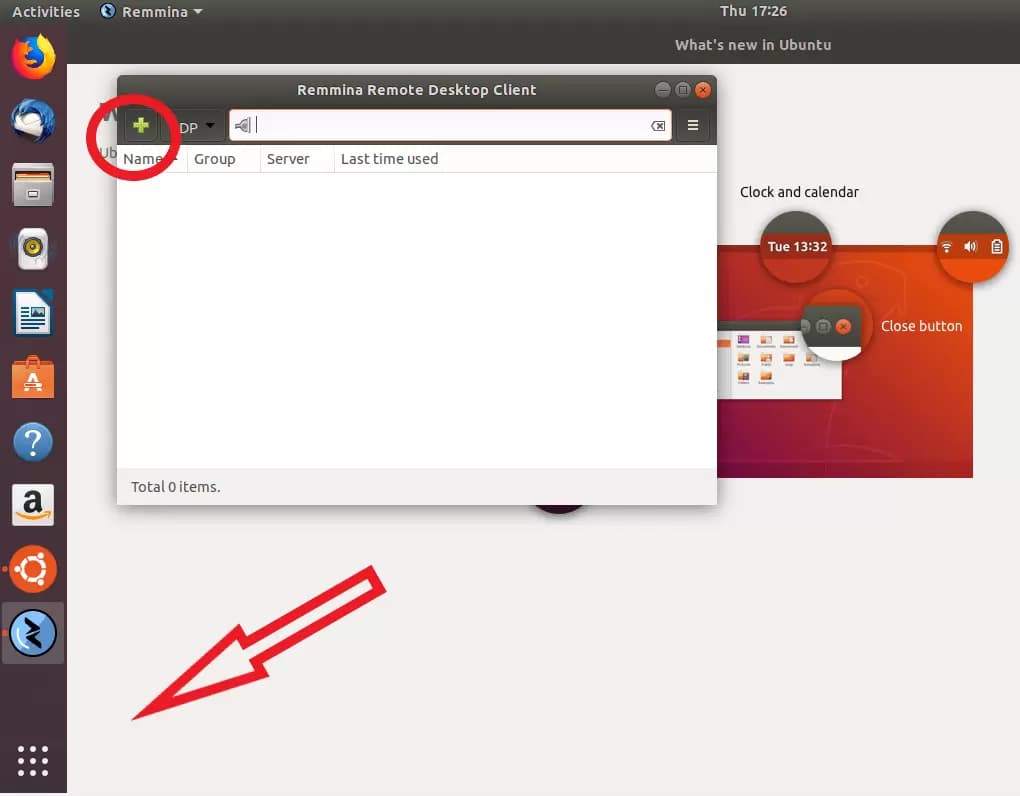
Therefore, once you have launched Remmina, click on the plus sign to create a new connection profile.
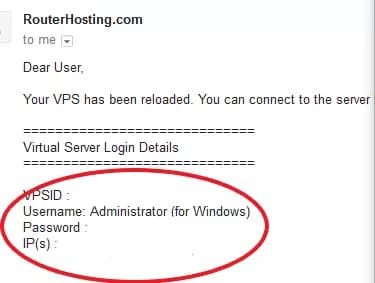
The welcome email contains all the information you need: server IP, login (by default, it always is ‘Administrator’), and password.
Also Read: How to connect to Windows VPS via RDP on android?
If you have not received the email, make sure to check your spam folder.
Once you have entered this information and given your new connection a name, the profile should look like this:
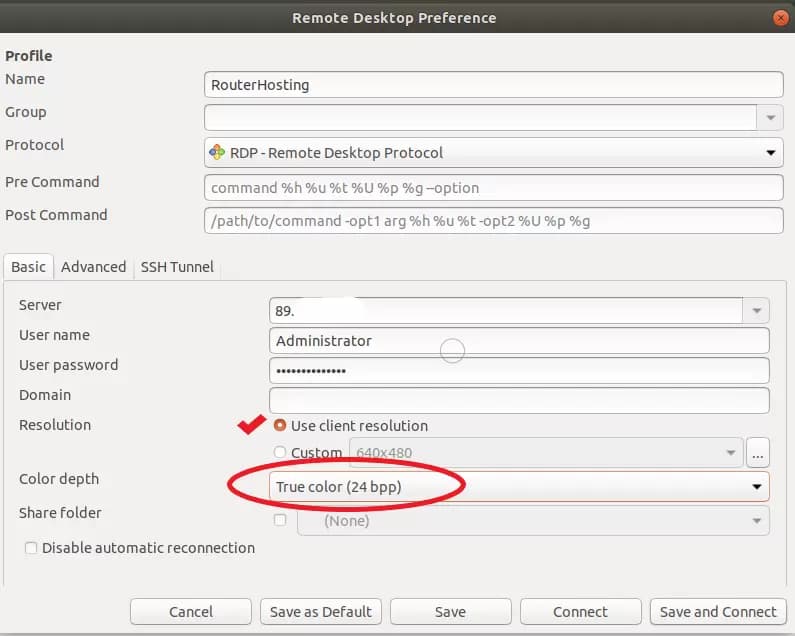
Make sure to check the checkbox ‘Use client resolution’ and set the color depth to True color (24bit).
Then hit either ‘Save’ to exit without connecting or ‘Save and Connect’ to connect to your new VPS immediately.
Also Read: What is Linux bashrc and How to Use It?
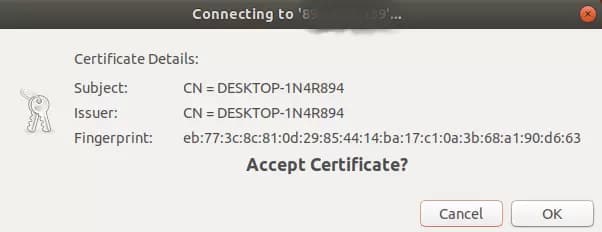
When you connect for the first time and get the following message, click ‘OK’ to proceed.
If all goes well, you are now connected!

By following the steps mentioned above you should be able to connect to your Linux VPS. We tried to provide a simple answer to the “how to connect to Linux VPS from windows” question. But, if you still have another question feel free to leave us a comment and we will write back in no time.
Also Read: Hosting Multiple Websites on a Single Server
Note: You can download the PDF version of this article by clicking on the button:
[su_button url=”https://cloudzy.com/wp-content/uploads/How-to-Connect-to-a-windows-VPS-From-Linux-1.pdf” target=”self” style=”default” background=”#fac802″ color=”#2f3856″ size=”3″ wide=”no” center=”no” radius=”auto” icon=”” icon_color=”#FFFFFF” text_shadow=”none” desc=”” download=”” onclick=”” rel=”” title=”” id=”” class=””]Download[/su_button]