

One-Click OpenCode VPS
Launch OpenCode on a VPS in One Click!
Deploy a ready OpenCode VPS in about 60 seconds, skip manual setup, and start coding on dedicated NVMe-backed infrastructure with full root access.

 Trustpilot
There’s a reason 121,000+ developers & businesses choose us.








退款保证

在线支持

网络速度

网络正常运行时间
Start OpenCode Without Building the Box First
Cloudzy cuts out the slow first step by giving you OpenCode already installed on Ubuntu 24.04 and ready to run from your PATH. That means you skip the base app install and start from a server that is already prepared for OpenCode itself.
From there, you get a cleaner remote setup for OpenCode with browser access, terminal sessions, IDE-based work, and parallel coding sessions on one machine.
That’s why our VPS’s dedicated server resources, SSD RAM, and always-on environment are far more useful than building everything on a laptop first.
-
分布式拒绝服务攻击防护

-
多种支付方式可选
-
完全管理员/超级用户权限
-
零延迟连接


Why OpenCode Runs Better on Cloudzy
释放灵活性与性能的强大力量
OpenCode Ready in One Click
OpenCode comes preinstalled on Ubuntu 24.04 and is already added to your PATH, so you skip the install step and start from a ready server.

Dedicated Performance
4.2+ GHz AMD Ryzen or EPYC CPUs, DDR5 RAM, NVMe SSD storage, and dedicated resources keep scans, indexing, prompts, and long sessions responsive.
Remote Access Fit for OpenCode
Use the web interface, SSH tunnel, or attach from another terminal, then keep full root access for your own tools and workflow changes.
Always-On Dev Box
Up to 40 Gbps networking, 99.99 uptime, daily backups, DDoS protection, and 24/7/365 support fit long-running remote coding work far better than a laptop-only setup.
Ready to Launch?
How to Launch OpenCode in One Click & Add Your Stack
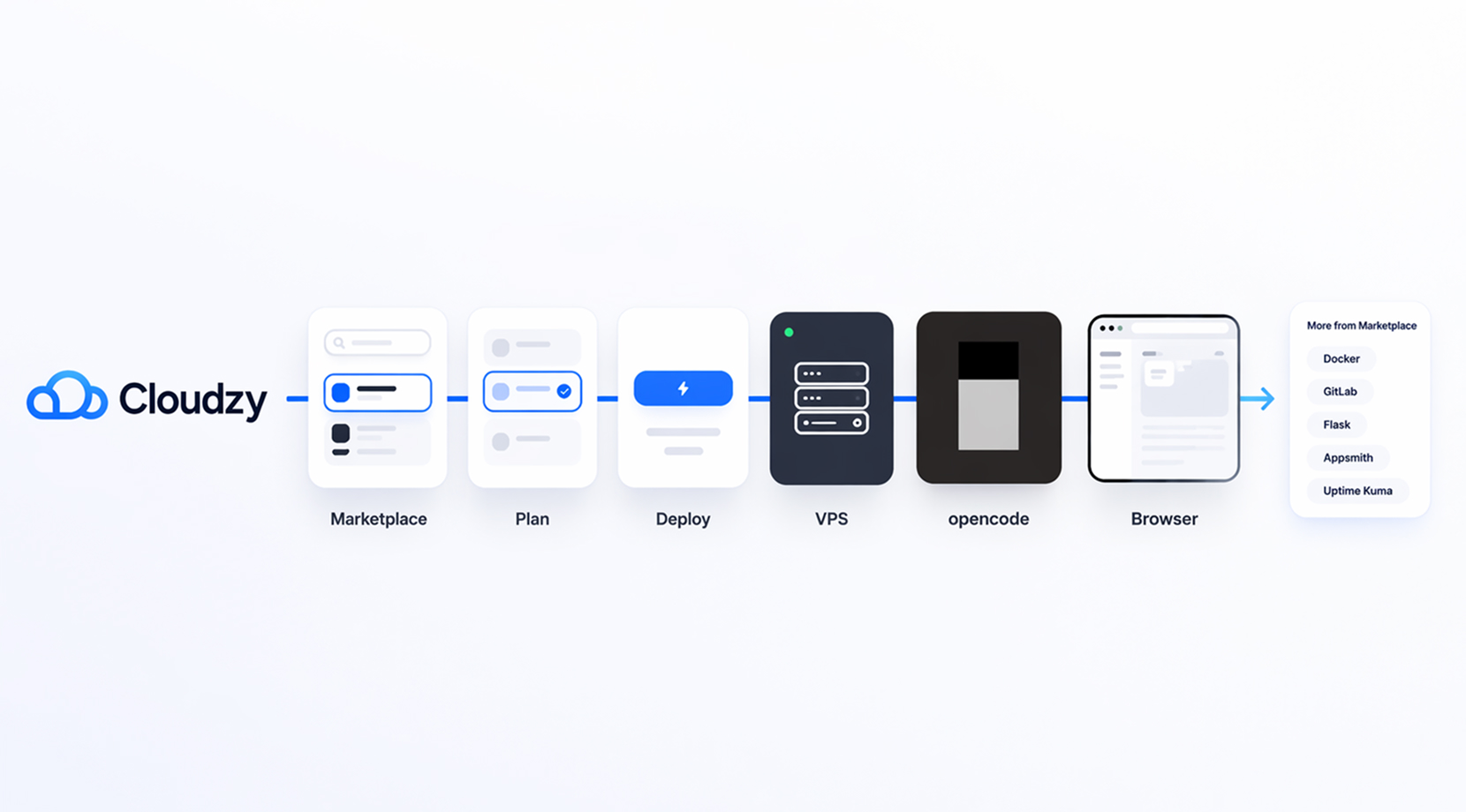
Start from Cloudzy's marketplace page, review the quick steps, pick your plan, and deploy the OpenCode image. Once the VPS is live, connect, run opencode, and use the OpenCode VPS Setup guide for browser access. If your workflow needs more, our marketplace also lists Docker, GitLab, Flask, Appsmith, and Uptime Kuma; all available as one-click apps!
16 regions. Four continents. One click away.
Put your server next to your users. Anywhere in the world, in under a minute.


0Gbps 网络速度

0.00% 网络正常运行时间

<0ms Average Latency

0/7 监控














FAQ | One-Click OpenCode VPS
What is the fastest way to deploy OpenCode?
Use our one-click OpenCode VPS. You skip the manual app install and start from a ready server instead of building the environment from scratch.
Do I need to install OpenCode myself on Cloudzy's one-click OpenCode VPS?
No. Cloudzy’s marketplace image ships with OpenCode already installed on Ubuntu 24.04 and added to your PATH.
How long does deploying Cloudzy's OpenCode VPS take?
Our one-click OpenCode VPS can be deployed in about 60 seconds, so you can get into the server and start quickly.
Can I use OpenCode in a browser after deployment?
Yes. Start opencode web, then forward the port over SSH exactly as shown on our marketplace setup page.
Can I use my current AI provider or subscription for OpenCode?
Yes. OpenCode supports 75+ providers and also offers sign-in paths for GitHub Copilot and ChatGPT Plus or Pro.
Can one Cloudzy OpenCode VPS handle more than one repo or session?
Yes, as long as the plan fits your workload. OpenCode also supports multiple sessions and parallel agents.
Can I customize Cloudzy's OpenCode server after launch?
Yes. You keep full root access, so you can add tools, repos, configs, and stack-specific runtimes after deployment.
Can I scale my OpenCode VPS later?
Yes. You can move up to more CPU, RAM, or storage later if your sessions, repos, or team workload outgrow the first plan.
How is data protected on Cloudzy's OpenCode VPS?
Cloudzy's OpenCode VPS offers daily backups with 30-day retention plus DDoS protection for the server environment.
Is Cloudzy's OpenCode VPS better than running OpenCode locally?
For many users, yes. Our VPS stays online, can be reached from other machines, and avoids tying your workflow to one laptop.
需要帮助?请联系我们的支持团队。
 提交工单
提交工单
 免安装费
60秒内部署
随时取消
免安装费
60秒内部署
随时取消
