

WordPress VPS主机托管
One-Click WordPress VPS Hosting
Launch a WordPress VPS on Ubuntu 24.04 with WordPress preinstalled. Open the IP to complete setup, then keep full root access for themes, plugins, and CLI tooling.

 Trustpilot
There’s a reason 121,000+ developers & businesses choose us.








退款保证

在线支持

网络速度

网络正常运行时间
What is WordPress VPS?
-
分布式拒绝服务攻击防护

-
多种支付方式可选
-
完全管理员/超级用户权限
-
零延迟连接


科技达人的心头好!
This WordPress VPS hosting image gives you dedicated vCPUs, DDR5 RAM, and NVMe SSDs, so dashboards, PHP workers, and database reads stay quick. Pick a region close to visitors, keep a static IP, and take snapshots before updates. Up to 40 Gbps connectivity and a 99.99% uptime SLA support production and staging.
高端基础设施
基于顶级基础设施的服务器可确保您的工作负载得到顺畅、准时的处理。

无风险
我们为您提供退款保证,让您高枕无忧。

保证正常运行时间
我们保证99.99%的运行时间,为您提供可靠且稳定的连接。

全天候关怀支持
您的工作至关重要。我们深知这一点,并始终心系于此——我们的客户支持团队亦是如此。

Why Choose Cloudzy’s WordPress VPS Hosting
释放灵活性与性能的强大力量
One-Click Launch
Choose the Marketplace image on Ubuntu 24.04. WordPress is already in /var/www/html, Apache2 and PHP-FPM are ready, and MySQL credentials sit in /root/.cloudzy-creds. Finish setup from your browser.

High-Performance Infrastructure
Dedicated vCPUs, DDR5 RAM, and NVMe SSDs keep PHP and database queries quick. Up to 40 Gbps network capacity helps during traffic peaks, and a static IP keeps DNS and SSL predictable.
完全根控制
Tune php.ini, add extensions, set cron jobs, and run WP-CLI or Composer. Use systemd to manage services like Apache and MySQL, and keep your stack aligned with your workflow.
Backups and Rollbacks
Take snapshots before theme, plugin, or PHP updates. If something breaks, roll back fast from the panel. Keep staging and production separated, then repeat changes once you like the result.
Reliable Billing and Support
Hourly billing suits tests, migrations, and short campaigns, while monthly plans fit steady sites. 24/7 support helps with tuning and sizing, backed by a 99.99% uptime SLA.
Simple installation
How to Set Up a WordPress VPS
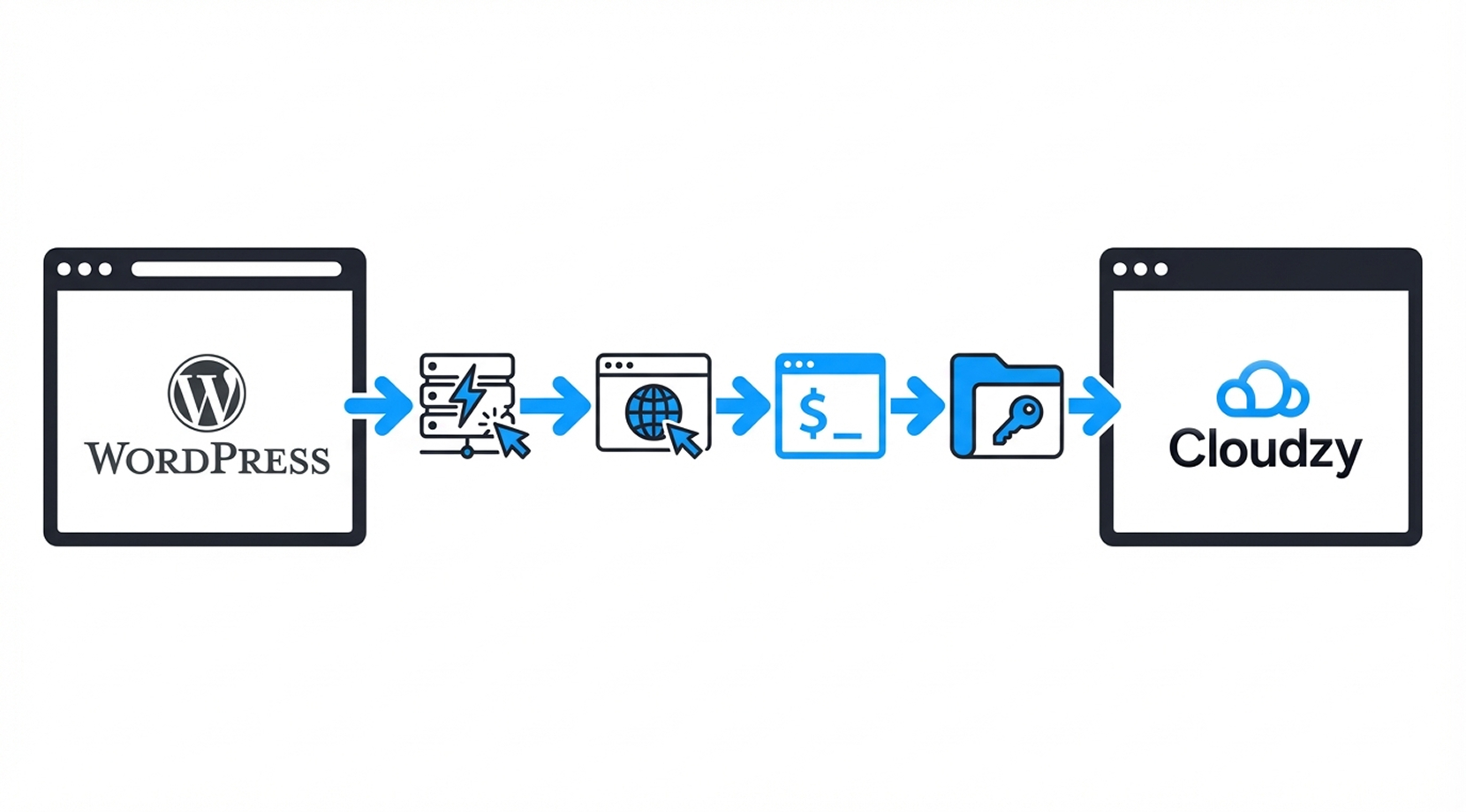
Setting up Cloudzy’s WordPress VPS is easy. Deploy the one-click image, open http:// to finish setup, then SSH in as root and get MySQL credentials from /root/.cloudzy-creds. Follow our WordPress Server VPS guide for the full walkthrough.
16 regions. Four continents. One click away.
Put your server next to your users. Anywhere in the world, in under a minute.


0Gbps 网络速度

0.00% 网络正常运行时间

<0ms Average Latency

0/7 监控














FAQ | WordPress VPS Hosting
What is WordPress VPS used for?
WordPress VPS runs WordPress sites with isolated CPU, RAM, and storage. It fits projects that outgrow shared limits or need custom server settings and tooling.
What does a WordPress VPS need to run properly?
WordPress VPS commonly relies on a modern PHP version, a MySQL-compatible database, and HTTPS support. Apache or Nginx can serve the site as long as the stack supports PHP.
Does WordPress VPS work with Apache and PHP-FPM?
Yes. WordPress runs fine behind Apache, and PHP-FPM is a common way to handle PHP workers. Pair it with caching and tuned database settings for heavier themes and plugins.
How do WordPress VPS memory limits affect plugins?
Low PHP or WordPress memory limits can trigger errors during page builders, imports, or heavy plugins. Raising limits can help, but it should match your server RAM and peak concurrency.
What are common hardening steps for WordPress VPS?
Keep core, themes, and plugins updated, remove unused components, and lock down admin access. Add HTTPS, apply least-privilege file permissions, and limit login exposure with firewall rules.
How do I access Cloudzy WordPress VPS after setup?
Use the Cloudzy panel for the server IP, open the site in a browser to finish setup, then SSH in as root. WordPress is in /var/www/html and MySQL credentials are in /root/.cloudzy-creds.
What performance can I expect from Cloudzy WordPress VPS Hosting?
Dedicated vCPUs, DDR5 RAM, and NVMe SSDs support faster PHP execution and database reads. Up to 40 Gbps connectivity helps during spikes, and you can resize resources as traffic grows.
How does Cloudzy WordPress VPS help with security on VPS?
You control firewall rules, SSH keys, and update cadence at the OS level. Pair that with snapshots before changes, HTTPS, and tighter permissions for a safer WordPress on VPS setup.
Can I scale Cloudzy vps hosting for wordpress as traffic rises?
Yes. You can resize CPU, RAM, or NVMe storage, then tune PHP-FPM workers and caching. Take a snapshot first for safer rollbacks after major theme or plugin changes.
Does Cloudzy WordPress VPS include snapshots, hourly billing, and a static IP?
Yes. You get VPS snapshots in the panel, hourly billing for short runs, and a dedicated static IP. 24/7 support and a 99.99% uptime SLA back wordpress vps hosting.
需要帮助?请联系我们的支持团队。
 提交工单
提交工单
 免安装费
60秒内部署
随时取消
免安装费
60秒内部署
随时取消
