

Automad VPS Hosting
One-Click Automad VPS for Fast Launches
Skip manual server setup and launch Automad on a ready VPS in minutes. Cloudzy gives you a clean, controlled environment built for quick deployment.

 Trustpilot
超过120,000名开发者和企业选择我们,自有其道理。








退款保证

在线支持

网络速度

网络正常运行时间
Skip the Manual Automad Setup
Running Automad by hand means setting up the server, PHP, file permissions, security, and updates before the site is ready. That takes time, even for technical users.
Cloudzy’s one-click Automad VPS removes that setup work. You get a ready environment and can move straight to building the site instead of spending time on infrastructure.
Manual Automad Setup Challenges:
- Requires server, PHP, and permissions setup before use
- Misconfigurations can break the site
- Security and updates handled manually
- Setup must be repeated for every project
How Cloudzy’s Automad VPS Fixes This:
- One-click ready Automad deployment
- Preconfigured environment works instantly
- Built-in security and backups included
- Launch and start building right away
-
分布式拒绝服务攻击防护

-
多种支付方式可选
-
完全管理员/超级用户权限
-
零延迟连接


Why Cloudzy Works Well for Automad
释放灵活性与性能的强大力量
One-Click Start
Automad comes preinstalled, so no manual server work; you go straight to your site.

Fast, Responsive Hardware
NVMe SSD storage, DDR5 RAM, and high-frequency AMD CPUs help Automad stay quick under heavy traffic.
完全根控制
Keep full root access so you can tune PHP, permissions, and updates without losing control of the server.
Safer Backups and Recovery
Daily backups with 30-day retention help protect content and make rollbacks less stressful.
Built for Growth
Dedicated resources, 16+ global locations, and up to 40 Gbps networking help Automad projects stay steady as traffic grows.
Easy Automad Installation
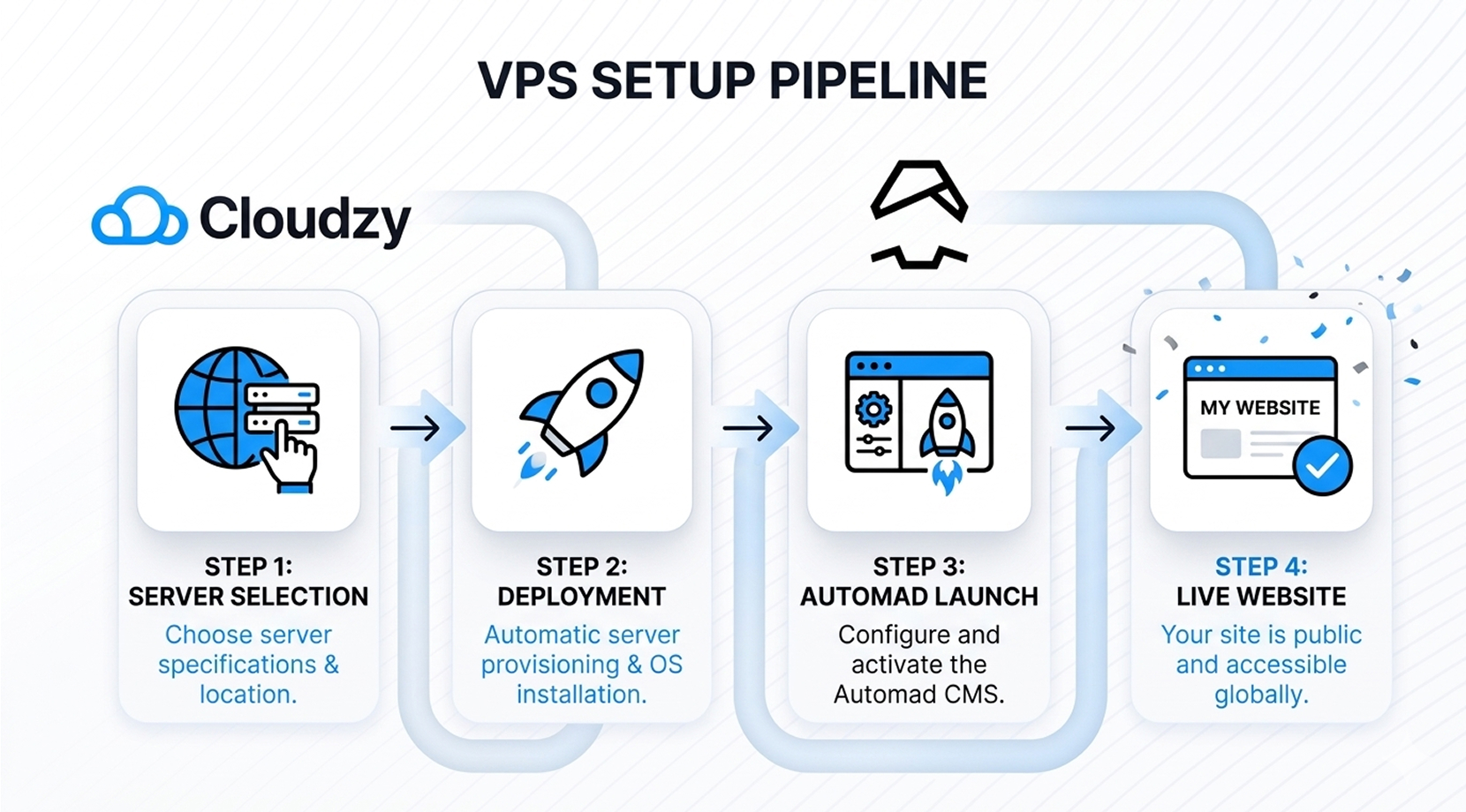
How to Set Up Cloudzy’s Automad VPS?
Pick a plan and region, deploy Automad, and grab your server details. Cloudzy’s marketplace page also shows the setup steps, and the app deploys in about 60 seconds. Follow the Automad VPS Setup guide below to finish in a few simple steps.
16+个地点。因为每一毫秒都至关重要
将您的VPS部署在更接近用户的位置,以获得最佳性能。


0Gbps 网络速度

0.00% 网络正常运行时间

<0ms Average Latency

0/7 监控














FAQ | Automad VPS
What is the easiest way to deploy Automad?
Cloudzy’s one-click Automad VPS is the easiest route. It gives you a ready image and skips the manual setup steps.
Do I need server knowledge to run Automad on a VPS?
Not much. The one-click image handles the hard part, and you still keep root access for later changes.
How long does Automad VPS setup take?
Cloudzy’s Automad page says deployment takes about 60 seconds. After that, you can open the site and continue setup.
Can I customize the server after deployment?
Yes. Full root access lets you change the stack, update services, and tune the server as needed.
Can I access Automad admin credentials after deployment?
Yes. Cloudzy provides the login details after deployment, so you can access the Automad dashboard immediately and start managing your site.
Is Automad VPS good for production sites?
Yes. Dedicated resources, backups, DDoS protection, and a 99.99% uptime guarantee make it a solid fit for live sites.
Does Automad need a database on a VPS?
No. Cloudzy describes Automad as a flat-file CMS and template engine, so core use does not depend on a database.
Can I scale Automad later?
Yes. Cloudzy’s VPS plans support resource growth, so you can add more CPU, RAM, storage, or bandwidth as needed.
需要帮助?请联系我们的支持团队。
 提交工单
提交工单
 免安装费
60秒内部署
随时取消
免安装费
60秒内部署
随时取消
