50% 할인 모든 플랜, 기간 한정. 시작 가격 $2.48/mo
읽는 데 6분
게임 & 미디어

Minecraft 서버에 RAM가 얼마나 필요한가?

Ava By Ava 6분 분량 2025년 7월 27일 업데이트
Minecraft 서버에 필요한 RAM 용량은?

Minecraft is an open-world game where you can use in-game resources to create stuff. You can mine, build, and battle mobs. The game is pretty fun and engaging as you explore more while you play. There are literally limitless ways to play the game. If you are a Minecraft player, you already know that you can use Minecraft servers to play with other players like your friends or gaming team members. 

The key to having a smooth bug-free game with a number of players and different mods is to know the exact recommended RAM for Minecraft server. This might get confusing, and that’s why you need this guide to make sure you’re on the right track with your Minecraft server.

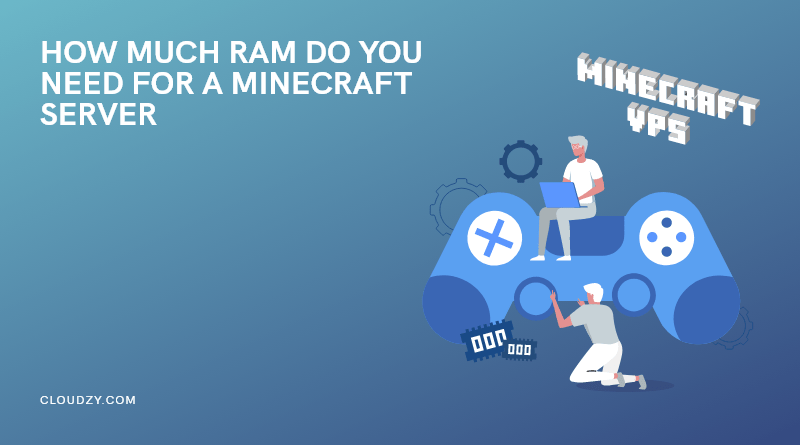
RAM for Minecraft

Why RAM Matters for a Minecraft Server

RAM, or Random Access Memory, isn’t just some tech jargon; it’s genuinely vital for your Minecraft server’s performance. Think of RAM as your server’s short-term memory, where it quickly stashes all the crucial stuff: world data, player actions, every little mob movement, and all your beloved plugin and mod data, as the game zips along. The more intricate your world becomes, the hungrier it gets for RAM.

Simply put, if your server starts gasping for more RAM, you’re in for a world of pain: frustrating lag spikes, painfully slow chunk loading (nobody wants that!), and even soul-crushing server crashes. That’s precisely why getting the memory just right isn’t just important, it’s critical.

Importance of RAM for Minecraft

Recommended RAM for Minecraft VPS depends on the number of players, mods, and world size. Respectfully the higher the RAM is, the more players and mods you can have on your server. The question is, what if RAM is low? Is 2 GB RAM enough for a Minecraft server? Yes, you can run a Minecraft server with low RAM; It only depends on how much interaction you want to have in your game. There is a limit for the least and most amount of recommended RAM for Minecraft server. You can start with a basic 2 GB RAM and go up to 15 GB.

The recommended RAM for a Minecraft server depends on several factors-how many players you expect, the version of Minecraft you’re running, and whether you’re using mods or plugins.

Here’s a general breakdown:

Use Case Recommended RAM
Vanilla (1–5 players) 2–3 GB
Vanilla (5–10 players) 4 GB
Vanilla (10–20 players) 5–6 GB
Modded (1–5 players, light) 4–6 GB
Modded (5–10 players, heavy) 8–10+ GB
Large public server 12–16+ GB

Still scratching your head? No worries! Just pop over to a Minecraft server RAM calculator; they’re super helpful for estimating your exact needs based on your player count and installed mods.

Which One Is Better? Faster RAM or More RAM?

For those running a server, knowing how to allocate more RAM to Minecraft is crucial for optimizing performance. The more RAM you dedicate to your server, the more resources it has to handle players, complex worlds, and demanding mods.

Faster RAM, on the other hand, can offer a slight performance bump, particularly with things like chunk loading. But honestly, its overall impact is pretty minor compared to just making sure you have enough available memory in the first place.

For most Minecraft server setups, having a good amount of RAM for Minecraft server is way more crucial than its raw speed. Once you’ve got enough memory to gracefully handle your server’s workload, then things like your CPU and disk speed will start playing a more significant role in performance.

Faster or More RAM for Minecraft

How To Check How Much RAM Is Allocated To Minecraft?

If you’re running a server and want to check how much RAM it’s using or has allocated, there are several ways to do this.

For Java Edition

If you’re hosting a Minecraft server right on your own machine using the classic .jar file, here’s what to look for:

1.Check out your startup command! You’ll likely see something similar to this:

java -Xmx4G -Xms2G -jar server.jar
  • -Xmx is the maximum RAM allocated (e.g., 4GB)
  • -Xms is the minimum RAM allocated at startup (e.g., 2GB)

2.You can also monitor real-time usage with tools likeYou can also keep an eye on real-time usage with these trusty tools:

  • Windows Task Manager (Ctrl + Shift + Esc)
  • macOS Activity Monitor
  • htop on Linux

For Hosted Servers:

If you’re using a hosting platform, they usually make it super simple! Just log into their dashboard and look for metrics like:

  • Allocated RAM
  • Used RAM
  • Free/available memory


Check my RAM for Minecraft

Best RAM for Minecraft Server

When you’re out there choosing RAM for your Minecraft server, here’s what to keep in mind:

  • DDR4 or newer is your friend: Most modern servers happily run on DDR4 – it’s fast and reliable. DDR5 is the new kid on the block, even faster, but usually overkill unless you’re planning a truly massive, bustling server.
  • Aim for at least 4–8 GB for modded or public servers: This is kind of the sweet spot for many Minecraft server host plans. You get solid performance without feeling like you’re overpaying.
  • Consider ECC RAM (especially for dedicated hosting): Error-correcting RAM is a big deal in enterprise-level servers. It helps prevent those pesky crashes that can happen due to memory errors. Definitely worth it if you’re running a critical or super large public server.


A friendly tip: if you’re going with a hosting provider, always double-check the type of RAM they offer. Some budget hosts (and bless their hearts) might “oversell” RAM, meaning even if your plan says “8GB,” you might not get truly reliable performance. Reviews and their reputation really, really matter here.

Top RAM for Minecraft

The Bottom Line

In summary, figuring out the “right” amount of RAM for your Minecraft server isn’t a one-size-fits-all answer; it’s all about your unique setup. A little vanilla server for just a few friends might be perfectly happy with just 2GB, but a monster heavily modded server packed with players could easily demand 12GB or even more.

Take a moment to consider your player count, whether you’re going vanilla or modded, how intricate your world will be, and your hosting environment. If you’re still a bit unsure, a great starting point is 4GB. 

At the end of the day, just give your server enough RAM for delightfully smooth gameplay but hey, don’t go overboard and overspend on more than you truly need. Happy crafting!

자주 묻는 질문

How much RAM does a server need for a small Minecraft server?

2–3 GB is enough for 1–5 players on vanilla. Add more for mods or more players.

Is 1GB RAM enough?

Barely. It may work for minimal setups but expect lag and crashes.

Can I run a server with 2GB RAM?

Yes, for basic vanilla play with a few players. Not ideal for mods.

How much RAM for modded Minecraft?

Light mods: 4–6 GB. Heavy mods or more players: 8–10+ GB.

공유

블로그 더 보기

계속 읽기.

Jellyfin, Emby, Stremio, Kodi 타일이 포함된 "최고의 Plex 대안" 히어로 이미지와 Plex 대안 빠른 가이드.
게임 & 미디어

자체 미디어 서버 호스팅을 위한 최고의 Plex 대안: 빠른 답변 및 상세 분석

바로 답을 원하신다면, 장기적으로 미디어를 직접 호스팅하려는 대부분의 사용자에게 Jellyfin가 최선의 Plex 대안입니다. Emby는 더 세련된 경험을 원한다면

Nick SilverNick Silver 14분 분량
Minecraft 서버 백업을 만드는 방법은?
게임 & 미디어

Minecraft 서버 백업을 만드는 방법은?

Minecraft 서버를 백업 없이 운영하는 건 위험합니다. 언젠가는 반드시 문제가 생깁니다. 월드 손상, 모드 충돌, 플러그인 오작동, 예기치 못한 오류로 서버가 다운될 수 있

Ivy JohnsonIvy Johnson 읽는 데 10분
오른쪽에는 빛나는 포탈 너머로 성과 떠 있는 섬들이 보입니다. 왼쪽 어두운 배경에는 Cloudzy 로고 옆으로 "Best Minecraft Modpacks"라는 텍스트가 굵게 표시되어 있습니다.
게임 & 미디어

2026년에 즐길 수 있는 최고의 Minecraft 모드팩

수백 시간을 플레이하다 보면 바닐라 Minecraft도 지루해집니다. 엔더 드래곤도 잡고, 농장도 짓고, 바이옴도 다 돌아봤다면 이제 뭘 해야 할까요? 모드팩은 여러 모드를 한데 묶어

Rexa CyrusRexa Cyrus 13분 읽기

배포할 준비가 됐나요? 월 $2.48부터.

2008년부터 운영해온 독립 클라우드. AMD EPYC, NVMe, 40 Gbps. 14일 환불 보장.