
Promóciós kupon alkalmazása a Cloudzy-n
Ha promóciós kuponkódot kaptál a Cloudzy-tól, egyszerűen
alkalmazhatod a fiókodra, hogy további kredit hozzáférést nyerj. Így aktiválhatod
a kuponkódot és növelheted a kreditkészletedet.
Lépésről lépésre útmutató
- Az Ön Cloudzy-fiókjának elérése:
Jelentkezz be a Cloudzy irányítópultjára a hitelesítő adataiddal.
- Navigálj a Kredit Hozzáadása szakaszhoz:
Kattintson az egyenlegére az irányítópult jobb felső sarkában a
hozzáférés az Kredit hozzáadása szakasz.
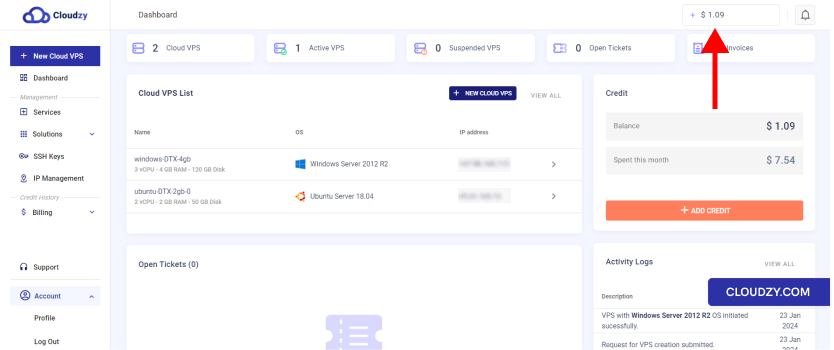
- Kuponkód beírása:
- Egyszer Kredit hozzáadása szakasz, keresse meg a
Kupon fül mellett Fizetési módok
fül.
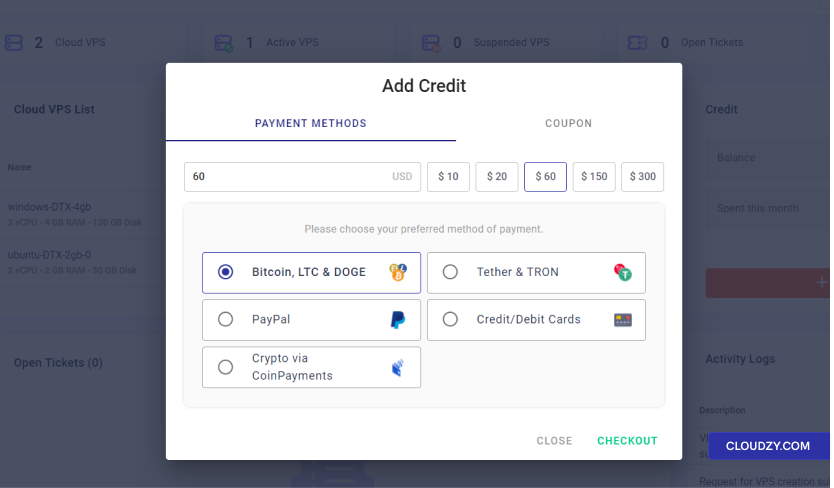
- Kattintson a Kupon fül a kuponkód megjelenítéséhez
beviteli mező
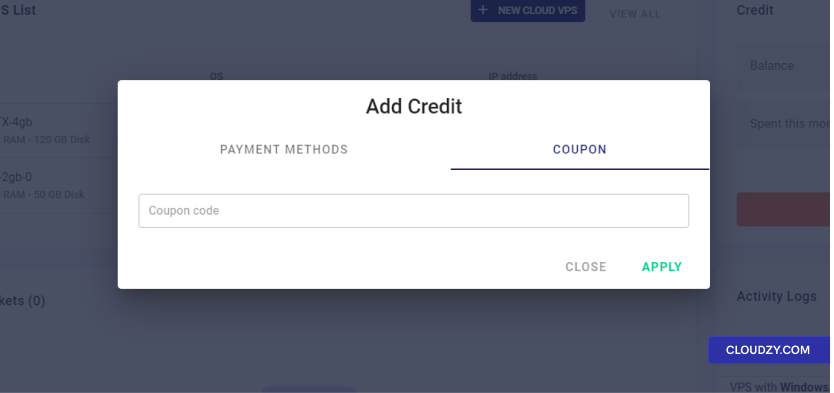
- Kuponkód alkalmazása:
-
Add meg a kuponkódot a megadott mezőbe.
-
Kattintson a Alkalmaz gomb aktiválásához
kupon
- Megerősítés és Jóváírás-módosítás:
-
A kupon alkalmazása után egy megerősítő üzenetet kell látnod,
amely jelzi, hogy a kredit hozzáadódott a fiókodhoz. -
A fiók egyenlegét frissítjük, hogy tükrözze az új kreditet
mennyiség
A promóciós kuponkód aktiválása a Cloudzy-nél egyszerű. Ha
követed ezeket a lépéseket, beválthatod a kuponkódot és élvezheted az előnyöket,
amelyeket a Cloud VPS szolgáltatásaid biztosítanak. Ne felejtsd el ellenőrizni a
lejárati dátum és a kuponhoz kapcsolódó feltételek a maximális kihasználás érdekében
feltételeit. Ha további információra vagy segítségre van szükséged, keress minket.
vedd fel a kapcsolatot a támogatócsapatunkkal a következőn keresztül: elküldve egy
jegy.
Szintén itt: Fizetési módok
Kapcsolódó útmutatók.
Másban kell segítség?
Medián válaszidő 1 órán belül. Valódi emberek, nem botok.