
Python installeren op Linux
Omdat Python uitstekend geschikt is voor ontwikkeling, scripting en data-analyse,
is de installatie op Linux belangrijk voor veel projecten. In deze handleiding
laten we zien hoe je het installeert op Ubuntu en CentOS. Met deze eenvoudige
stappen krijg je Python werkend op je systeem.
Vereisten
Zorg voor het volgende voordat je Python installeert op Linux:
-
Actieve Cloudzy Linux VPS: Je bent op een Cloudzy
VPS met Ubuntu of CentOS. -
Basiskennis van de command line: Je weet hoe je
de Linux command line gebruikt. -
Beheerdersrechten: Je hebt root-toegang of kunt
'sudo' gebruiken voor commando's.
Met deze stappen ben je klaar om Python te installeren op je Cloudzy
VPS.
Python installeren op
Ubuntu
- Pakketten bijwerken
-
SSH naar je VPS.
-
Soort sudo apt update om te vernieuwen
pakketten.
- Python installeren:
- Installeer Python met sudo apt install python3. Dit
installeert de nieuwste Python 3.
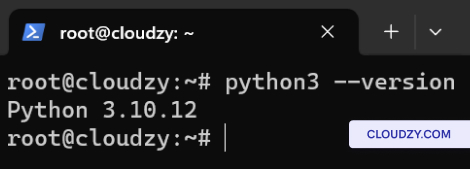
- Versie controleren:
- Bevestigen door in te typen python3 –version. Het toont de
Python-versie.
Python installeren op
CentOS
- Pakketten bijwerken
-
SSH naar je VPS.
-
Soort sudo dnf update voor het bijwerken van het systeem
pakketten.
- Python installeren:
- Voer uit sudo dnf install python3 Python installeren.
Dit installeert de standaard Python 3 uit je CentOS-repository.
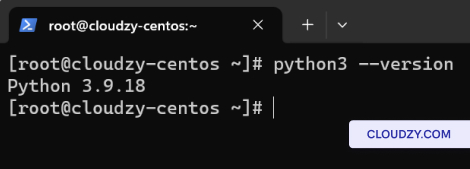
- Versie controleren:
- Controleer na de installatie met python3 –version. Het
toont de geïnstalleerde Python 3-versie.
Gefeliciteerd! Je hebt Python succesvol geïnstalleerd op Ubuntu en
CentOS in Cloudzy VPS. Als je meer informatie of verdere
hulp nodig hebt, neem dan contact op met ons supportteam via een
kaartje.
Ook in Handmatige installaties
Gerelateerde gidsen.
Hulp nodig met iets anders?
Mediane reactietijd onder 1 uur. Echte mensen, geen bots.