
Cloud VPSをアップグレードした後、ストレージを拡張する必要が生じることがあります。
サーバーのドライブパーティションを再構成して、新しい領域を完全に活用できます。これは
データを失うことなく完了し、スムーズに次のステップへ進められます
ストレージ容量についてです。このガイドでは、安全に容量を拡張する方法を説明します。
Windows VPS のドライブパーティションを Cloudzy 上で VPS をリサイズした後。
前提条件
ドライブ拡張を始める前に、以下を確認してください。
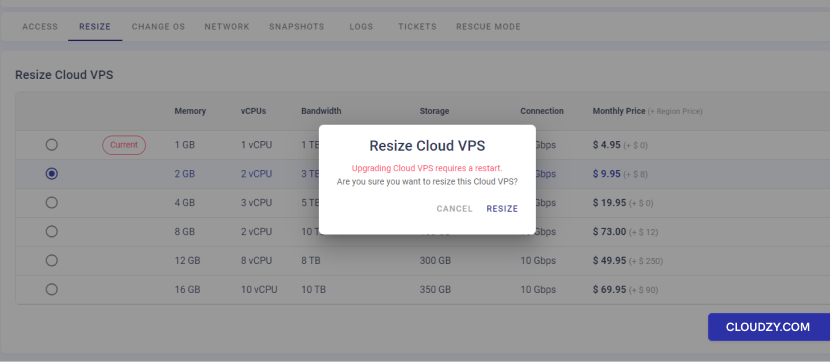
- VPSのサイズ変更を完了: Cloud VPSのサイズ変更を完了してください
Cloudzy パネルから行えます。そのため、お使いの
VPS管理ページで、リソースが増加した新しいプランを選択して、
resize を確認します。リサイズにより VPS の再起動が必要になる場合があります。
-
データをバックアップする: バックアップすることが重要です
VPSデータをディスク パーティションに変更を加える前に保存します。Windowsのバックアップ機能を使用できます
バックアップ機能またはサードパーティ製ツールを使用してデータを保護してください。 -
管理者アクセス: 必須です
VPS の管理者権限が必要です。Windows VPS に以下でログインしてください。
これらの権限を持つアカウント。 -
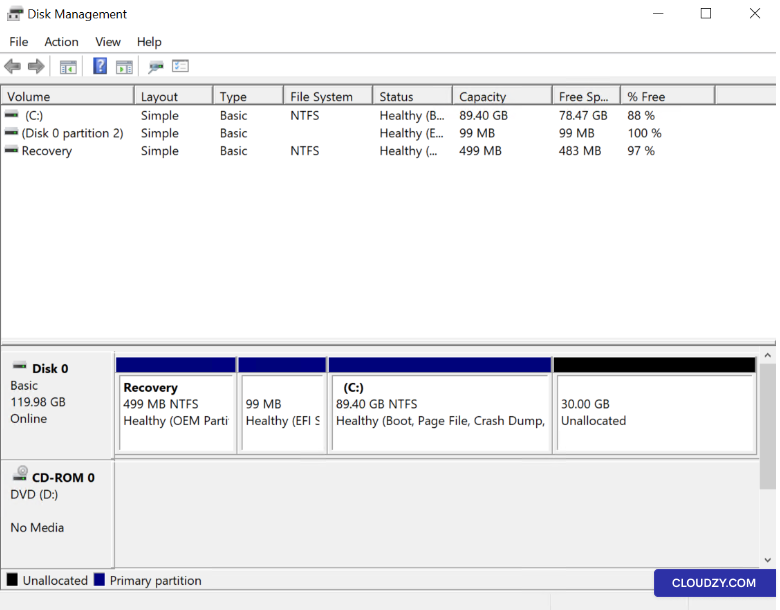
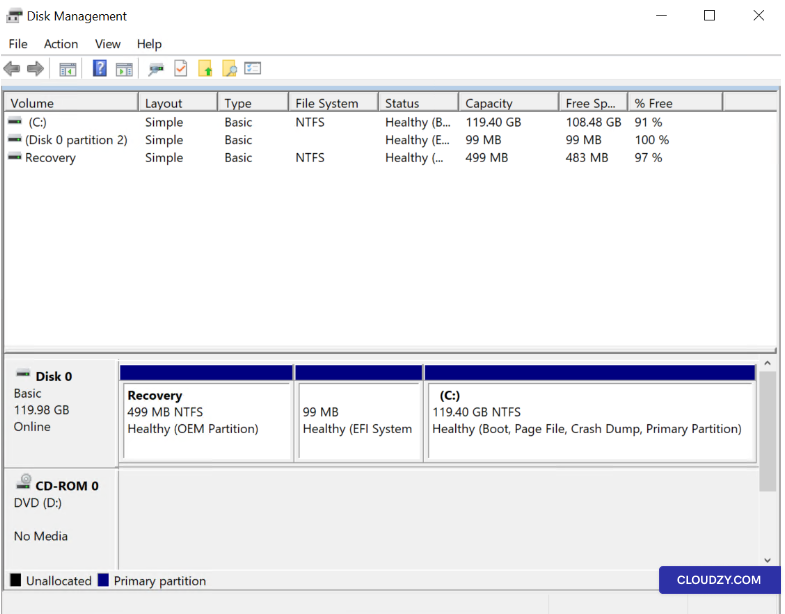
ディスク管理を確認: ディスクにアクセス
右クリックで管理ユーティリティ 開始 その上
デスクトップ、選択 ディスク管理新しい
スペースは次のようにリストされています 未割り当て 現在のものの隣に
パーティション(s)
これらの詳細な前提条件により、安全で
効果的なドライブ拡張。
拡張中
Windows VPS サーバードライブ
前提条件を満たしていることを確認した後、以下の手順に従ってください。
サーバー ドライブを拡張:
ステップ 1: Disk にアクセス
管理
前述の通り 開始 またはディスクにアクセス
Windows実行ダイアログを通じた管理:
-
押す Win + R 「ファイル名を指定して実行」ダイアログを開く
ボックス -
タイプ diskmgmt.msc そして、Enterキーを押すか、をクリックしてください
OK. -
ディスク管理ユーティリティが開き、現在の状態が表示されます。
ディスク構成(未割り当て領域を含む)。
ステップ2: 位置を特定する
未割り当て容量
ディスク管理で以下を探します。 未割り当て スペース
あなたのVPSのサイズ変更後に表示されました。
ステップ3: 拡張
ボリューム
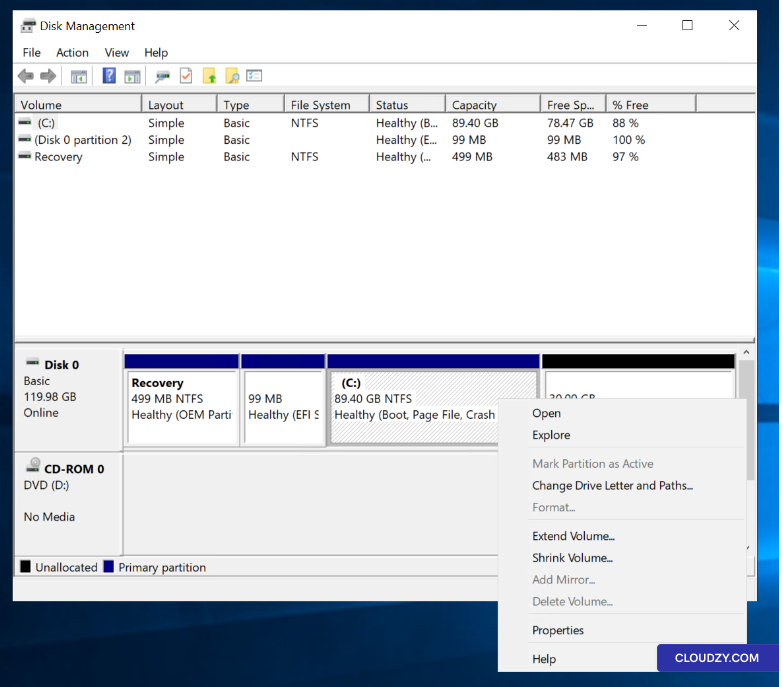
拡張したいパーティション(通常は C: ドライブ)を右クリックします。
そして選択 ボリュームを拡張....
ステップ 4: ボリュームの拡張
ウィザード
ボリューム拡張ウィザードが起動します。以下をクリックしてください。 次へ
進むために
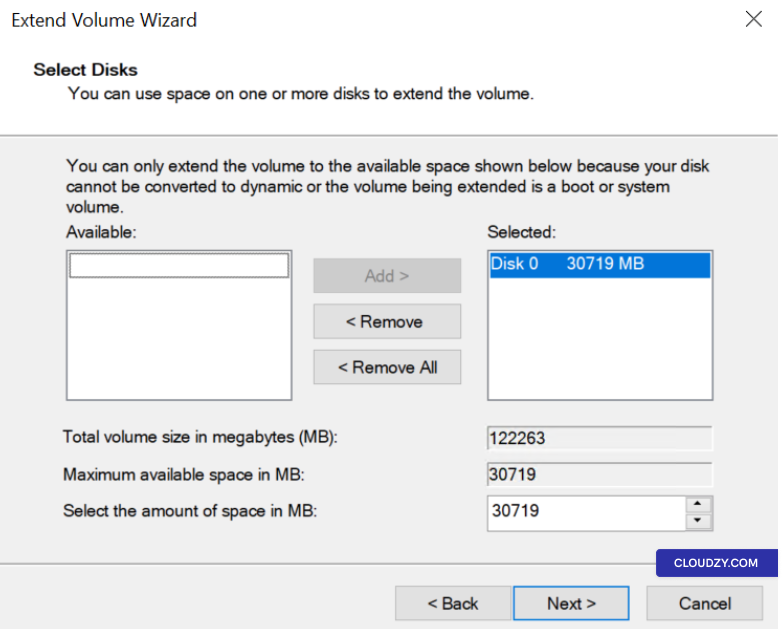
ステップ 5: ディスクを選択
追加するスペース
既存に追加する未割り当て領域の量を指定してください
パーティション。ウィザードは利用可能な最大スペースを自動的に選択する場合があります。
デフォルト
*ステップ6: 完了
拡張
次をクリック: 次へ そして 完了 to
変更を適用します。パーティションは再起動なしで拡張され、
データを失わずに。
拡張されたパーティションにより、Windows VPS はより多くの利用可能な
スペースを確保でき、アプリケーションとストレージのニーズに対応できるようになります。
サーバーの機能は、その新しい、より大きな構成と一致しています。もし、あなたが
いつでもお気軽にお問い合わせください。 送信する
チケット.