
Python telepítése Linux-re
Mivel a Python kiváló fejlesztéshez, szkriptezéshez és adatelemzéshez,
annak Linux-re telepítése számos projekt számára fontos. Ebben az útmutatóban
bemutatjuk, hogyan telepítse a Ubuntu és CentOS rendszerre. Ezekkel az egyszerű
lépésekkel a Python működőképessé tehető a rendszeren.
Előfeltételek
A Python Linux-en történő telepítése előtt győződjön meg a következőkről:
-
Aktív Cloudzy Linux VPS: Cloudzy-n vagy
VPS Ubuntu vagy CentOS rendszerrel. -
Parancssor-kezelési ismeretek: Ismeri a használatát
a Linux parancssor. -
Admin jogok: Rendszergazdai hozzáférésed van vagy használhatsz
'sudo' a parancsokhoz.
Ezek a lépések előkészítenek a Python telepítéséhez a Cloudzy-n
VPS.
Python telepítése
Ubuntu
- Csomagok frissítése:
-
SSH a saját VPS-edhez.
-
Típus sudo apt update frissítéshez
csomagok.
- Python telepítése:
- Python telepítése a következővel: sudo apt install python3. Ez
megszerzi a legújabb Python 3 verziót.
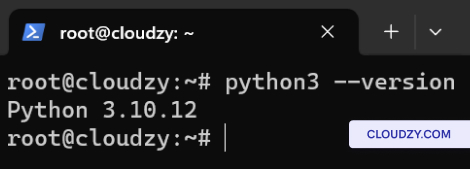
- Verzió ellenőrzése:
- Írja be az megerősítéshez python3 –versionMutatja a
Python verzió.
Python telepítése
CentOS
- Csomagok frissítése:
-
SSH a saját VPS-edhez.
-
Típus sudo dnf update rendszer frissítéséhez
csomagok.
- Python telepítése:
- Futtasd le sudo dnf install python3 Python telepítéséhez.
Ez az alapértelmezett Python 3-at kapja meg a CentOS repóból.
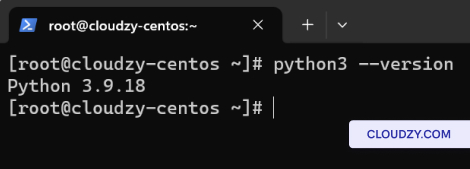
- Verzió ellenőrzése:
- Telepítés után ellenőrizze a python3 –version. Ez
megjeleníti a telepített Python 3 verziót.
Gratulálunk! Sikeresen telepítette a Python-t a Ubuntu és
CentOS rendszerre a Cloudzy VPS-ben. Ha további információkra vagy támogatásra van szüksége,
forduljon bizalommal az ügyfélszolgálati csapatunkhoz a elküldve egy
jegy.
Szintén itt: Kézi telepítések
Kapcsolódó útmutatók.
Másban kell segítség?
Medián válaszidő 1 órán belül. Valódi emberek, nem botok.