
Pythonは開発、スクリプティング、データ分析に適しているため、
Linux にインストールすることは、多くのプロジェクトで重要です。このガイドでは
Ubuntu と CentOS にインストールする方法を説明します。これらの簡単な
ステップに従うことで、Python をシステムで実行できます。
前提条件
Linuxに Python をインストールする前に、必ず確認してください:
-
アクティブ Cloudzy Linux VPS: あなたはCloudzyを使用しています
VPS with Ubuntu または CentOS -
コマンドラインスキル: 使用に慣れている
Linux コマンドライン -
管理者権限 ルートアクセスがあるか、使用できます
コマンド用の「sudo」
これらのステップは、Cloudzyへのpythonインストールの準備を整えます。
VPS.
Pythonのインストール
Ubuntu
- パッケージを更新
-
SSH から VPS へ接続します。
-
タイプ sudo apt update 更新する
パッケージ
- Pythonをインストール:
- Pythonをインストール sudo apt install python3. これ
最新のPython 3を取得します。
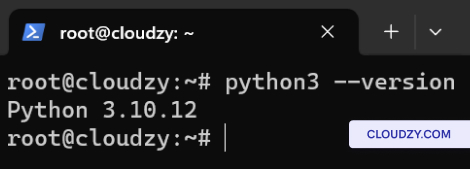
- バージョンを確認:
- 入力して確認 python3 –version表示しています
Pythonバージョン。
Pythonのインストール
CentOS
- パッケージを更新
-
SSH から VPS へ接続します。
-
タイプ sudo dnf update システム更新用
パッケージ
- Pythonをインストール:
- 実行する sudo dnf install python3 Pythonをインストールするために。
これにより、CentOS リポジトリからデフォルトの Python 3 を取得します。
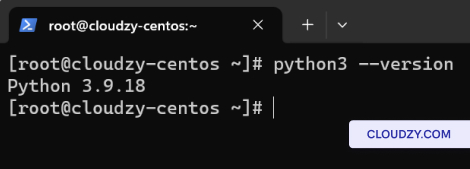
- バージョンを確認:
- インストール後、以下で確認してください python3 –version。それ
インストール済みの Python 3 バージョンを表示します。
完了しました。Ubuntu と CentOS に Python のインストールが成功しました。
Cloudzy VPS で実行中です。さらに情報が必要な場合やサポートが必要な場合は、
サポートチームにお気軽にお問い合わせください。 送信する
チケット.
同じカテゴリー 手動インストール