
ネットワークセキュリティの最初のステップは、強力なパスワードを設定することです
MikroTik ルーターのオペレーティングシステム。このガイドでは 4 つのステップを説明します
シンプルなステップで強力なパスワードを作成して、あなたが確実に
ルーターのインターフェースは不正アクセスから保護されています。
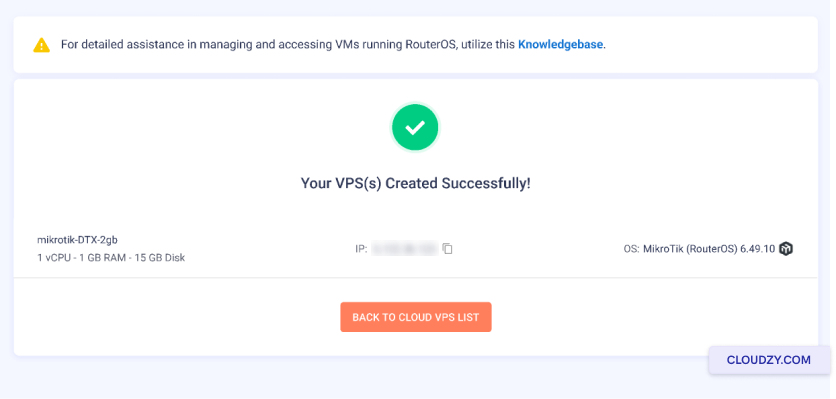
ステップ1: Cloudzy パネルで VPS を作成してから
IPアドレスをコピーする。
ステップ2: アドレスバーにIPアドレスを貼り付けてください
ブラウザに表示されます。以下のようなウェブページが表示されます。それでは
新しいパスワードを設定できます。古いパスワードフィールドは空のままにしておけます
このマシンが新しいものであり、このマシンのパスワードを設定していない場合
マシンはまだです。
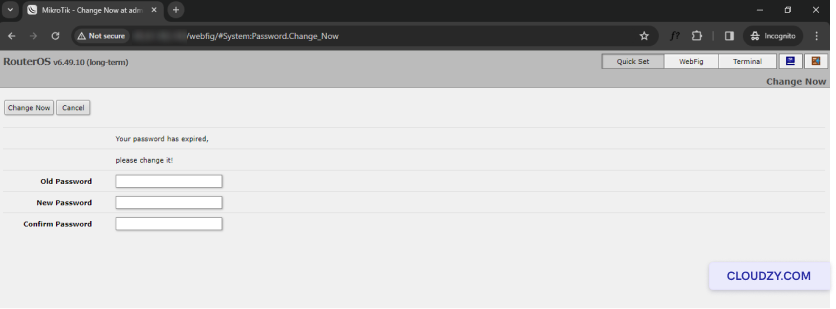
ステップ3: 次をクリック: 今すぐ変更.
ステップ4: これであなたの設定ページが表示されます
RouterOS ページ。
数回クリックするだけで、簡単にパスワードを設定できます
MikroTik RouterOS について。ご不明な点やご質問がございましたら
サポートチームにお気軽にお問い合わせください。 送信する
チケット.
同じカテゴリー ネットワークとファイアウォール