
Linux-ről való csatlakozás Windows VPS-hez
Ez az útmutató ismerteti a szükséges lépéseket ahhoz, hogy csatlakozzon a
Windows Cloud VPS egy Linux rendszerből.
An
Egyszerű útmutató a Windows Cloud VPS-hez való csatlakozáshoz innen
Linux
Cloud VPS-hez történő csatlakozáshoz egy Linux-alapú helyi gépről a
RDP protokoll, használnod kell Remmina.
Az alapértelmezett Ubuntu elrendezésben ezt az ingyenes beépített eszközt találja
alatt Alkalmazások megjelenítése bal alul található gomb
sarok
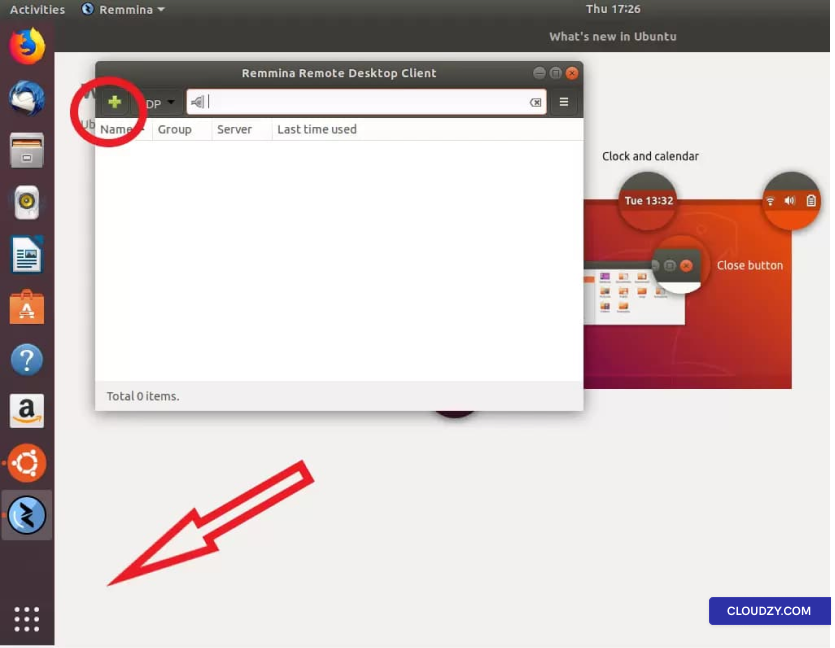
Miután elindította a Remmina alkalmazást, kattintson a plusz
jel új kapcsolatprofil létrehozásához.
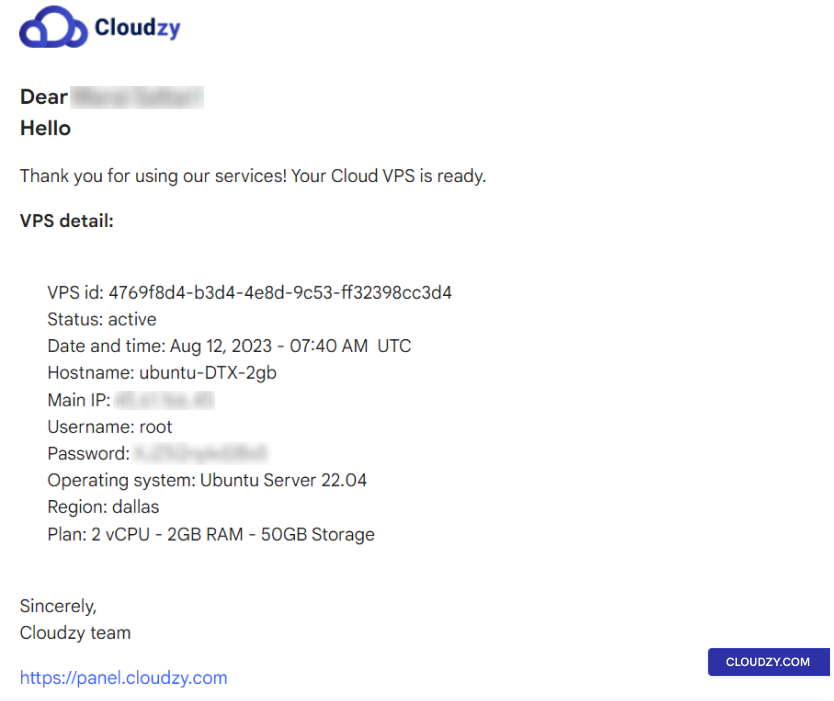
Új kapcsolatprofil létrehozásához szüksége van a Cloud VPS
adataira, amelyeket az üdvözlő e-mailben küldtünk el Önnek. Az e-mail
tartalmazza az összes szükséges információt, beleértve a szerver IP-címét, a bejelentkezési
tartalmazza a felhasználónevet (alapértelmezésben Administrator) és a jelszót.
Ha nem kapta meg az e-mailt, ellenőrizze a spam mappáját.
mappa
Adja meg ezt az információt új kapcsolatprofil létrehozásakor a következőn:
Remmina-ban adjon nevet az új kapcsolatnak. A profil így nézzen ki:
a lentiek szerint:
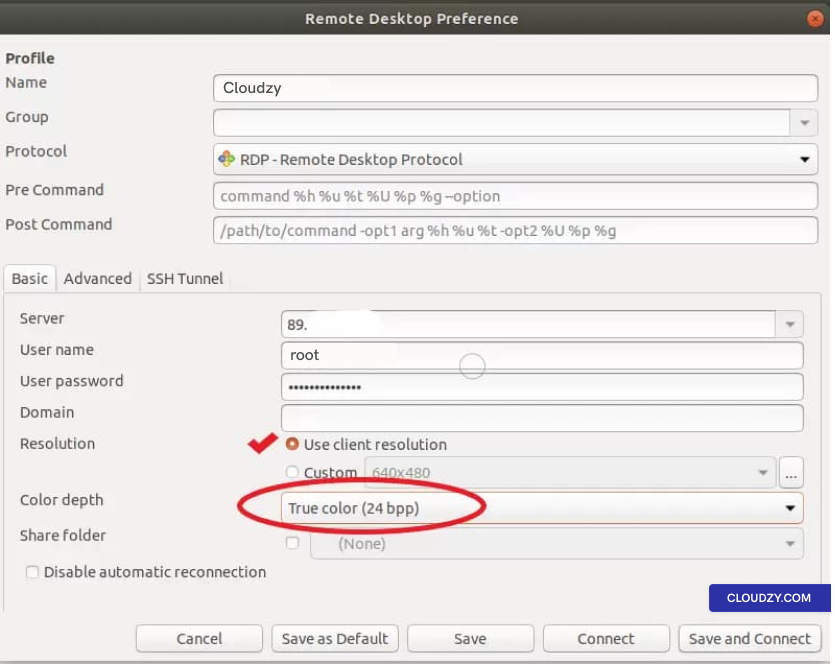
Ellenőrizze a Ügyféloldali felbontás használata lehetőség innen:
jelölőnégyzet és állítsa a szín mélységét erre Igazi szín
(24 bites).
Majd kattintson az alábbiak egyikére Mentés kilépés csatlakozás nélkül
vagy Mentés és Csatlakozás Cloud VPS-hez való csatlakozáshoz
azonnal.
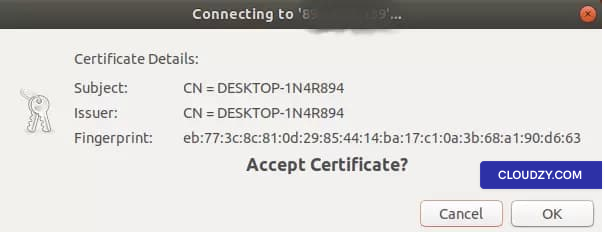
Amikor első alkalommal csatlakozik, a következő üzenet jelenik meg:
üzenet; kattintás OK folytatáshoz
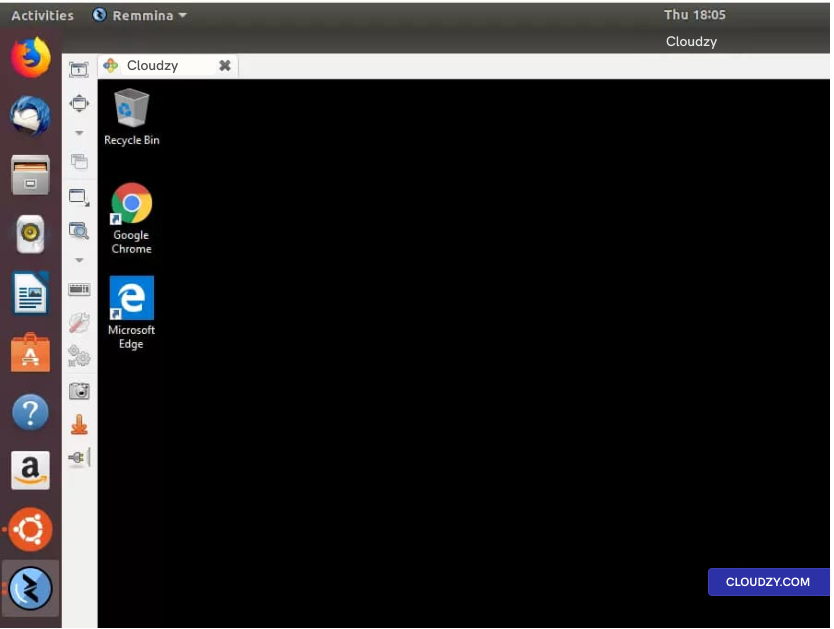
Sikeresen csatlakozott a Windows VPS kiszolgálóhoz!
A Windows VPS-hez való csatlakozás bármilyen Linux disztribúcióból olyan egyszerű, mint
az ebben az útmutatóban megismertekkel. Ha további információra van szüksége, ne habozzon
forduljon hozzánk bizalommal elküldve egy
jegyfelvenni a kapcsolatot. Szívesen segítünk!
Szintén itt: Windows / RDP
Kapcsolódó útmutatók.
Másban kell segítség?
Medián válaszidő 1 órán belül. Valódi emberek, nem botok.