
このガイドでは、接続するために必要な手順について説明します。
Linux システムから Windows Cloud VPS に接続します。
An
Windows Cloud VPS への接続に関する簡単ガイドライン
Linux
Cloud VPS に Linux ベースのローカルマシンから接続するには
RDPプロトコル、使用する必要があります Remmina.
デフォルトの Ubuntu レイアウトでは、この無料の組み込みツールが見つかります。
以下 アプリケーションを表示 左下のボタン
コーナー
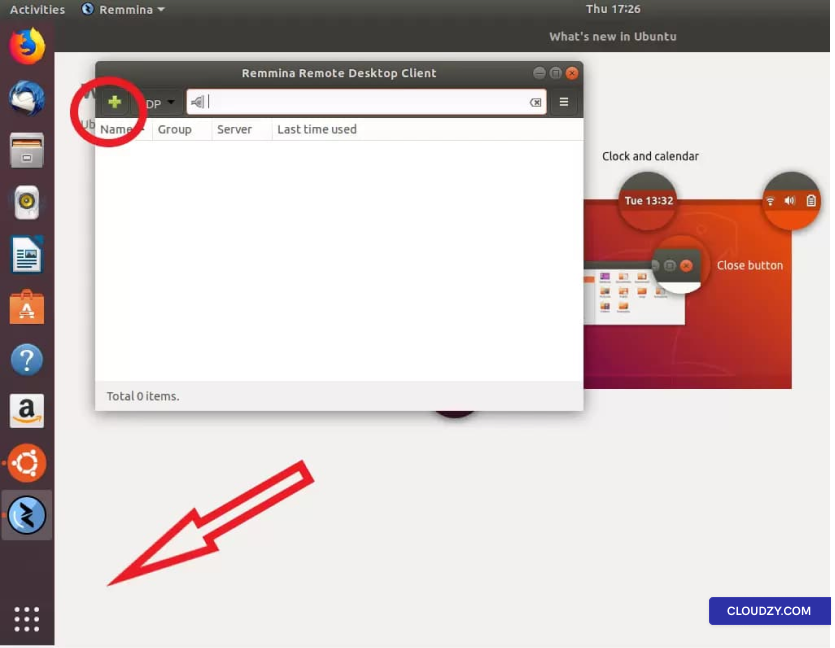
Remmina を起動したら、 プラス
看板 をクリックして新しい接続プロファイルを作成します。
新しい接続プロファイルを作成するには、Cloud VPS
の情報が必要です。ウェルカムメールで送信されています。メールには
サーバーIPおよびログイン情報を含む必要なすべての情報が含まれています
(デフォルトは Administrator) とパスワードが記載されています。
メールを受け取っていない場合は、スパムフォルダを確認してください。
フォルダー
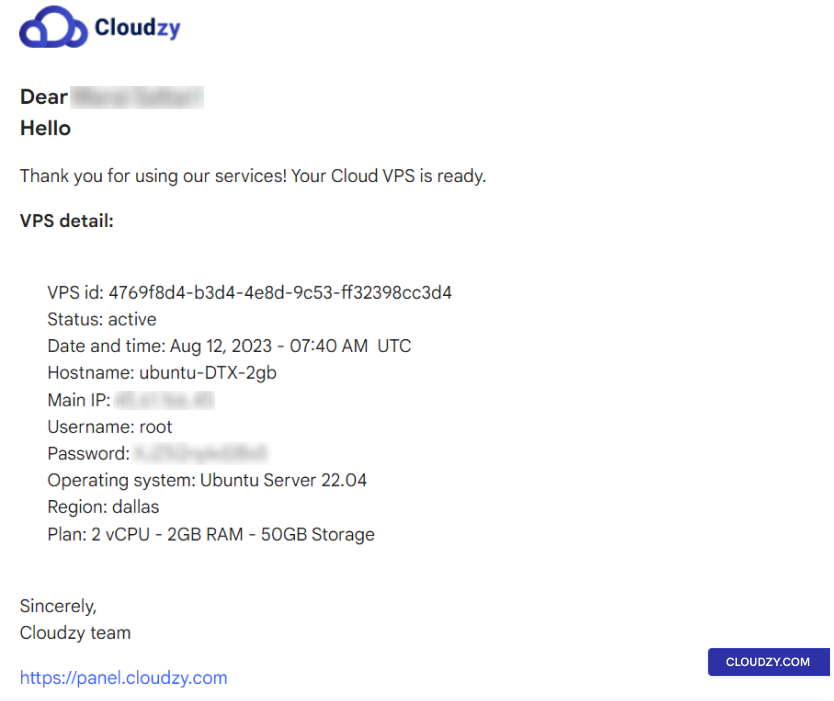
この情報を入力してください。新しい接続プロファイルを作成する際に
Remmina で新しい接続に名前を付けます。プロファイルは以下のようになります。
以下のような:
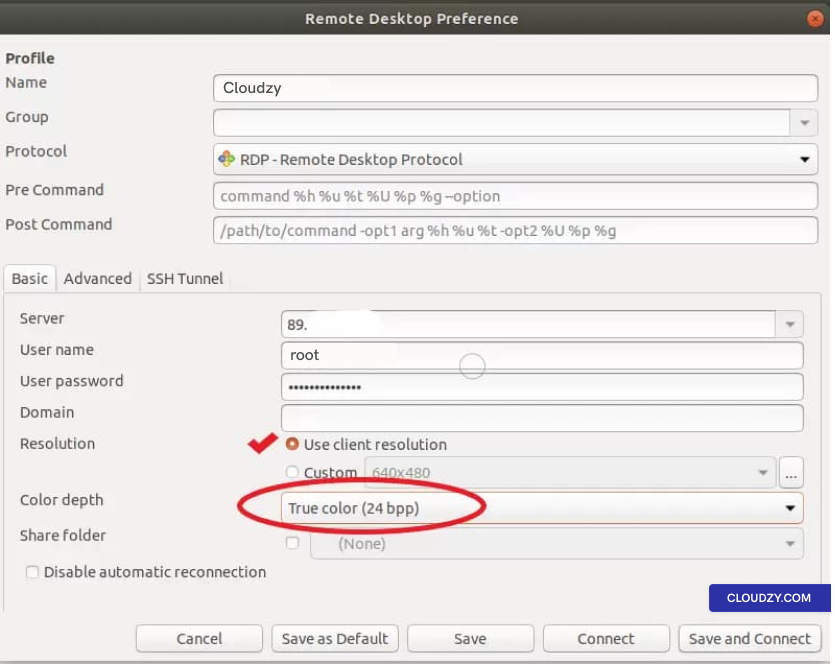
確認する クライアント解像度を使用 オプションから
チェックボックスをオンにして色深度を 真の色
(24ビット).
その後、以下のいずれかをクリックしてください 保存 接続せずに終了する
または 保存して接続 Cloud VPS に接続するには
すぐに
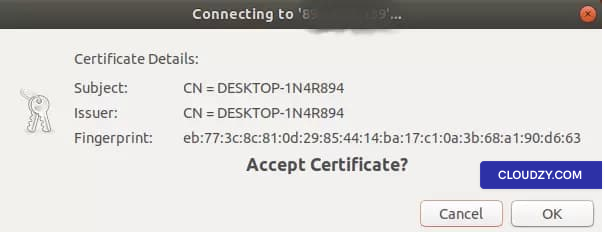
初めて接続するときは、以下が表示されます。
メッセージ; クリック OK 進むために
Windows VPS に接続しました。
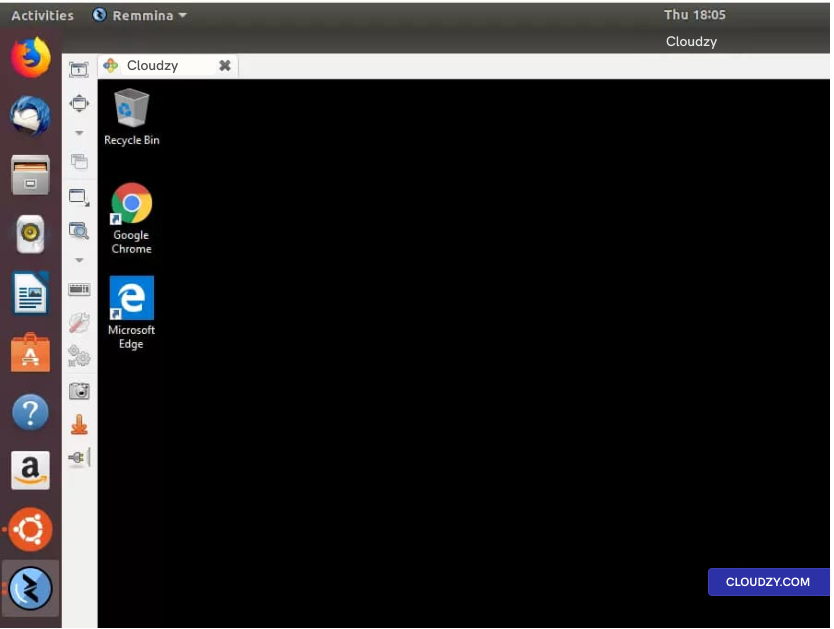
Windows VPS へ任意の Linux ディストリビューションから接続するのは非常に簡単です
このガイドラインで説明しているように、さらに詳しい情報が必要な場合は
お気軽にお問い合わせください 送信する
チケットください。喜んでお手伝いします。
同じカテゴリー Windows / RDP