
由于 Python 非常适合开发、脚本编写和数据分析,
在 Linux 上安装它对许多项目都很重要。在本指南中,
我们将展示如何在 Ubuntu 和 CentOS 上安装它。按照这些简单的
步骤,你可以在系统上运行 Python。
先决条件
在 Linux 上安装 Python 之前,请确保:
-
激活 Cloudzy Linux VPS: 你在 Cloudzy 上
VPS 与 Ubuntu 或 CentOS。 -
命令行技能: 你熟悉使用
Linux 命令行。 -
管理员权限 你拥有 root 访问权限或能够
使用 'sudo' 运行命令。
这些步骤为在 Cloudzy 上安装 Python 做好准备
VPS.
在上安装 Python
Ubuntu
- 更新套餐
-
SSH 到你的 VPS。
-
类型 sudo apt update 刷新
包
- 安装 Python:
- 安装 Python,运行 sudo apt install python3。这个
获取最新的 Python 3。
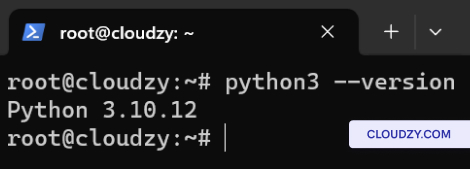
- 检查版本
- 通过输入确认 python3 –version。它显示了
Python 版本。
在上安装 Python
CentOS
- 更新套餐
-
SSH 到你的 VPS。
-
类型 sudo dnf update 用于更新系统
包
- 安装 Python:
- 运行 sudo dnf install python3 安装 Python。
这从你的 CentOS 仓库获取默认的 Python 3。
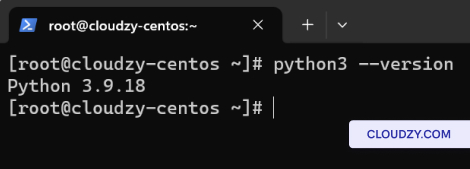
- 检查版本
- 安装后,验证一下 python3 –version。它
显示已安装的 Python 3 版本。
恭喜!你已成功在 Ubuntu 和
CentOS in Cloudzy VPS。如果您需要更多信息或进一步
如有疑问,请随时通过以下方式联系我们的支持团队 提交一个
票证.