

Portainer VPS Hosting
One-Click Portainer VPS, Ready in 60 Seconds
Skip Docker setup, port work, and manual hardening. Launch Portainer preinstalled on Cloudzy and start managing containers right away.

 Trustpilot
There’s a reason 120,000+ developers & businesses choose us.










Money-Back Guarantee

Online Support

Network Speed

Network Uptime
Great for Container Management, Rough to Deploy Manually
Portainer helps take the friction out of daily container work. It gives you one place to manage services, stacks, logs, and updates, so handling containerized apps feels far more practical than doing everything by hand.
Still, getting Portainer live can be annoying. Manual deployment means preparing a VPS, installing Docker, sorting container networking, exposing ports like 9443, and locking access down properly. Even skilled users still burn time on repeat setup, networking mistakes, access concerns, and container errors. Cloudzy cuts out that whole first layer of work.
-
DDoS Protection

-
Various Payment Methods Available
-
Full Admin/Root Access
-
Latency-Free Connectivity


Why Choose Cloudzy’s Portainer VPS
Unlock the Power of Flexibility and Performance
Preconfigured Portainer + Docker
Portainer and the Docker base are already in place, so you skip manual installation, first-run setup work, and the errors that usually eat up your first hour.

Dedicated Performance, Right CPU Fit
NVMe SSD, DDR5 RAM, dedicated resources, and your choice of regular or high-frequency CPU plans give container workloads the room they need.
Scale as Your Stack Grows
Add more CPU, RAM, storage, or bandwidth later, so your server does not hit a wall the moment you add more apps or services.
Global Locations for Better Response Time
Deploy closer to users, teammates, or connected services across 16+ Cloudzy locations for faster dashboards, smoother app access, and lower delay.
Full Control with Safer Recovery
Root access gives you room for custom changes, while backups help protect your environment before updates, edits, or larger stack changes.
setup in 60 seconds
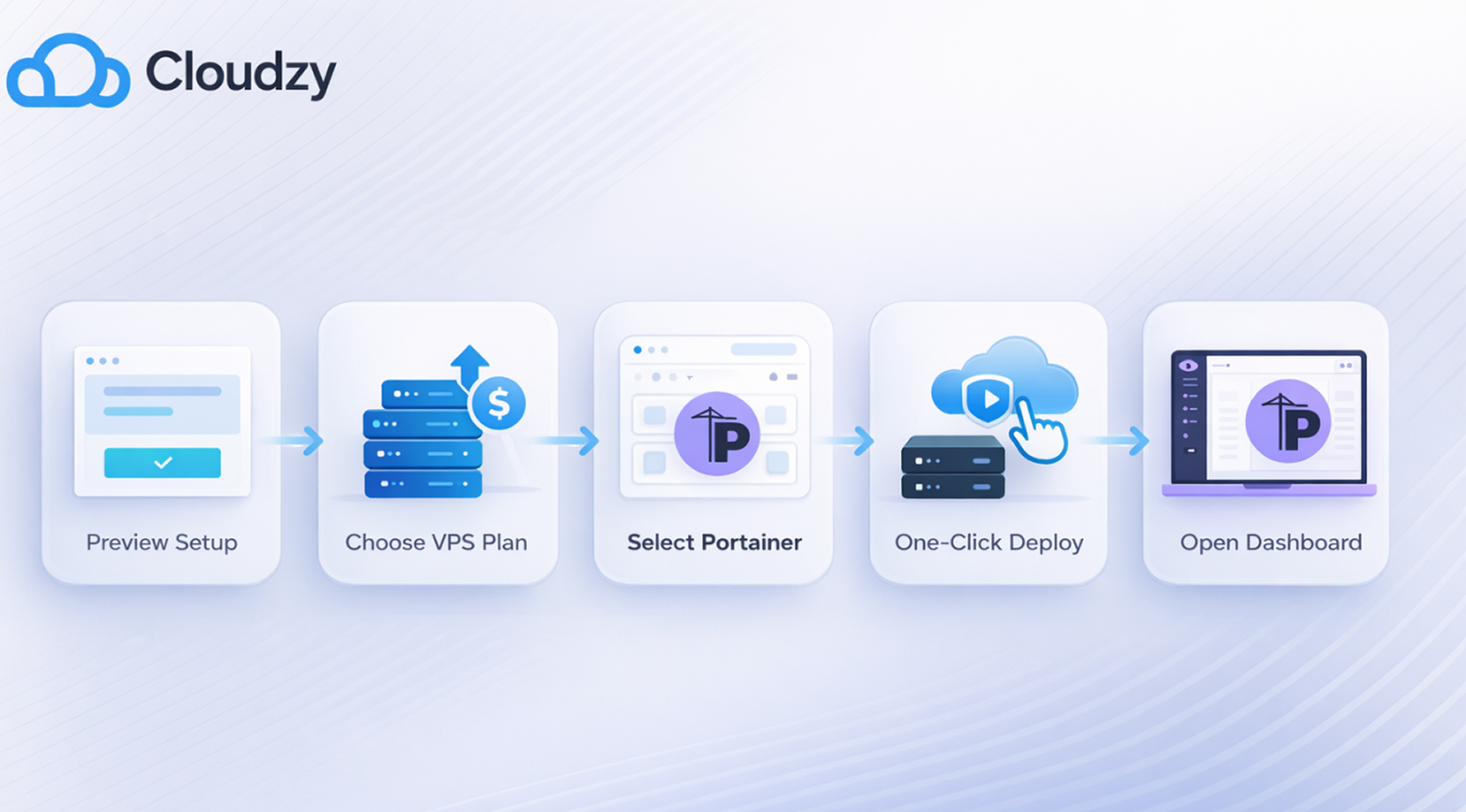
How to Launch Portainer on Cloudzy
Pick a VPS plan, choose Portainer from the marketplace, and deploy. Your server launches with Portainer preinstalled, so you can open the dashboard and get to work almost at once. You can also check the setup steps first, then launch from the same page once you see how simple the process is.
16+ Locations. Because Every Millisecond Matters
Deploy your VPS closer to users for optimal performance.


0Gbps Network Speed

0.00% Network Uptime

<0ms Average Latency

0/7 Monitoring





 Romania
Malaysia
Tokyo
Romania
Malaysia
Tokyo
Cloudzy, Through Our Users’ Words
Hear how 120359 developers make Cloudzy part of their workflow.
Engineering Without Interruptions








FAQ | Portainer VPS
What’s the easiest way to deploy Portainer?
A preconfigured Portainer VPS is the easiest route. It cuts out manual Docker installation, base networking work, and the first setup steps that usually slow deployment down.
Do I need Docker experience to use a Portainer VPS?
Basic Docker knowledge still helps, but Portainer makes everyday container work much easier through its dashboard, and the VPS removes the initial setup work.
How long does it take to get Portainer running?
Cloudzy lists Portainer deployment at 60 seconds, and the dashboard is ready right after the server goes live.
Can I manage multiple containers and stacks with Portainer?
Yes. Portainer is built to manage multiple containers and stacks from one dashboard, which is one of the main reasons users choose it in the first place.
Can I customize the server environment?
Yes. Full root access gives you control over the server, installed packages, network settings, and the rest of your container environment.
Is Portainer VPS good for production workloads?
Yes, if the server is sized properly and access is locked down well. Scalable resources and dedicated performance make it a strong fit for many production stacks.
Can I scale the VPS later?
Yes. You can upgrade CPU, RAM, storage, and bandwidth as your workloads grow.
How can I secure access to Portainer?
A common setup is to protect access with firewall rules, a reverse proxy, or VPN access, based on how you want the server exposed.
Need help? Contact our support team.
 Submit a Ticket
 No Setup Fees
Deploy in 60 Seconds
Cancel Anytime
No Setup Fees
Deploy in 60 Seconds
Cancel Anytime
