
没有比服务器出问题更让人沮丧的事了
在重要任务进行中或期间自动重启
业务时间因 Windows 更新而受影响。本指南将逐步为您讲解
在 Windows 更新后禁用自动重启的步骤
Server 2012 和 2022。无论你是想在用户使用时防止重启
已登录或完全禁用它们,我们都能满足你的需求。
使用
使用组策略编辑器禁用自动重启
那位 组策略编辑器 是一个强大的工具,可以
允许 Windows 服务器管理员调优各种系统
设置和策略。在这一部分,我们将介绍如何
使用组策略编辑器禁用 Windows 后的自动重启
Windows Server 2012 和 2022 的更新信息。
禁用自动重启在两种主要情况下很有用:
-
当你需要在关键工作期间防止自动重启时
小时 -
当用户已登录到服务器时
按照清晰的说明配置所需的设置
组策略编辑器,确保您的系统获得更流畅的更新体验
Windows Server。
第一步:打开群组
策略编辑器
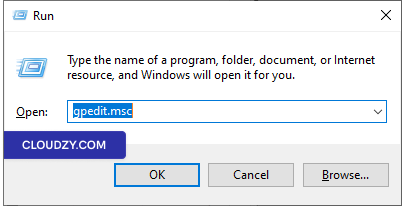
按下 Win + R,输入"gpedit.msc",然后按
Enter 打开本地组策略编辑器。
第二步:
导航至 Windows 更新策略
在组策略编辑器中,依次点击 计算机配置 ->
管理模板 -> Windows 组件 -> Windows
更新
步骤
3:配置"有用户登录时不自动重启"的计划任务
自动安装更新
-
找到名为"用户已登录时不自动重启"的策略
用于定期自动安装更新。 -
双击此策略设置。
-
如果将状态设置为"已启用",自动更新
不会重启 计算机会自动在
如果用户已登录,将不会进行定时安装。改为通知用户
用户重启计算机。请注意,计算机必须
需要手动重启才能使更新生效。
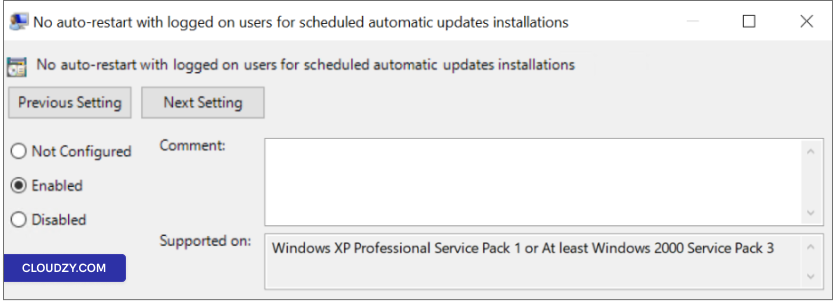
注意: 如果状态设置为"已禁用"或"未
已配置,自动更新将通知用户计算机
将在 5 分钟后自动重启以完成
安装
第 4 步:申请并
保存
点击 应用 然后 OK 保存
你的更改
第5步:重新启动(如果
必要的)
为了使更改生效,你可能需要重启
服务器
按照以下步骤操作并配置"无自动重启与
已登录用户的定时自动更新安装政策
你可以更好地控制自动重启,确保它们符合你的需求
满足您的服务器管理需求。
使用
使用任务计划程序防止自动重启
如果你想用其他方法控制自动重启
Windows 更新后,您可以使用任务计划程序。按以下步骤操作
使用此方法防止自动重启的步骤:
第一步:打开任务
调度程序
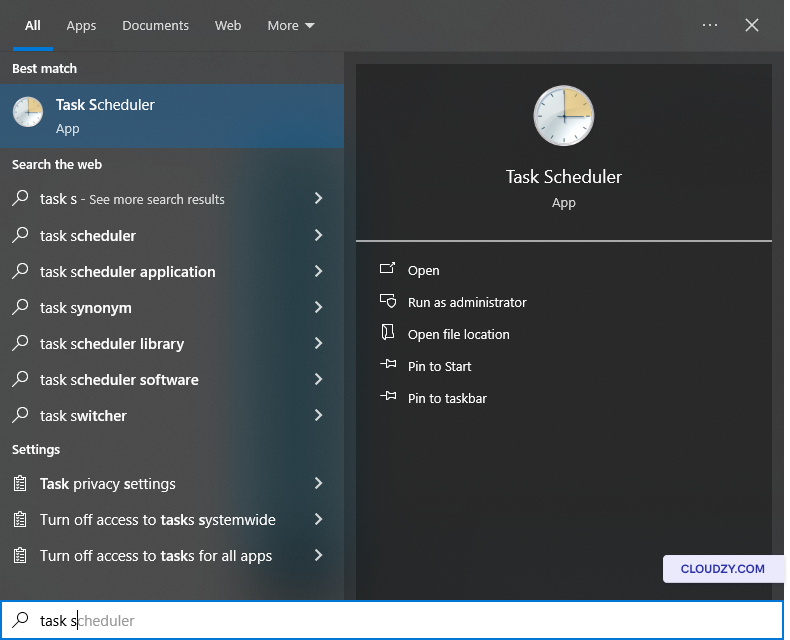
点击 开始 并输入"任务计划程序"在
搜索栏。选择 任务计划程序 从结果来看。
第二步:
导航到 Update Orchestrator
在任务计划程序中,导航到任务计划程序库 -> Microsoft
-> Windows -> UpdateOrchestrator.
第 3 步:禁用
重启任务
找到名为"Reboot_AC"(或 Reboot)的任务。如果该任务已启用,
右键点击 Reboot_AC 并选择
禁用。此操作将阻止自动重启
任务执行。
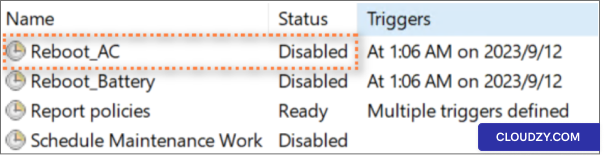
通过按照这些步骤操作并确保"Reboot_AC"任务被禁用,
禁用后,可以有效防止 Windows 之后的自动重启
使用任务计划程序进行更新。此方法为您提供
额外的控制层,让你可以根据自己的需要管理服务器重启
服务器的具体需求。
附加窗口
更新设置
除了使用组策略编辑器和任务计划程序,你还可以
探索更多 Windows 更新设置以微调您的控制
自动重启的控制方法。具体步骤:
第一步:
打开高级 Windows 更新选项
打开「开始」菜单,搜索 Advanced Windows 更新
选项.
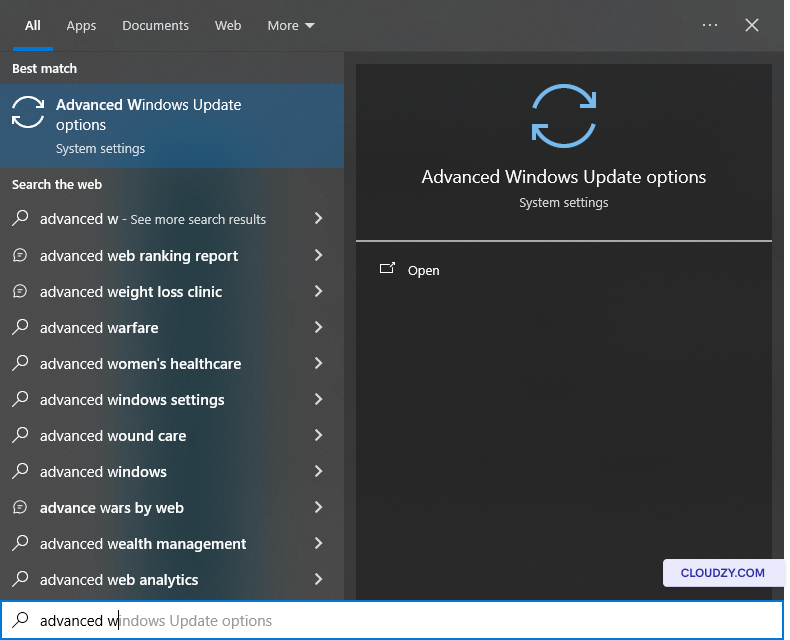
第2步:禁用
立即重启
在"高级 Windows 更新选项"中,确保"重启此
设备需要重启以安装更新时,请尽快重启
更新"是 已关闭。此设置可防止立即
重启服务器,让你完全掌控何时应用更新。
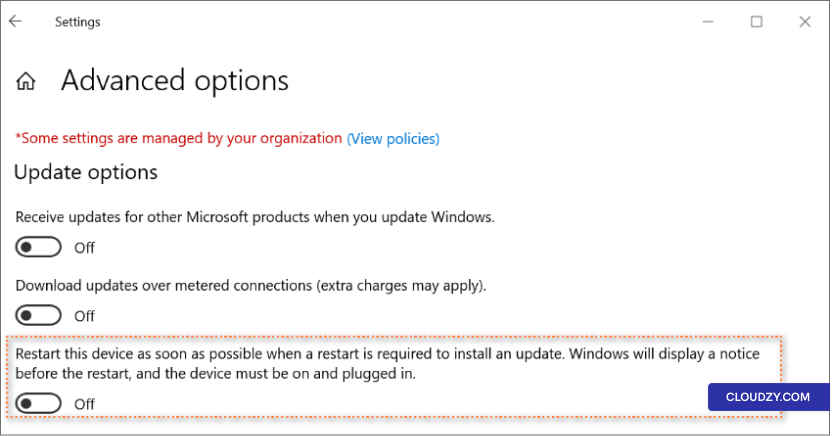
通过调整此设置,你可以进一步自定义更新
重新设置偏好,确保与你的服务器完全一致
运营要求
在 Windows 更新后管理自动重启对以下方面至关重要
系统安全和工作效率。本指南帮助你找到平衡
在保证 Windows 服务器正常运行的前提下,满足安全需求
运行稳定。有任何问题,可以通过以下方式联系我们 提交一个
票证。我们的支持团队很乐意为您服务。