

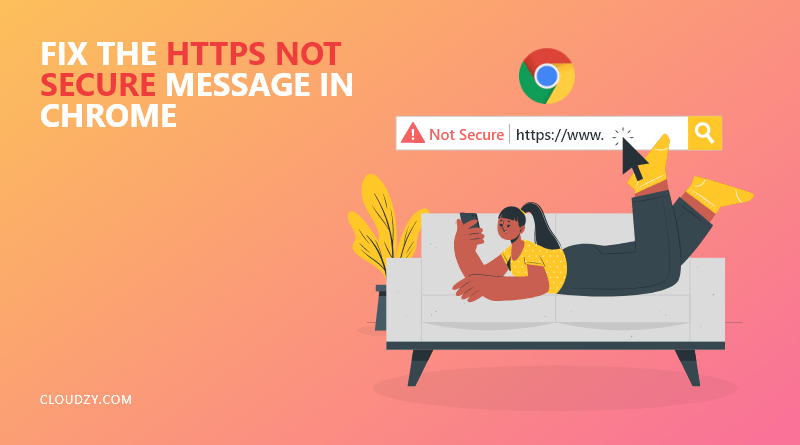
十多年来,Google 一直致力于为 Chrome 用户提供尽可能安全的网络浏览体验。Google 为保护网络安全所做的工作之一,就是将每个 HTTP 网站标记为 不安全。这样做会让用户在 Chrome 中看到「不安全」提示,从而避免访问不安全和可疑的网站。为了防止「网站不安全」提示在你的网站上出现,我们将详细讲解 如何修复 Chrome 中的「HTTPS 不安全」提示 在本文中。
我将首先为您介绍Chrome中"HTTPS不安全"提示信息的相关背景知识,以便您更好地理解这一概念。
HTTP 和 HTTPS 有什么区别?
HTTP 代表超文本传输协议,HTTPS 代表安全的超文本传输协议。简单来说,HTTPS 就是加了加密的 HTTP。HTTP 有两种消息类型:请求和响应。当用户点击超链接时, 请求 被发送到服务器,服务器生成一个 回应。这些消息以明文形式在互联网上传输。问题在于,任何能够监控这条连接的人都可以读取这些消息。如果用户发送密码和信用卡号码等敏感数据,风险极大。这就是为什么 Google 会将 HTTP 标记为不安全。
HTTPS 在 HTTP 的基础上多了一层安全保护。原因是什么?它配备了 SSL 证书。使用 TLS 或 SSL,明文消息会被加密成一串随机字符。这种加密方式让攻击者更难入侵和窃取用户的敏感数据。

即时部署,启动速度更快的 WordPress VPS。
获取 WordPress VPS为什么在 Chrome 中网站会出现「HTTPS Not Secure」提示?
谷歌将所有 HTTPS 网站标记为安全,将所有 HTTP 网站标记为不安全。当您访问 HTTP 网站时,浏览器会显示"您的连接不安全"的错误提示,以防止您在该网站上输入重要信息。要解决"网站不安全"的问题,您的网站需要获得 SSL 证书。在下一节中,我将逐步引导您完成相关操作,确保您的网站安全可靠,让用户在 Chrome 中再也不会看到这条警告信息。
如何修复 Chrome 中的「HTTPS 不安全」提示
正如我之前所提到的,解决Chrome中"HTTPS不安全"提示的最佳方法是安装SSL证书。以下是安装SSL的具体步骤:
第 1 步:购买 SSL 证书
要解决Chrome中显示"HTTPS不安全"的问题,首先需要购买SSL证书。以下公司提供此类服务: Bluehost, Namecheap,以及 Godaddy 验证 SSL 证书。证书安装完成后,您的用户将不再看到"HTTPS 不安全"的提示,这表明您的网站可以安全使用。
第 2 步:通过你的虚拟主机安装证书
购买 SSL 证书后,您可以通过网站主机控制面板安装它。登录您的网站主机后,点击 SSL 标签页 并点击 安装 点击你的 SSL 证书,将其添加到你的网站域名。然后将证书内容文本粘贴到提供的字段中。填完信息后,点击 安装。您的 SSL 证书将立即安装,但在互联网上生效并对用户可见需要几小时。
第 3 步:更改您的 WordPress URL
您的 SSL 证书已成功启用,但这并不意味着用户不会再看到 Chrome 浏览器中的"HTTPS 不安全"提示。因为如果您运行的是 WordPress 网站,网站仍会以旧的 HTTP URL 加载。现在,要将 URL 更改为 HTTPS,请登录您的 WordPress 后台并点击 设置 标签页。在 常规 在标签中查找 WordPress 地址和网站地址,两者都是 URL。在 URL 部分,在 HTTP 后面加一个 "S" 变成 HTTPS。保存更改后就完成了。
第 4 步:配置全站 301 重定向
假设你刚把 WordPress URL 改成了 HTTPS。但用户不知道这个变化。有些用户可能还在用你的旧 URL 访问网站,有些用户可能已经收藏了你的旧 URL。为了解决这个问题,你需要让 WordPress 把所有 HTTP 地址重定向到新的 HTTPS URL。你可以 301重定向 通过 FileZilla 等 FTP 客户端手动操作。这样可以确保所有使用 HTTP 输入的链接都会重定向到 HTTPS 链接。
即时部署,启动速度更快的 WordPress VPS。
获取 WordPress VPS总结一下
Chrome中出现的"HTTPS不安全"提示确实令人头疼。这个问题会导致网站流量下降,也会让用户对你的网站失去信任。正如本文所述,你可以通过购买并安装SSL证书来解决这一问题。修复此错误不仅能提升网站安全性,还能让用户放心使用你的网站,无需担忧安全隐患。另一种解决方案是 切换到其他浏览器,比如 Firefox。如果在托管网站时安全和宕机是你所担心的,那就考虑投资一台 VPS。在 Cloudzy,我们在全球 13 个区域提供虚拟专用服务器。我们保证我们的服务器安全、快速,并提供你托管网站所需的资源!
常见问题
有没有 WordPress 插件支持 301 重定向?
可以,您可以使用 WordPress 插件,例如 Really Simple SSL 来进行全站重定向。
将 HTTP 转换为 HTTPS 对 SEO 有帮助吗?
是的,Google Chrome 会为用户显示网站的安全状态。一个 HTTPS 网站会显示绿色锁定图标,让用户确信网站是安全的。这会增加网站流量,因为用户倾向于信任 HTTPS 网站而不是 HTTP 网站。
VPS 如何改进我的网络托管服务?
虚拟专用服务器可以为您的网站提供所需的资源,无论流量是中等还是较高。使用 VPS,您的网站停机时间会大幅减少,用户访问体验也会更快更流畅。我们提供 多种 VPS 套餐 确保你能找到所需的功能。

讨论
评论
登录后参与讨论。