

Yacht VPS Hosting
One-Click Yacht VPS Container Dashboard
Use a preinstalled Yacht VPS image to get a clean web UI for your Docker containers on Ubuntu 24.04. From a single VPS with Yacht, you can log in, apply templates, and manage stacks while keeping full root control over the host and its resources.

 Trustpilot
There’s a reason 120,000+ developers & businesses choose us.








Money-Back Guarantee

Online Support

Network Speed

Network Uptime
What is Yacht VPS?
Yacht is a web UI for Docker that focuses on templates and one-click deployments, so you can manage containers without living in the terminal. On Cloudzy, Yacht runs on an Ubuntu 24.04 VPS with Docker and Docker Compose preinstalled, using the official selfhostedpro/yacht image and a persistent config volume. You connect over SSH as root, review credentials in /root/.cloudzy-creds, then reach the dashboard in your browser on the configured port. From there, you can import templates, launch apps, and monitor containers while the underlying server runs on dedicated vCPUs, DDR5 RAM, and NVMe storage. With up to 40 Gbps connectivity, a static IP, and snapshots, a self-hosted Yacht VPS with Cloudzy suits labs, homelabs, and small teams that need a simple control panel on reliable infrastructure. Recommended minimums for a VPS with Yacht are 1 vCPU, 2 GB RAM, and 10 GB of disk, with room to scale the plan.
-
DDoS Protection

-
Various Payment Methods Available
-
Full Admin/Root Access
-
Latency-Free Connectivity


Why Choose Cloudzy’s Yacht VPS Hosting
Unlock the Power of Flexibility and Performance
Launch-Ready Yacht Image
Start with a one-click image that installs Docker, Docker Compose, and Yacht on Ubuntu 24.04 LTS. Log in as root, check /root/.cloudzy-creds for the chosen web port and notes, then head straight to the Yacht dashboard in your browser.

Docker-Focused Resources
Dedicated vCPUs, NVMe storage, DDR5 RAM, and up to 40 Gbps networking give Yacht enough room to pull images, update templates, and manage busy containers without feeling sluggish, even on a compact self-hosted Yacht VPS.
Keep Full Stack Control
You hold SSH and root on every server, so you decide how Docker is configured, which volumes are mapped, and how firewall rules look. Use Yacht for day-to-day container work while still having direct access to the host for fine-tuning.
Host Many Apps Cleanly
Map each application to its own template or Compose project, label volumes clearly, and keep your stack organized without cPanel clutter. As workloads grow, you can scale CPU, RAM, or disk on Cloudzy’s Yacht VPS hosting plans without rebuilding from scratch.
Admin-Friendly and Reliable
Familiar Linux tooling, quick provisioning, snapshots, and a 99.95% uptime SLA give admins a stable base for labs, staging, or light production. You can snapshot before big template changes, test new images, and revert if needed, all while keeping costs aligned with actual usage.
Simple installation
How to Set Up a Yacht VPS
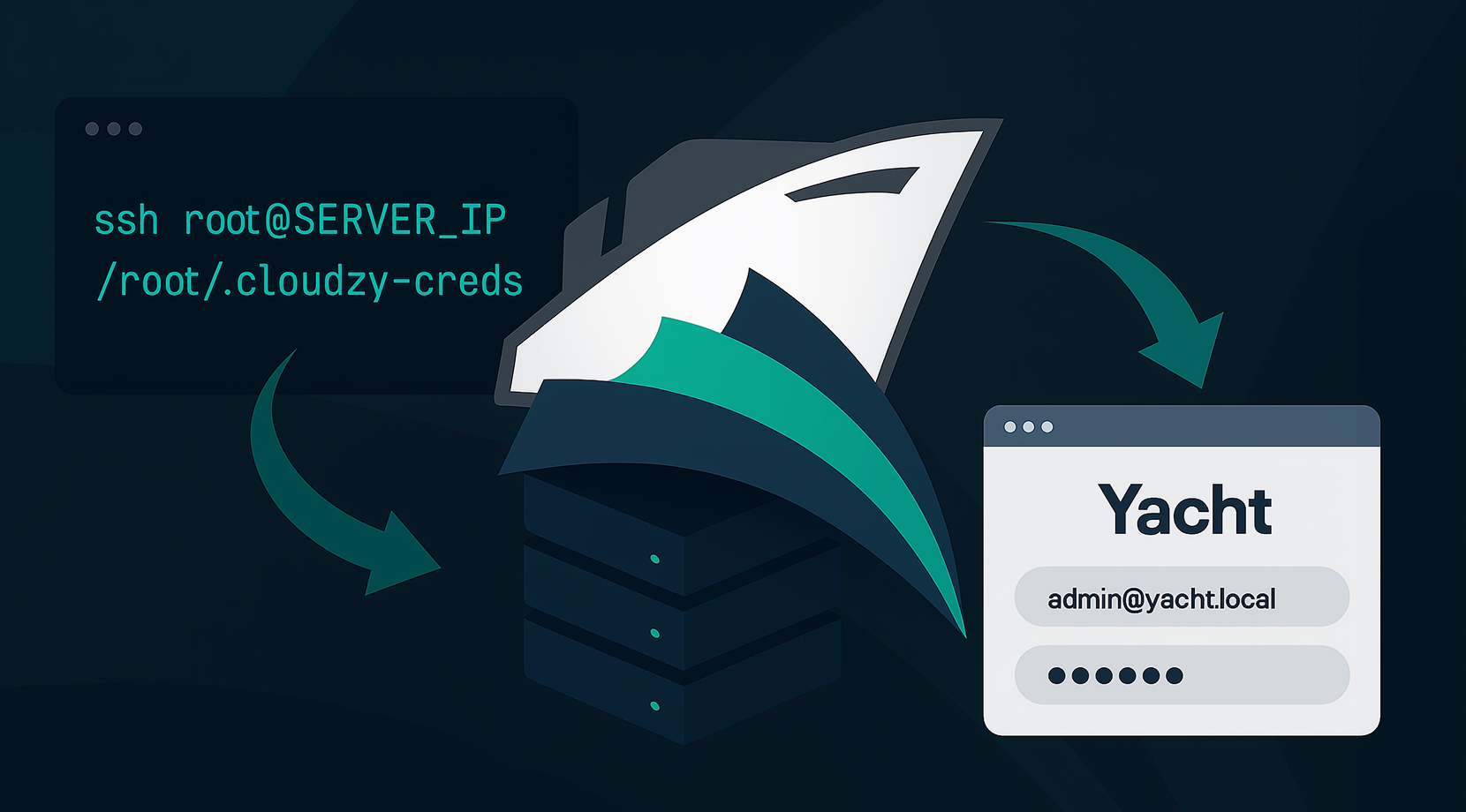
Not sure how to get Yacht running on a server? It stays straightforward. With Cloudzy’s Yacht VPS hosting, you start from a preinstalled image on Ubuntu 24.04 LTS that installs Docker, Docker Compose, and the official Yacht container with a Compose stack under /root/yacht. SSH in as root. Follow our Yacht VPS setup guide below and contact us if you have any suggestions.
16+ Locations. Because Every Millisecond Matters
Deploy your VPS closer to users for optimal performance.


0Gbps Network Speed

0.00% Network Uptime

<0ms Average Latency

0/7 Monitoring





 Romania
Malaysia
Tokyo
Romania
Malaysia
Tokyo
Cloudzy, Through Our Users’ Words
Hear how 120515 developers make Cloudzy part of their workflow.
Engineering Without Interruptions








FAQ | Yacht VPS
What is Yacht in Docker?
Yacht is a web-based interface for Docker that focuses on templates and one-click deployments, so you can manage containers from a browser instead of the command line. It reads templates, lets you launch or update apps, and offers views of running containers, images, and basic metrics.
How does Yacht compare to Portainer?
Yacht is aimed mainly at self-hosters and keeps the interface simple, with a strong focus on templates and one-click app deployment. Portainer covers more environments like Swarm and Kubernetes and includes features such as RBAC, but it can feel heavier, while Yacht stays closer to a minimal Docker dashboard.
How do you install Yacht on a server?
The common way is to run Yacht as a Docker container, either with a docker run command or a small Docker Compose file that maps port 8000, a config volume, and the Docker socket. Once the container is running, you visit the chosen port in your browser and sign in with the default Yacht credentials before changing them.
Does Yacht support templates and one-click app deployment?
Yes, templates are one of Yacht’s core ideas. You can add a template URL, import the listed apps, and then deploy them with minimal input, using variables such as paths and ports to keep multiple stacks consistent.
Is Yacht stable and maintained enough for daily use?
Yacht is described by its author as alpha software, and some users report occasional issues, so it is best treated as a convenient Docker UI rather than a replacement for hardened orchestration tooling. Many homelab users run it day to day, but for critical workloads it is sensible to test thoroughly and keep good backups of your configuration.
What hardware backs a Cloudzy Yacht VPS server?
Each Cloudzy Yacht VPS runs on dedicated KVM vCPUs, DDR5 RAM, and NVMe storage, with network connectivity up to 40 Gbps from tier-1 data centers. This gives Yacht enough performance to manage containers smoothly while still fitting into a compact plan.
How do I access the Yacht dashboard on my Cloudzy Yacht VPS?
After provisioning, you SSH in as root, check /root/.cloudzy-creds for the configured web port, then visit http://: in your browser. From there you log in to Yacht, change the default password, and start using your Yacht VPS as a central Docker dashboard.
What security options come with a Cloudzy Yacht VPS hosting plan?
On a Cloudzy Yacht VPS you control firewall rules, SSH keys, and Docker settings at the OS level while Yacht runs on top. You can close unused ports, restrict access to the web UI, place the server behind a VPN, and keep both Ubuntu and Docker packages updated from official repositories.
How do uptime and support work for Cloudzy Yacht VPS hosting?
Cloudzy Yacht VPS hosting is backed by a 99.95% uptime SLA and global locations, so access to the dashboard and containers stays predictable. Support is available around the clock to help with connectivity, base image issues, or questions related to running Yacht on the VPS.
Can I scale and snapshot a Cloudzy Yacht VPS easily?
You can upgrade CPU, RAM, or storage on your Cloudzy Yacht VPS as workloads grow, without rebuilding the image. Snapshots let you capture the whole VPS, so a One-click Yacht installation VPS setup can be saved before large changes, then restored if a template or stack update goes wrong.
Need help? Contact our support team.
 Submit a Ticket
 No Setup Fees
Deploy in 60 Seconds
Cancel Anytime
No Setup Fees
Deploy in 60 Seconds
Cancel Anytime
