

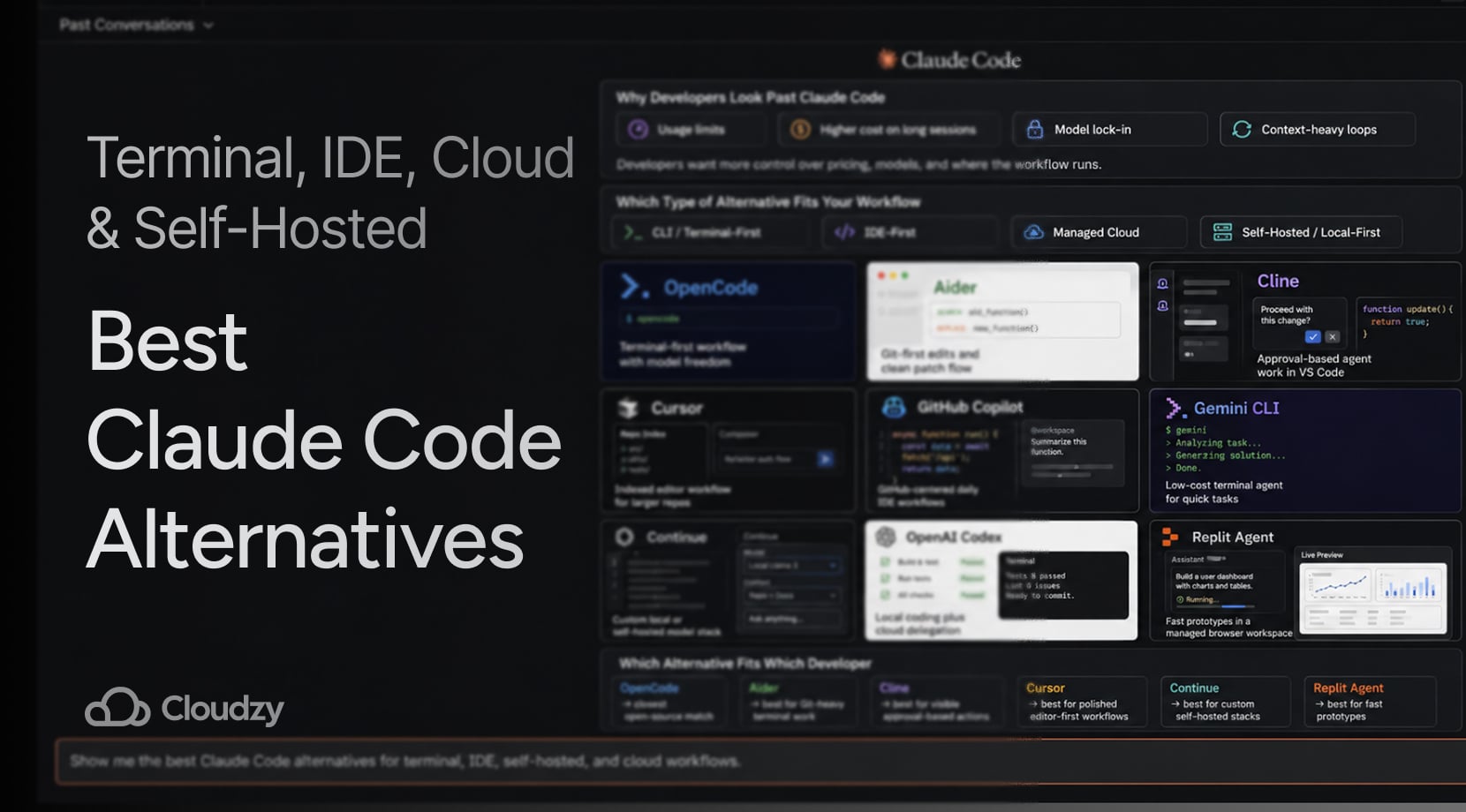
Claude Code is still one of the strongest coding agents around, but a lot of developers are now picking tools based on workflow, model access, and long-term cost instead of sticking to one vendor.
That is why interest in Claude Code alternatives keeps growing. The good news is that there are plenty of decent options for terminal users, editor-first developers, and people who want a self-hosted path.
Quick Answer
If you want the short version first, here it is. Claude Code is still very good at repo-wide work, terminal-driven edits, and multi-step tasks. But if you want more model choice, lower spending on routine work, a friendlier editor flow, or a self-hosted setup, several strong picks now exist.
- Closest open-source alternative: OpenCode
- Best Git-first terminal workflow: Aider
- Best open-source editor agent: Cline
- Best polished IDE-first pick: Cursor
- Best mainstream multi-model editor option: GitHub Copilot
- Best free CLI path for solo use: Gemini CLI
- Best custom self-hosted stack: Continue
- Best cloud delegation option: OpenAI Codex
However, a lot of developers are not switching to one direct replacement. Any dev knows that you have to keep a couple of tools around and use each one for the kind of work it handles best, which is a common theme among Reddit posts as well.
Why Developers Look Past Claude Code
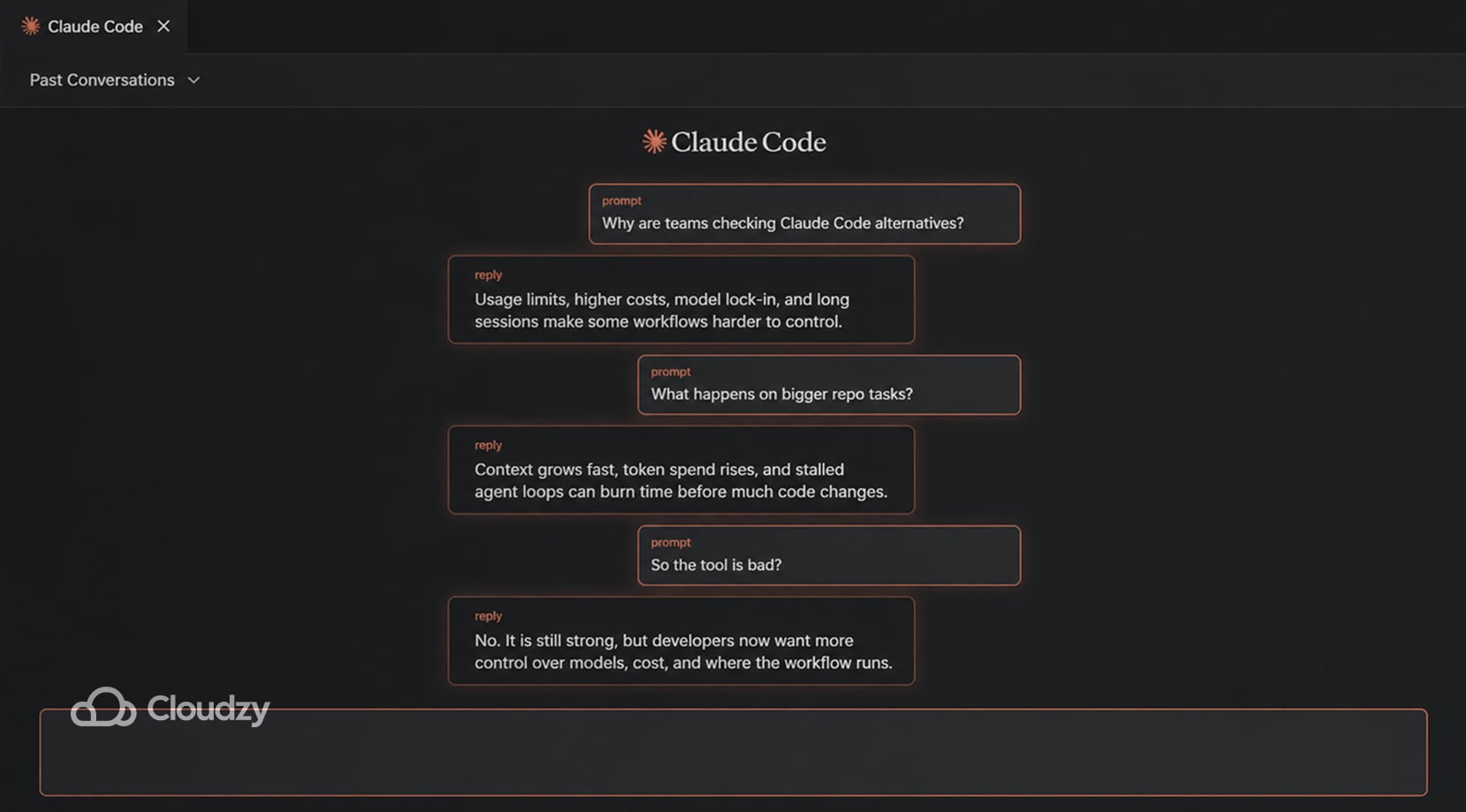
Claude Code earned its reputation for a reason. Anthropic built it around agentic coding workflows, so it can read a codebase, edit files, run commands, and work from the terminal or connected tools in a way that’s natural once you settle into it.
Still, the same complaints about price and usage keep getting talked about, even after all this time. Claude access now spans Pro, Max, Team, and Enterprise paths, with Premium seats adding higher usage for team environments. However, anyone who’s used Claude knows that hitting limits happens much faster than expected.
Lock-in is the other big one. If you like the workflow but do not want your whole setup tied to Anthropic models and Anthropic limits, alternatives certainly do look like smarter options.
There is also a more irritating complaint in recent threads about long sessions that get expensive because the tool keeps hauling context around, and when something stalls or loops, it can waste time and budget in a hurry.
Some users have posted audits showing that most token spend goes into context handling rather than code output, while others have described Claude Code getting stuck for minutes at a time on prompts that should have been routine.
To be fair, on April 23, 2026, Anthropic addressed the issues and said some Claude Code quality reports were tied to three product-level changes, not a degraded base model, and said the fixes were live as of April 20.
However, that goes to say that, while not many devs are fully switching from Claude Code, with such events, any smart person should have at least one or two alternatives to Claude Code on hand, just in case.
All of that does not make Claude Code a bad tool. It just means the market is wider now. If you already know you like the agent style but want more control over pricing or model choice, our Opencode vs Claude Code comparison is the tighter head-to-head.
Which Type of Alternative Fits Your Workflow
Terminal-heavy work, editor-heavy work, and self-hosted setups pull developers toward different alternatives. OpenCode, Aider, and Gemini CLI fit people who want to stay close to the shell, Cursor and Copilot suit editor-led work better, and Continue is more for developers building around their own models or infrastructure.
CLI and Terminal-First Tools
You stay in Git, stay in the shell, and let the agent work through changes from the same place you already build and test. OpenCode, Aider, and Gemini CLI all sit here, though they do not behave exactly the same, which we’ll discuss later on.
IDE-First Tools
These fit developers who want an AI tool inside the editor they already use all day. Cursor, GitHub Copilot, and Cline are the main names here, though Cline leans harder into full agent behavior than classic completion tools do. If your team lives inside editor tabs more than shell panes, this category of alternatives to Claude is where you’re headed.
Managed Cloud Platforms
This group is for people who care more about getting from idea to working app than about local control or repo-local agent behavior. Replit Agent is the best example for such tasks. That said, while it removes setup friction, that convenience comes with less control than a local or self-hosted path.
Open-Source and Self-Hosted Setups
This is where OpenCode and Continue get more interesting. You get more freedom over models, infra, privacy, and cost structure, but you also take on setup and tuning work. More tools now speak Model Context Protocol, which is one reason swapping harnesses is easier than it was a year ago.
If you are trying to sort out the difference between a coding agent and a broader self-hosted assistant, our Opencode vs OpenClaw piece can help you a lot more.
Top Claude Code Alternatives Compared
Before getting into each tool properly, it helps to see the field side by side. The table below splits these tools based on workflow, self-hosting path, and the main tradeoffs.
| Tool | Best For | Interface | Open Source | Local or Self-Hosted Path | Main Tradeoff |
| OpenCode | Claude Code-style workflows with model freedom | Terminal, IDE, desktop | Yes | Yes | Less mature than the biggest commercial stacks |
| Aider | Git-heavy terminal work | Terminal | Yes | Yes | Feels more manual than full agents |
| Cline | Visible, approval-based agent work in VS Code | IDE | Yes | Yes | Can get noisy and expensive with big tasks |
| Cursor | Polished editor-first coding | IDE | No | No local-first path | Tied to a hosted editor product |
| GitHub Copilot | Mainstream editor workflows and model choice | IDE, GitHub | No | Hosted, not self-hosted | Not built around full local control |
| Gemini CLI | Low-cost or free terminal experiments | Terminal | Yes | Not self-hosted by default | Strong value, but Google-centered for many users |
| Continue | Custom local or self-hosted stacks | IDE, terminal, CI | Yes | Yes | Takes more setup than plug-and-play tools |
| OpenAI Codex | Local pairing plus cloud delegation | Terminal, IDE, cloud app | Yes for CLI | Partly | Best parts lean on OpenAI’s wider stack |
| Replit Agent | Fast managed app creation | Browser IDE | No | No | Fast for managed prototypes, weaker for repo-local control |
Top Claude Code Alternatives by Workflow
You have all the context you need, now for the tool-by-tool breakdown.
OpenCode
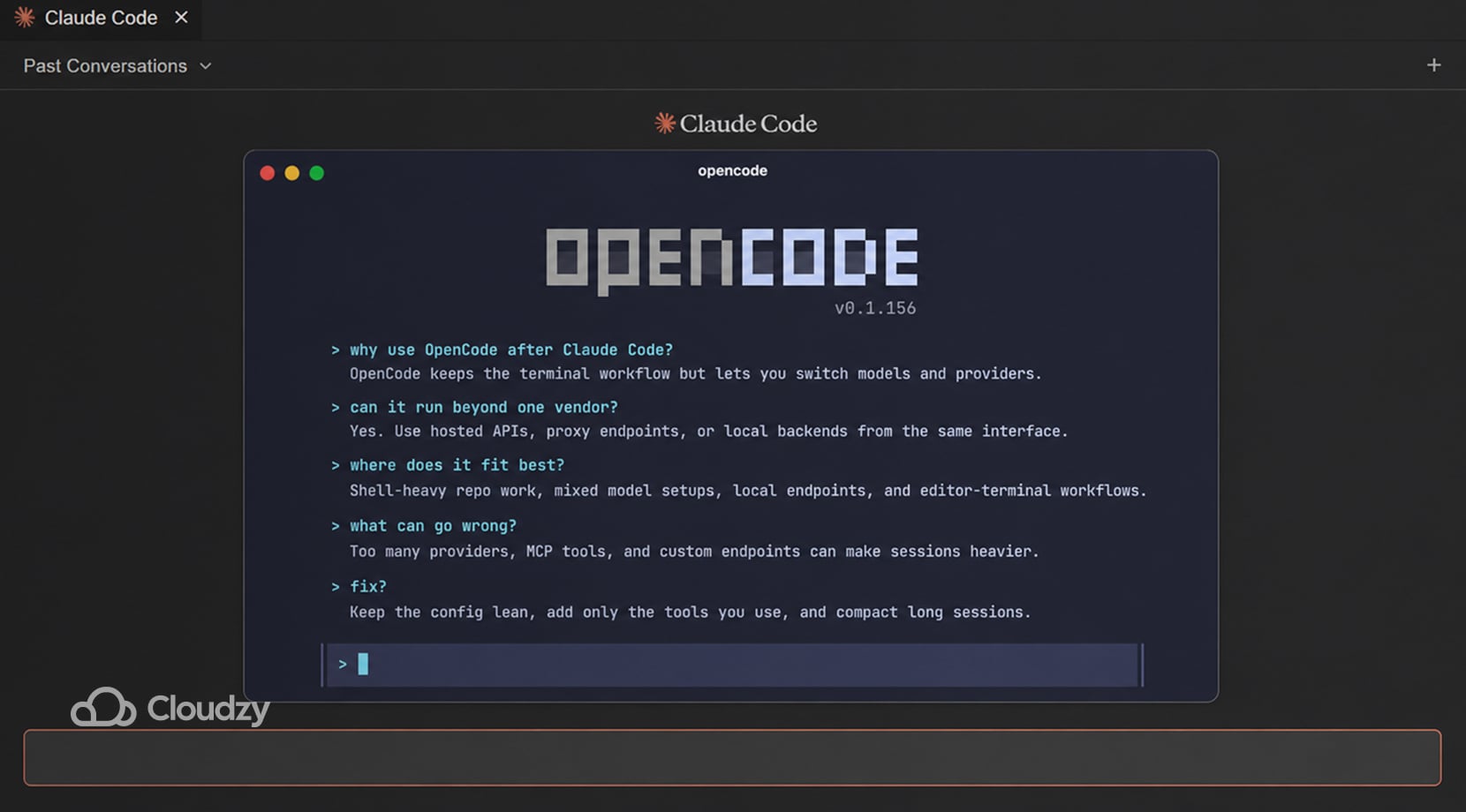
OpenCode fits developers who want to stay in a terminal-first workflow without tying that workflow to one provider. The same setup can be pointed at hosted APIs, proxy endpoints, or local backends, so switching models does not force a switch in tools or habits.
However, in editor use, it still feels like a terminal agent, which suits people who want the shell to stay at the center of the job.
It works especially well in setups where one model handles deep repo work, another is cheaper for routine edits, and a local backend is kept around for private or low-cost tasks.
The weak spot is sprawl, as, once the config grows to include too many providers, MCP servers, or custom endpoints, the session gets heavier, and the setup starts asking for constant cleanup.
OpenCode’s own MCP docs note that MCP servers and broad tool surfaces can add extra tool definitions to the model context, which may raise token use and latency.
- Good fit for shell-heavy repo work with more than one provider or model in rotation
- Useful for keeping one interface while changing the backend behind it
- Useful for mixing hosted APIs, local endpoints, and editor-terminal use in one setup
- Gets annoying when the config grows faster than the workflow
- Gets annoying when large MCP toolsets add too much context to each run
Aider
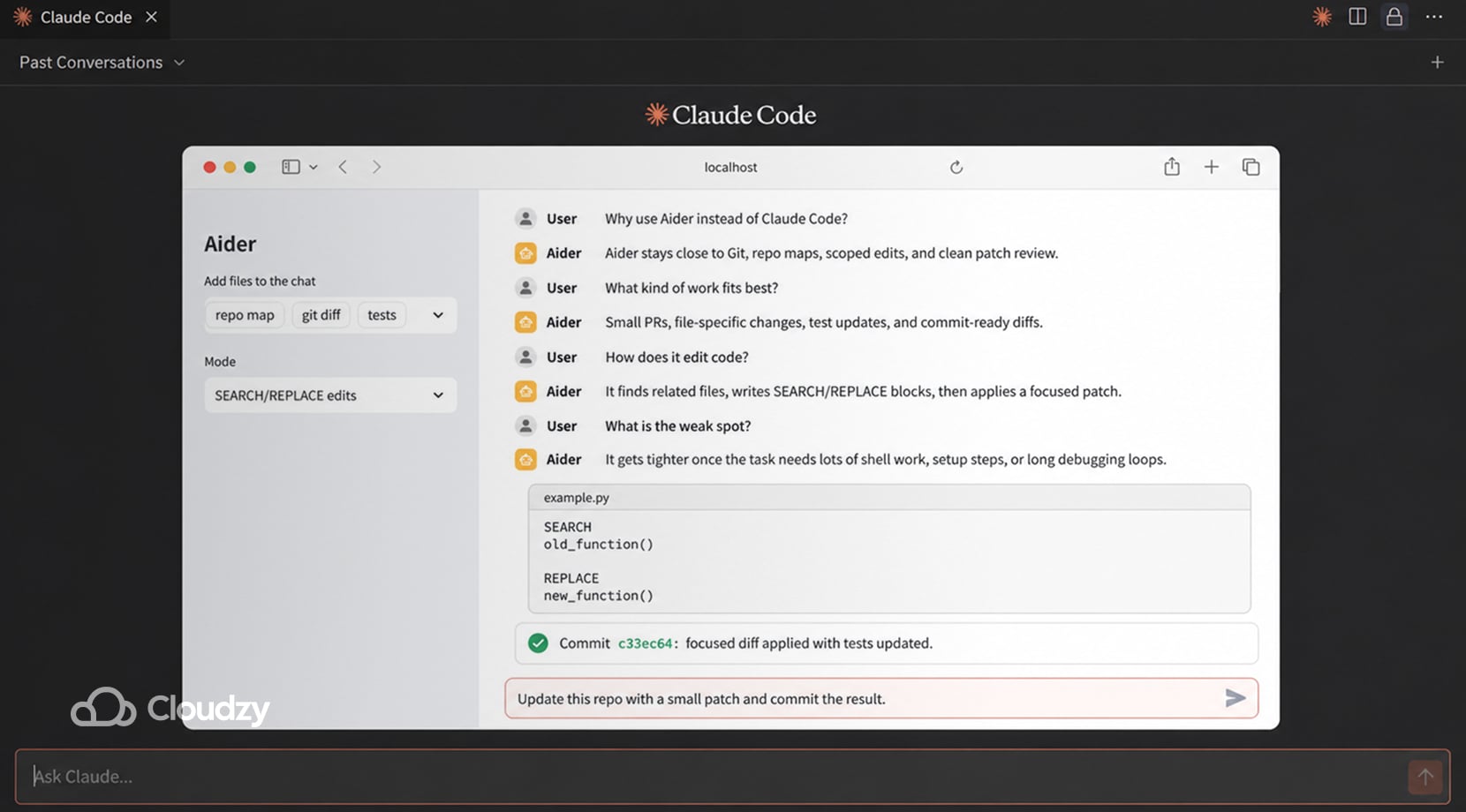
Aider is built around repo maps, diff edits, and Git-friendly patch flow. It sends the model a structural summary of files and symbols, then applies search-and-replace style changes instead of rewriting whole files. In review-heavy repos, that often leaves smaller PRs, fewer noisy rewrites, and a commit history that is easier to inspect.
It works best on scoped jobs, things like touch these files, change this logic, update the tests, and commit the result.
However, be mindful that once the task spreads into build setup, terminal orchestration, browser checks, or long debugging loops, the workflow gets tighter because Aider keeps the interaction close to the code change itself.
- Good fit for Git-heavy repos, review-driven teams, and scoped code changes.
- Useful for repo-map context, diff-based edits, auto-commits, and tighter patch control.
- Gets old on tasks that keep bouncing across code, shell, setup, and debugging.
Cline
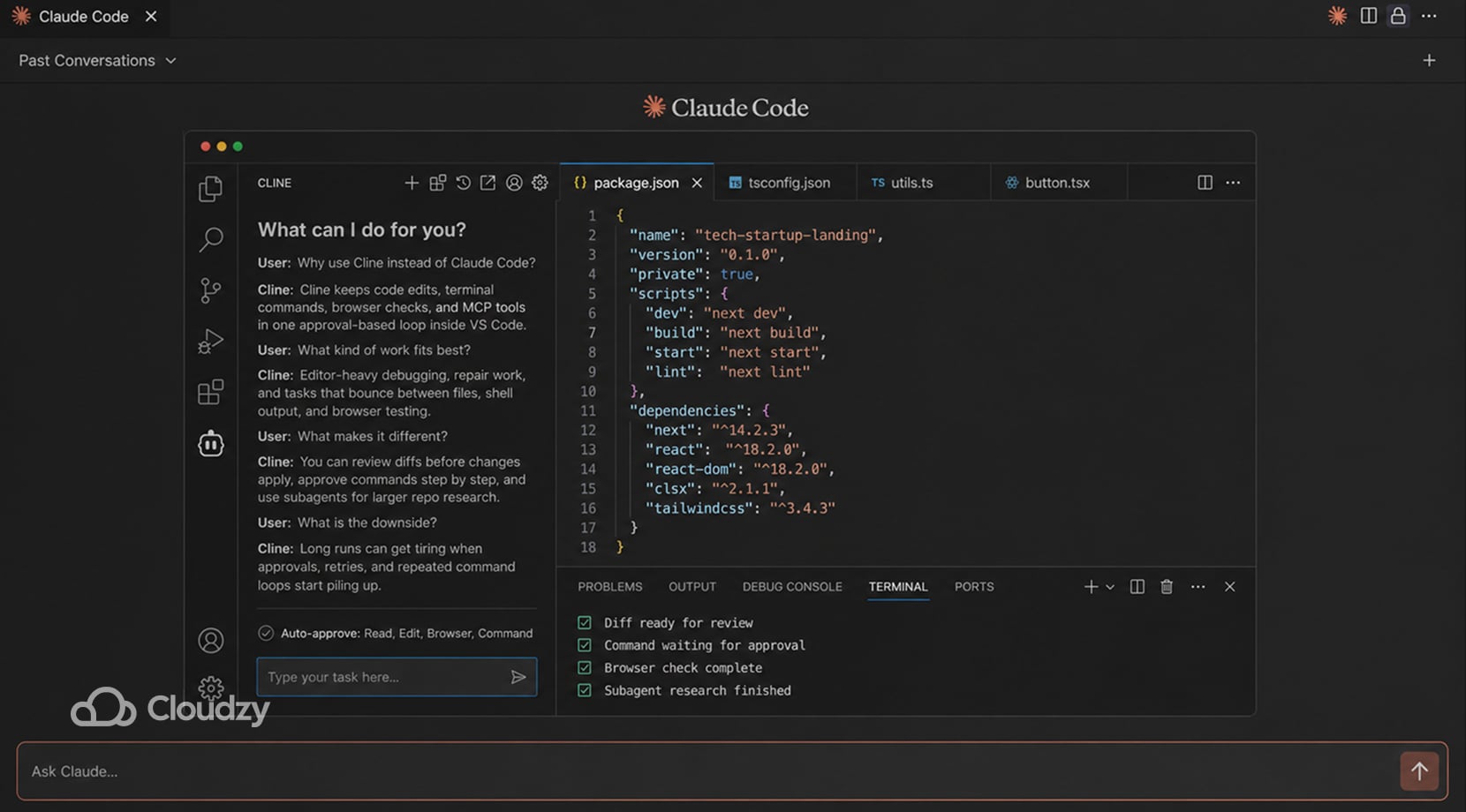
Cline runs inside VS Code and keeps file edits, shell commands, browser actions, and MCP tools in the same approval-driven loop, with diffs shown before changes are applied and commands paused until you allow them.
It also supports read-only subagents, which can help with repo research and parallel inspection. But they can’t really be described as full worker agents, since they cannot apply patches, write files, use the browser, or call MCP tools.
It fits editor-heavy debugging where the job keeps bouncing between code, terminal output, and browser checks.
That strength can become a weakness, as, on longer repair chains, the same setup can slow down once the run starts circling through repeated approvals, command retries, or patch application.
- Good fit for editor-led bug fixing, repair work, and browser-backed checks inside VS Code
- Useful for visible diffs, command approval, MCP tools, and subagents on larger repos
- Gets tiring on long loops with repeated confirmations or flaky command and output handling
Cursor
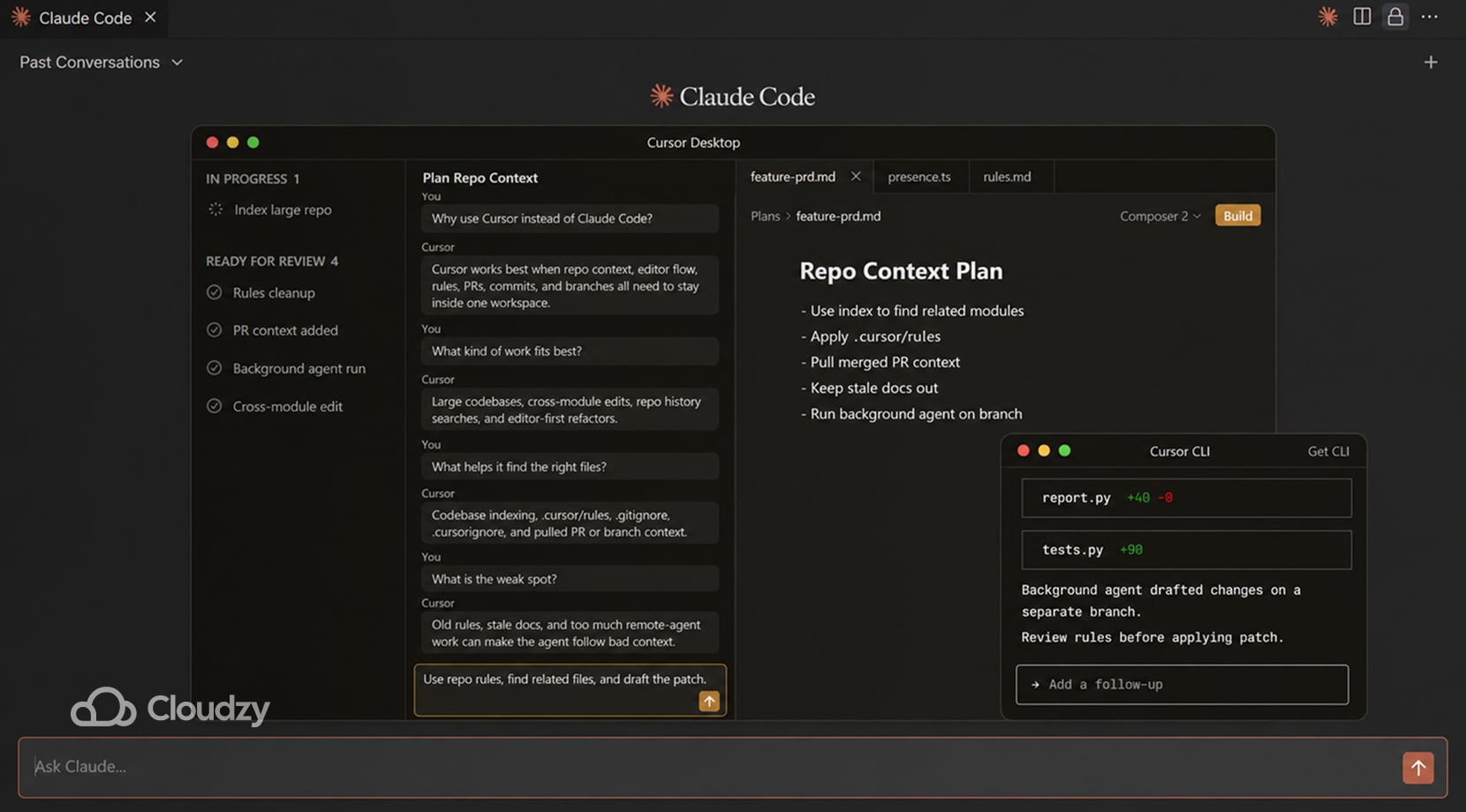
Cursor is built for complex repos where it uses Merkle-tree-based incremental indexing to maintain a semantic vector store. While it supports multi-root workspaces and git-event triggers, its effectiveness is highest when the indexed scope is manually tuned via .cursorignore to stay within manageable file counts
Plus, project rules live in .cursor/rules, so conventions and workflow notes can stay with the repo instead of sitting in one person’s local settings.
In larger codebases, that cuts down on file-dragging and repeated “read these folders first” prompts. As a result, a lean rules file and a clean index usually hold up better than a pile of old markdown instructions.
By contrast, once rules, AGENTS files, and ad hoc context docs start piling up, the agent has more material to process and more stale guidance to stumble over.
Moreover, Cursor’s background agents push things further by cloning the repo into a remote Ubuntu machine, running install and startup commands, and working on separate branches.
That can help with longer jobs, but it also shifts part of the workflow out of the local editor and into remote execution.
- Good fit for editor-led work in repos with a lot of history, conventions, or cross-module changes.
- Useful for codebase indexing, PR search, repo-scoped rules, and remote background runs.
- Gets old when the repo fills up with stale instructions or the workflow leans too heavily on remote agents.
GitHub Copilot
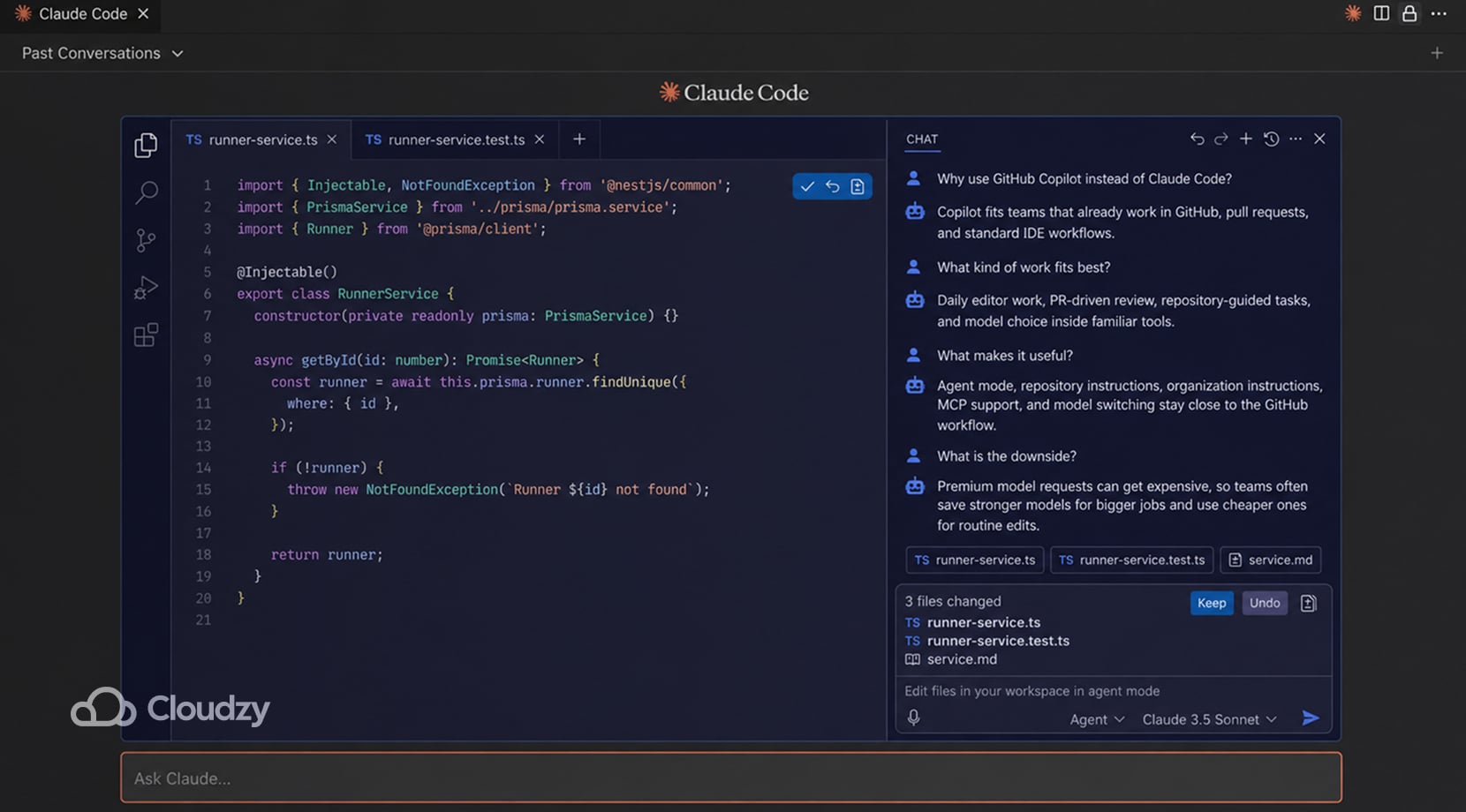
GitHub Copilot fits teams that already work out of GitHub, pull requests, and standard IDEs. Agent mode can choose files, suggest terminal commands, and keep working through a task inside tools the team already uses.
Additionally, repository instructions, organization instructions, MCP support, and model switching keep a lot of the setup inside the same stack instead of pushing people into a separate coding environment.
However, after a while, the bigger issue is model pricing inside the workflow. Copilot uses premium requests for stronger models, and the multiplier changes by model. That pushes teams to save the expensive models for bigger refactors, harder debugging, or longer agent runs, then fall back to cheaper defaults for smaller edits and quick questions.
The product still fits neatly into GitHub-heavy work, but the request costs can force prompting habits into a corner once usage goes up.
- Good fit for GitHub-heavy teams, PR-driven review, and editor-based daily work.
- Useful for agent mode, model switching, repository instructions, and keeping AI work close to the existing GitHub workflow.
- Gets annoying when premium-request cost starts deciding which model is worth using for small jobs.
Gemini CLI
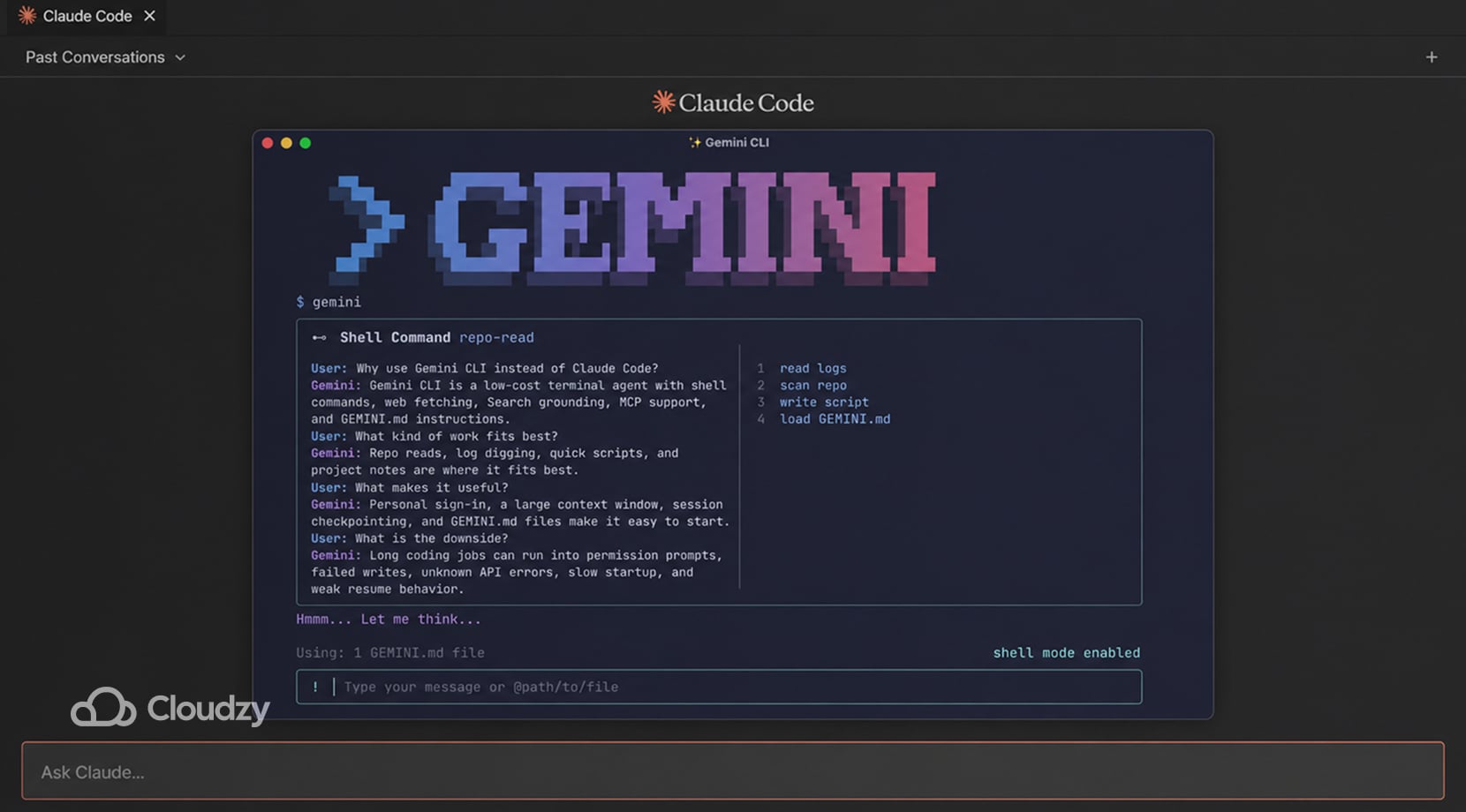
Gemini CLI runs in the terminal and takes very little setup to start.
Google ships it as an open-source agent with shell commands, web fetching, Search grounding, MCP support, session checkpointing, and GEMINI.md files that can load instructions from global, workspace, and directory scope. Even better, personal Google sign-in also includes a free allowance and access to Gemini models with a 1-million-token context window. All that makes it useful for repo reads, log digging, quick scripts, and project notes.
Unfortunately, the drop-off shows up on longer coding jobs, with recent reports describing repeated permission prompts, file writes failing even after permissions were opened up, unknown API errors, slow startup, simple tasks taking far too long, and conversations failing to resume cleanly.
A big context window helps with reading more files, but it does not cover for shaky tool execution or longer repair chains.
- Good fit for shell-side repo reads, logs, one-off scripts, and lighter coding tasks.
- Useful for large-context reading, GEMINI.md project instructions, MCP extensions, and quick terminal access.
- Falls off on longer multi-file repair work, repeated tool use, and sessions that need clean resume behavior.
Continue
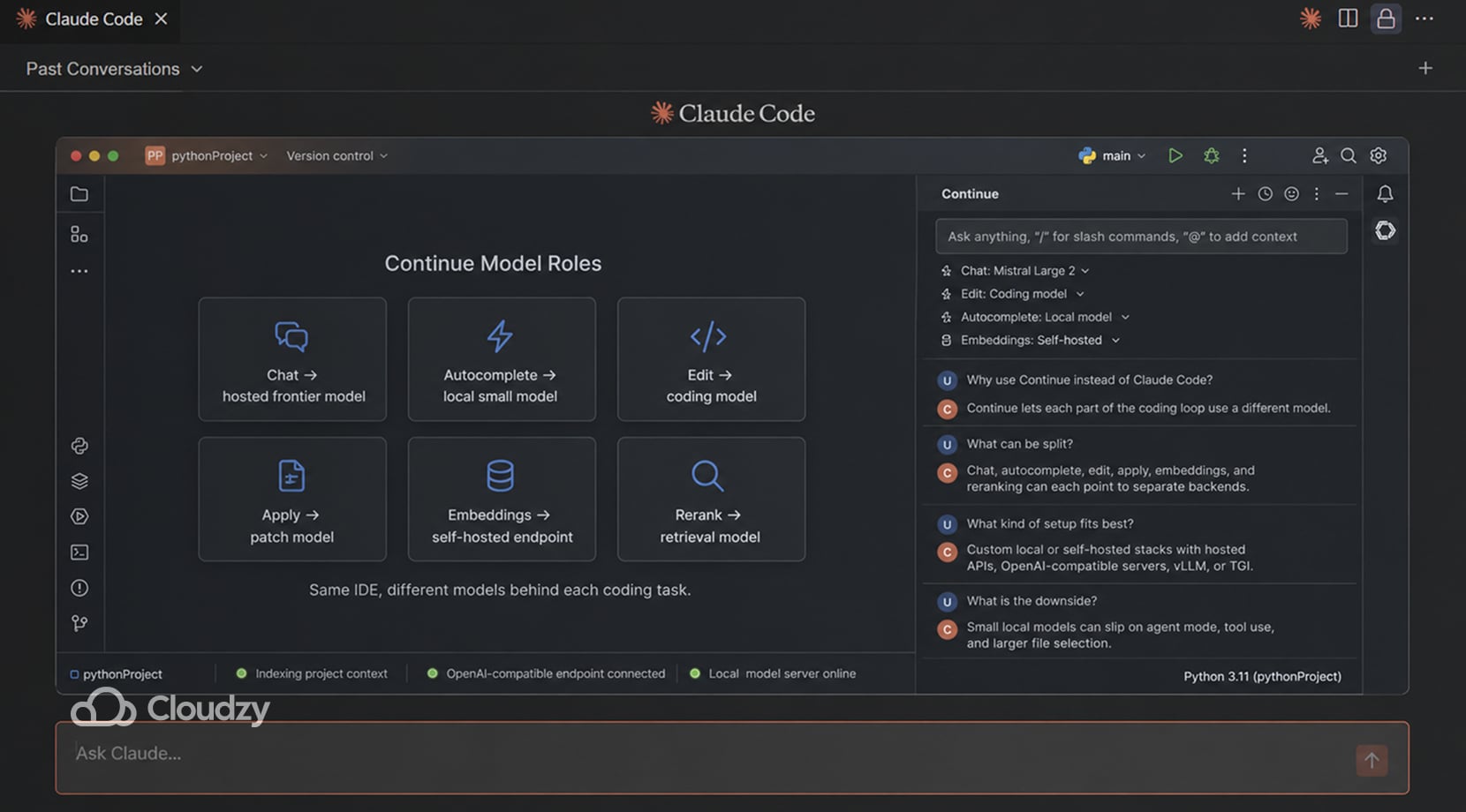
Continue fits setups where different parts of the coding loop need different models. It lets you assign separate roles for chat, autocomplete, edit, apply, embeddings, and reranking, then point those roles at hosted APIs, OpenAI-compatible servers, or self-hosted backends.
Its self-hosting guide covers backends like vLLM, Hugging Face TGI, and other OpenAI-compatible endpoints, so you can keep the Continue extension in place while changing the model server behind it.
That setup is useful in teams that split the coding loop across different models, for example, one model for chat, a smaller one for autocomplete, and another for edit application or vector search.
Do keep in mind that local stacks built around smaller coding models are harder to rely on for agent work. Agent mode and tool use are usually the first places they start to slip, with missed steps, skipped tools, or the wrong context getting pulled in.
Recent LocalLLaMA discussions mention the same problem in Continue-style local setups. Smaller models can handle chat and basic edits, but they lose reliability much faster once agent mode, tool calling, or broader file access gets involved.
- Good fit for custom stacks with separate models for chat, autocomplete, editing, and retrieval.
- Useful for OpenAI-compatible servers, self-hosted endpoints, and swapping providers without replacing the editor workflow.
- Falls off once the local backend is too small for tool use, agent mode, or larger file selection.
OpenAI Codex
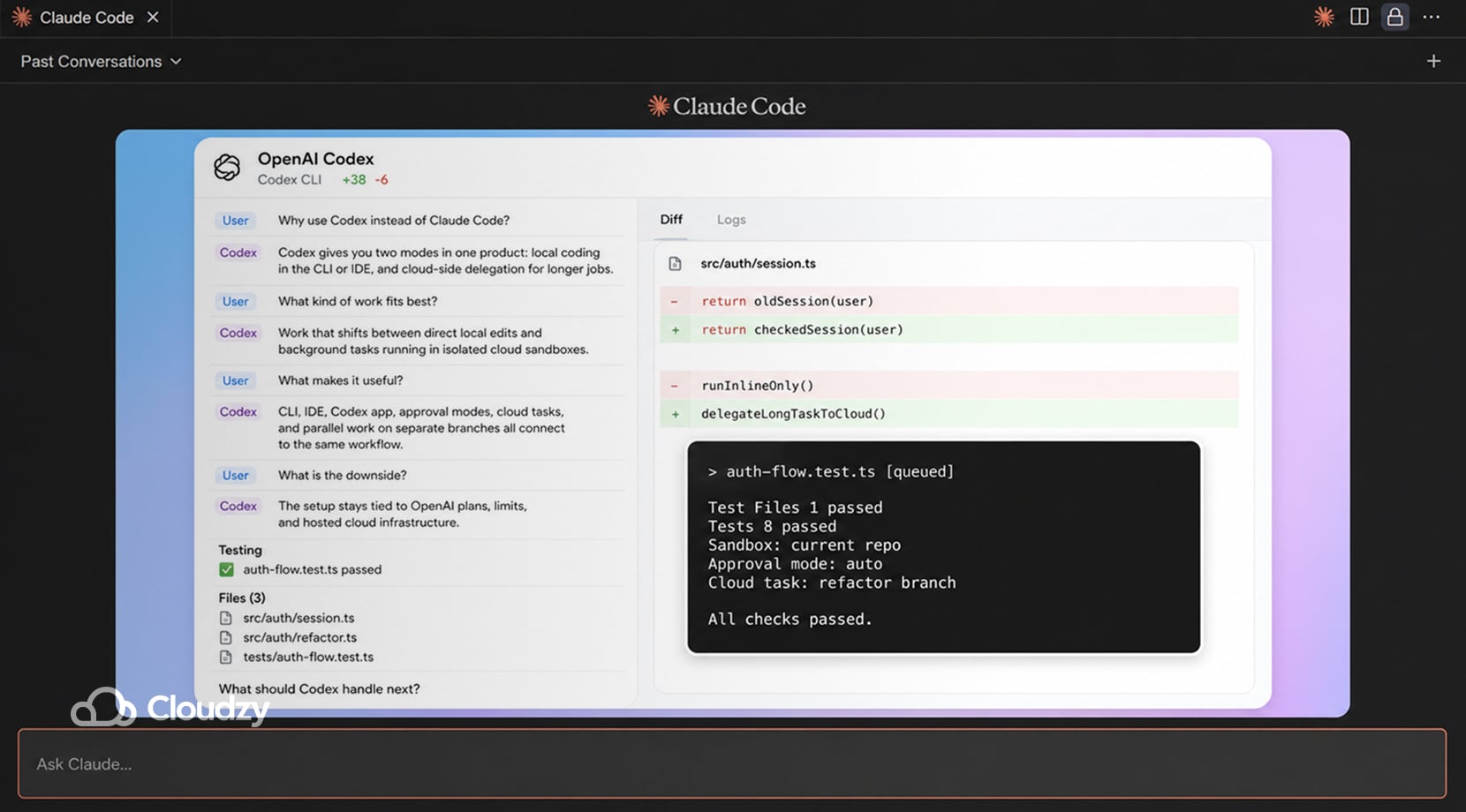
OpenAI Codex fits developers who want two modes in one product: local pair-programming in the CLI or IDE, and cloud-side delegation for longer jobs. OpenAI’s current docs place Codex across the CLI, IDE extension, Codex app, and Codex Cloud, with cloud tasks running in isolated sandboxes connected to a repo and local work staying in your own environment.
Moreover, Codex separates sandboxing from approvals. The sandbox controls file and network access, while approval settings decide when Codex must pause before running an action. In a workspace-write setup, Codex can edit inside the current workspace, but network access and out-of-workspace actions still depend on the selected settings.
This setup suits work that keeps shifting between direct edits and background jobs. A local session can inspect the repo, patch files, and run commands, then a cloud task can keep grinding through a longer fix or PR draft without holding the terminal open.
OpenAI has also pushed Codex further into parallel work with the Codex app, built-in worktrees, and multi-agent management.
Cloud tasks are useful, but the setup stays tied to OpenAI’s plans, limits, and hosted environment. That is fine for some teams; however, others end up keeping Codex for cloud-side work only while moving part of the coding loop back to local tools, so they have tighter control over how the session runs and how far they can push it.
- Good fit for local coding plus delegated background work.
- Useful for approval modes, IDE and CLI coverage, cloud sandboxes, and parallel work through the app.
- Gets old if you want the whole workflow to stay outside one vendor’s plans, limits, and cloud environment.
Replit Agent
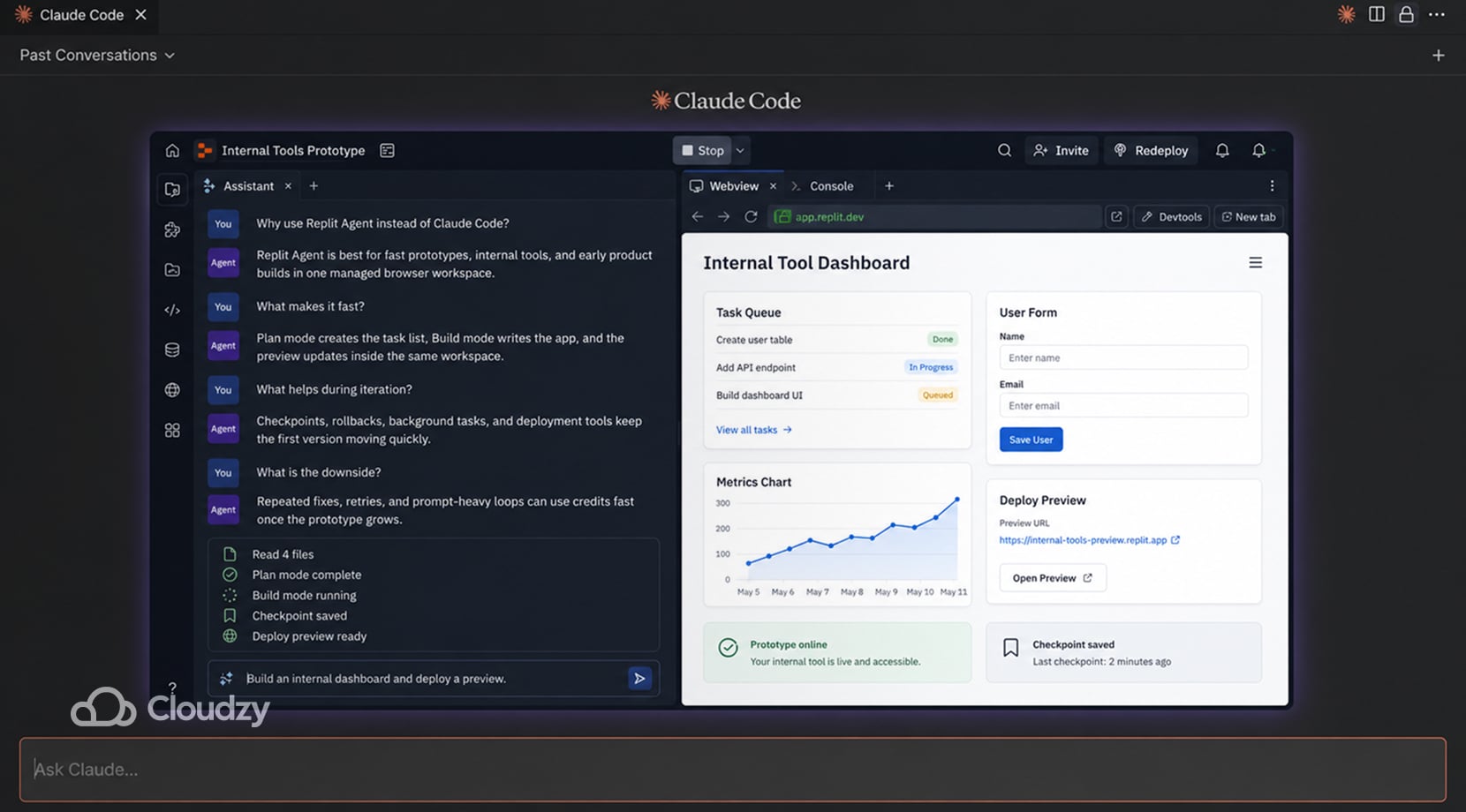
Replit Agent fits fast prototype work, internal tools, and early product builds where coding, hosting, and deployment all live in one place.
Replit’s current docs show Plan mode for task lists and architecture questions before code changes, Build mode for implementation, automatic checkpoints and rollbacks, and a task system that can run background work in separate threads with plan-based limits on concurrency.
It is easy to see why people keep trying it; you can get from idea to something clickable very quickly, especially if the job is still loose and the stack is not settled yet.
The downside becomes noticeable once the project is no longer a rough prototype and requires repeated fixes, prompt-heavy iteration, or multi-agent work. Replit is strong for getting a prototype online fast, but repeated fixes, prompt-heavy iteration, and multi-agent work can drive credits up quickly.
That is usually when teams start cutting back on prompts and shift the heavier coding work to Cursor, VS Code, or another local setup, while still using Replit for hosting, demos, or early validation.
- Good fit for prototypes, internal apps, and quick product validation in a managed browser workspace.
- Useful for planning before edits, background tasks, checkpoints, rollbacks, and getting a deployable app online fast.
- Gets expensive once the workflow turns into lots of retries, small fixes, or repeated prompt loops.
SaaS vs Self-Hosted AI Coding Tools
Boiling it down, you get two questions: do you want a hosted product, or do you want to own more of the stack? To answer that, you have to seriously consider what these choices affect, which I’ve highlighted in the table below.
| Factor | SaaS Tools | Self-Hosted or Local-First Tools |
| Setup time | Fast | Slower |
| Model choice | Sometimes broad, sometimes locked | Usually wider if you build it right |
| Privacy and code control | Depends on vendor terms | Better control over runtime; model privacy depends on backend you choose |
| Day-one usability | Better | Rougher |
| Long-run flexibility | Lower | Higher |
| Ops burden | Low | Yours to manage |
What the table is saying is that SaaS is easier to start with and usually asks less from the team day-to-day. A self-hosted setup gives you more room to shape the stack, the hardware, and the model path.
If API costs start creeping up or your team needs steadier access to compute, our Cloud GPU Vs Dedicated GPU VPS breakdown is a better next step than another tools roundup.
Why Self-Hosted AI Coding Keeps Pulling Developers In
Developers, and most of us, really, get tired of stacking subscriptions, tired of living inside one vendor’s limits, and tired of feeling like every longer session might turn into a budget issue.
Privacy concerns show up here, too, especially where people do not want proprietary code pushed to several external services just to keep one workflow alive.
Local models can hold up well enough in chat, but coding-agent work puts more pressure on them. Tool calls, long prompts, parser quirks, and hardware limits all start showing up much sooner once the model has to work across files and keep a longer task together.
I’m saying all of that to get to the point that a hybrid approach might well be the better choice. A developer might use a hosted frontier model for hard repo work, a cheaper model for repetitive edits, and a local or VPS-backed setup for privacy-sensitive or always-on flows.
If you are still sorting out the local runtime side of that choice, our Ollama vs LM Studio comparison is a useful detour.
How to Run Claude Code Alternatives on Your Own Machine or a VPS
A local setup works fine up to a point because, for smaller repos, shorter sessions, and basic privacy needs, a laptop can be enough. However, as sessions get longer or the model has to do more than chat, RAM fills up, context gets cut back, tool calls go off track, and jobs begin taking far longer than they should.
Running OpenCode on a VPS keeps the self-hosted workflow intact without tying it to one provider or squeezing it onto your own machine.
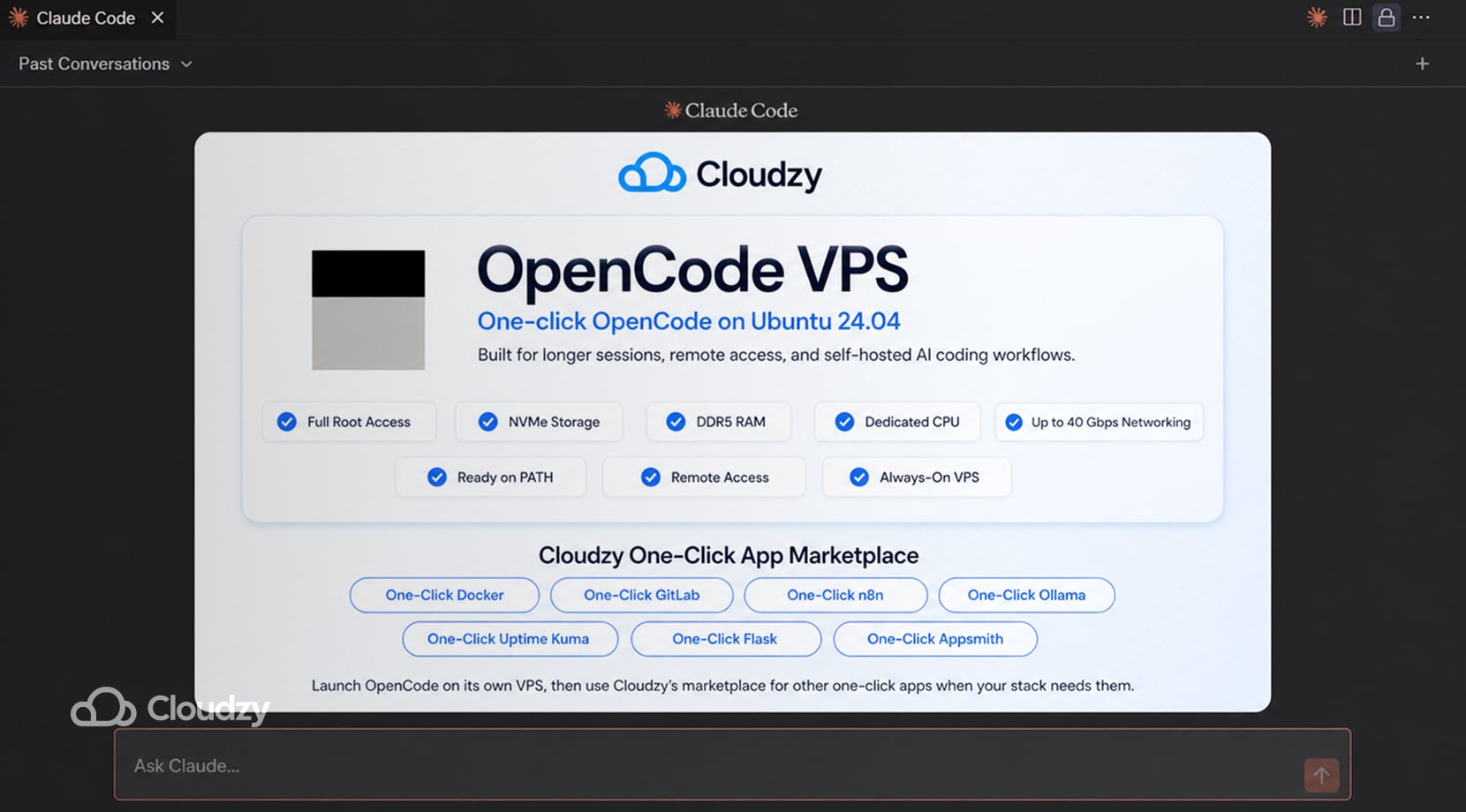
Cloudzy’s One-Click OpenCode VPS basically removes the setup part, as OpenCode is already installed on Ubuntu 24.04, added to your PATH, and ready to use, so you’re not spending time getting the environment into a usable state before doing actual work.
What you’re getting isn’t merely a skip in the setup, but also longer sessions, multiple repos, parallel work, and remote access, all without a hitch, because the machine is always on and not competing with your local resources.
That’s because our VPS services all come with full root access, NVMe storage, DDR5 RAM, dedicated resources, and up to 40 Gbps networking, so your setup doesn’t bottleneck the workflow the way a laptop eventually does.
And since OpenCode is usually not the only thing running, our marketplace already covers a lot of the usual tools and apps you could need. We have over 300 one-click apps, including ones like Docker, GitLab, n8n, Ollama, Uptime Kuma, Flask, and Appsmith, so you don’t have to install those manually either!
Which Alternative Fits Which Developer
By this point, it’s clear that there isn’t one best alternative to Claude Code, so here’s a summary of what I believe to be a clear list of who should be using which alternative:
- Pick a terminal-first tool if you mostly work from the shell: OpenCode, Aider, Gemini CLI, or Codex CLI.
- Pick an editor-first tool if most work happens inside VS Code-style workflows: Cline, Cursor, or Copilot.
- Pick Continue if the main goal is a custom model/backend setup.
- Pick Replit Agent if the goal is fast managed prototyping rather than repo-local control.
That said, keep in mind that most will choose more than one of the tools above, as that’s just how things work these days.
Final Thoughts on the Best Claude Code Alternatives
Claude Code is still strong, but it no longer needs to be the only tool in the workflow. The better choice depends on where the work happens, that being terminal, editor, cloud workspace, or self-hosted stack.
For developers who want OpenCode without manual server setup, Cloudzy’s One-Click OpenCode VPS gives you a ready Ubuntu 24.04 environment with OpenCode already installed, plus room to add the rest of your dev stack later.
FAQ
What Is the Best Free Claude Code Alternative?
Can I Run AI Coding Tools Locally?
Is Self-Hosting Cheaper Than Paying for Claude Code?
Which Claude Code Alternative Feels Closest in the Terminal?
Which Claude Code Alternative Works Best in VS Code?
Are Local Models Good Enough for Agentic Coding?



Discussion
Comments
Sign in to join the discussion.