
You grab six IP:port pairs off a free proxy list, paste them into your client one at a time, and by the fourth one the pattern's obvious. Two never answer. One answers and then dies halfway through a request. One is slow enough to time out the tool you pointed at it. The one that works refuses HTTPS. Ten minutes gone, and the job you opened the laptop for is still sitting there.
That's the normal experience of the best free proxy servers on offer, and it isn't bad luck. Free proxies exist, some of them work, and for a certain shape of job they're exactly the right call. The trouble is that the page handing them out can't tell you which ones, for how long, or who's sitting on the other end reading what goes through.
The Short Version
- A 30-month study of more than 640,600 free proxies found only 34.5% of them responded even once. An earlier study found that fewer than 2% of the proxies advertised on the web forwarded user traffic at all. Dead entries are the default state, not an accident.
- Around 10% of the working ones in that earlier study were injecting ads or intercepting TLS.
- Free is the right answer for throwaway work: checking how a page renders from somewhere else, a one-off look at content you don't have an account on, tests where a failure costs you nothing.
- For anything you sign into, or anything that has to work twice, your own proxy on a small server (1 vCPU and 1 to 2 GB of RAM is plenty for a personal setup) is the durable fix. You take on the patching and the uptime in exchange.
- A single self-hosted VPS normally gives you one stable exit IP. That is useful when you want control and consistency, but it does not give you the large rotating pool that scraping providers sell.
What This Guide Skips
Four things sit outside what follows. Here they are, before you get halfway down looking for one of them.
- Scraping at scale. One small self-hosted proxy normally gives you one stable exit IP, and rotation is a separate problem with separate answers.
- The full breakdown of what can go wrong. What's here is the part that bears on which proxy you pick, not the complete catalogue.
- Reverse proxies. Same word, different direction. A reverse proxy sits in front of origin servers and receives client requests on their behalf; this article is about a forward proxy you use to send your own traffic outward. Nothing below applies to reverse proxies.
- Install walkthroughs for every tool. The tool section points at setup depth instead of repeating it.
Where Free Proxy Servers and Sites Come From
Type "free proxy list" into a search box and the first page is mostly the same three things wearing different logos. They're not interchangeable, and each fails in its own way. Scraped public lists, browser-based proxy sites, and the free tier of a company that sells proxies for a living: those are the three, and what separates them is who (if anyone) is accountable for the box your traffic goes through.
Public Aggregator Lists
ProxyScrape, free-proxy-list.net, spys.one, and Geonode all publish public proxy tables with filters such as protocol, location, anonymity, latency, or last-checked time. Several run automated liveness checks and refresh their lists frequently. Those checks tell you whether an endpoint responds; they do not tell you who controls the proxy, how it is configured, or what it records.
The practical read on all four:
- Use them for a single throwaway request you can afford to redo, where you grab three entries by hand and try each until one answers.
- Don't use them for anything you plan to script against, anything you need working tomorrow, or anything where a silently altered response would matter. The entry that worked when you grabbed it is often dead or blocked by the time you need it again, and nothing notifies you.
Web-Based Proxy Sites
You paste a URL into a box on somebody else's website, their server fetches the page, and their server hands you back a rewritten copy of it. That rewriting isn't optional: links, images, and scripts all have to be repointed or the page falls apart. The operator is already in the business of modifying what you see, before any bad intent enters the picture.
The lock in your address bar, when there is one, authenticates and encrypts your connection to the proxy site. It does not give you an end-to-end TLS connection to the destination page, because the proxy is fetching and rewriting that page for you. That operator can therefore alter links, scripts, forms, and downloads before they reach your browser. A browser extension does not change the trust model if it still sends your traffic through the extension operator's servers.
Use them for reading something you have no account on. Don't use them for anything you type a password into, ever.
Free Tiers From Commercial Proxy Providers
Webshare's free plan is a different category from a scraped public list. It currently gives you 10 shared datacenter proxies and 1 GB of bandwidth per month, with no credit card and no expiry date. There is a named company, published terms, and an account you control. That does not make the free tier suitable for sensitive traffic, but it gives you more accountability than an anonymous public entry.
Use it for low-volume work where you want a named provider behind the proxy. Do not use it for sustained traffic: the 1 GB monthly cap is the limiting factor.
What a Free Proxy Actually Delivers
Numbers first, because this is where the marketing and the measurements disagree most. Two independent research teams have pointed instruments at this ecosystem and published what they found. What follows: how many of these proxies work, what the working ones do to traffic passing through them, and the economics producing both results.
How Many of Them Work at All
Free Proxies Unmasked is a 30-month measurement study presented at NDSS MADWeb 2024. Mehanna, Rudametkin, Laperdrix, and Vastel collected more than 640,600 proxies from 11 providers and tested them repeatedly. Only 34.5% of those proxies were active even once during the whole test window.
The earlier picture is bleaker. ProxyTorrent is a measurement platform that Perino, Varvello, and Soriente reported on at WWW 2018. It monitored up to 180,000 free proxies and found that fewer than 2% of the ones advertised on the web actually forwarded traffic on behalf of users. Roughly half of that 2% performed well enough to be relied on.
Both figures are bounded to the proxies those teams could observe, drawn from public lists, over their specific measurement windows. Neither is a rate to apply to a proxy sitting in front of you. What they establish is that the dead entries you keep hitting are the ordinary case.
What the Working Ones Do to Your Traffic
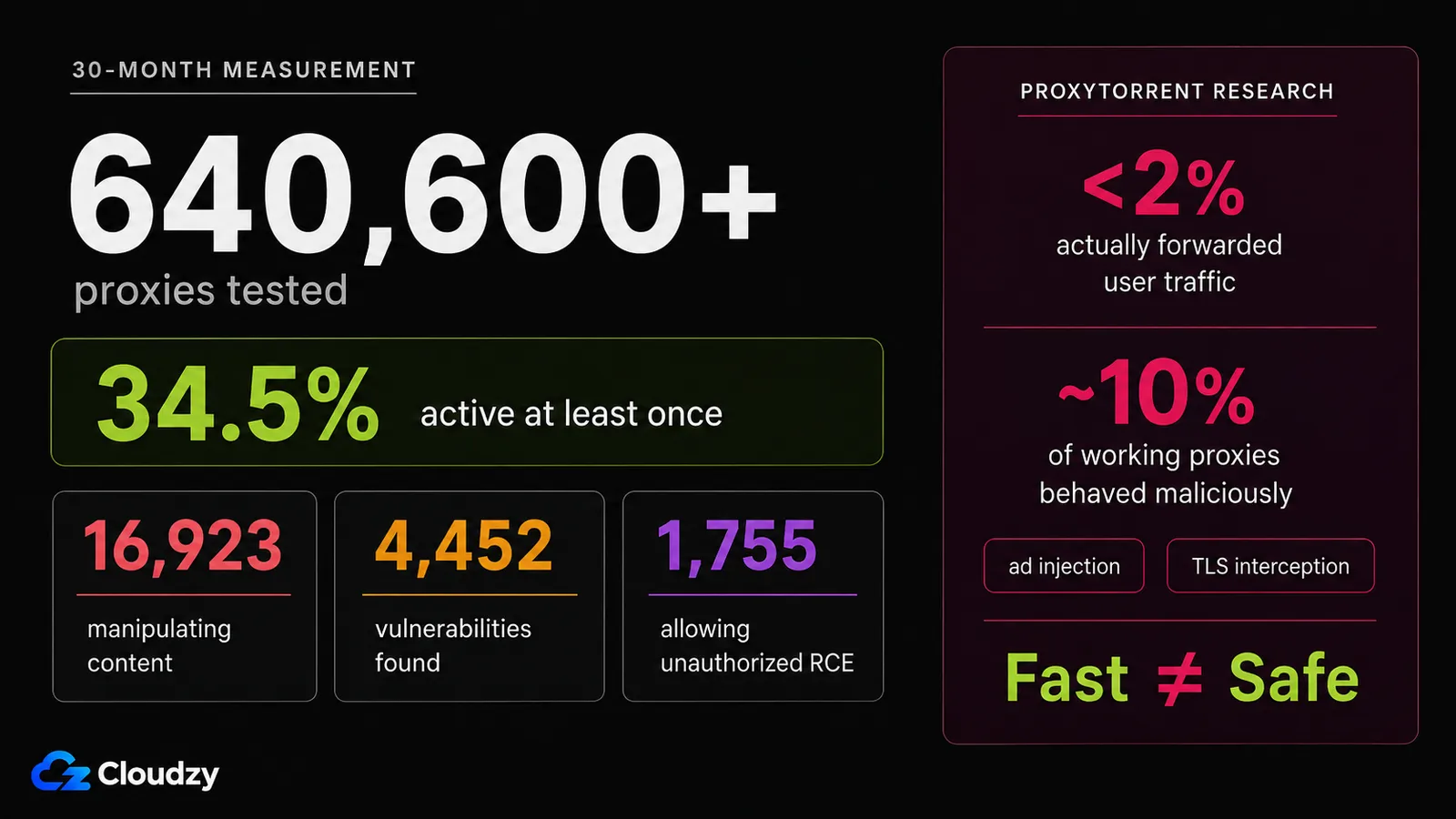
Mehanna and colleagues also counted what the live proxies were doing over those 30 months: 16,923 proxies manipulating content passing through them, and 4,452 distinct vulnerabilities on the proxy IP addresses themselves, of which 1,755 allowed unauthorized remote code execution. Those vulnerability numbers describe the machines, not the people running them. They don't prove those proxies were compromised; they mean some of the boxes behind them had vulnerabilities serious enough to make compromise possible.
The ProxyTorrent team put a figure on what the operators do: around 10% of the working proxies behaved maliciously, ad injection and TLS interception among them. TLS interception is the serious case. The proxy attempts to terminate or replace the encrypted connection so it can inspect or modify the traffic. A properly configured client should reject an untrusted certificate rather than silently accept that interception.
Speed is not a safety signal here: in the 2018 study, the proxies behaving maliciously were also the ones delivering the best performance.
Why Free Has to Be Paid for Somehow
Bandwidth and compute still cost someone money, but public proxies do not all have the same business model. A commercial free tier has an obvious incentive: it is a limited version of a paid service. A public proxy may instead be deliberately exposed, misconfigured, abandoned, or running on a compromised device. The measurement studies above are the reason not to infer a benign operator just because the proxy is free.
The version of this that has grown up recently is uglier, and it reaches past the free tables. Some proxy networks, including ones sold as legitimate commercial services, are assembled out of consumer machines whose owners never agreed to any of it. In January 2026 Google Threat Intelligence Group announced the disruption of one such network, IPIDEA, describing it as letting bad actors hijack access to people's home internet connections to run activity that couldn't be traced back to them. About ten days later, Malwarebytes traced a campaign of fake 7-Zip installers that dropped a proxy payload as a Windows service and enrolled the machine into residential proxy infrastructure, letting third parties route traffic through the victim's IP address. If you've ever wondered how a "residential" IP gets to be residential, that's one of the answers.
When a Free Proxy Is Genuinely Fine
A free proxy can be reasonable for a disposable check where exact fidelity does not matter: confirming that a public page is reachable from another network, seeing whether a public endpoint returns different content from a second IP, or sending a few non-authenticated requests to a staging environment. If the proxy dies or the response looks suspicious, you can discard the result and try again.
What these have in common makes a rule you can apply in about five seconds. A free proxy is the right tool when you're not authenticating to anything, you wouldn't care if the response came back altered, and you don't need the same entry to work a second time. Hit all three and I've got no argument for you spending money or standing up a server. Grab an entry, do the thing, move on.
Miss any one of the three and the calculation changes.
Free Proxy Servers vs. Running Your Own
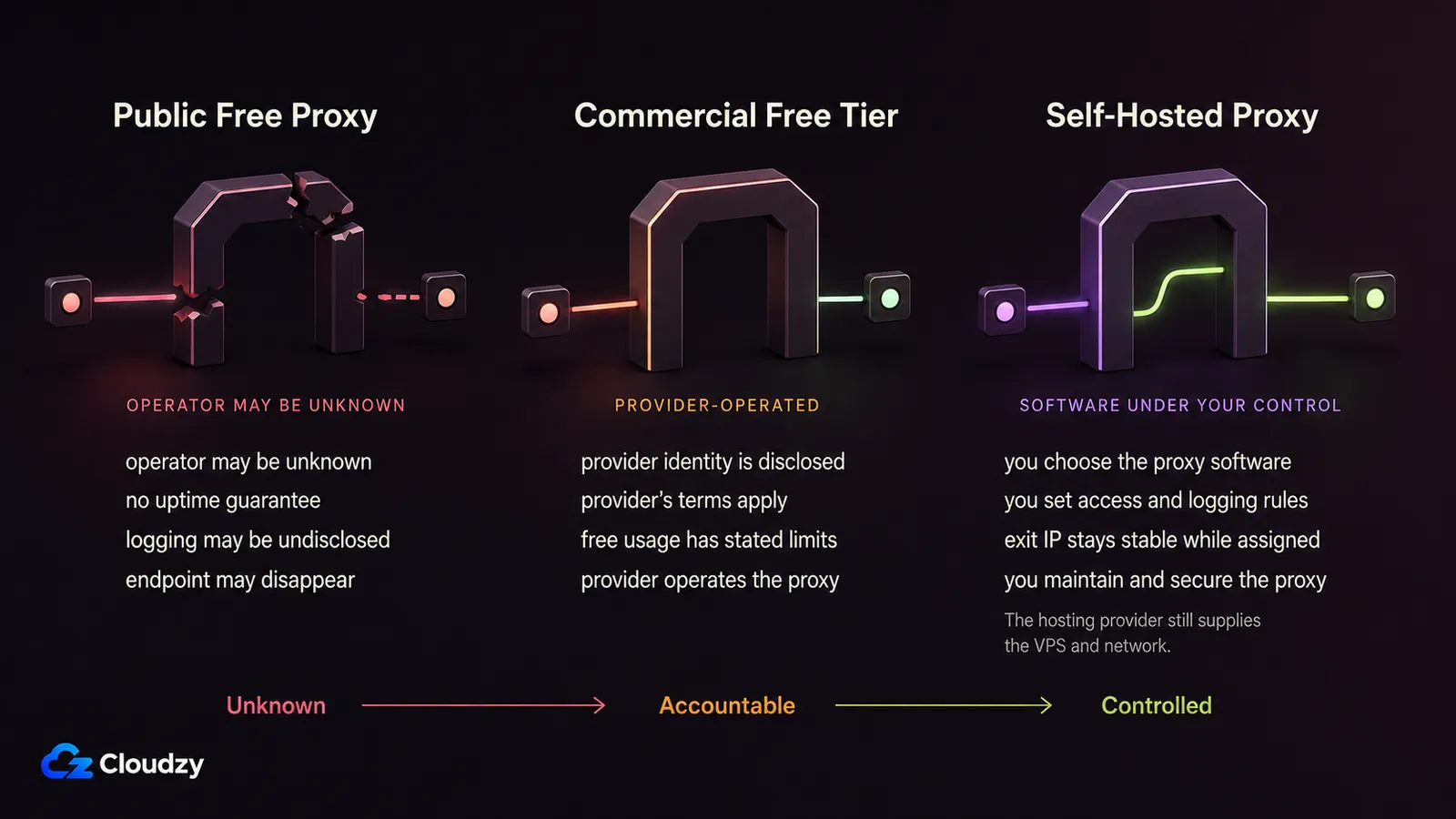
If the proxy has to work more than once, for something you care about, the free sources are the wrong shape of tool and no amount of list-hopping fixes that. The fix is also not a proxy subscription priced for a scraping team with an appetite for a thousand rotating addresses. For one person with one job, it's a small server you rent yourself, at roughly the cost of a couple of coffees a month.
The trade splits along eight axes, and it isn't a clean sweep in either direction. The free sources win on cost and on how fast you can start. They lose on everything to do with control, and one row goes against self-hosting outright.
| Criterion | Public free proxy list | Free tier from a proxy vendor | Your own proxy on a VPS |
|---|---|---|---|
| Typical cost | Nothing | Nothing, up to a small cap | A few dollars a month |
| Who operates the proxy | Unknown operator | The vendor | You |
| HTTPS/TLS handling | Varies; interception documented | Vendor-defined, stated in terms | Whatever you configure |
| Logging and accountability | Nobody to ask | Named company, written terms | Your logs, your server |
| How long an IP stays usable | Short and unpredictable | As long as the tier lasts | As long as you keep the server |
| IP rotation available | Only by swapping dead entries | On paid tiers | Not by default; usually one stable exit IP |
| Setup effort | Paste and hope | Sign up, copy credentials | One-click deploy or a short manual install |
| Ongoing work owned by you | None | None | Patching, uptime, configuration |
Running Your Own Proxy: What It Takes and Which Tool to Start With
A basic HTTP or SOCKS5 proxy can be one lightweight service on a small server with authentication in its config. The multi-protocol tools below add more moving parts, but the server requirements are still modest for one person. The questions worth deciding up front are what you want the proxy to handle, what ongoing maintenance you are willing to own, and which tool fits that job.
What It Costs and What You Take On
For a lightweight single-user proxy, 1 GB of RAM and 1 vCPU is usually enough; 2 GB gives you useful headroom for a management panel, logs, and updates. Disk demand is small unless you keep large logs or run other services on the same VPS. For this workload, network quality and the server's location usually matter more than storage size.
Once the server is yours, the security updates are yours, the uptime is yours, and the initial configuration being right is entirely on you. None of that is heavy and none of it is zero. If you haven't done it before, walk the usual first moves once (key-only SSH, a firewall that denies by default, unattended security upgrades), and hardening a Linux VPS covers that ground properly.

The failure mode to know by name is the open proxy. A proxy listening on a public interface with no authentication and no firewall rule is now somebody else's free proxy. Scanners find it, and everything leaving it carries your server's address.
Pro tip: if you're running a basic HTTP or SOCKS proxy for yourself, you can avoid exposing the proxy port publicly: bind it to the loopback interface and reach it through an SSH tunnel. That removes a public listener at the cost of keeping the SSH tunnel open while you work.
One limit, stated plainly because it's the thing self-hosting doesn't solve: one small VPS normally gives you one stable exit IP, not a pool to rotate through. You can add more addresses if your provider supports them, but that's still not the same thing. If your job needs a fresh IP every few dozen requests, a paid rotating provider is the correct answer.
Which Tool to Start With
Outline Server is the one to start with unless you have a reason not to. It runs Shadowsocks underneath and adds a management app for creating, sharing, and revoking access keys, so you do not have to hand-edit a server config for each device. For a private proxy that you want to manage through a UI, it is the shortest path on this list.
The rest each exist for a reason. Here are a few notes:
- Shadowsocks on its own is the lighter, manual version of the same thing: a config file and a service, no management layer to run. Pick it if you want less software to own. The details of installing Shadowsocks on a VPS are covered separately.
- V2Ray trades setup time for protocol flexibility. Worth it with a specific transport requirement, overkill without one.
- SoftEther VPN Server speaks several protocols at once, which matters when you must serve client software you don't control. It's an academic research project with a long maintenance history, and it's the heaviest thing on this list.
- Hiddify Manager is a multi-protocol front end built to hold up on restrictive networks and networks running deep packet inspection. If ordinary proxies get identified and dropped where you're working, that's the category addressing it.
- MTProto Proxy is not a general web proxy. It carries Telegram traffic and nothing else. Telegram's own proxy documentation is explicit that it reroutes the traffic of specific applications, not the whole system. It turns up in proxy app lists constantly and it won't do this job.
All six can run on a VPS you control. If you want to skip the manual install for the default recommendation, Cloudzy has a one-click Outline Server deployment. Several overlap with the VPN side of the same problem, where they've been compared side by side in more depth than a proxy guide needs.

Note
a proxy on a rented server still requires you to trust the hosting provider. The difference is that you know who that provider is, you control the proxy software and its logs, and you can leave if its terms or behavior stop working for you.
Self-hosting does not eliminate trust. It replaces an unknown proxy operator with a proxy you administer on infrastructure from a provider you can identify.
With a scraped public proxy, you usually cannot identify the operator or audit what the proxy records and changes. Self-hosting removes that unknown operator from the path: you control the proxy service, while the VPS provider still supplies the underlying server and network. If that trade makes sense for your job, our Linux VPS gives you the server layer; the proxy configuration and maintenance are still yours.

Build on a Linux VPS with root access, NVMe, and AMD EPYC power.
View Linux PlansFrequently Asked Questions
Are Free Proxy Servers Safe to Use?
Mostly not, for anything that matters. A 2018 measurement study by Perino and colleagues found around 10% of working free proxies injecting ads or intercepting TLS, and those were the fastest ones. Free proxies are fine for throwaway browsing you have no account on, and wrong for anything you log into.
Is a Proxy Server the Same as a VPN?
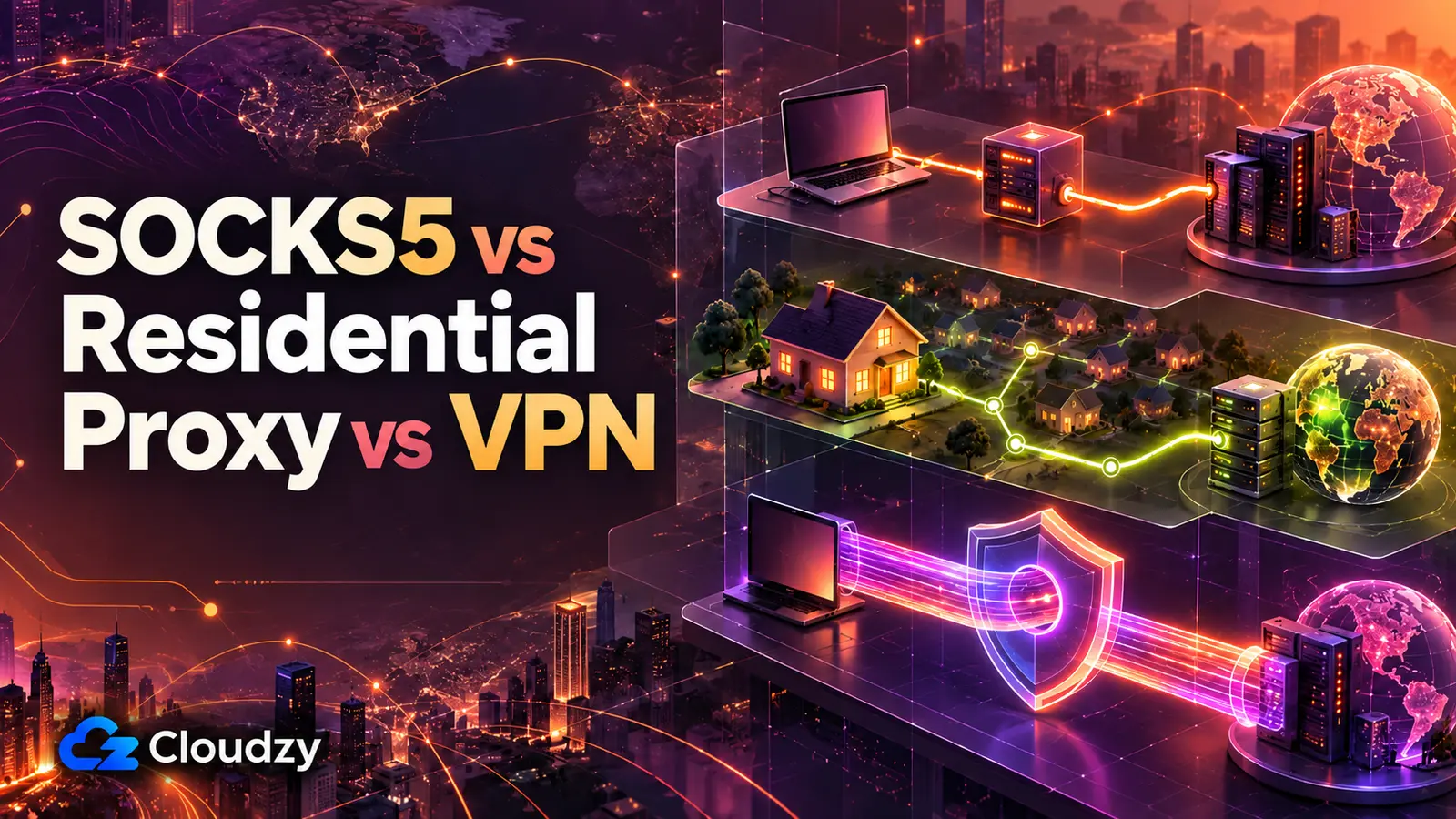
No. A VPN usually routes and encrypts most or all of your device's traffic, while a proxy usually handles one application or protocol. Both can be configured more narrowly, but free proxy vs VPN is mostly a scope choice: do you want one program redirected, or most of the machine? Pick the proxy for the first job and the VPN for the second.
Do Free Proxies Work for Web Scraping?
Mostly no. Entries die fast and without warning, block rates on any target worth scraping are high, and a public list gives you no rotation you can depend on. Scraping at real volume is a paid rotating-proxy problem, not a free-list one, and a single self-hosted proxy doesn't solve it either.
How Much Does It Cost to Run Your Own Proxy Server?
A few dollars a month. A lightweight SOCKS5 or HTTP proxy for one person is comfortable on 1 vCPU and 1 GB of RAM; 2 GB gives you room for a management panel, logs, and whatever else you put on the box. The recurring cost is the server itself. The recurring work is patching it and keeping it up.


Discussion
Comments
Sign in to join the discussion.