
Airtable Team for ten seats costs $2,400 a year on annual billing. That number is not hard to justify for a small, stable team. It gets harder to defend when the base hits Airtable's record ceiling, contributors come and go, and every extra seat keeps compounding the bill.
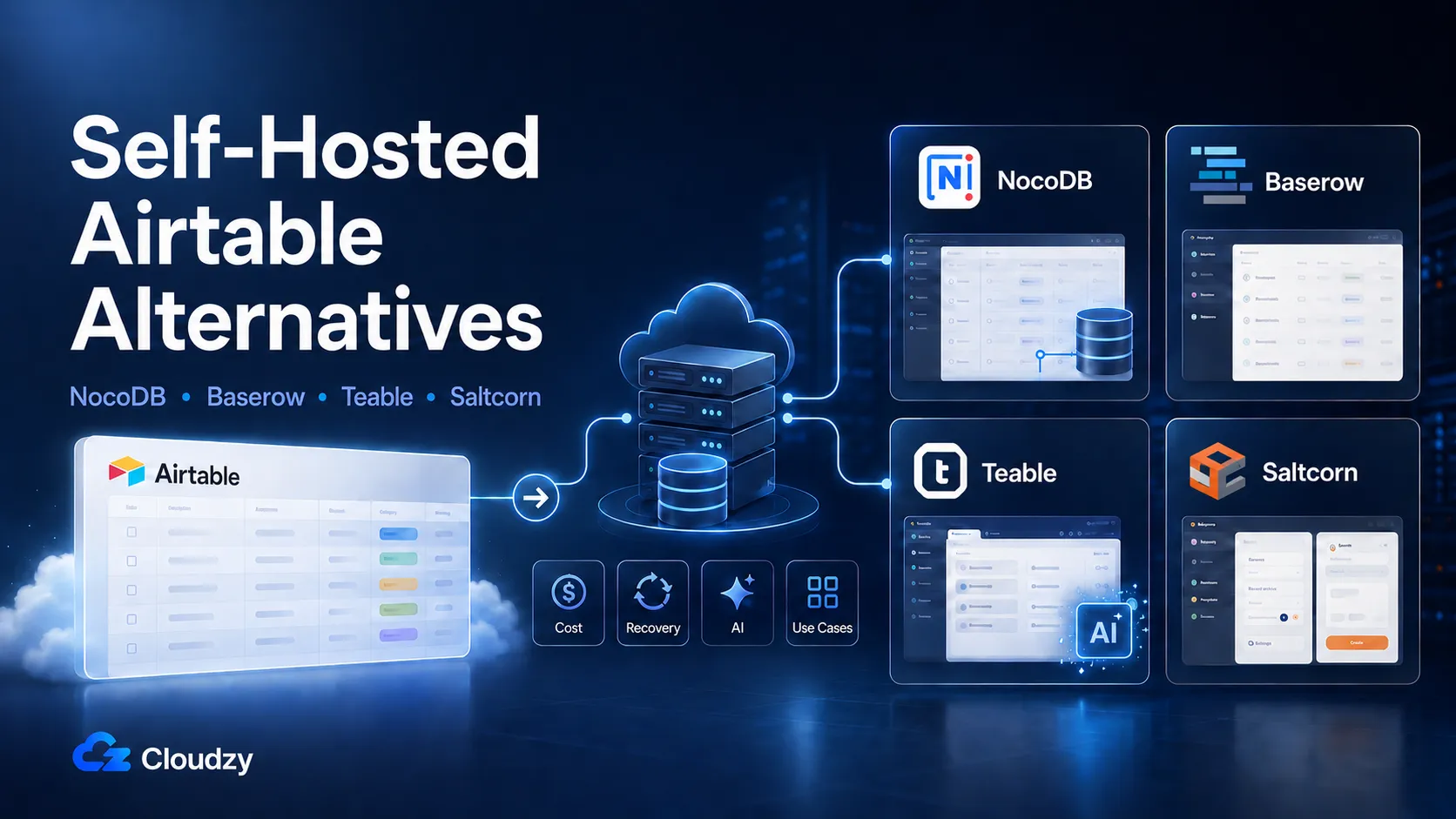
That is the pressure behind the search for the best self-hosted Airtable alternative in 2026. NocoDB, Baserow, Teable, and Saltcorn all remove the per-seat SaaS model, but they do not solve the same problem.
This post is a four-tool decision matrix. Each tool is judged by the constraint that should actually drive the choice: existing database connectivity, collaboration safety, AI features, or internal-app building.
The Short Version
Pick the tool by the constraint that actually binds.
- NocoDB if your data already lives in MySQL, PostgreSQL, MariaDB, or SQLite. Factor in the data-safety gaps before production.
- Baserow if shared editing and recovery matter. Budget for a 2 vCPU, 4 GB RAM VPS, plus a paid Premium license if you need Kanban or calendar views.
- Teable if you want a PostgreSQL-native Airtable alternative and are open to Teable's paid self-hosted AI tier.
- Saltcorn if the problem is an internal app, not a spreadsheet.
The right choice depends on which constraint your team cannot work around.
The Real Cost of Airtable in 2026
Airtable Team is currently $20 per seat per month on annual billing, $24 per seat per month on monthly. Each base is capped at 50,000 records, and each workspace at 25,000 automation runs per month.
Business raises those limits to 125,000 records and 100,000 automation runs, and pushes the seat cost to $45 per month annually. That is a 125% per-seat increase to escape the record cap.
For a five-person team on Team annual, that is $1,200 a year. For ten seats, $2,400. For twenty seats, $4,800. For fifty seats, $12,000. The cost scales linearly with headcount, and most teams keep adding read-only viewers and occasional contributors who all count against the seat total.
The seat-removal rule is the structural problem. Airtable now treats removed billable collaborator seats as paid through the current billing period instead of reducing the current invoice. The seat can still be reassigned before renewal, but the cost does not come back down during that billing cycle.
Airtable appears to have announced the change by customer email rather than through an easy-to-find public changelog or news post; the clearest public trace is a Reddit thread quoting that email.
The rule itself is listed in Airtable's current billing docs, so the issue is not the existence of the policy. It is the lack of downward flexibility during the active billing cycle, especially when annual billing is the only way to access the lower Team price.
The 50,000-record ceiling is a separate problem. For an operations team building a CRM, project tracker, or inventory database, 50,000 records is reachable within months of active use. The escape hatch is the Business plan, which is more than twice the per-seat cost.
None of the limits would matter much if you could move sideways. With per-seat pricing, the only ways out are upward (more expensive tier) or outward (different tool).
The self-hosted alternatives flip the cost model. Infrastructure cost is roughly flat regardless of seat count. Adding a viewer costs nothing. Adding 100,000 records costs nothing. The savings are real, and they compound as the team grows.
Section key takeaway: Airtable's per-seat math punishes growth and turnover, and the October 2025 policy change made it worse.
Four Tools, One Spreadsheet-Replacement Problem
NocoDB and Baserow are the two tools that most closely replace Airtable's familiar spreadsheet-style interface and workflow. Teable is closer to "Airtable plus an AI layer," with PostgreSQL underneath and AI fields built in.
Saltcorn belongs in a slightly different category. It is a no-code app builder first, not a direct Airtable clone. It still fits this comparison because some teams searching for a self-hosted Airtable replacement are not trying to rebuild a spreadsheet. They are trying to turn structured data into forms, pages, role-based views, and small internal tools.
A short snapshot of each:
- NocoDB. Approximately 62,000 GitHub stars as of mid-2026, the most-starred Airtable clone by a wide margin. Source-available under the Sustainable Use License since v0.301. Connects to existing MySQL, PostgreSQL, MariaDB, and SQLite databases without requiring migration. Lightweight runtime.
- Baserow. MIT-licensed. Real-time collaboration. Trash bin with three-day retention. GDPR/HIPAA/SOC 2 compliance posture. Includes a built-in app builder. Heavier stack: Django plus PostgreSQL plus Redis.
- Teable. AGPL-3.0 Community Edition. PostgreSQL backend. Real-time collaboration. Unlimited rows, attachments, and database connections on the free self-hosted plan. AI field and AI chat sit on paid self-hosted plans. Smaller community, around 21,000 stars.
- Saltcorn. MIT-licensed. Full no-code app builder, mobile PWA export, 2 GB RAM recommended. No real-time collaboration, no Airtable import. Smaller release cadence than NocoDB or Baserow.
If your problem is genuinely app-shaped rather than spreadsheet-shaped, Saltcorn is a better fit than the other three. NocoBase belongs in that category too, but its Standard commercial license starts at $800 as a one-time purchase, which moves it out of the cost-driven audience this article is written for.
This article does not cover the paid cloud Airtable alternatives (Notion databases, SmartSuite, Monday.com). The buyer journey is different, and the cost-driven case for self-hosting does not apply to switching from one per-seat SaaS to another.
APITable is also excluded; its open-source repo still exists, but public maintenance appears much slower than the other tools in this comparison, with the main changelog no longer showing the same active release cadence.
The Comparison Matrix
The table below is meant to narrow the choice fast. It strips each tool down to the factors that change the decision in practice: collaboration, recovery, existing-database support, AI features, minimum RAM, and best fit. Read it first for direction, then use the notes below it to understand the tradeoffs behind each row.
| Tool | License | Collaboration / Recovery | Database / AI | Best Fit |
|---|---|---|---|---|
| NocoDB | SUL, source-available | Enterprise realtime. Weak recovery. | Connects to PostgreSQL, MySQL, MariaDB, SQLite. AI: Enterprise. 2 GB RAM. | Existing SQL databases |
| Baserow | MIT | Realtime. Trash, 3-day recovery, undo/redo. | Own PostgreSQL. No free self-hosted AI. 4 GB RAM. | Shared editing + recovery |
| Teable | AGPL-3.0 | Realtime. Partial recovery. | PostgreSQL backend. AI: Business self-hosted. 2 GB RAM. | PostgreSQL-first setup + paid AI |
| Saltcorn | MIT | No realtime spreadsheet collab. Partial recovery. | Relational app builder. No native AI. 2 GB RAM recommended. | Internal apps + workflows |
Read the table by row, not by column. The point is that no single tool wins everywhere. Real-time collaboration is the dimension where NocoDB visibly trails. Data safety is the dimension where Baserow is currently the only solid answer. AI features on the free tier are unique to Teable. Existing-DB connectivity is unique to NocoDB.
The decision is which of those constraints binds for your team.
A quick verdict, since you are probably looking for one: there is no universal winner. The closest thing to a default for production teams that need to share editing access is Baserow. The closest thing to a default for teams whose data already lives in a SQL database is NocoDB, with the data-safety caveat factored in.
Section key takeaway: Pick NocoDB for existing SQL databases, Baserow for safer shared editing, Teable for free self-hosted AI features, and Saltcorn for internal apps that have outgrown a spreadsheet.
NocoDB: Best for Teams That Need to Connect an Existing Database
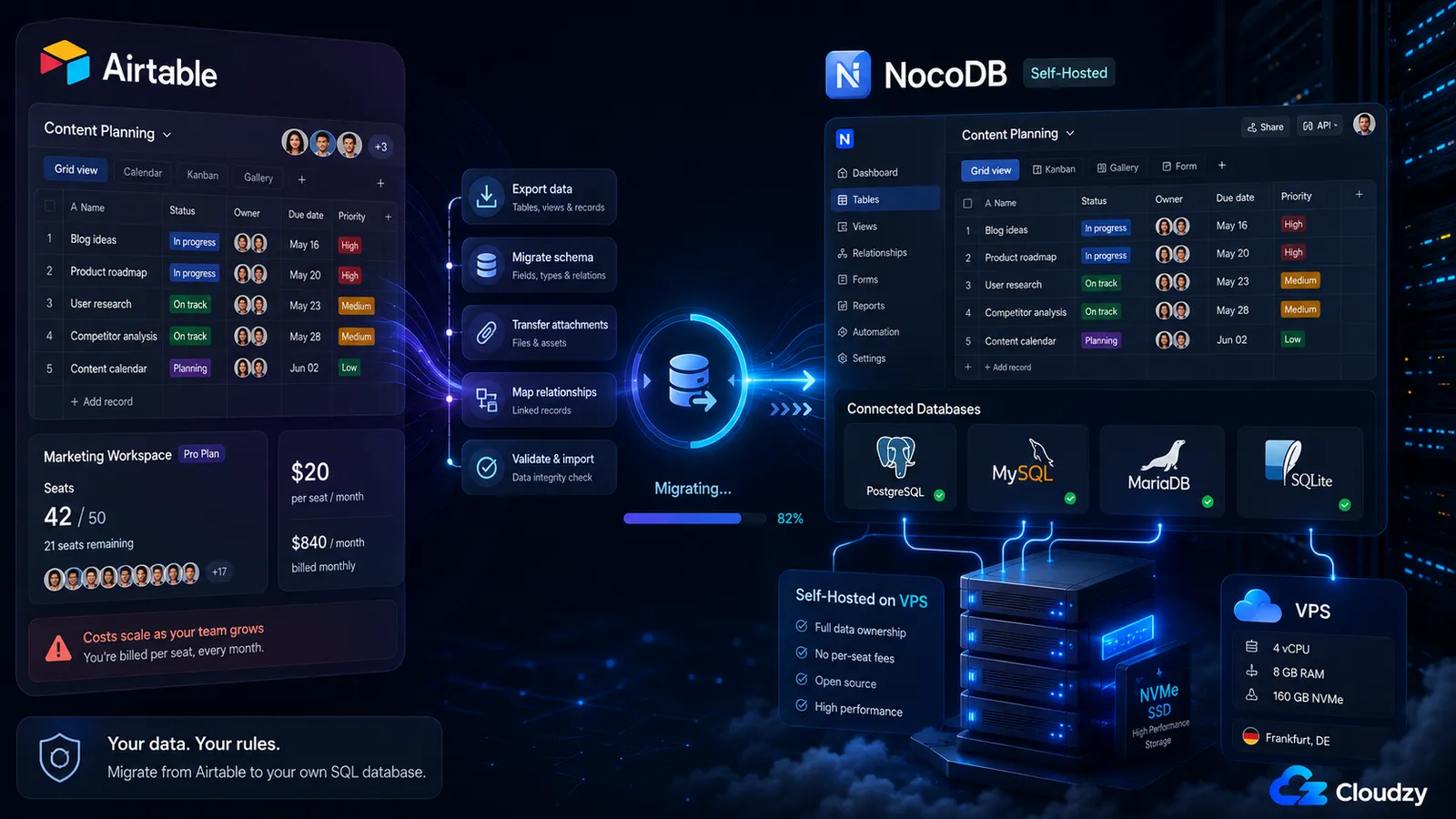
If your data already lives in MySQL, PostgreSQL, MariaDB, or SQLite, NocoDB is the only tool in this comparison that points at your existing database instead of forcing you to migrate. That single capability is what justifies considering it ahead of the other three.
Note: Before using NocoDB with production data, test destructive operations carefully. A February 2025 Hacker News thread reported serious recovery issues, including field-type changes causing data loss, limited undo/recovery paths, and unreliable deletion behavior. Treat this as a risk signal rather than a universal bug report, and test the exact operations your team relies on before cutover.
The strengths are real. NocoDB's Airtable migration tool is the smoothest in this category. You generate a Personal Access Token in Airtable, supply a Shared Base ID, and NocoDB pulls the structure across, including most field types and linked records. Views and automations do not migrate.
The migration itself is documented at the NocoDB docs. The dedicated Airtable importer alone is enough reason for many teams to start with NocoDB.
NocoDB is light compared with Baserow. A 1 vCPU, 2 GB RAM VPS is a reasonable starting point for small-team usage, especially if the database workload is modest and traffic is internal.
A 1 GB server can work for personal testing, but it leaves little room for imports, background jobs, growth, or database load. For production, start at 2 GB RAM and scale based on record count, concurrent users, attachments, and query activity.
If you don't want to bother with the setup, we at Cloudzy also offer NocoDB as a one-click app, so teams can skip manual installation and run it on a VPS with dedicated resources, NVMe storage, and full root access.
The license situation needs one paragraph of explanation. Starting with v0.301.0 (late 2024), NocoDB moved from AGPL-3.0 to the Sustainable Use License. It is source-available rather than OSI-approved open source. Internal self-hosting is unrestricted.
Offering NocoDB as a managed service to third parties requires a paid commercial license. For the audience reading this article, the change has no practical effect on use. It does mean that some labels (like "open source") are no longer accurate in the strict OSI sense, which matters for procurement teams that filter on license type. Plan the conversation accordingly.
Section key takeaway: Pick NocoDB if you have an existing SQL database and your team can live with the data-safety tradeoffs.
Baserow: Best for Production Teams That Need Real-Time Collaboration and Data Safety
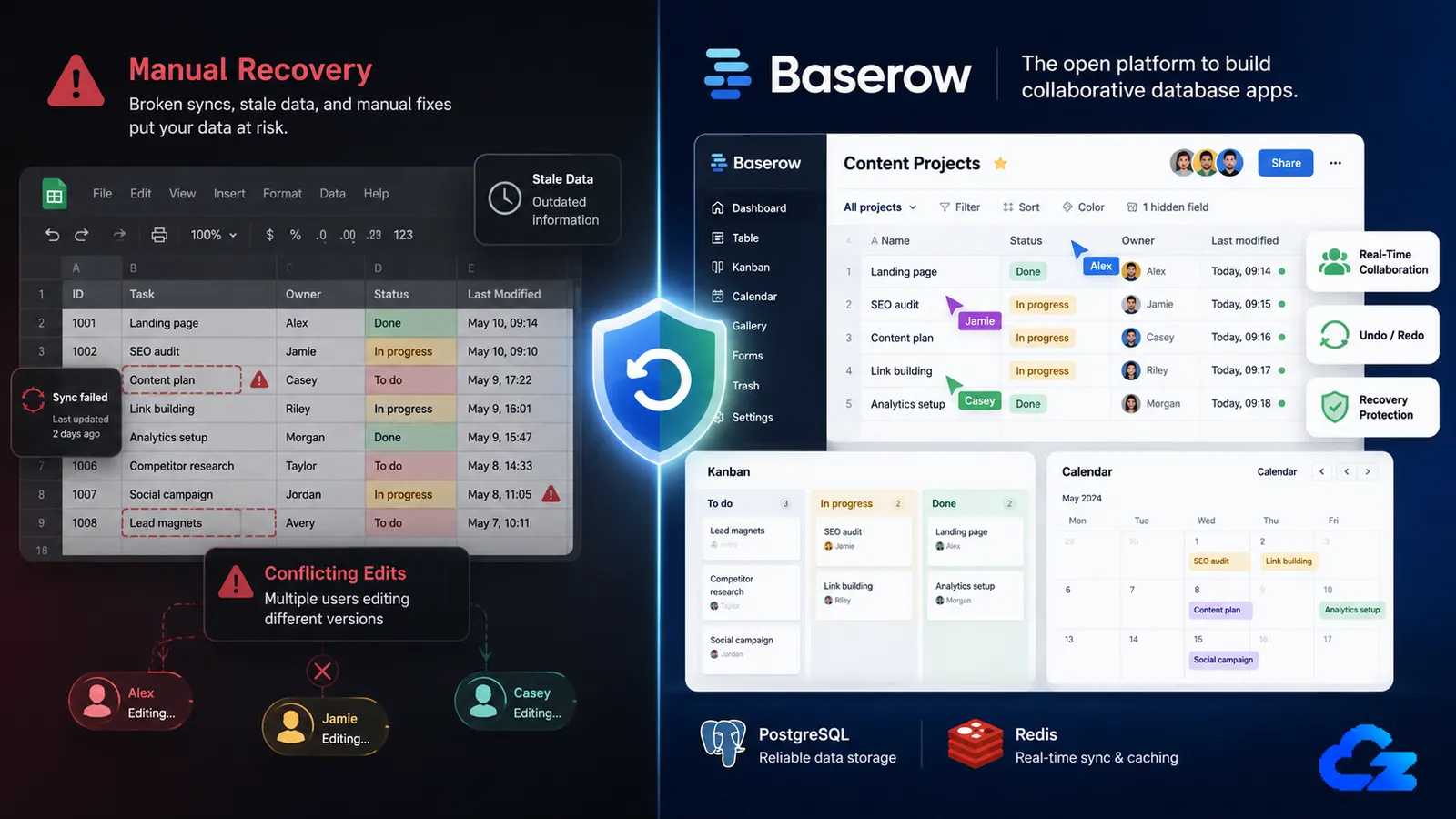
If you have three or more people editing the same base at the same time, Baserow is the cleanest fit here if you need real-time collaboration in the open-source self-hosted path, while NocoDB's newer real-time grid is tied to paid Cloud/Enterprise availability.
Edits propagate without a page refresh. Two people working on the same row do not produce a stale-data overwrite. This is the dimension where the gap with NocoDB is largest.
Note: The free, unlicensed self-hosted edition of Baserow is missing Kanban, calendar, and survey views. To get those views you either need a paid Premium self-hosted license or you need to use Baserow Cloud. If your team relies on Kanban or calendar layouts, factor this into the cost comparison. NocoDB and Teable both include these views in their free self-hosted tiers.
Beyond real-time collaboration, Baserow takes data safety seriously. There is a working trash bin with three-day retention, undo and redo are present, and field operations do not silently destroy data.
The MIT license removes any procurement ambiguity. Baserow has also documented GDPR compliance posture for teams in regulated workflows. The platform includes a basic app builder (Baserow Application Builder) for teams that want to publish lightweight tools on top of their data.
The cost of all this is a heavier infrastructure footprint. Baserow is heavier than NocoDB because it runs Django, PostgreSQL, and Redis. A 2 vCPU, 4 GB RAM VPS is the safer starting point for small production teams, especially during imports or shared editing sessions.
A 2 GB server may run for light testing, but it leaves too little room once PostgreSQL, Redis, background workers, and larger imports are active. For teams with more than ten active editors, or teams using the app builder heavily, move closer to 4 vCPU and 8 GB RAM.
Cloudzy offers Baserow as a one-click app as well, so teams can skip manual installation and run it on a VPS with dedicated resources, NVMe storage, and full root access.
The free-edition view restrictions are the constraint most teams underestimate. Baserow's self-hosted licenses page documents which features are included. Premium and Advanced licenses are paid annual subscriptions.
For teams that need Kanban, the choice is more specific than Baserow versus NocoDB. Free self-hosted Baserow does not include Kanban. NocoDB includes the view, but carries the data-safety caveats covered above. Paid Baserow adds the missing view back on top of the infrastructure cost.
None of those options is unconditionally cheaper. Run the math against your specific feature requirements.
Section key takeaway: Pick Baserow if your team collaborates in real time and you can live without Kanban and calendar views, or if you are willing to pay for the Premium license to unlock them.
Teable: Best for Teams That Want AI Features Built In
If you want a PostgreSQL-backed spreadsheet UI with real-time collaboration and an AI upgrade path, Teable is the only tool here built around that combination. The free self-hosted tier includes unlimited rows, attachments, and database connections. AI field and AI chat sit on the paid Business self-hosted plan.
Teable is built on PostgreSQL directly. That means you get a real relational database underneath the spreadsheet UI rather than an abstraction over one, which is closer to NocoDB's philosophy than to Baserow's. AGPL-3.0 licensing is genuinely open source in the OSI sense, which matters for some procurement contexts where the NocoDB Sustainable Use License gets flagged.
The AI features require you to provide your own model API keys. OpenAI, Anthropic, and locally hosted models via Ollama all work. The byo-key model means the operating cost of the AI features is whatever your model usage costs at the provider, with no Teable margin on top.
For teams that already have OpenAI or Anthropic keys for other workflows, the add-on cost depends on usage rather than a separate model bundle.
The limitations are community size and project age. Teable has roughly 21,000 GitHub stars compared to NocoDB's 62,000, and the project is younger. The AI features in particular sit behind the paid self-hosted tier, so the stronger free-tier case is PostgreSQL, real-time collaboration, and unlimited rows.
For teams that prioritize battle-tested infrastructure over a younger PostgreSQL-first Airtable alternative, Teable is not the safest pick. For teams that want the database model first and AI as a paid path later, it is.
VPS sizing is similar to NocoDB. A 1 vCPU, 2 GB RAM VPS is a reasonable starting point for small-team use, especially if traffic is internal and the database workload is modest. A 1 GB server can work for personal or single-user evaluation, but it leaves little room for imports, background jobs, attachments, or growth.
Teable's PostgreSQL backend is included in its Docker stack rather than depending on a separate external database service.
On Cloudzy, same as NocoDB and Baserow, Teable is available as a one-click app, which removes the manual Docker setup and gives teams a VPS base with dedicated resources, NVMe storage, and root access for tuning the stack later.
Section key takeaway: Pick Teable if AI-assisted data workflows are a priority and you accept a smaller community and a younger project.
Saltcorn: Best When a Spreadsheet-Style Database Is the Wrong Fit
If what you actually need is a small custom internal app, Saltcorn is closer to what you want than the other three tools in this comparison.
It is technically able to function as a database with a UI, but the design intent is to assemble a working application from data, views, and pages. That makes it more comparable to Budibase or Appsmith than to NocoDB.
Saltcorn is MIT-licensed and lighter than Baserow. A 2 GB RAM VPS is the safer baseline for small production use, especially if you are building more than a simple table UI. The Saltcorn wiki lists 2 GB RAM as the recommended level for a small multi-user setup.
A 1 GB server may work for single-user testing, but it leaves less room for plugins, file uploads, background work, and larger datasets. Since Cloudzy has Saltcorn as a one-click app, teams can start from a ready VPS install instead of setting up Node.js, PostgreSQL, and the app stack by hand.
The platform supports mobile PWA export, which is unusual in this category. There is no real-time collaboration, no Airtable importer, and the release cadence is slower than NocoDB or Baserow.
The reason Saltcorn appears in this comparison rather than being skipped: some Airtable migrations are not really about finding another spreadsheet-style database. They are about turning structured data into forms, views, permissions, and simple internal workflows.
They have outgrown the spreadsheet metaphor and need real form validation, role-based views, and lightweight workflow logic. Saltcorn delivers that, and so do Appsmith, Budibase, and ToolJet (all on Cloudzy's marketplace as one-click apps, by the way). If your problem looks like "we need a custom CRM with role-based access," Saltcorn is the right starting point.
Section key takeaway: Pick Saltcorn if your real problem is building a custom internal app, not replacing a spreadsheet.
Cost Math by Team Size: Airtable vs. Self-Hosted
The cost gap is why this category gets attention. Airtable charges by seat, so every extra collaborator raises the bill. Self-hosted tools work differently: the software may be free, but you still pay for the server, backups, maintenance, and the time spent running it.
| Team Size | Airtable Team Annual | Airtable Business Annual | Light Self-Hosted Setup | Heavier Self-Hosted Setup |
|---|---|---|---|---|
| 5 seats | $1,200 | $2,700 | ~$180/year | ~$350/year |
| 10 seats | $2,400 | $5,400 | ~$180/year | ~$350/year |
| 20 seats | $4,800 | $10,800 | ~$180/year | ~$350/year |
| 50 seats | $12,000 | $27,000 | likely needs scaling | likely needs scaling |
Note: The light self-hosted estimate applies to non-AI self-hosted use. If Teable's AI field or AI chat features are part of the setup, add Teable's paid self-hosted licensing and any model/API usage costs on top of the server cost.
A light setup fits modest NocoDB, Teable, or Saltcorn use. Baserow usually needs more room because it runs Django, PostgreSQL, and Redis. The pattern matters more than the exact number: Airtable scales with headcount, while self-hosted tools scale with workload.
The caveat is operator time. Backups, updates, monitoring, and fixes can still take 1 to 2 hours per month after setup. For very small teams with no technical owner, that can erase the savings.
If the math still points toward self-hosting, Cloudzy gives you the easiest deployment path. As mentioned earlier, NocoDB, Baserow, Teable, and Saltcorn are all available as one-click apps, so teams can skip manual installation and test faster.
They run on Cloudzy's Database VPS infrastructure with dedicated vCPUs, DDR5 RAM, NVMe storage, full root access, up to 40 Gbps networking, and 12+ global locations. Our 14-day money-back guarantee also lets teams test the closest fits with non-critical data before committing.
Migrating Off Airtable: What Actually Works
Two paths exist: API-based import (NocoDB only) or CSV export and re-import (every tool).
The API path is faster and preserves more structure. For NocoDB, the flow is: generate an Airtable Personal Access Token at airtable.com/create/tokens with the relevant scopes, retrieve the Shared Base ID for each base you want to migrate, and run NocoDB's import wizard.
Most field types come across, including linked records and attachment fields. What does not migrate: views, automations, Interfaces, Sync, scripting blocks, and any enterprise SSO configuration. Plan to rebuild views from scratch and to rebuild automations in a separate workflow tool.
n8n (also a one-click app on Cloudzy's marketplace) is the most common destination for Airtable Automations replacement; it is more flexible and more honest about what it can and cannot do.
The CSV path works for Baserow, Teable, and Saltcorn, and as a fallback for NocoDB if the API import fails on edge cases. Export each Airtable table as CSV from the Airtable UI, import each CSV into the target tool one at a time, and reconnect linked records manually after import.
Attachments need to be re-uploaded if they were stored in Airtable. For large bases, this is genuinely tedious, but it is reliable and produces a clean schema.
A practical migration sequence: test first, cut over later. Stand up the target tool on a small VPS that matches its baseline RAM needs, import one Airtable base, and use it for a week with non-critical data.
Most migration problems show up after people start editing, filtering, rebuilding views, and checking linked records, not during the import itself. Catch those issues before production data moves.
If the test base holds up, repeat the migration with the full dataset and rebuild views, automations, and access rules in a controlled order.
Choosing on Constraints, Not on Stars
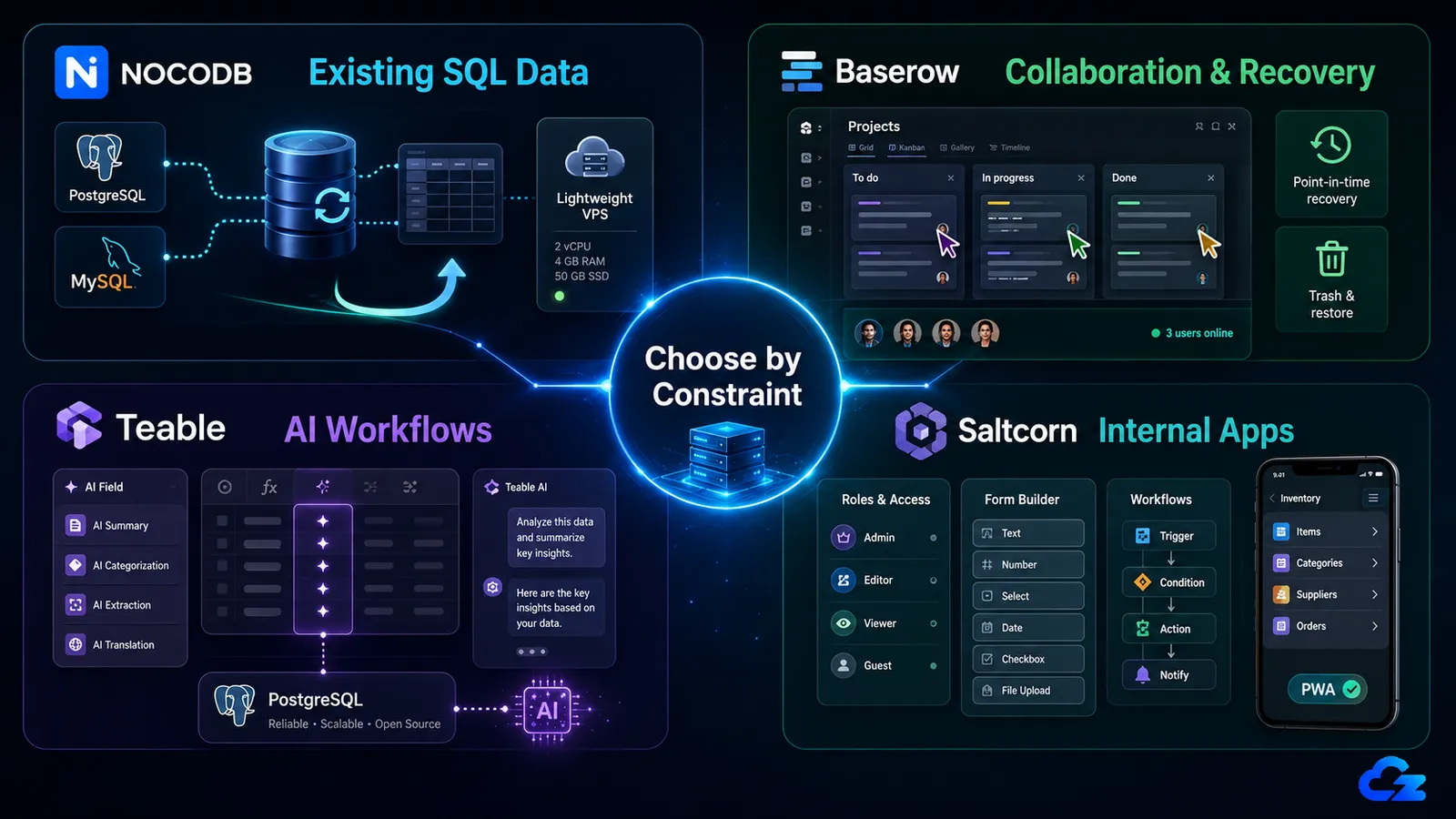
Self-hosted Airtable alternatives only make sense if the tool matches the job you are moving over. A lower bill does not help much if the replacement lacks the recovery model, collaboration behavior, or database connection your team needed from day one.
So the final choice should come back to the constraint, not the popularity metric.
- NocoDB: Best for teams with data already in MySQL, PostgreSQL, MariaDB, or SQLite, as long as the data-safety caveats are acceptable.
- Baserow: Best for teams editing shared data often and needing trash, undo/redo, and safer recovery.
- Teable: Best for teams that want AI fields and AI chat in a free self-hosted setup.
- Saltcorn: Best for teams building a small internal app instead of another spreadsheet-style database.
GitHub stars can show community interest. They do not tell you how a tool handles recovery, shared editing, imports, or the Premium feature you forgot to price in. Pick the tool by the constraint, test it with non-critical data, then migrate production once the workflow holds up.
Cloudzy can shorten that testing cycle. NocoDB, Baserow, Teable, and Saltcorn are available as one-click apps on Cloudzy Database VPS, so you can skip manual installation and test the closest fits on dedicated resources, NVMe storage, full root access, and 12+ global locations.
Frequently Asked Questions
What Is the Best Free Self-Hosted Airtable Alternative?
Baserow is the safest default for production teams that need shared editing, trash, and undo/redo. NocoDB fits existing SQL databases. Teable fits AI-assisted workflows. Saltcorn fits internal apps rather than direct Airtable replacement.
Is NocoDB Still Open Source?
Not in the strict OSI sense. Starting with the 0.301.0 release, NocoDB moved from AGPL-3.0 to a Fair-code Sustainable Use License. The source remains available, but it is better described as source-available, not open source.
What VPS Size Do I Need to Self-Host Baserow?
For Baserow, start with at least 2 vCPU and 4 GB RAM for small production use. The stack runs Baserow, PostgreSQL, Redis, and background workers, so 2 GB RAM is better kept for testing or very light use.
Can I Import My Airtable Data Into NocoDB?
Yes. NocoDB has a dedicated Airtable importer using an Airtable Personal Access Token and Shared Base ID. Most field types and linked records can migrate. Views, automations, Interfaces, Sync, and scripting blocks still need to be rebuilt.
Does Teable's Self-Hosted Version Include AI Features?
Yes, but not on the Free self-hosted plan. Teable lists AI chat and AI fields under the paid Business self-hosted plan. The Free plan covers unlimited rows, attachments, and database connections, while AI usage still depends on your provider or local model stack.


Discussion
Comments
Sign in to join the discussion.