
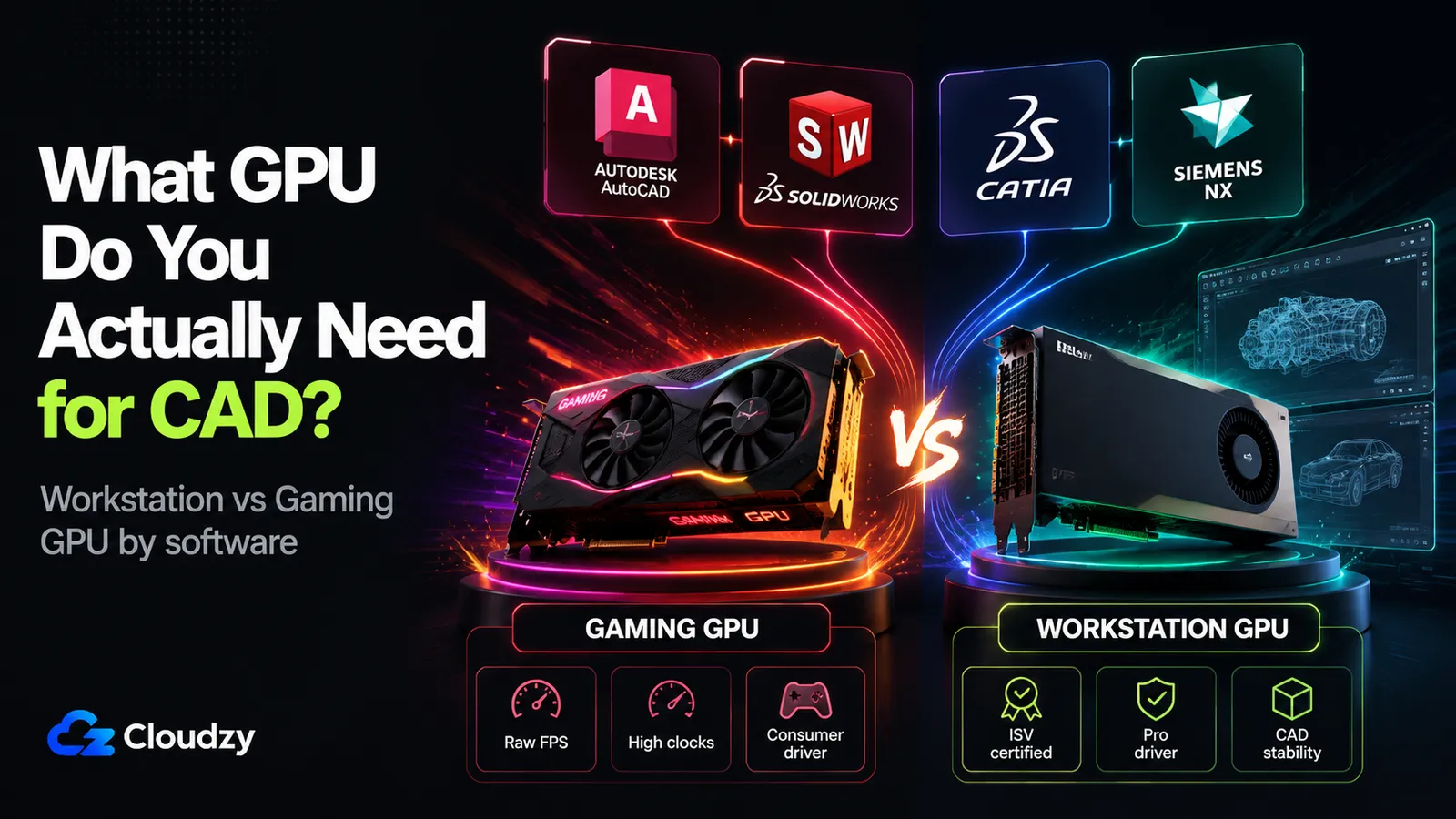
Open any GPU buyer's guide for CAD and the advice converges on one line: buy a workstation card. Then you look at the benchmarks. A gaming Radeon RX 7900 XTX tops the CATIA viewport charts, beating professional cards that cost several times more. A current-generation GeForce RTX 5090 (one of the fastest consumer GPUs ever shipped) can post viewport frame rates below a much cheaper card in some professional applications. And the engineer who already spent that money still watches a large assembly stutter every time they rotate it.
The "powerful card, still laggy" paradox is where this gets interesting, because it means the usual advice is answering the wrong question. The right GPU for CAD is not the fastest one or the most expensive one. It is the one that matches the software you run, and the differences between those packages are larger than most buyers expect. The reason a workstation card matters enormously for Siemens NX and barely at all for AutoCAD comes down to drivers, certification, and which graphics API the software was built on.
This breakdown maps that landscape package by package, explains the mechanism underneath it, and gives you the means to tell whether your specific CAD software needs a certified professional GPU or whether the gaming card on your desk is already enough.
The Short Version
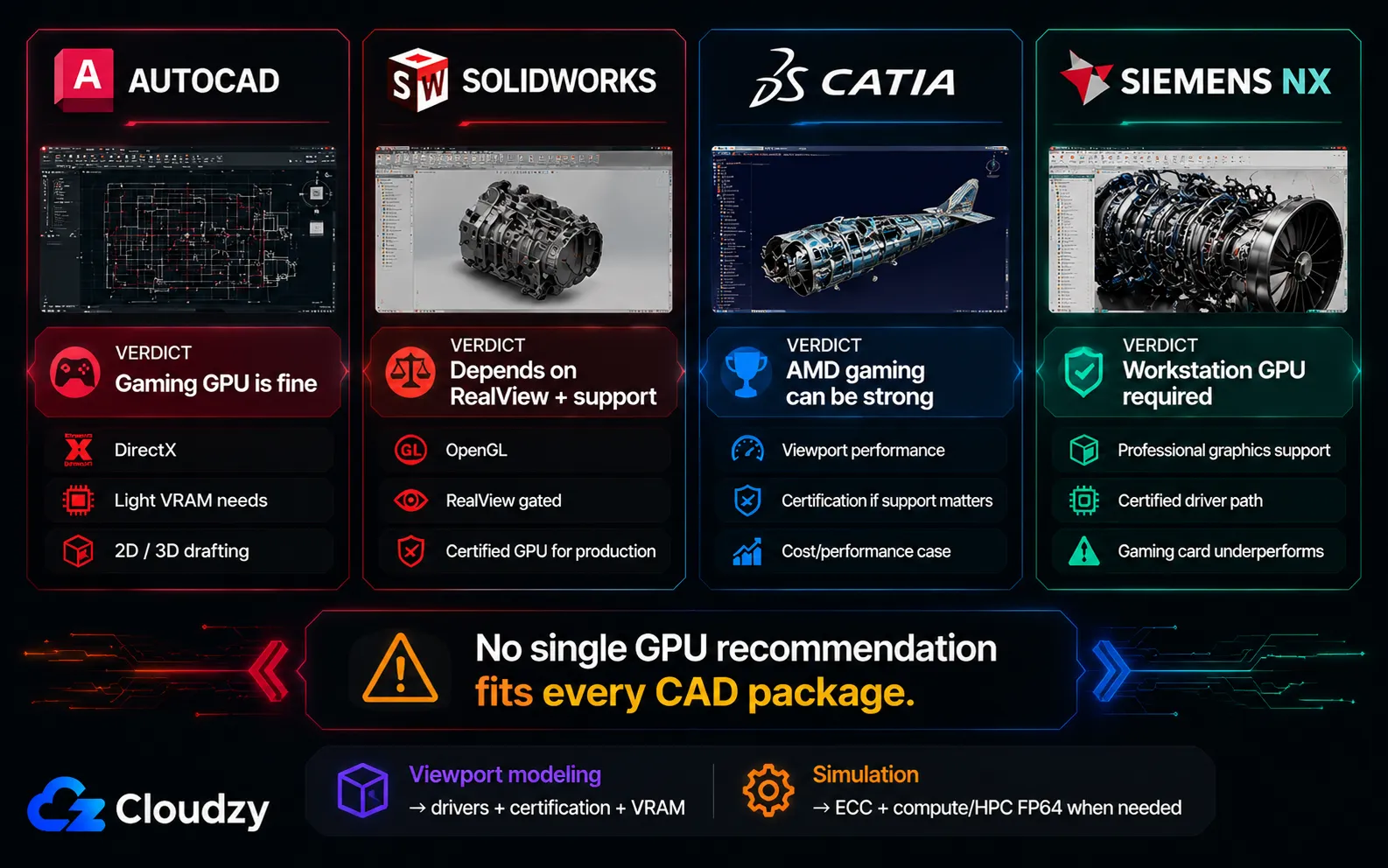
- AutoCAD: a gaming card (or even integrated graphics for light 2D) is fine. AutoCAD uses DirectX and is very light on VRAM. The workstation premium buys you almost nothing here.
- SolidWorks: it depends on whether you need RealView and vendor support. Gaming cards run SolidWorks but have RealView locked off by default, and SOLIDWORKS specialists call consumer cards the most common source of SOLIDWORKS instability.
- CATIA: counter-intuitively, AMD gaming cards top the viewport benchmarks. A certified card matters only if you need the support entitlement, not for raw performance.
- Siemens NX: a workstation GPU is load-bearing, not optional. Siemens NX heavily favors professional graphics support, and benchmark data shows an entry-level professional card roughly doubling a high-end gaming card's frame rate.
What Separates a Workstation GPU From a Gaming Card (for CAD)
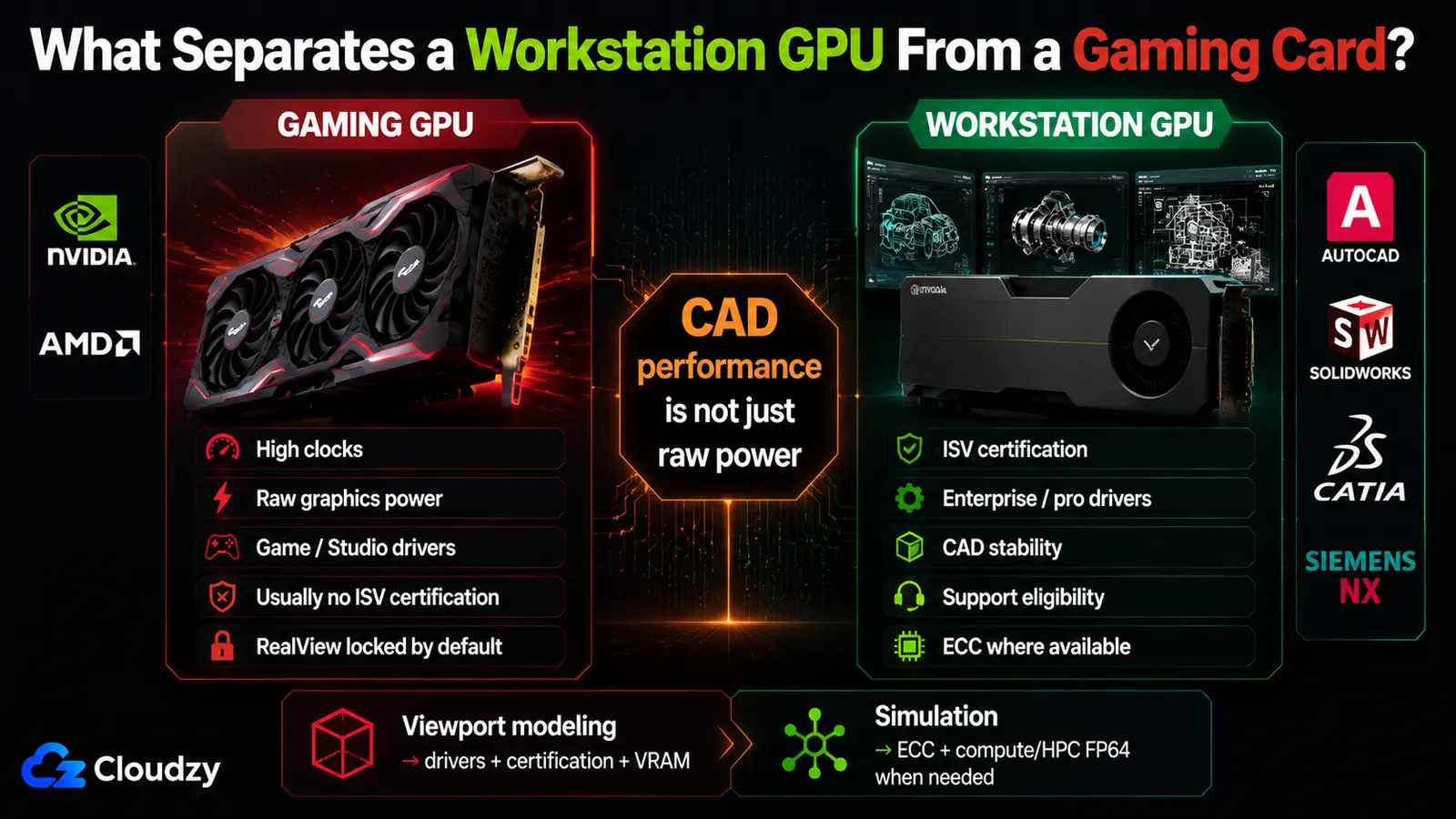
The differences that matter for CAD are not raw horsepower. They are certified professional drivers, ISV support, OpenGL driver optimization, ECC where available, and, for solver-heavy workloads only, access to true compute/HPC GPUs when FP64 matters. Most of those differences do not show up in the gamer-facing specs people usually compare. This is why CUDA-core counts, boost clocks, and VRAM size do not translate linearly into CAD viewport performance. A faster gaming card can lose to a slower professional one in the exact software you care about.
The clearest evidence is the spec sheet betraying itself. In CG Channel's benchmark review of the GeForce RTX 5090, its viewport frame rate in 3ds Max landed below the far cheaper RTX 4070 Ti from the previous generation. On paper the 5090 wins every number that gamers compare. In the viewport it lost, because viewport performance is a driver and certification story, not a raw-power one.
Start with ISV certification, since it sits underneath most of the differences. An Independent Software Vendor certification is a tested, signed-off combination of a specific GPU, a specific driver, and a specific CAD application. The vendor (Dassault, Autodesk, Siemens) runs the application against that GPU and driver, confirms it behaves correctly, and publishes the result. Certification buys you three concrete things: a driver that has been QA-tested against your software (NVIDIA Enterprise drivers are continually tested for software compatibility with CAD and DCC workloads, on a longer validation cycle than the Game Ready drivers that chase the latest game releases instead), a support entitlement where the CAD vendor will help you when a GPU-related bug appears, and access to feature gates the software locks behind a certified card (RealView in SolidWorks being the most famous one).
The other differences are narrower but real. ECC memory detects and corrects memory errors, but do not treat it as universal across every card with a professional badge: current NVIDIA RTX Pro desktop cards include ECC memory, while AMD's entry Radeon Pro W7500/W7600 do not. FP64 is double-precision floating-point math, and it matters for certain engineering solvers, not for ordinary viewport modeling. But RTX Pro workstation cards should not be described as full-rate FP64 devices either. NVIDIA's own RTX Pro Blackwell architecture paper lists FP64 throughput at 1/64 of FP32. If a solver genuinely needs heavy FP64, that points toward a data-center or HPC GPU class, not simply "any workstation GPU." The fourth difference is the one that quietly drives everything else: OpenGL versus DirectX.
Most professional MCAD packages (SolidWorks, CATIA, Creo) render their viewport through OpenGL. This matters because OpenGL is exactly where professional drivers are heavily optimized and gaming drivers are not. The GPU vendors invest their certified-driver engineering in the OpenGL path that workstation software uses. AutoCAD, by contrast, renders through DirectX, the same API games use, which is why a gaming card's well-tuned DirectX driver handles AutoCAD without complaint. That single architectural split explains most of why the workstation-versus-gaming question has a different answer for each package.
| Feature | Gaming GPU (GeForce / Radeon RX) | Workstation GPU (RTX Pro / Radeon Pro) |
|---|---|---|
| ISV certification | Not certified for pro MCAD workflows | Certified for SolidWorks, CATIA, NX, Autodesk |
| Driver type | Game Ready / Studio, gaming-tuned, not ISV-tested | Enterprise driver, continually QA-tested for CAD compatibility |
| RealView (SolidWorks) | Locked off by default | Unlocked |
| ECC memory | Usually none | Present on current NVIDIA RTX Pro desktop cards; varies by Radeon Pro model |
| FP64 (double precision) | Limited | Usually still limited on workstation visualization GPUs; high FP64 belongs to compute/HPC GPUs |
| OpenGL optimization | Minimal, drivers prioritize DirectX/gaming | Heavy, the professional driver's main job |
Key takeaway: the workstation premium for CAD is a driver-and-certification story, not a raw-power one. That is exactly why a faster gaming card can lose to a slower professional card in the software you run.
The Answer Is Different for Each CAD Package
The reason this question has no single answer is that the four major MCAD packages sit on different sides of the OpenGL/DirectX split and each vendor sets its own certification policy. AutoCAD is permissive, SolidWorks is conditional, CATIA actively favors a class of gaming card, and Siemens NX is the one place a professional card is strictly required. The four subsections below take them one at a time, and each is written to stand on its own.
Does SolidWorks Need a Certified Workstation GPU?
SolidWorks runs on a gaming card, but with a catch: RealView Graphics and Ambient Occlusion are grayed out by default on non-certified GPUs, because SolidWorks renders through OpenGL 4.5 and gates those features behind ISV certification. A registry workaround can unlock them, but it is unofficial and fragile. SOLIDWORKS reseller Solid Solutions puts it bluntly: consumer-class graphics cards are "the most common source of SOLIDWORKS instability," because they are tuned for games rather than the OpenGL path professional CAD relies on.
That instability claim is worth understanding rather than just repeating. The failure modes reported on non-certified cards (crashing, poor performance, slow load times, incorrect display) are an accumulation of small reliability costs, not a single dramatic break. There is no published crash-rate percentage, and you should be suspicious of any article that invents one. The characterization here is qualitative, from the specialists who configure and support these machines for a living.
The second cost is contractual rather than technical. Running SolidWorks on a non-certified GPU forfeits your ISV support entitlement for GPU-related issues. If you hit a graphics bug and you are on a support contract, the vendor can decline to help because the configuration was never certified. For a solo user that is an annoyance. For a team running production work under a support agreement, it is a real operational exposure, and it is exactly the kind of disqualifying detail worth surfacing before a purchase.
Pro Tip
The RealView workaround works, but it is a chore, not a fix. It lives in the registry at HKEY_CURRENT_USER\SOFTWARE\SolidWorks\AllowList\Gl2Shaders, and the community-maintained guide that documents it is explicit that the entry must be re-added after every SolidWorks Service Pack update. Plan for it as recurring maintenance, not a one-time toggle.
Verdict: for personal or freelance SolidWorks without RealView, a gaming card is workable. For production environments that need RealView, certified stability, and a valid support entitlement, the workstation card earns its place.
If you're planning to run SolidWorks on a cloud GPU VPS instead of a local workstation, the same certification and RealView questions above still apply, plus provisioning, Windows Server configuration, and BYOL licensing on the cloud side.
See the full setup guide: How to Run SolidWorks on a Cloud GPU VPS.
Key takeaway: SolidWorks on a gaming card is a trade. You keep the money; you lose RealView, certified stability, and your GPU support entitlement.
Does AutoCAD Need a Workstation GPU?
No. AutoCAD renders through DirectX rather than OpenGL, which collapses most of the workstation-versus-gaming distinction, and it is very light on VRAM. Per published system requirements, AutoCAD 2026 lists a 2 GB DirectX 11 GPU as the minimum and an 8 GB DirectX 12 card as the recommendation, both met comfortably by mainstream gaming cards, and the lower end even by integrated graphics for 2D drafting. Puget Systems' hardware lab, cited just below, corroborates how modest those needs are in practice.
The VRAM point is the one to internalize, because it is where buyers most often overspend. Puget Systems characterizes AutoCAD as very light on VRAM usage, with no reason to pay for a large frame buffer for strictly AutoCAD work. Even complex 2D drawings do not push memory. A faster card gives you more viewport frames per second in 3D, but the gains are linear and modest, not a wall you hit and need a professional card to clear.
This is the cleanest case in the whole landscape. There is no RealView equivalent locked behind certification, no OpenGL driver gap, no FP64 dependency for ordinary drafting work. If AutoCAD is your primary application, the professional GPU question is close to moot.
Verdict: a gaming card is fine for AutoCAD, and this is the clearest "you do not need a pro card" case of the four.
Does CATIA Favor a Workstation GPU?
For viewport frame rate, CATIA actually favors AMD gaming cards. CATIA renders through OpenGL, where you would expect professional drivers to dominate. Yet in independent SPECviewperf testing from Techgage, AMD's Radeon RX 7900 XTX gaming card took the top spot in the CATIA viewport benchmark, outperforming both consumer NVIDIA cards and the professional workstation cards in the 28-GPU test. This is the finding that breaks the "always buy a workstation card" rule outright.
It is worth being precise about what that benchmark shows and does not show. It measures viewport rendering speed, which is what most CATIA users feel day to day. It does not measure certification, support eligibility, or behavior under a vendor support contract. So the AMD gaming advantage is real for raw interactive performance, and clearly useful if performance per dollar is your constraint, but it does not eliminate the certification question for teams that need it.
If you do need certification for CATIA (for support entitlement, or because procurement requires a card on Dassault's certified list), AMD covers that path too. The Radeon Pro W7800 and W7900 are certified for CATIA V5 and 3DEXPERIENCE. The decision splits cleanly: gaming AMD if you optimize for viewport performance and cost, certified AMD Pro if you need the support and compliance side.
Verdict: AMD gaming cards are viewport-competitive (often the leaders) in CATIA. Certification matters only if you need the support entitlement, not for speed.
Key takeaway: CATIA is the package where the "buy a workstation card for performance" advice is simply wrong. Gaming AMD leads the viewport benchmark.
Does Siemens NX Need a Workstation GPU?
Yes, and this is the one package where the professional card is a genuine requirement rather than a premium upgrade. Siemens NX heavily favors professional graphics support, and the effect is large: Techgage's SPECviewperf testing found even an entry-level Quadro P2200 roughly doubling the NX frame rate of a far more powerful gaming card. In NX, a cheap professional card beats an expensive gaming one.
It is important to characterize this precisely. What the benchmarks show is a professional-driver and certification split: workstation-class graphics run NX fast, while gaming-class graphics run it much slower in the same viewport benchmark. Because NVIDIA has not published a statement describing this as an intentional GeForce cap, the safer framing is that the behavior is visible in independent benchmarks and consistent with Siemens NX's reliance on professional graphics support. The data is solid; the motive should not be overstated.
For an evaluator, the practical consequence is simple and unusually clear-cut. If Siemens NX is in your workflow, a gaming card is not a cost-saving trade-off you can make with eyes open. It is a card running at a fraction of its potential in your primary application. This is the rare CAD case where "buy the workstation GPU" is the correct, unqualified answer.
Verdict: the workstation GPU is load-bearing for Siemens NX. The professional-driver and certification split makes it a requirement, not an optional upgrade.
Key takeaway: across the four packages, the matrix is the answer: AutoCAD permissive, SolidWorks conditional, CATIA gaming-AMD-friendly, NX workstation-required. No single recommendation covers all four.
The Specs That Matter for CAD (VRAM, ECC, FP64) and the Ones That Don't
One spec does real work in everyday CAD viewport performance, and most of the marketing numbers do not: VRAM. VRAM scales with assembly complexity rather than with the software name, so it is the one number to size deliberately. ECC memory and FP64 throughput belong mostly to the simulation side of the conversation, and even there, you need to separate workstation visualization cards from true compute/HPC GPUs. Once you separate those two workloads, most of the "is the premium worth it?" confusion resolves.
VRAM is where the sizing logic is concrete enough to plan around. The driver of your VRAM need is how many components your assemblies hold, not which CAD package you bought.
| Workload | Recommended VRAM |
|---|---|
| AutoCAD (2D drafting and 3D) | 4-8 GB |
| SolidWorks, small assembly (<500 components) | 8-16 GB |
| SolidWorks, medium assembly (500-2,000 components) | 16-24 GB |
| SolidWorks, large assembly (2,000+ components) | 24 GB+ |
| GPU-accelerated FEA/CFD simulation | 48 GB+ |
If you're sizing a cloud GPU for the simulation tier, deciding between an RTX 4090 (24 GB VRAM) and an A100 (80 GB), the tradeoffs go deeper than raw VRAM: job length, whether the work can queue, and how much the simulation itself is memory-bound all factor in before capacity alone does.
See the full side-by-side: RTX 4090 vs. A100 for CAD: Which GPU VPS Do You Actually Need?
ECC memory follows the same viewport-versus-simulation split. For interactive modeling, the rate of single-bit memory errors at normal viewport utilization is low enough that ECC adds little real protection, and the consensus among hardware writers is that it largely does not justify its cost for a desktop CAD viewport build. For long simulation runs (an ANSYS Fluent or LS-DYNA job running for hours) a single bit flip can corrupt the result, and ECC materially reduces that risk. So ECC is a simulation feature that happens to ride along on professional viewport cards, not a viewport feature.
FP64 is the same story in sharper form. CAD viewport rendering is single-precision (FP32) work. Double precision contributes nothing to drawing a model on screen, which is why limited FP64 throughput costs you nothing in modeling. Some engineering solvers do lean on FP64, but that does not automatically make every workstation GPU a strong simulation card. Many workstation visualization GPUs still have limited FP64 throughput. Heavy double-precision workloads are where data-center and HPC GPUs become the relevant comparison.
That distinction is what finally answers whether the workstation premium is earned or artificial, and the answer is: partly each. The earned part stands on its own. Certified drivers, ISV support, ECC where available, and high FP64 on the compute/HPC GPUs that actually provide it are concrete engineering value for production and simulation work, and you are paying for capabilities that exist. The segmentation part is just as real, and worth naming directly: Siemens NX's professional-driver split and SolidWorks' RealView lockout are software/product-tier boundaries, not simple hardware limits. In SolidWorks, the gaming card can render RealView and a registry check stops it. In NX, independent benchmarks show gaming cards running far below workstation cards in the same viewport workload, even when the gaming card is much stronger on paper. Where the premium buys ECC or compute-class FP64, you are paying for hardware. Where it buys past a professional-driver split or a feature gate, you are paying for a product tier.
Key takeaway: most of the workstation premium is earned by certification, support eligibility, OpenGL driver optimization, and ECC where available, not by raw viewport speed. FP64 belongs mostly to compute/HPC GPU decisions, not ordinary CAD viewport cards.
Where Cloud GPU Fits (and Where It Doesn't) for CAD
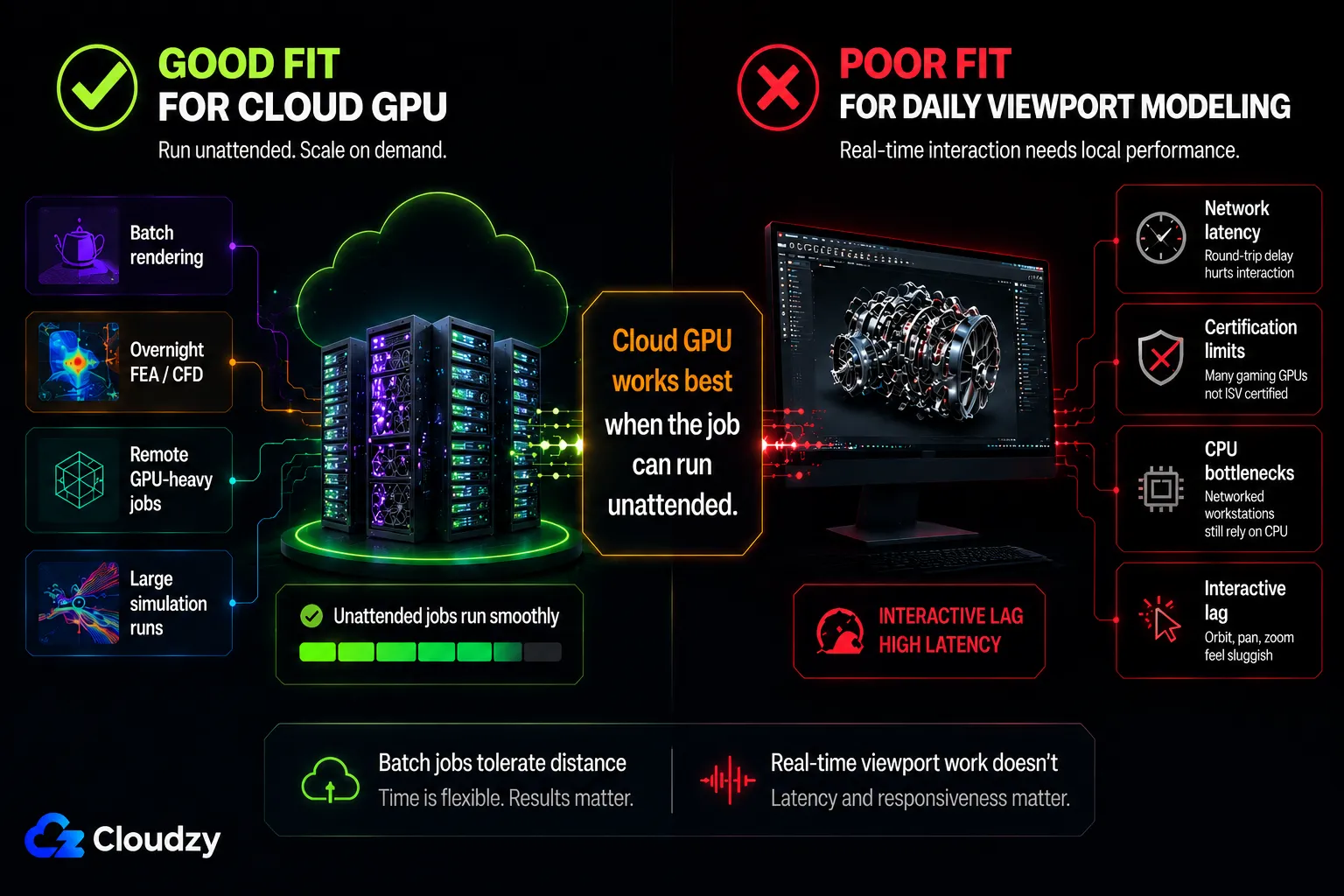
Remote and cloud GPU is viable for batch rendering and overnight FEA/CFD simulation, and a poor fit for daily interactive viewport modeling. The two constraints are latency and certification: an interactive viewport over a network round-trip never feels as immediate as a local card, and cloud GPU instances are generally not ISV-certified, so RealView and certified solver modes are unavailable. For workloads that run unattended, neither constraint bites. For workloads where you are dragging a model around in real time, both do.
The latency math is the first filter. Local GPU access sits at roughly 1-2 ms. A remote session over a remoting protocol adds a round-trip that IronOrbit's testing puts in the 20-80 ms range. That gives you a usable planning rule at both ends: IronOrbit puts interactive 3D viewport work, CAD included, at under about 30 ms to feel local, and AEC Magazine's testing found that above 100 ms produces noticeable lag when you respond to mouse and keyboard input. For a render farm or an overnight solver run, that round-trip is irrelevant. For eight hours of interactive modeling, it is the thing you would notice first.
There is a second, less obvious reason throwing cloud GPU power at CAD often disappoints, and it is the same CPU-bottleneck trap that catches local buyers. AEC Magazine's testing found that more graphics power does not reliably improve CAD and BIM performance, because applications like Revit and Inventor show low GPU utilization regardless of GPU tier. The limiter is single-threaded CPU frequency, which cloud VMs often cannot match a tuned local desktop on. A bigger GPU does not fix a workload that was never GPU-bound.
Pro Tip
If your assemblies rebuild slowly or large models feel sluggish to rotate, do not assume the GPU is the bottleneck. Much of CAD's heavy lifting (rebuilds, mates, feature-tree recomputation) is single-threaded CPU work. AEC Magazine found Revit and Inventor are CPU-frequency-bound, not GPU-bound. A faster card will not move that needle. Check CPU utilization before you spend on graphics.
One inference worth marking as an inference: because ISV certification is a per-driver, per-hardware arrangement, a general-purpose cloud GPU instance presenting a consumer or datacenter card is unlikely to be certified for SolidWorks or CATIA the way a local certified workstation is. I read the certification model as making cloud-side RealView and certified solver modes unavailable on standard instances, though no single primary source states this outright. Treat cloud GPU as a path for the unattended, GPU-heavy jobs, not as a drop-in replacement for a certified modeling workstation.
How AutoCAD, SolidWorks, and CATIA differ in their GPU demands on a remote server, which platform runs light, which wants an RTX 4090, and which pushes toward an A100, comes down to the same viewport-versus-simulation split covered above.
See the per-platform breakdown: Running AutoCAD, SolidWorks, or CATIA on a Cloud GPU? Here's What Each One Demands.
Frequently Asked Questions
Can I Use a GeForce Gaming GPU With SolidWorks?
Yes, SolidWorks runs on a GeForce gaming card, but RealView Graphics and Ambient Occlusion are grayed out by default because they require an ISV-certified GPU. A registry workaround can unlock RealView, but it is unofficial and must be re-applied after every Service Pack update. Gaming cards also forfeit the vendor support entitlement for GPU-related issues, which matters most for production teams.
Do I Need a Quadro or Workstation GPU for SolidWorks?
It depends on your use case. For personal or freelance modeling without RealView, a gaming card works. For production environments that need RealView, certified driver stability, and a valid vendor support entitlement, a certified workstation GPU (the current RTX Pro line, formerly Quadro) is the right call. SOLIDWORKS specialists identify consumer-class graphics cards as the most common source of SOLIDWORKS instability.
What Is the Difference Between RTX and RTX Pro for CAD?
RTX (GeForce) cards are gaming-tuned: fast, but not ISV-certified, usually without ECC memory, and not built for heavy FP64 simulation. RTX Pro cards carry certified professional drivers QA-tested for CAD, often include ECC memory depending on the model/vendor line, and unlock certified-only features like RealView. But RTX Pro does not automatically mean full-rate FP64. Heavy double-precision simulation is a compute/HPC GPU question. For viewport speed alone the gap is small or even reversed. The Pro premium mainly buys certification, stability, support eligibility, and reliability features.
How Much VRAM Do I Need for CAD?
VRAM scales with assembly complexity, not just the software. AutoCAD needs only 4-8 GB. SolidWorks assemblies under 500 components want 8-16 GB; 500-2,000 components want 16-24 GB; very large assemblies need 24 GB or more. GPU-accelerated FEA/CFD simulation benefits from 48 GB and up.
Why Is My CAD Software Slow Even With a Powerful GPU?
Because much of CAD is CPU-bound, not GPU-bound. Assembly rebuilds, mates, and feature-tree recomputation are largely single-threaded CPU work, and applications like Revit and Inventor show low GPU utilization regardless of GPU tier. A faster graphics card does not fix lag caused by single-threaded CPU frequency, so check CPU utilization before upgrading the GPU.
Can a Gaming GPU Run CATIA?
Yes, and for viewport performance it often runs CATIA better than a professional card. Independent SPECviewperf testing from Techgage found the AMD Radeon RX 7900 XTX gaming card topping the CATIA viewport benchmark in a 28-GPU test that included professional workstation cards. A certified card (such as the AMD Radeon Pro W7800/W7900) matters only if you need the support entitlement or procurement compliance, not for raw speed.



Discussion
Comments
Sign in to join the discussion.