
Suppose a replacement client handles your PostgreSQL queries, then fails the MongoDB task you also need. The interface looked promising; the edition was wrong. The best database GUI is the one whose connectors, license, and editing workflow cover the work you intend to keep doing.
These recommendations are based on official documentation.
Database GUI Comparison by Engine and Access
Use the comparison below to narrow down the best database GUI for your stack. Check engine support first, then compare desktop or browser access and the license required for your work.
| Candidate / Edition | Engine or Task Scope | Access | License and Limits |
|---|---|---|---|
| DBeaver Community | PostgreSQL, MySQL/MariaDB, SQLite; MongoDB driver requires Lite/Enterprise/Ultimate | Desktop | Free, Apache 2.0; paid edition for MongoDB |
| DataGrip | Data-source documentation lists PostgreSQL, MySQL, SQLite, MongoDB | Desktop IDE | Commercial subscription, qualifying non-commercial license, or trial |
| TablePlus | macOS: PostgreSQL, MySQL/MariaDB, SQLite, MongoDB; check database support on Windows/Linux | Desktop | Limited free trial or paid perpetual license |
| pgAdmin 4 | PostgreSQL administration/development | Desktop or hosted browser | Free under the PostgreSQL licence; hosting separate |
| MySQL Workbench | MySQL SQL development, administration, and performance analysis | Desktop | Free Community download (GPL) |
| MongoDB Compass | MongoDB querying, aggregation, analysis | Desktop | Free to use, source available |
| DB Browser for SQLite | SQLite/SQLCipher files | Local file GUI | Open source |
| Adminer | Built-in PostgreSQL, MySQL/MariaDB, SQLite; MongoDB via plugin | Browser (self-hosted PHP) | Free Apache/GPL2 tool; host/runtime separate |
| phpMyAdmin | MySQL/MariaDB administration | Hosted PHP browser UI | Free software; host/runtime separate |
Choose a Workspace for Your Daily Database Work
For a mixed SQL stack, DBeaver Community is the practical no-cost starting point. Choose DataGrip when SQL code assistance is the reason you're switching. Consider TablePlus if you prefer a native desktop interface for browsing and editing data and can budget for a license. If you mainly administer one engine, the focused tools below may be a better fit.
DBeaver Community for a No-Cost SQL Workspace
Choose DBeaver Community when you want one free application for PostgreSQL, MySQL/MariaDB, and SQLite. Run SQL, browse tables, and export results without keeping a separate client for each engine. For editable results, its data editor keeps row changes pending until you save or cancel them.
If MongoDB also needs to live in that workspace, choose DBeaver Lite, Enterprise, or Ultimate. Otherwise, pair Community with a separate MongoDB client such as Compass.
DataGrip for SQL Code Assistance
Choose DataGrip when writing and maintaining SQL takes up most of your database work. On fully supported engines, completion uses schema information while inspections and quick fixes help you check queries as you write. Its code completion can also build JOIN clauses from foreign-key relationships. That gives you a concrete feature to compare with your current editor when working across related tables.
Commercial work requires a paid license. Qualifying non-commercial use is free under JetBrains' non-commercial agreement. There is a 30-day trial and no separate Community edition, as the DataGrip FAQ confirms.
TablePlus for Browsing and Editing Data
Consider TablePlus when you prefer a native desktop interface for browsing and editing data. Its change-review workflow lets you inspect the SQL generated by pending row and table changes before applying or discarding them. Try the same edit in TablePlus and DBeaver to decide whether TablePlus's workflow is worth the license cost to you.
The free trial allows two open tabs, two windows, and two advanced filters at once; advanced filters are unavailable in the free Windows build. A paid license removes the trial limits and includes one year of updates and support, with continued use afterwards. Check that the TablePlus build for your OS supports every database you need before buying.
Use an Engine Tool When the Task Is Narrower
PostgreSQL administration, MySQL development, MongoDB aggregation, and opening a SQLite file are different jobs. Choose a focused tool when that task makes up most of your work.
Choose pgAdmin when PostgreSQL administration is the main job: managing users and database objects alongside SQL work in its Query Tool. It offers desktop and server deployment: desktop mode runs the application locally, while server mode provides a hosted browser interface.
For browser access, our one-click pgAdmin deployment gets the application running on a Cloudzy VPS. Skip the manual setup and get on with querying data and managing your PostgreSQL databases.
For a MySQL-focused workspace, MySQL Workbench 26 combines SQL editing, server administration, and performance analysis. Use it to inspect server status, manage users and grants, and investigate query plans alongside your SQL work. It replaces Workbench 8.0, which has reached end of life and is no longer maintained.
Choose Compass when MongoDB document queries and aggregation pipelines are the main job. It connects to an existing MongoDB deployment; installing MongoDB Community Server is a separate task. Compass is free to use and source available.
For a SQLite-only workflow, start with DB Browser for SQLite. Open a SQLite or SQLCipher file to browse records, edit tables, run SQL, and import or export data. You don't need a multi-engine workspace just to work with one local database.
Choose Between Desktop and Browser Access
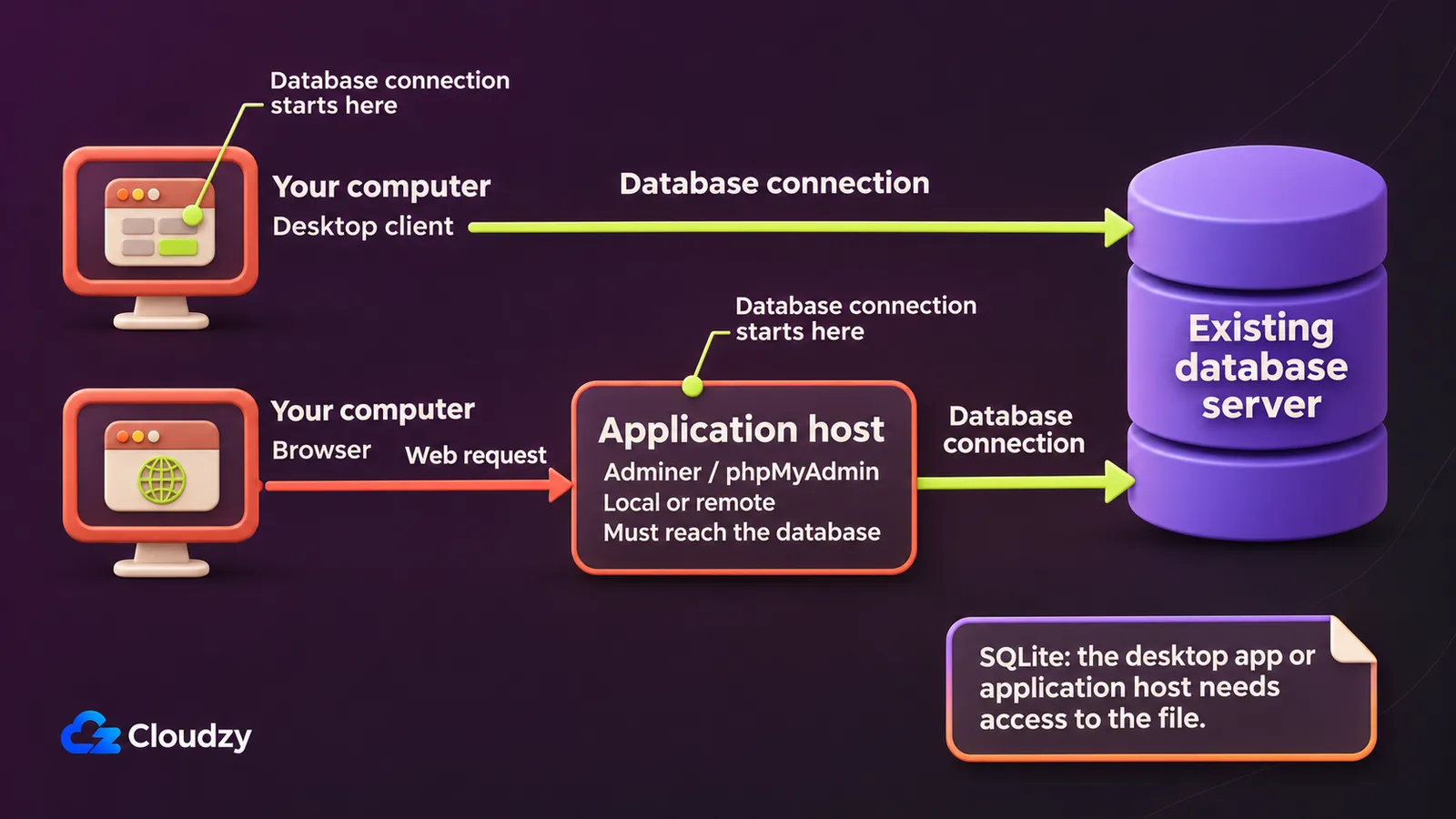
Browser clients are useful when you want to reach the same interface from different computers. With Adminer or phpMyAdmin, database connections originate from the application host, so that host must be able to reach the database. For SQLite through Adminer, it needs access to the database file.
Use Adminer for browser access across several SQL engines, or phpMyAdmin for MySQL/MariaDB administration. Adminer needs PHP with sessions enabled; phpMyAdmin's requirements specify its web server, PHP environment, and extensions.
If your hosting panel already includes a suitable interface, start there. Use a separate VPS when you need to host the browser client independently. You'll be responsible for updates and access controls.
For a new MySQL setup, our one-click phpMyAdmin and MySQL deployment gets the database and its browser-based admin interface running together on a Cloudzy VPS. Skip the separate installations and start creating tables, running queries, and working with your data.
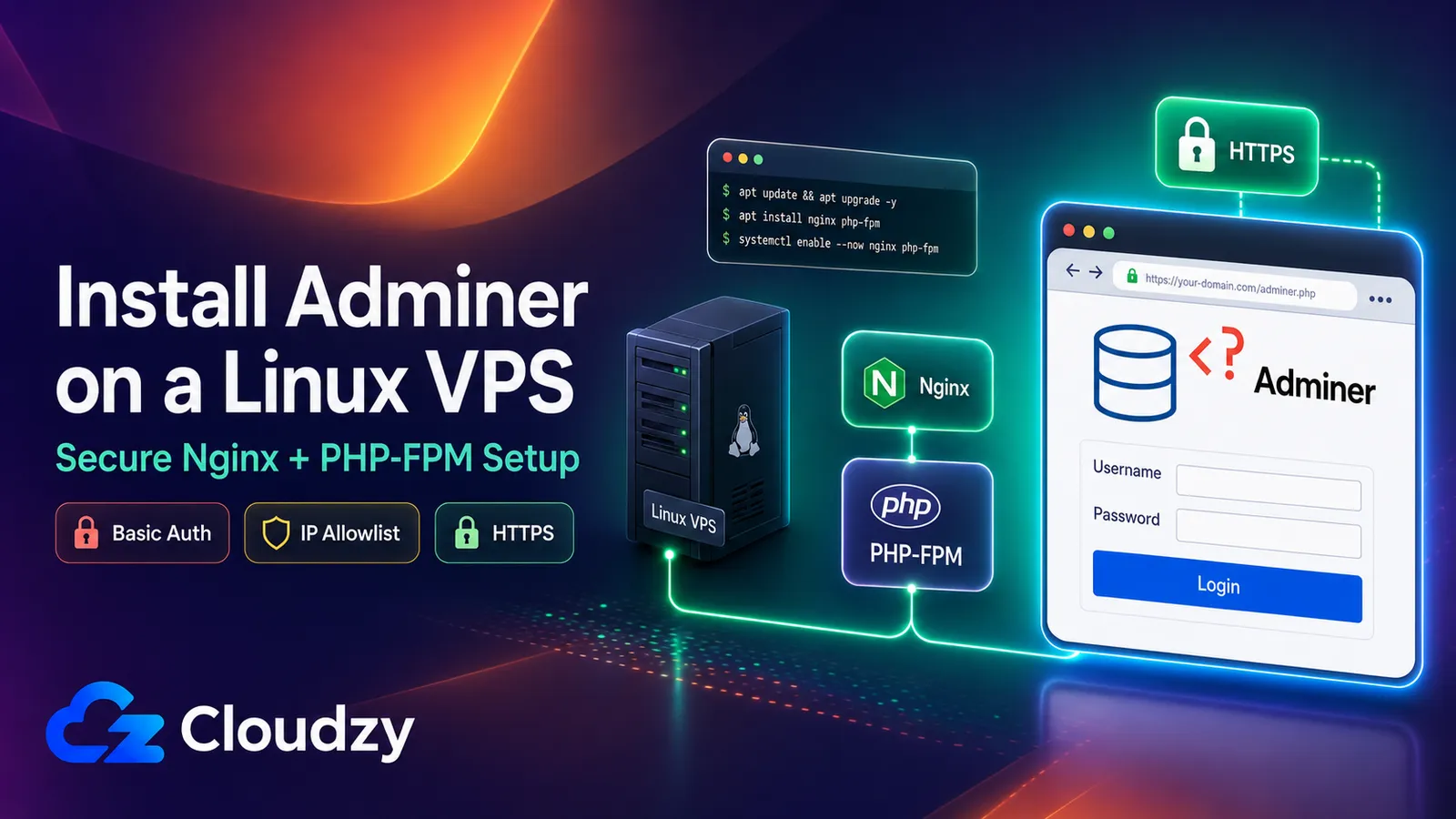
Restrict access before publishing the Adminer login page and keep the application updated. Our Adminer access-restriction guide covers IP allowlisting and web-server authentication.
Keep your databases where they are and give Adminer a host of its own. Our one-click Adminer deployment on a Cloudzy VPS saves you the PHP installation work, so you can connect the interface to the databases you already manage.
Trial the Replacement Before Changing Your Workflow
Before switching, run a task from your current workflow in the new client: a query you maintain, a small export, or an edit on disposable data.
- Check the app edition, OS build, driver, and database version for every engine you need.
- Use a read-only account for server databases. In Compass, the readOnly setting hides write controls; database permissions enforce read-only access. For live SQLite, make a consistent copy using the Online Backup API or VACUUM INTO.
- For server connections, check the database endpoint, port, and credentials. Keep SSH bastion credentials separate and verify TLS certificates. DataGrip's SSH and SSL settings show how tunnel and database-encryption options differ.
- Inspect a schema, run a representative query, and export a small result. For MongoDB, use a document query or aggregation.
- Edit a disposable writable sample and confirm when changes reach the database. Check how the client saves, cancels, and commits those changes.
Compare the results with your current client. Switch when the replacement handles your regular tasks more comfortably and covers every required engine. Keep the current tool if the new one adds complexity without solving the problem.
Frequently Asked Questions
Do I Need to Move My Database to Change GUI Clients?
No. Replacing a database client alone does not require relocating the database. DataGrip, for example, can connect to databases already running locally or remotely. The chosen client or UI host needs permitted access to the endpoint. For SQLite, the application needs access to the file it opens.
Is a pgAdmin Login the Same as a PostgreSQL Login?
No. In pgAdmin's server mode, the application login gives you access to pgAdmin. PostgreSQL connections use separate database credentials and permissions.
Where Does a Database GUI Save My Passwords?
Password storage varies by app and OS. On macOS, TablePlus stores passwords in Keychain. For other clients or platforms, check the credential-storage settings before saving a password.
Discussion
Comments
Sign in to join the discussion.