
You've got years of photos sitting in Google Photos, and lately it's been nagging at you. Not that Google's doing anything wrong exactly, just that every face, every location, every "on this day" is theirs to index. Immich is the tool people keep pointing at when they say you can have all of that on your own server instead. Face recognition, natural-language search, automatic phone backup, a Memories feed. The whole thing, running on a server you administer.
I ran Immich to find out whether that pitch holds up. Not a feature-list recap: a verdict, from using it. And the timing matters. Immich shipped v3.0.0 on July 1, 2026, which changed the product enough that older reviews are now describing something that isn't quite there anymore. This is a look at v3, evaluated on the things that decide whether you'd trust it as the primary home for your family photos, including where it still loses to Google.
The Short Version
Immich v3 is ready to replace Google Photos if you're the kind of person who wants control of your library and is willing to own the upkeep. In day-to-day use, its mobile backup, search, and face recognition are close enough to Google's that you may not miss much. With the default local machine-learning setup, photo analysis stays inside your deployment. The catch: you become the one responsible for not losing the library, upgrades have occasionally failed for users, particularly on older or customized deployments, and a proper backup is not optional. If you want photos that just work with zero maintenance, stay on Google Photos.
Per-axis, the way it landed for me:
- Mobile backup: strong. Immich supports automatic background backup on iOS and Android, and that is the feature that makes it a Google Photos replacement rather than a photo archive.
- Search and face recognition: solid. Semantic search ("photos of dogs at the beach") works, and Immich groups faces automatically; assigning names makes those groups searchable. In my testing, similar-looking people were the weak spot, and I occasionally had to correct a grouping by hand.
- Resource footprint: heavier than people expect. The full stack, including Immich, Postgres, Redis, and the machine-learning service, needs at least 6 GB of RAM, with 8 GB recommended. The full machine-learning stack is a poor fit for a low-memory Raspberry Pi. It can run on constrained hardware if you disable or offload machine learning, but that gives up or complicates some of the features that make Immich a compelling Google Photos replacement.
- Maintenance and upgrade risk: the weak spot, and the reason the verdict has an "if." Some users have hit migration failures on older or customized deployments. You need a 3-2-1 backup regardless.
- Data sovereignty: the strongest reason to switch. With Immich's default built-in machine-learning container, photo analysis, face embeddings, and semantic-search processing stay inside your deployment. If you configure remote machine learning, image previews are sent to that host, so the privacy boundary depends on how you deploy it. After you permanently delete the Google Photos copies, or empty Google Photos' Trash, Google says deletion from active systems generally takes around two months, while encrypted backup copies may remain for up to six months.
Recommended for: the privacy-motivated self-hoster who's comfortable with Docker Compose upkeep; the household or small-org sysadmin who'll own backups and upgrades for other people; the technical evaluator who wants active development and a mobile-backup experience that holds up. Not for: anyone who "just wants the household to share photos" with zero maintenance, or a non-technical person with nobody to own the upgrades.
What This Review Covers, and What It Doesn't
I tested Immich v3 over about 10 days and was running v3.0.2 by the end of the review. I deployed it with the official Docker Compose setup on an 8 GB Ubuntu VPS and used a personal library of around 9,000 photos. Immich is free and open source. Nothing here is sponsored, and nobody gave me anything to review.
A few things to set expectations before we get into it:
- This is a review, not a setup guide. I'm not walking through the install or the docker-compose.yml; that's its own article. The question here is whether you should use it, not how to install it.
- I completed one full deployment and one point upgrade during that period. A 10-day window cannot prove long-term stability across many upgrade cycles, so where an axis depends on longer-term evidence, I say so.
- Alternatives (PhotoPrism, Ente) get named where they're a better fit for a specific reader, but this isn't a three-way comparison. If that's what you want, it's a different piece.
Is Immich Ready to Replace Google Photos?
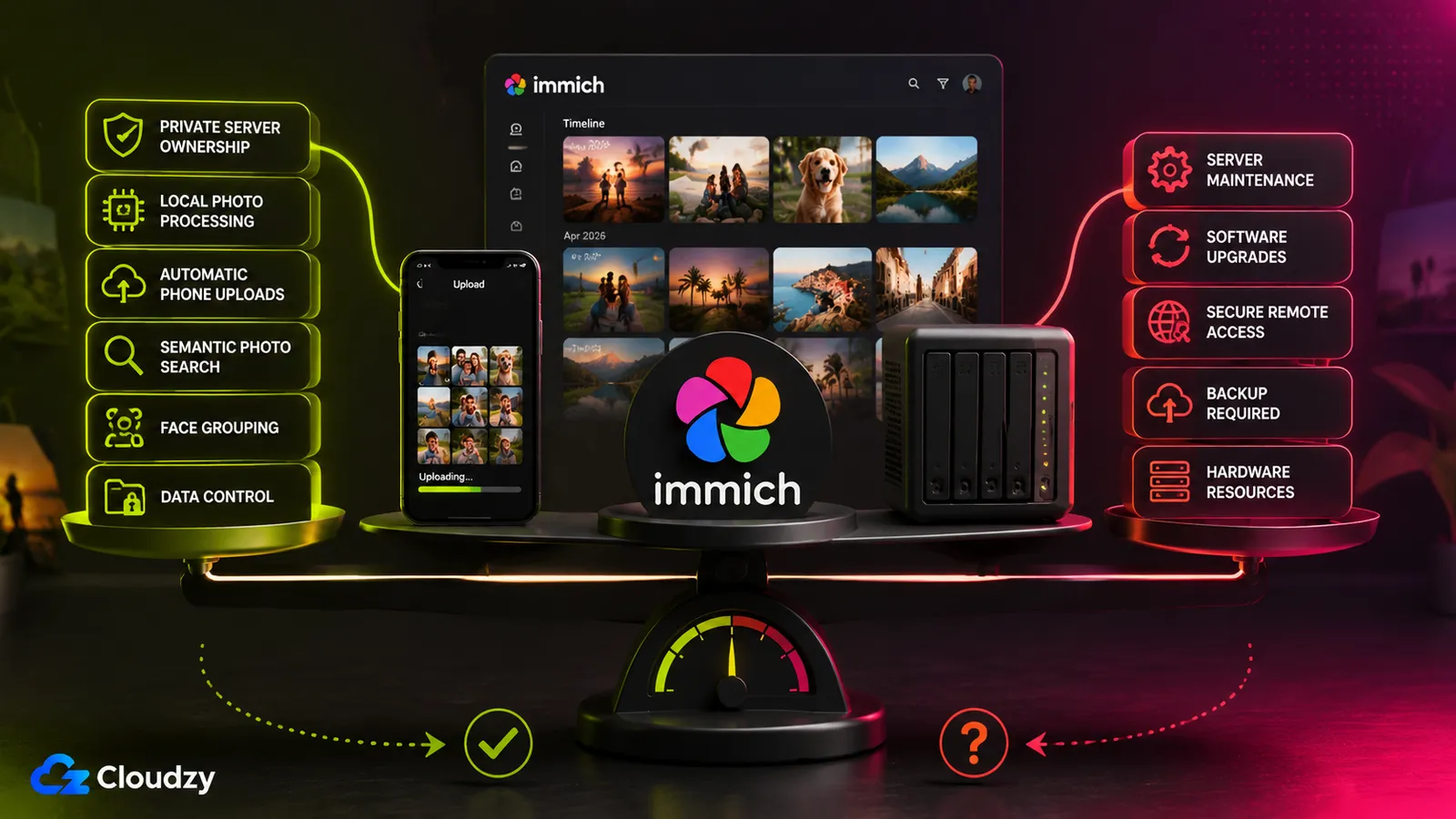
Short answer: yes for the right person, and the "right person" test is entirely about whether you want to own the maintenance, not whether the software is good enough. The software is good enough. Immich v3 does the core Google Photos jobs (automatic mobile backup, face and semantic search, a Memories feed) well enough that after a week of using it, I stopped reaching for Google Photos out of habit. What you're really deciding is whether you want to be the person who keeps it running.
That distinction matters because it's not how most people approach the switch. They compare feature checklists, decide Immich is 90% of the way there, and switch. Then the thing that determines whether they're happy six months later isn't the 10% of missing features; it's whether they set up a backup and survived the first big upgrade. So I'm weighting this review accordingly: the two axes that carry the most weight in my verdict are maintenance risk and data sovereignty, not raw feature count. A tool that nails mobile uploads and search but loses your library on an upgrade has failed the one job that matters most.
The single biggest reason to switch is sovereignty: your photos, your server, no external photo service indexing your family library under the default local-machine-learning setup. The single biggest reason not to is that you're signing up to be a one-person IT department for the most irreplaceable data you own. Both of those are true at the same time, and which one wins is about you, not about Immich.
One thing worth saying up front for anyone who read a review from earlier this year and bounced off: v3 closed the gap that used to be the dealbreaker. Non-destructive photo editing now works on mobile, so you can crop, rotate, and adjust without touching the original file. If "I can't even edit a photo on my phone" was your reason to wait, that reason is gone.
Section takeaway: the verdict isn't about whether Immich is good enough. It is. It's about whether you want the job that comes with it.
What Immich Does Well
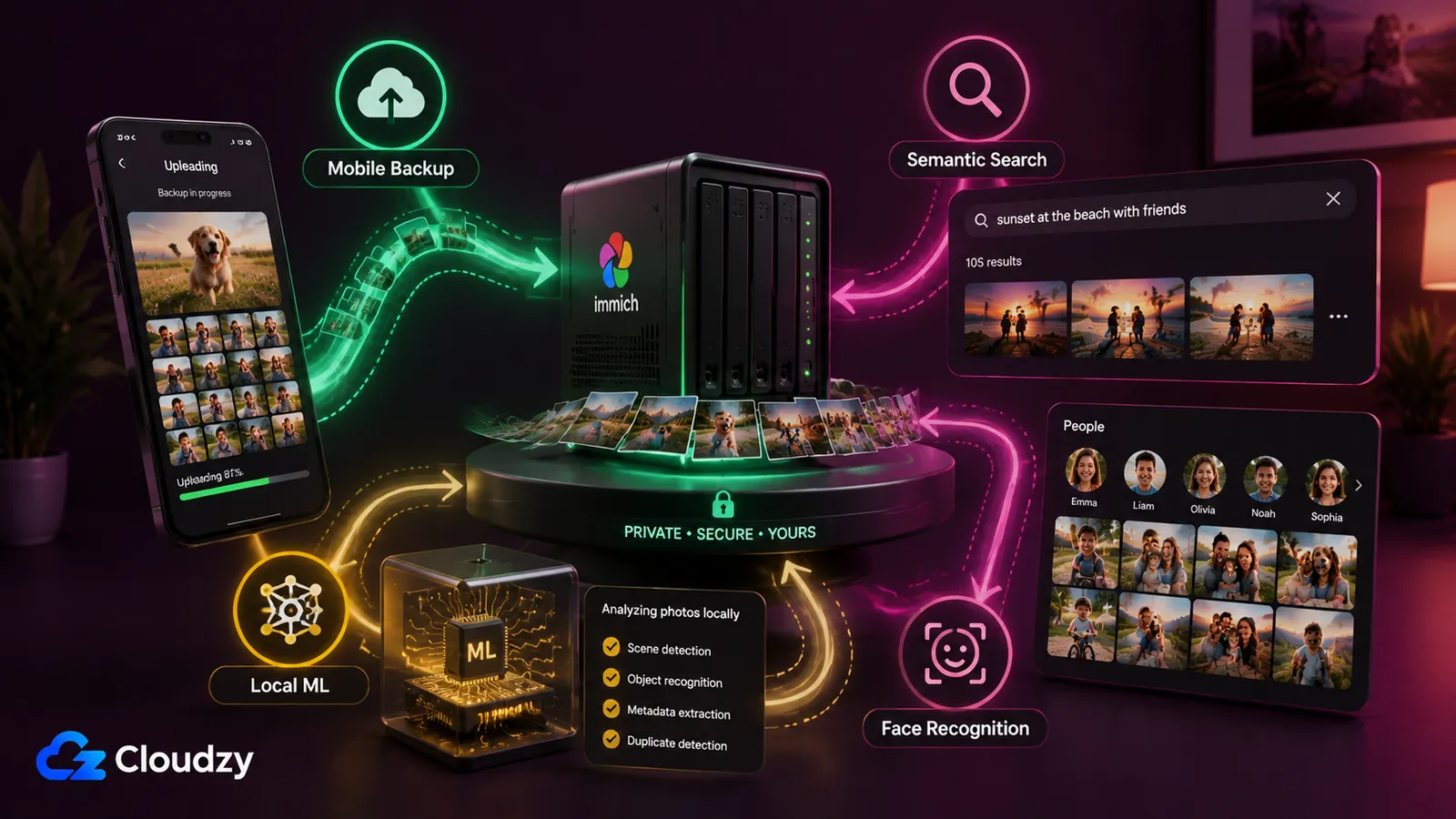
Immich does three things well: automatic mobile backup that held up as a daily driver throughout my test, machine-learning search and face grouping that are close to Google's in everyday use, and a default deployment model that keeps machine-learning processing within infrastructure you control. Those are the features that make it a Google Photos replacement rather than a fancy folder of images, and all three held up in testing.
The mobile backup is the one that sells it. I installed the app on my phone, pointed it at my server, and new photos uploaded in the background without me thinking about it. v3 also rebuilt Android backup around a new periodic task scheduler. During my 10-day test, background uploads were dependable. This is the feature that has to be boring and reliable or the whole thing falls apart, and it was.
Search is the part that feels like magic the first time. Immich uses CLIP-family models to generate embeddings for semantic search, so you can type "red car in the snow" and find the photo without ever tagging it. Face recognition runs on InsightFace's detection and recognition models. Immich grouped faces across the library automatically, and after I named a handful of people, the People view became useful for finding them quickly. Both features run as background jobs on your server; VectorChord powers the semantic-search index in Postgres.
The caveat on search quality is worth getting specific about. Category recognition was strong in my library (it reliably knew that a cat was a cat), but distinguishing people with similar facial features was harder. Face-grouping results can also vary with the selected model, clustering settings, and the makeup of the library. In my use it was good enough for finding a specific person, with occasional incorrect groupings that I had to fix manually.
Then there's the part that matters most to anyone switching for privacy reasons. Immich's built-in machine-learning worker runs as a separate container inside your deployment rather than calling a third-party image-analysis service. With that default configuration, photo previews, face embeddings, and semantic-search processing remain within infrastructure you control. Immich can also use a remote machine-learning host, in which case the server sends image previews to that host for processing, so you should treat it as part of your trusted environment. After you permanently delete the Google Photos library, or empty Google Photos' Trash, Google says complete deletion from active systems generally takes around two months, while encrypted backup copies may remain for up to six months.
Where Immich Falls Short
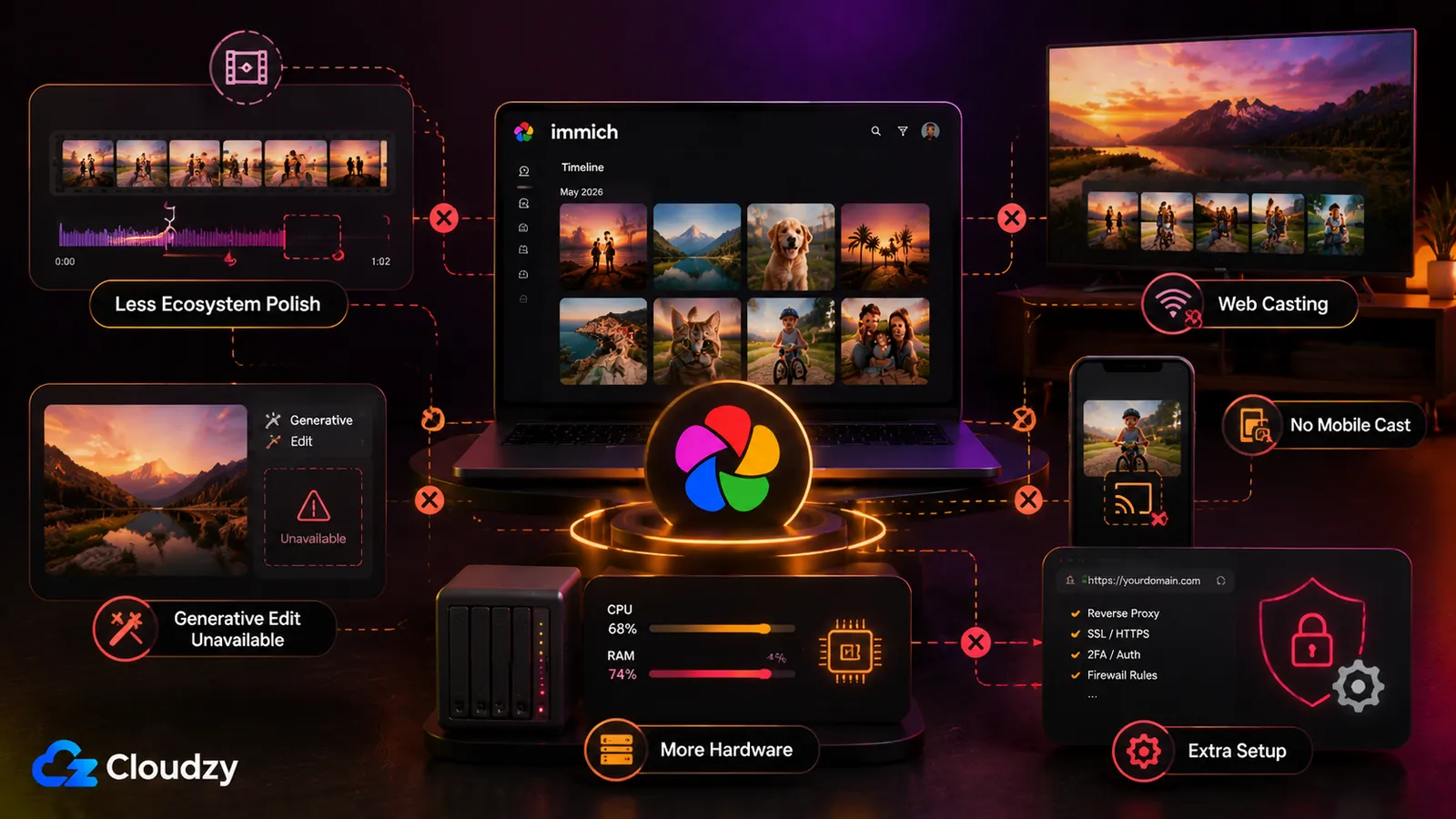
Immich still trails Google Photos mostly on polish: automatic highlight videos and cinematic photos, generative editing tools, and deeper ecosystem integration, including access to backed-up photos through supported mobile photo pickers. It also asks much more of your hardware, and accessing the library outside your home network requires additional configuration.
Immich offers experimental, opt-in Google Cast from its web client to devices such as Chromecast and Nest Hub. However, casting requires a publicly accessible HTTPS instance with a DNS record visible through Google's DNS servers. Android and iOS casting are still planned for the future, and Immich does not have a dedicated TV app.
The resource footprint is the surprise that catches people. Immich isn't one process. A typical deployment includes the Immich application services, Postgres, Redis, and a separate machine-learning service. The official requirements put it at 6 GB of RAM minimum, 4 GB if you disable machine learning entirely (but then you lose the search and face features that are half the reason to run it), and 8 GB recommended. Two CPU cores minimum, four recommended. The database wants local SSD storage and specifically not a network share. During the first import, the ML pipeline pegs your CPU and eats RAM while it indexes everything (mine ran hot for a couple of days) and then it quiets down. The point is this: if you were picturing a Raspberry Pi in a drawer, reset that picture. This is a small-server workload.
Note
v3 raised the CPU floor slightly. The amd64 machine-learning container now needs the x86-64-v2 microarchitecture level, which is supported by most processors released since around 2012. If you're on very old hardware, check this before you commit. It's an easy thing to miss until the ML container won't start.
Last one, and it's a real consideration for households: remote access depends on where you host Immich. On a home server, local access is straightforward, but reaching the library away from home requires a VPN, reverse proxy, or secure tunnel. On a VPS, the host is internet-connected, but Immich is only publicly reachable if you expose it. If you do, HTTPS and appropriate access controls should be part of the initial deployment. Immich specifically warns against forwarding its application port directly to the public internet. Either way, Google Photos handles this infrastructure for you.
Section takeaway: Immich matches Google on the daily-driver features and loses on the polish and the ecosystem. For a sovereignty-motivated user that's a fine trade; for someone who relies on Google's automatic highlight videos, mobile casting, and first-party TV integration, it's a genuine loss.
The Upgrade and Maintenance Reality
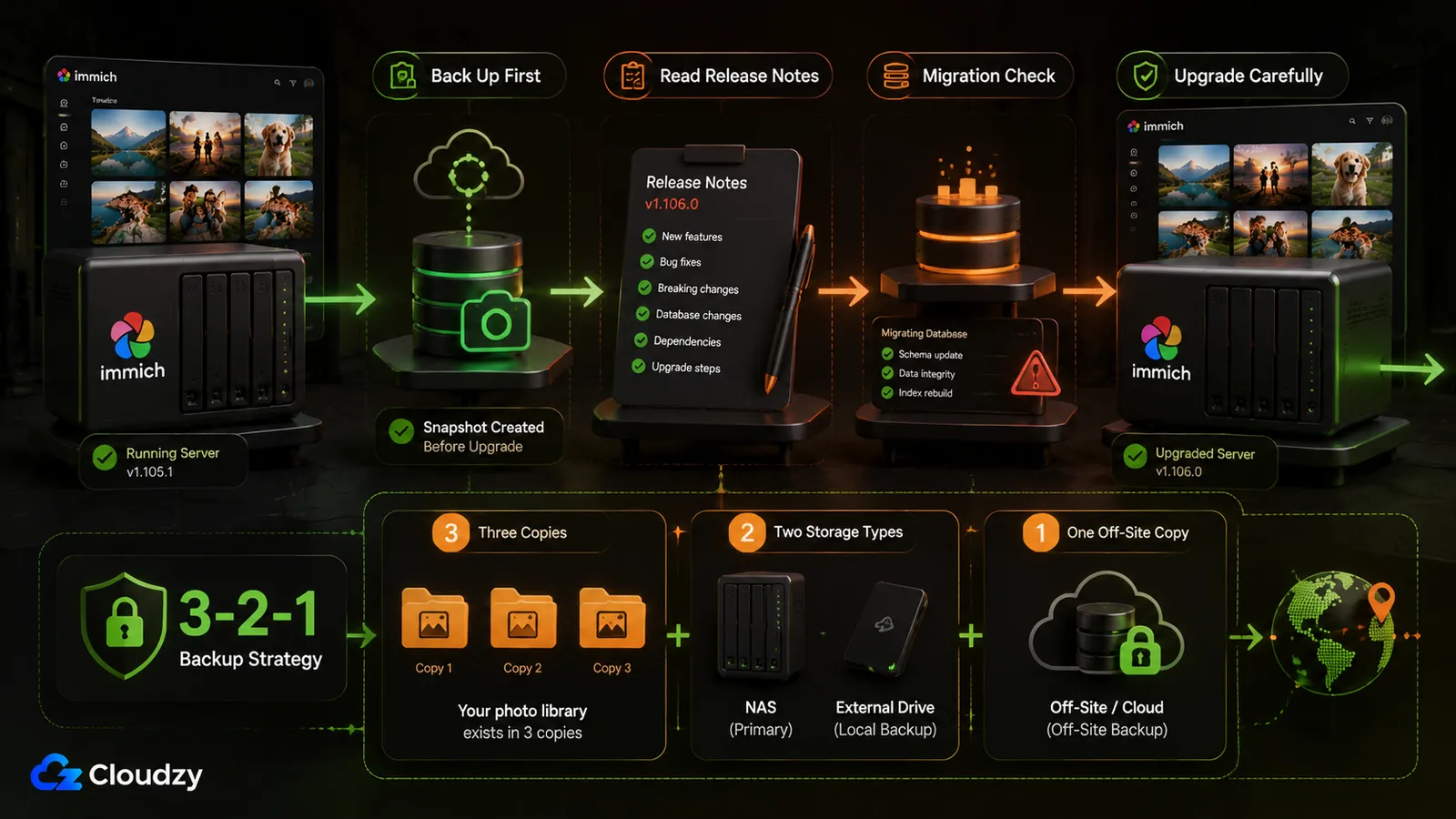
Once your photos live on your own server, not losing them is your job, and Immich upgrades have occasionally gone badly for users, particularly on older or customized deployments. This is the axis that turns my verdict from an unconditional yes into a conditional one, so it's worth being precise about what the risk is and what it isn't.
The maintenance reality first. Running Immich is a low-but-nonzero ongoing job. There are periodic updates, and every so often a major version brings a breaking change you have to read the notes for. It's not daily babysitting (most of the time, it just runs) but it is a commitment, and it lands entirely on you. On Hacker News, one commenter put the objection bluntly:
"You need to be a web dev or a sysadmin to be able to wrangle that thing. Nightmare upgrades, tons of weird bugs related to syncing."
That's harsher than my experience, but it points to a real operational risk. One user reported that their library disappeared after an upgrade; they later found that the PostgreSQL data volume had not mounted on boot, and the library returned after the mount was fixed. In a separate issue, a migration failed on an external PostgreSQL deployment because a database role identifier was not quoted correctly. These cases show how customized storage and database setups can fail around upgrades; they do not show that Immich routinely deletes photos.
The v3 database warning mainly applies to unusually old or customized installations. Immich began moving users from pgvecto.rs to VectorChord in v1.133.0, before v2, and v3 removed the remaining pgvecto.rs compatibility. A standard v2 deployment should therefore already be using VectorChord, so the normal v2-to-v3 update is usually the version-tag change followed by the usual Docker Compose pull and restart. Deployments that still use pgvecto.rs should complete Immich's VectorChord migration before moving to v3.
Which brings us to the rule that is non-negotiable, and it comes from Immich itself, not from me:
Note
Immich is not a backup. The team says so directly. In the v2.0.0 release notes they wrote: "A 3-2-1 backup strategy is still crucial. The team has the responsibility to ensure that the application doesn't cause loss of your precious memories; however, we cannot guarantee that hard drives will not fail, or an electrical event causes unexpected shutdown of your server/system, leading to data loss." Immich by itself is not a complete backup strategy. If that server is the only durable copy of the files, it is your primary copy, not your backup. You need three copies, on two kinds of media, with one off-site. If you take one thing from this review, take that one.
There's a related trust question that's fair to raise for the skeptical reader, and I'll keep this to the deployer's view, since I'm not auditing the codebase: is the project healthy? On the evidence, yes. The project is actively developed, and issues receive responses. In late 2025, Google Safe Browsing flagged an Immich domain. Immich described the warning as a false positive affecting its preview infrastructure rather than users' photo libraries. According to the project, Google lifted the warning after review, but it reappeared when new preview environments were created. Immich said it would move those environments onto a dedicated domain. That reads like a project handling problems in the open, which is what you want from something you're trusting with your library.
Section takeaway: the moment your photos live on your own server, not losing them becomes your job. Immich does the hard parts well, but it can't do that part for you.
Who Should Use Immich, and Who Shouldn't
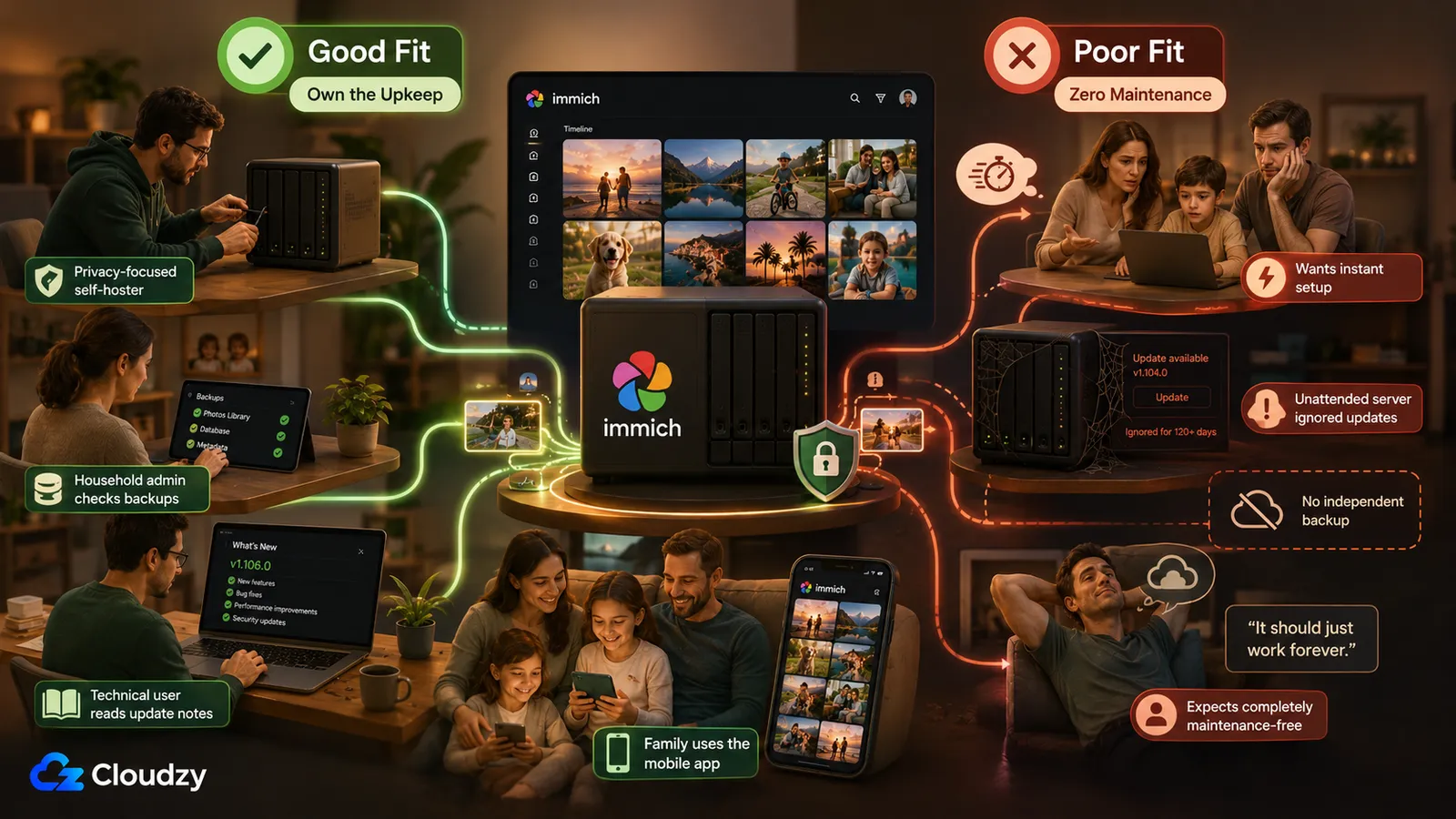
Immich is for the person who wants Google Photos-style features without storing the library on Google's servers and is willing to run a small server to get it. It's not for the person who wants zero maintenance and just needs the household to share pictures. That's the whole decision.
You should run Immich if you're one of these:
- The privacy or sovereignty-motivated self-hoster. You want face recognition, search, and mobile backup, and you want the default machine-learning processing to remain within infrastructure you control. This is Immich's home turf, and it's excellent here. Your motivation is control, and control is what it delivers.
- The household or small-org sysadmin. You're comfortable owning the backups and the upgrade discipline, and you're doing it on behalf of family or a small team who just want photos that work. You carry the operational weight so they don't have to. Immich fits, as long as you stay in the loop on upgrades.
- The technical evaluator who values project momentum. You want a project that's shipping, has a mobile-backup experience that held up in my test, and remains under active development. Immich's release cadence and community activity check that box.
You should not run Immich (at least not yet) if you're one of these:
- The "I just want us to share photos" person with no appetite for maintenance. One of the sharpest comments I saw while researching this was someone saying Immich solves the wrong problem for them: they just wanted the household to share photos, and self-hosting was a mismatch for that need. They're right. If that's you, the answer is that Google Photos (or a managed option) fits your actual problem better, and there's no shame in that.
- The non-technical user with nobody to own it. If nobody will handle backups and updates, the deployment puts your library at risk, which is the opposite of what you wanted.
If you land in the "not yet" camp but still want off Google, two alternatives are worth a look for different reasons. PhotoPrism is the archive-first option if what you really want is to index an existing archive on a drive or NAS and you don't need a first-party mobile backup app; it leans on browser and PWA access rather than a native app of its own. Ente Photos is the one to look at if end-to-end encryption is your top priority above all else: it encrypts photos before upload, runs its ML on-device, and encrypts the resulting indexes before syncing, and has undergone multiple independent security audits, including a Cure53 assessment sponsored by CERN. Both are legitimate; they just optimize for a different reader than Immich does. (If you want the full head-to-head on all three, that's a comparison in its own right rather than something to cram in here.)
One last note on cost, because it comes up constantly. Immich itself is free, but self-hosting is not automatically cheaper. Once you count the server, electricity, off-site backup storage, and your own time, the total can exceed a Google One subscription. Compare those costs against the current Google One price shown for your country, since plans and promotions vary by region and change over time. Switch because you want control, not because you assume self-hosting will save money.
For readers who are sold and need the groundwork (a server, Docker, the basics of running self-hosted services), that setup context is its own topic. And for where Immich fits inside a broader privacy-first setup alongside things like your own file storage, there's our guide to the best self-hosted privacy stack.
Frequently Asked Questions
Is Immich Stable Enough to Trust With My Only Copy of Family Photos?
No, not as your only copy. Immich v3 can serve as your primary photo library, but the same files should also exist in an independent backup system. Immich's own team recommends a 3-2-1 strategy: three copies, stored across two types of media, with one copy kept off-site. Immich can organize and serve your primary library, but it should never be the only place where irreplaceable photos exist.
What Does Immich Not Do That Google Photos Does?
Google still leads on automatic highlight videos and cinematic photos, generative editing, and its broader consumer ecosystem. Immich has a Memories feed and non-destructive photo editing. It also offers experimental, opt-in casting from its web client to Chromecast and Nest Hub, but the feature requires a publicly accessible HTTPS deployment. Mobile casting and a dedicated TV app are still missing.
Is Immich's Face Recognition as Good as Google Photos?
It's close for the everyday job of grouping known people. Immich creates the face groups automatically, and assigning names makes those groups searchable. The weak spot is telling apart individuals who look similar. There is no useful universal accuracy percentage because results depend on the library, model, and clustering settings. In my testing, it was reliable enough for everyday searching but still needed occasional manual corrections, particularly for people with similar features. Treat it as "good enough for daily searching in my test, with occasional corrections," not as a measured figure.
How Hard Is It to Maintain Immich?
It's a low-but-real ongoing job. Most of the time it just runs, but you'll periodically apply updates, and occasionally a major version brings a breaking change, so you need to read the release notes and verify your backups before applying it. The backup discipline is on you, permanently. If you're comfortable with Docker Compose and reading release notes, it's very manageable; if you're not, budget for a learning curve.
Is Immich Actually Cheaper Than Google Photos?
Often not. Once you count everything (the server, electricity, backup storage, and your time), the total can exceed a Google One subscription. Google One prices and promotions vary by country and over time, so compare against the current price available in your region. The reason to switch is control over your data, not saving money. If cost is your only motivation, run the full total-cost math first, because it may not favor self-hosting.



Discussion
Comments
Sign in to join the discussion.