
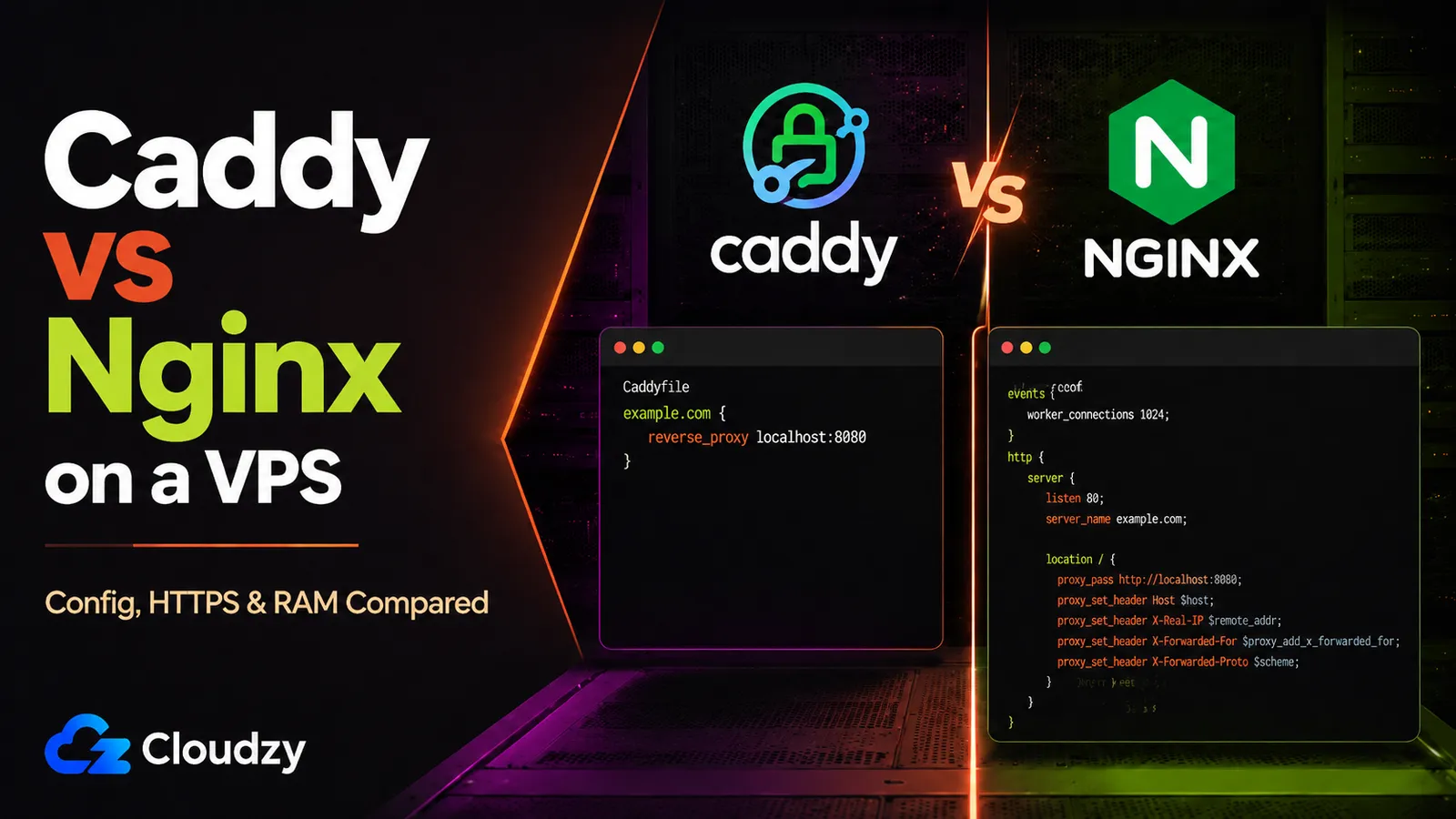
Fresh VPS, domain pointed at it, and one command away from a running web server. The next thing you type installs either Caddy or Nginx, and that one decision shapes how much time you spend on TLS for the life of the box. So: Caddy vs Nginx on a VPS, which one do you install?
What follows is the same three setups configured in both tools, side by side, with reported memory figures, the wildcard-cert catch, and practical migration notes if you're already on Nginx.
The Short Version
- Verdict: Caddy for most fresh VPS workloads, especially for solo developers, small teams, and set-and-forget TLS. Choose Nginx when you need its module ecosystem, explicit tuning, existing team expertise, or the smallest possible memory footprint.
- Auto-HTTPS: Caddy obtains and renews certs itself. No Certbot, no cron, no reload hook. Nginx needs Certbot (or another ACME client) and the renewal automation around it.
- Memory: Nginx is leaner, thanks to C over Go. The gap rarely decides anything on a modern plan; numbers are in the table below.
- The catch: Caddy is not zero-config for wildcards. A name like *.example.com needs a DNS challenge, which means a plugin and an API token.
The whole comparison on one screen:
| Caddy | Nginx | |
|---|---|---|
| Language | Go | C |
| Automatic HTTPS | Built in (Let's Encrypt + ZeroSSL) | None; needs Certbot or another ACME client |
| Config verbosity | Minimal (a few lines per site) | Explicit and verbose |
| HTTP/3 | On by default with HTTPS | Available since 1.25.0; it must be enabled in the Nginx configuration. Source builds require --with-http_v3_module. |
| Reported idle memory | 15-25 MB | 2-8 MB |
| Reported memory at 1,000 connections | 80-120 MB | 50-80 MB |
| Module ecosystem | Smaller, extended via xcaddy | Large and mature |
| License | Apache 2.0 | BSD-2-Clause |
The memory ranges come from one third-party VPS test and should be treated as directional rather than universal requirements. Actual usage depends on software versions, enabled modules, logging, traffic, and test methodology. Version and license information comes from the projects' official repositories.
Caddy's Automatic HTTPS (and What It Actually Replaces)
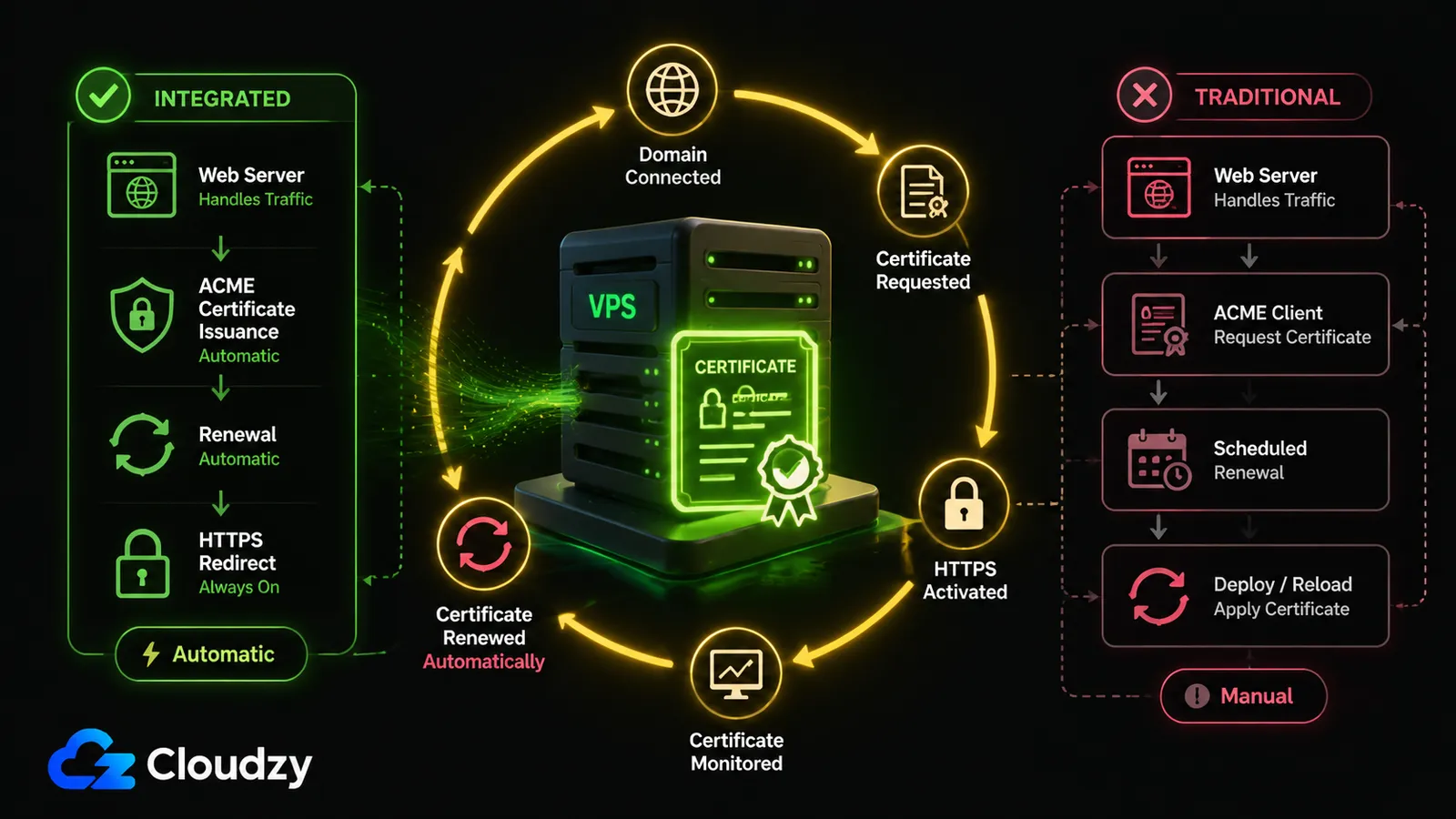
Caddy obtains and renews TLS certificates on its own. Point a public domain at the box, run Caddy, and it gets a cert from Let's Encrypt or ZeroSSL, then renews it in the background. No Certbot, no cron job, no post-renewal reload hook. That is Caddy automatic HTTPS in one sentence, and it is the whole reason people switch.
Under the hood, Caddy uses the HTTP-01 (port 80) or TLS-ALPN-01 (port 443) challenge to prove domain ownership, then keeps the cert fresh without any second tool involved.
The Nginx equivalent uses a separate ACME client. With the common certbot --nginx workflow, Certbot can obtain and install the certificate, then reuse the same plugin and saved options during renewal. Most Certbot installations also include a scheduled task that runs certbot renew automatically.
If you use certbot certonly or another ACME client that only writes the renewed files to disk, add a deploy hook that reloads Nginx after a successful renewal. That setup works, but it still leaves more moving parts than Caddy: the web server, ACME client, renewal scheduler, and any deployment hook remain separate components.
Caddy's operational advantage is that certificate issuance, deployment, renewal, and HTTP-to-HTTPS redirects are integrated into the server itself. By default, Caddy begins attempting renewal when roughly one-third of a certificate's lifetime remains, 30 days for a 90-day certificate, unless the certificate authority specifies a different renewal window.
Pro Tip
Caddy's default ACME challenges need public reachability on port 80 or 443: HTTP-01 uses port 80, while TLS-ALPN-01 uses port 443. If port 80 is blocked but 443 is open, TLS-ALPN may still work; if the box is not internet-facing, use DNS-01, same as wildcard certs below.
The Config Files, Side by Side
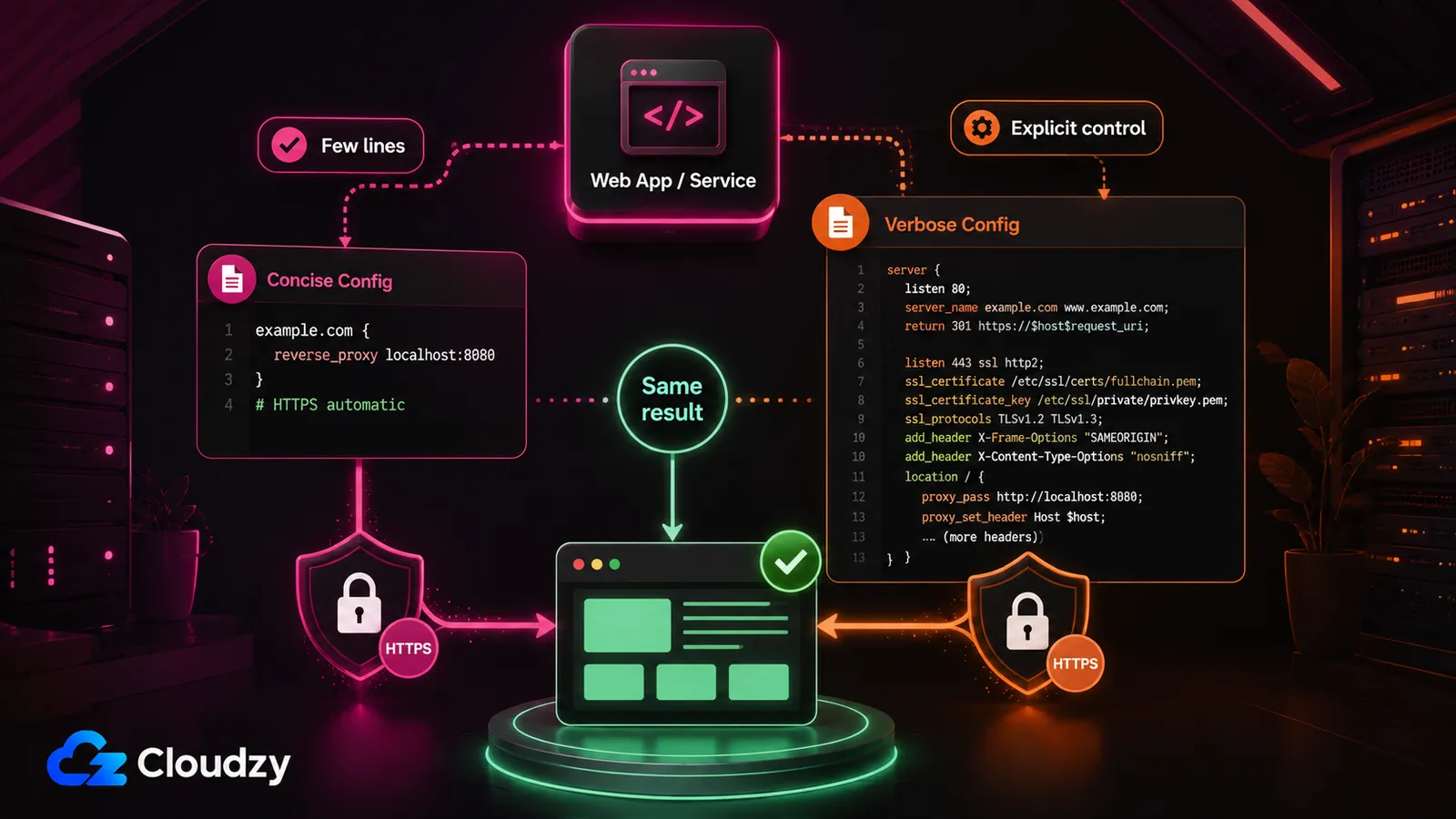
Here are three common VPS setups, an HTTPS reverse proxy, static file serving, and basic authentication, written for both tools. The Caddy examples include automatic HTTPS. The Nginx examples assume that a certificate has already been provisioned, and the static-file and basic-auth examples show only the HTTPS server block. Reuse the port-80 redirect block from the first example if you want equivalent HTTP-to-HTTPS behavior.
A reverse proxy to a local app on port 3000:
Caddyfile
example.com {
    reverse_proxy localhost:3000
}
nginx.conf
server {
    listen 443 ssl;
    server_name example.com;
    ssl_certificate     /etc/letsencrypt/live/example.com/fullchain.pem;
    ssl_certificate_key /etc/letsencrypt/live/example.com/privkey.pem;
    location / {
        proxy_pass http://localhost:3000;
        proxy_set_header Host $host;
        proxy_set_header X-Real-IP $remote_addr;
        proxy_set_header X-Forwarded-For $proxy_add_x_forwarded_for;
        proxy_set_header X-Forwarded-Proto $scheme;
    }
}

server {
    listen 80;
    server_name example.com;
    return 301 https://$host$request_uri;
}
The TLS lines in the Nginx block assume Certbot already ran. For an HTTP upstream like the one above, Caddy passes the incoming Host header through and sets X-Forwarded-For, X-Forwarded-Proto, and X-Forwarded-Host by default. With Nginx, you normally add the proxy headers explicitly when the upstream needs the original host, scheme, and client-address chain. That's the tradeoff in miniature: Caddy ships practical proxy defaults, while Nginx makes more of that behavior explicit.
Static file serving:
Caddyfile
example.com {
    root * /var/www
    file_server
}
nginx.conf
server {
    listen 443 ssl;
    server_name example.com;
    ssl_certificate     /etc/letsencrypt/live/example.com/fullchain.pem;
    ssl_certificate_key /etc/letsencrypt/live/example.com/privkey.pem;
    root /var/www;
    index index.html;
    location / {
        try_files $uri $uri/ =404;
    }
}
Basic auth, protecting everything behind a username and password:
Caddyfile
example.com {
    basic_auth {
        Bob $2a$14$Zkx19XLiW6VYouLHR5NmfOFU0z2GTNmpkT/5qqR7hx4IjWJPDhjvG
    }
    reverse_proxy localhost:3000
}
nginx.conf
server {
    listen 443 ssl;
    server_name example.com;
    ssl_certificate     /etc/letsencrypt/live/example.com/fullchain.pem;
    ssl_certificate_key /etc/letsencrypt/live/example.com/privkey.pem;
    auth_basic           "Restricted";
    auth_basic_user_file /etc/nginx/.htpasswd;
    location / {
        proxy_pass http://localhost:3000;
        proxy_set_header Host $host;
        proxy_set_header X-Real-IP $remote_addr;
        proxy_set_header X-Forwarded-For $proxy_add_x_forwarded_for;
        proxy_set_header X-Forwarded-Proto $scheme;
    }
}
Both tools hash the password out of band. Caddy uses caddy hash-password; Nginx uses htpasswd to build the .htpasswd file. The directive is basic_auth in current Caddy, by the way. It was basicauth until v2.8.0 renamed it, as noted in the Caddy basic_auth docs, and old tutorials still trip people on it.
Pro Tip
That hash in the Caddyfile isn't the password. It's bcrypt output from caddy hash-password. Run the command, paste what it prints. Caddy refuses plaintext passwords in config, which is the correct default and a small surprise the first time.
The configs make their own argument. Caddy folds TLS, sane proxy headers, and a redirect into a few lines; Nginx is explicit and verbose and hands you every knob. If you've spent years in Nginx, the verbosity is muscle memory and the control is the point. If you haven't, the Caddyfile is a config you can hold in your head. The practical point is simple: Caddy's config is easier to read at a glance, while Nginx gives you more explicit control.
Performance and Memory: Reading the Benchmarks Carefully
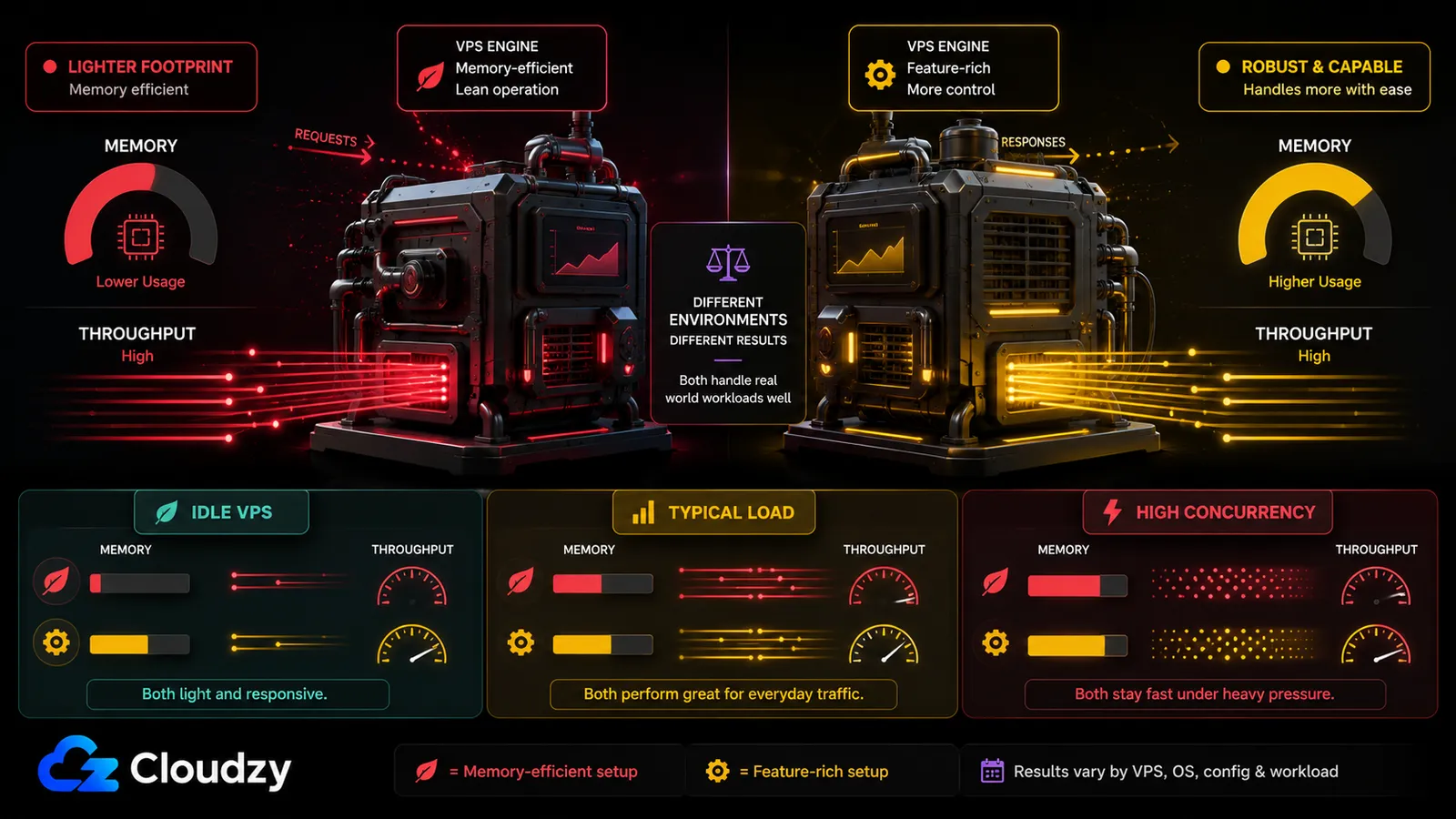
Published tests point in the same general direction: Nginx usually uses less memory and often leads on raw throughput, but the size of that advantage depends heavily on the environment.
In one third-party four-core VM test, Nginx reached approximately 48,000 requests per second, compared with about 42,000 for Caddy. The same test reported HTTPS p99 latency of 2.1 ms for Nginx and 2.4 ms for Caddy. Treat those as results from one setup rather than a universal performance margin.
The memory ranges in the comparison table come from a separate VPS test. Another synthetic test at 50,000 concurrent connections reported 145 MB for Nginx and 520 MB for Caddy, but that test used substantially different hardware and workload conditions. Its absolute figures should not be compared directly with the VPS numbers above.
The reliable conclusion is narrower: Nginx generally has the smaller memory footprint and tends to lead under high-throughput or high-concurrency workloads. For an ordinary small-to-mid VPS reverse proxy, both are usually fast enough, so operational simplicity is often the more useful deciding factor.
Section takeaway: choose based on operations unless your server is memory-constrained or your own load tests show that proxy throughput is the bottleneck.
The Wildcard Cert Catch (Caddy Isn't Always Zero-Config)
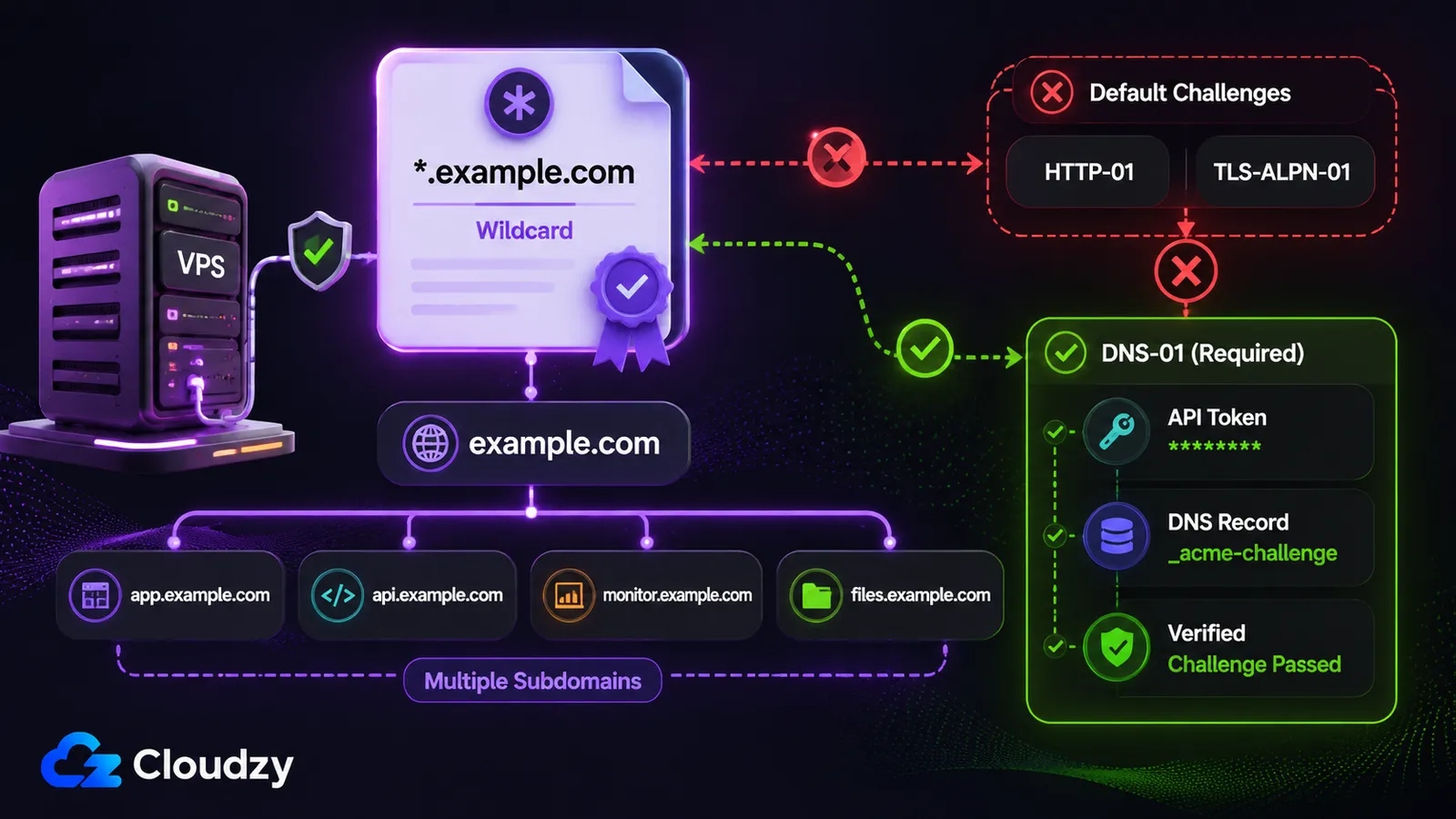
Caddy can automate wildcard certificates, but not with its default HTTP-01 or TLS-ALPN-01 challenges. A certificate for *.example.com requires DNS-01 validation, which Let's Encrypt mandates for wildcard certificates. That means a DNS-provider plugin (built into your Caddy binary via xcaddy) plus an API token for your DNS host, configured in the tls block. It is not the type-one-line-and-walk-away story Caddy markets.
This bites homelab users who put many services under a real domain they control, such as *.home.example.com, and assume wildcard issuance is as automatic as app.example.com. For purely internal names like *.homelab.internal, treat that as local/internal PKI territory, not a public Let's Encrypt wildcard. To be precise about it: Caddy does wildcards fine, it just doesn't do them with the default challenges, and the setup is a step up from the single-domain case. Nginx is in the same boat here, since the DNS-01 requirement comes from Let's Encrypt, not the server.
If You Want a GUI: Nginx Proxy Manager (a Short Aside)
Nginx Proxy Manager is a different animal from the two tools above, and it's worth one paragraph because the name confuses people. NPM is a GUI wrapper over Nginx: it manages reverse-proxy rules and Let's Encrypt certs through a web interface on port 81. It is not Nginx core, and it is not configured the way Nginx core is.
The tradeoff is the usual click-versus-config one. NPM is the easy button until you step off the happy path. Its configuration is managed through an application database rather than a single hand-edited config file. The default Docker setup uses SQLite, while MySQL/MariaDB and PostgreSQL are supported external database options. That difference also affects portability: a Caddy setup can often be moved by copying a single Caddyfile, while an Nginx Proxy Manager deployment requires its application data and database to be preserved. NPM is a fine choice if you genuinely prefer clicking to editing and your setup stays simple. It's the wrong choice for an infrastructure-as-code workflow.
Migrating from Nginx to Caddy (What Translates and What Doesn't)
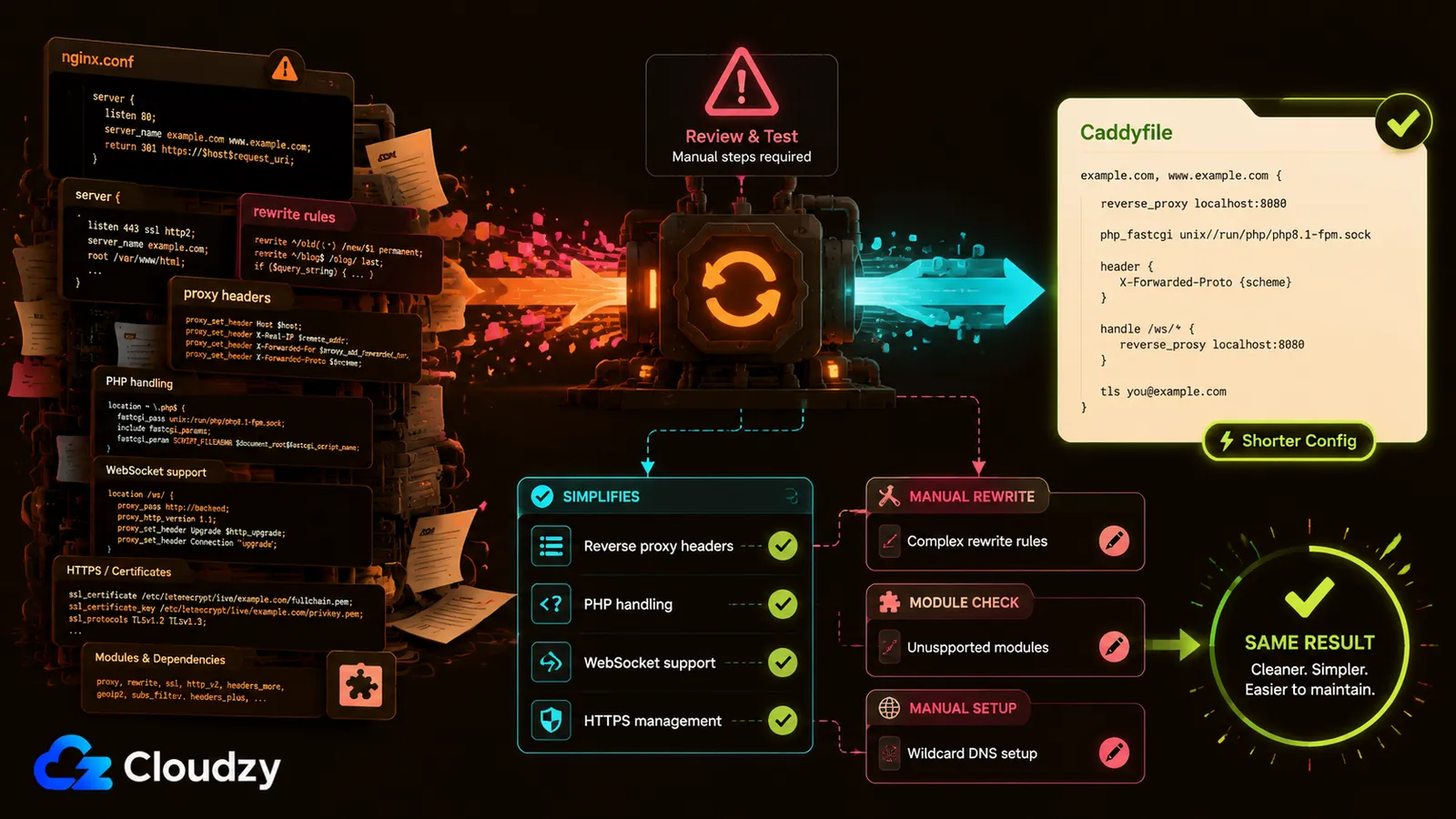
If you're already on Nginx and weighing the move, start by lowering your expectations on automation: there is a Caddy NGINX config adapter, but it is incomplete and should not be treated as a reliable one-shot migration path. An Nginx to Caddy migration is mostly a manual rewrite, and most of it gets shorter.
What translates and gets simpler, per the Caddy community's conversion guide:
- For HTTP upstreams,
reverse_proxypasses the incomingHostheader through and sets the standard X-Forwarded-* headers by default, so most of thoseproxy_set_headerlines disappear. - PHP collapses from a location block with
try_filesplusfastcgi_passplus a pile of params into a singlephp_fastcgidirective. - WebSocket handling is automatic in Caddy v2. If a tutorial tells you to add a separate
websocketdirective, it's a Caddy v1 relic. Ignore it.
What doesn't translate automatically: anything tied to a specific Nginx module Caddy doesn't have, complex rewrite and location logic that you'll need to rethink rather than port, and wildcard cert setups, which land you back at the DNS-challenge setup from the section above. Budget for the modules and the rewrites; the rest is usually a net reduction in lines.
Which One Should You Install? (The Decision)
You've seen the configs, the numbers, the wildcard catch, and the migration cost, so here's where it lands. Install Caddy if you're a solo dev or small team, this is a fresh VPS deployment, you want set-and-forget TLS, you're running Docker with simple routing, or you just want a config that fits in muscle memory. That's most people reading this.
Install Nginx if you need fine-grained control or a specific module from its mature ecosystem, you're squeezing performance out of a memory-constrained server, you're doing high-concurrency static file serving, or your team already has deep Nginx expertise and a pile of working configs. Those are solid reasons, and if one of them is yours, Nginx is the right call. This isn't a case where the older tool is the wrong tool.
Whichever you land on, the next step is putting it on the box. Both Caddy and Nginx are available as one-click deployments in our marketplace, so you can skip the installation work and go straight to the Caddyfile or server block. A 1 GB VPS is a reasonable starting point for a low-traffic single-site deployment, but size the server for the application and traffic behind the proxy rather than the proxy alone. If you're using Caddy as the front door for self-hosted services, it can sit in front of a Prometheus and Grafana monitoring stack or an Uptime Kuma deployment without requiring separate TLS tooling.
Section takeaway: pick Caddy unless you have a specific reason that points to Nginx.
Frequently Asked Questions
Does Caddy Replace Certbot?
Yes. Caddy can obtain and renew public certificates itself, including wildcard certificates, so Certbot is not required. Wildcards need DNS-01 validation, which means configuring a compatible DNS-provider module and API credentials.
Does Caddy Use Less Memory Than Nginx?
No. Nginx generally has a smaller memory footprint. One third-party VPS test reported 2-8 MB at idle for Nginx and 15-25 MB for Caddy, but those figures are workload-specific rather than fixed memory requirements. The difference matters most on memory-constrained servers running several services.
Is Caddy Faster Than Nginx?
It depends on the workload. Both are normally fast enough for typical VPS reverse-proxy traffic. In the cited tests, Nginx led on raw throughput and memory efficiency, but the size of the difference changed substantially with the hardware, traffic pattern, and concurrency level. There is no single percentage that applies to every deployment.
Does Caddy Support Wildcard SSL Certificates?
Yes. A wildcard such as *.example.com requires DNS-01 validation. Once Caddy has a compatible DNS-provider module and API credentials, it can obtain and renew the wildcard certificate automatically.
Is Nginx Proxy Manager the Same as Nginx?
No. Nginx Proxy Manager is a GUI wrapper over Nginx that stores its configuration in an application database, uses a web UI on port 81, and manages reverse-proxy hosts and certificates through that interface. Nginx core is configured with text files and has no GUI of its own.
When Should I Use Nginx Instead of Caddy?
Choose Nginx when you need fine-grained control, a specific module from its mature ecosystem, every last MB on a memory-constrained server, high-concurrency static file serving, or you already have deep Nginx expertise on the team.



Discussion
Comments
Sign in to join the discussion.