
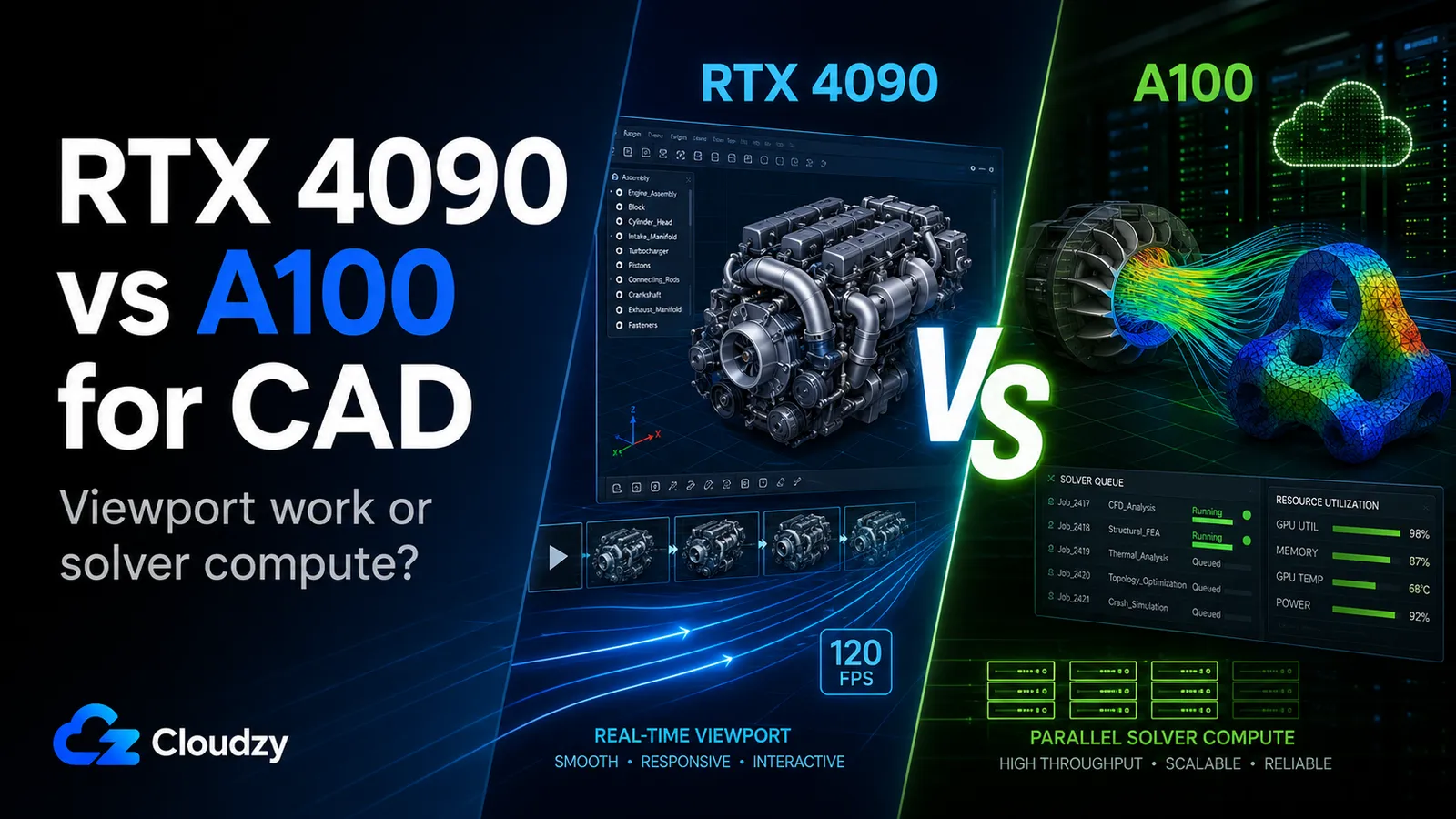
You are on the pricing page, comparing GPU plans for your team's CAD work. The A100 costs more and carries 80 GB of VRAM, three times the RTX 4090's 24 GB. The logical conclusion writes itself: the bigger, pricier card must be the better CAD card. It isn't. The A100 has no workstation graphics path. It was never built to accelerate a daily interactive CAD viewport, and no amount of VRAM changes that.
This is where the RTX 4090 vs A100 for CAD comparison goes wrong before it starts. The spec sheets invite you to rank these cards on memory and price, but those numbers answer a question CAD buyers aren't asking. The real split runs along an axis the spec sheets hide: interactive viewport rendering versus batch compute. Get that distinction right and the SKU almost picks itself.
Choose on workload type rather than VRAM count, and you land on the card your team's work needs, instead of overpaying for an architecture built for a different job.
The Short Version
- RTX 4090 · The cost-sensitive pick for interactive viewport modeling and GPU rendering, with the graphics-oriented driver path and real-time rendering hardware the A100 lacks. It is not ISV-certified, so RealView Graphics is off by default in SolidWorks.
- A100 · A compute card. It earns its premium on overnight FEA and CFD solver runs with FP64 throughput and 80 GB HBM2e, and it is the wrong tool for interactive CAD: no workstation graphics path, no CAD ISV certification, and only 48 GB of system RAM in its plan.
- RTX PRO 6000 Blackwell · The certification-safe professional option of the three, with 96 GB of GDDR7 ECC VRAM and the workstation-driver path CAD teams usually want for SolidWorks, CATIA, Creo, NX, and Inventor. It is the structurally correct answer for professional production teams that need stability, supportability, and large VRAM headroom.
- The real decision · For most CAD teams the choice is really RTX 4090 vs RTX PRO 6000 Blackwell. The A100 is a simulation card that happens to share a comparison page.
The Real Question for CAD Isn't VRAM. It's Viewport vs. Compute
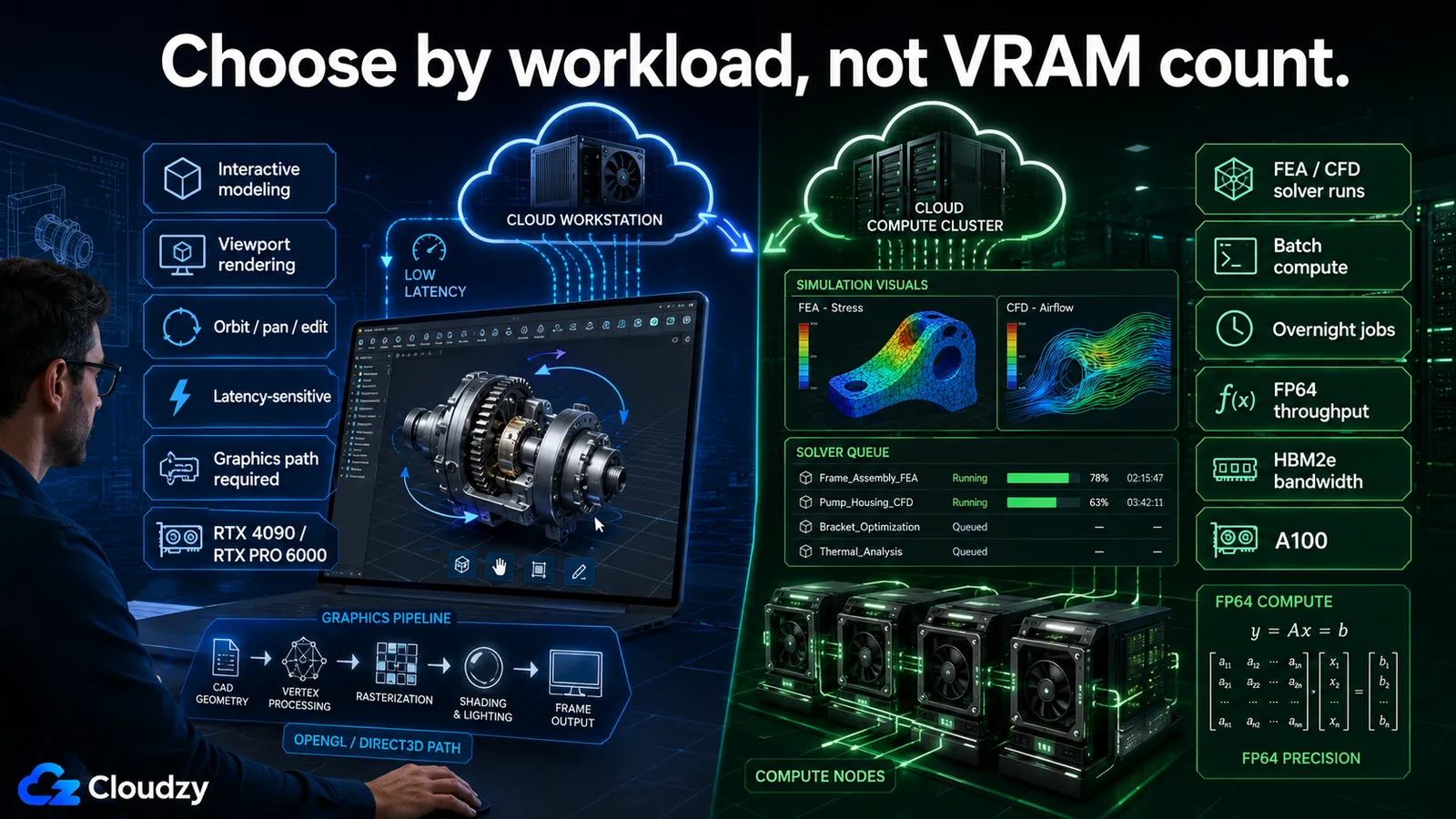
A SolidWorks engineer rotating a 2,000-component assembly and an analyst running an overnight CFD solve are asking the GPU to do two unrelated jobs. The first is interactive viewport rendering: real-time OpenGL or Direct3D drawing of the model as you orbit, pan, and edit it. It is latency-sensitive (every frame has to land in milliseconds) and it lives or dies on rasterization throughput and driver optimization. The second is batch compute: a finite-element or fluid-dynamics solver chewing through numbers for hours. Nobody is watching the screen. What matters there is raw throughput, double-precision (FP64) math, and memory bandwidth.
These are different workloads that reward different hardware. A GPU tuned for one is not automatically good at the other, and that is the whole reason this comparison is harder than the price column suggests.
NVIDIA built these cards for opposite ends of that split. The RTX 4090 is an Ada Lovelace graphics card; its lineage is real-time rendering. The A100 is an Ampere datacenter accelerator; its lineage is HPC and AI compute. Reading their spec sheets side by side without that context is how a buyer ends up paying for a compute accelerator that was never meant to drive an interactive CAD viewport.
This article assumes you are past the question of whether a dedicated CAD GPU is worth it at all and are now choosing between SKUs. If you are not, the foundation is here: What GPU Do You Actually Need for CAD?
GPU Architecture: What Matters for CAD (Not ML)
Most RTX 4090 vs A100 comparisons online rank these cards on tensor performance and training throughput, numbers that mean nothing for a viewport. The dimensions that decide CAD performance are different: graphics throughput, VRAM amount and type, memory bandwidth, FP32 versus FP64 balance, whether the GPU has a workstation graphics path at all, and ECC. Here is how the relevant cards line up on those dimensions.
| GPU | Architecture | GPU VRAM | Memory bandwidth | FP32 | FP64 | Workstation graphics path | ISV certification | vGPU / MIG |
|---|---|---|---|---|---|---|---|---|
| RTX 4090 | Ada Lovelace | 24 GB GDDR6X | ~1,008 GB/s | ~83 TFLOPS | ~1.3 TFLOPS | Yes | Not certified | Not supported |
| RTX 5090 | Blackwell | 32 GB GDDR7 | ~1,792 GB/s | ~105 TFLOPS | ~1.6 TFLOPS | Yes | Not certified | Not supported |
| A100 | Ampere | 80 GB HBM2e | ~1,935 GB/s | ~19.5 TFLOPS | ~9.7 TFLOPS | None | Not certified | MIG-capable hardware, but delivered as dedicated passthrough on Cloudzy |
| RTX PRO 6000 Blackwell | Blackwell | 96 GB GDDR7 ECC | ~1,792 GB/s | ~125 TFLOPS | Not the main CAD buying reason | Yes | Professional certification path | Dedicated passthrough on Cloudzy |
The RTX 5090 appears in the table as a newer graphics-oriented reference point, but the buying decision in this article still centers on the RTX 4090, the A100, and the RTX PRO 6000 Blackwell.
Two cells in that table do most of the work. The A100's lack of a workstation graphics path is the single most important fact in this entire comparison: a compute accelerator is the wrong tool for accelerating an interactive CAD viewport. And the A100's FP64 number, roughly 7.5 times the RTX 4090's, is the reason it exists. That double-precision throughput is wasted on viewport work and decisive for solver compute. The card is a specialist, and the spec sheet tells you exactly which specialty if you read the right rows.
Sources for the table: the NVIDIA product pages for the RTX 4090, the A100, and the RTX PRO 6000 Blackwell, plus Puget Systems' 2025 Professional GPU Engineering Roundup for comparative RTX PRO Blackwell workstation specs.
ISV Certification: What It Unlocks and What You Lose Without It
ISV certification is a vendor-tested, formally blessed combination of a specific GPU, driver, and application version. SolidWorks, Dassault, Siemens, and the rest publish lists of the hardware they have validated against their software. Per NVIDIA's ISV certifications page, it means the application, driver, and hardware combination has been tested against criteria the software vendors themselves set. For a CAD buyer, that is not a marketing badge. It is the difference between a supported configuration and a "you're on your own" one.
The RTX 4090 is not on the SolidWorks hardware certification list. The practical consequence shows up immediately: RealView Graphics, SolidWorks' real-time material and reflection rendering, is disabled by default on uncertified cards. A registry workaround exists to switch it back on, but it is manual, per-GPU, and unsupported, which makes it a fragile thing to build a production pipeline on.
The A100 is not the right certification conversation for CAD viewport work because it is a compute accelerator, not a workstation graphics card. The RTX PRO 6000 Blackwell is the professional-card answer of the three: it gives CAD teams the workstation driver and certification path they expect for production SolidWorks, CATIA, Creo, NX, and Inventor workflows. For an IT evaluator, certification also buys something the spec sheet doesn't show: professional cards get multi-year certified driver support, so a configuration that works today is still a supported configuration two years from now. That longevity is its own line item when you are justifying the purchase.
Pro Tip: On a non-certified card you can force RealView Graphics back on in SolidWorks by editing the registry under HKEY_CURRENT_USER\Software\SolidWorks\AllowList\Gl2Shaders and adding your GPU, as documented by converge.design. Treat this as a workaround, not a solution: it is unsupported, it applies to SolidWorks only (do not assume the same trick works for CATIA or AutoCAD), and any configuration that depends on manual registry edits is one you have to re-verify after a system change.
GPU demands also differ across the specific platforms your team runs, application by application. That breakdown is here: Running AutoCAD, SolidWorks, or CATIA on a Cloud GPU? Here's What Each One Demands
How Much VRAM Do You Need for CAD?
A practical VRAM map for CAD, mapped to workload size: 8 to 16 GB covers standard and small assemblies comfortably; 16 to 24 GB suits power users working with 1,000-plus-component assemblies or heavy CATIA models; 32 to 48 GB is the range for complex multi-body work, large visualization scenes, and heavier simulation pre- and post-processing; and 80 to 96 GB is only relevant when the workload is genuinely memory-heavy, such as massive CFD and FEA datasets, very large render scenes, or multi-application professional workflows.
Read that scale against the cards and the picture inverts the price column. The RTX 4090's 24 GB covers the large majority of interactive CAD work. The A100's 80 GB is overkill for any viewport: that memory is there for the card's actual job, batch compute, where datasets get large enough to use it. Buying the A100 for its VRAM and then running interactive modeling on it means paying for capacity you cannot touch on a card that cannot draw the screen.
There is a harder truth underneath the VRAM question, and it cuts against the premise that the GPU choice dominates everything. For standard 3D modeling work, the GPU tier above a sane baseline makes minimal difference to how the work feels. The bottlenecks that slow a CAD engineer down are CPU single-thread frequency and system RAM, a point Puget Systems makes explicitly in its SolidWorks hardware recommendations: general modeling tasks run fastest with high CPU frequency, while the GPU and extra cores matter more for simulation and rendering. The GPU choice matters at the edges (large assemblies, FEA and CFD, RealView-dependent production) and matters much less for everyday modeling than the spec-sheet arms race implies. Weigh the vCPU and system-RAM allocation of a plan as carefully as its GPU.
Key takeaway: For most CAD work, the bottleneck is CPU and system RAM, not GPU VRAM tier.
When the RTX 4090 Is the Right Call (and Where It Falls Short)
Picture a small mechanical-design team doing interactive modeling and the occasional GPU-rendered visualization, cost-conscious, with no hard requirement for RealView or formal ISV certification. That is the RTX 4090's sweet spot. It has the graphics-oriented performance and driver path that interactive viewport work actually needs, and it pairs with a generous 256 GB of system RAM in its plan, four times what the A100 plan carries. On raw graphics benchmarks it holds its own against the older RTX 6000 Ada workstation card: in StorageReview's SPECviewperf testing, the RTX 4090 even edges out the RTX 6000 Ada in the 3dsmax-07 viewset, 225.11 against 213.87.
The limits are real and you should weigh them before recommending it for production SolidWorks or CATIA. It is not ISV-certified, so RealView is locked out by default and you are back to the fragile registry workaround. It does not support vGPU or MIG partitioning, so a single card cannot be cleanly carved up across multiple VMs: one card, one user. And as a consumer GPU, its datacenter use sits under a consumer driver license, a caveat worth understanding for an organizational deployment. For a cost-sensitive interactive-modeling workload where certification is not a hard line, none of that is disqualifying. For certified production, it is.
When the A100 Makes Sense (and When It Absolutely Doesn't)
The A100 earns its premium on exactly one kind of CAD-adjacent work: solver acceleration. Its FP64 throughput is roughly 7.5 times the RTX 4090's, and its 80 GB of HBM2e memory moves data at about 1,935 GB/s. A100 hardware can support MIG partitioning in some deployments, but on Cloudzy the card is delivered as a full dedicated passthrough GPU rather than a partitioned slice. For FEA and CFD solver runs, that is the right toolset: NVIDIA documents a single A100 delivering roughly a 5 times speedup over CPU-only solving in Ansys Fluent, scaling further as you add GPUs. If your team's pain point is overnight simulation throughput, the A100 is a serious answer.
For interactive CAD, it is the wrong card on four counts, and they compound. It has no workstation graphics path, so it is the wrong GPU for accelerating a daily interactive CAD viewport. It is not ISV-certified for any CAD platform. It runs compute-only datacenter drivers, not graphics drivers. And, the sleeper one, its plan carries only 48 GB of system RAM against the RTX 4090 plan's 256 GB, which is a genuine constraint for the host-side buffering that large assemblies lean on. The evaluator's instinct to read 80 GB of VRAM as "handles the biggest assemblies" inverts the reality: that VRAM serves the solver, and the rest of the architecture is built around the solver, not the screen.
Pro Tip: Don't let the A100's headline 80 GB of GPU VRAM distract you from the 48 GB of system RAM in its plan. For loading and manipulating very large assemblies, host system RAM is often the constraint that bites first, and on this card it is the smallest of the three. The RTX 4090 plan's 256 GB of system RAM is a quietly large advantage for assembly-heavy interactive work.
Key takeaway: More VRAM doesn't help a compute card accelerate an interactive viewport. The A100 is for solving, not modeling.
The Third Option: RTX PRO 6000 Blackwell
The binary "4090 vs A100" framing skips the card that is the correct answer for most professional CAD production: the RTX PRO 6000 Blackwell. It is a workstation-class Blackwell GPU with 96 GB of GDDR7 ECC memory, professional drivers, and the certification path CAD teams usually want. In other infrastructure setups, RTX Virtual Workstation can matter; on Cloudzy's GPU VPS plans the relevant point is different, because the card is delivered as a dedicated passthrough GPU rather than a shared vGPU slice. The ECC memory matters specifically for long simulation runs and production workloads, where a silent memory error corrupting a multi-hour run is not an acceptable risk.
On newer engineering benchmarks that actually include RTX PRO Blackwell, the point is more nuanced than "the most expensive GPU wins every viewport test." Puget Systems' 2025 Professional GPU Engineering Roundup tested RTX PRO Blackwell cards across Revit, Inventor, SOLIDWORKS, and PIX4Dmatic and found NVIDIA's Blackwell professional GPUs solid, but not dramatically separated from last-generation Ada cards in every AEC workflow. That does not weaken the recommendation here, it sharpens it. The RTX PRO 6000 Blackwell is the structurally correct production pick because of its 96 GB of GDDR7 ECC VRAM, workstation-driver path, certification story, and large-workload headroom, not because every CAD viewport action scales with the GPU price.
The practical conclusion still holds: the RTX 4090 can be the better value for non-interactive GPU rendering, while the RTX PRO 6000 Blackwell is the safer production choice for professional CAD teams that care about ECC memory, workstation drivers, certification path, and 96 GB of VRAM headroom. It is the right answer for certified production, not a universal "best card."
Workload-to-GPU Decision: Which Plan for Which Job
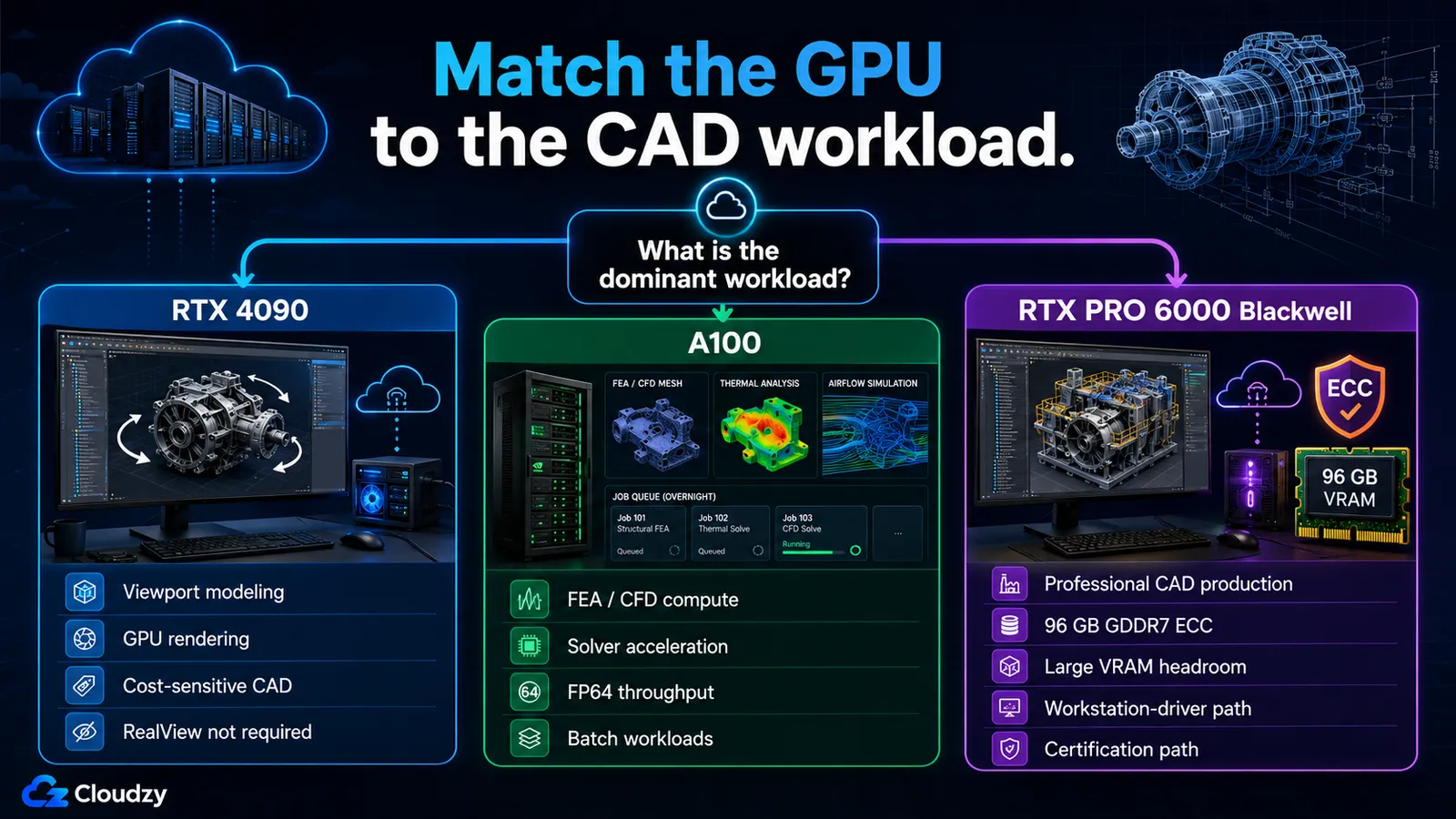
With the cards' architectures and benchmarks on the table, the decision collapses into a short mapping from workload to hardware. Match the row to your team's dominant work and the SKU follows.
| Your dominant workload | Recommended GPU | Why |
|---|---|---|
| Interactive viewport modeling, cost-sensitive, RealView not required | RTX 4090 | Graphics-oriented performance, large system RAM, lowest cost of the three |
| Professional SolidWorks, CATIA, Creo, NX, or Inventor production needing ECC, workstation drivers, a certification path, or very large VRAM | RTX PRO 6000 Blackwell | 96 GB GDDR7 ECC, professional-driver support, and the safest production choice of the three |
| Overnight FEA and CFD solver runs | A100 | FP64 throughput and HBM2e bandwidth for solver compute |
| GPU rendering (non-interactive 3D visualization) | RTX 4090 | Best cost per frame, and it wins the 3dsmax-07 rendering viewset |
One infrastructure caveat belongs in this decision, because for interactive cloud CAD it is not a footnote. Latency is part of the workload: interactive sessions start to feel non-local somewhere past roughly 30 to 40 ms of round-trip delay, per the latency thresholds CAD VDI studies use. Cybelesoft's CAD VDI study puts the noticeable mark near 30 ms. Cloudzy's GPU VPS plans currently run from the Utah datacenter, so if your team is geographically spread, measure the round trip from where your engineers actually sit and factor it into the interactive-experience side of the decision, not just the GPU spec.
Provisioning the GPU Without the Workstation Capital
The whole point of choosing a SKU on a pricing page instead of a purchase order is that you are skipping the workstation capital expenditure: no certified workstation per engineer sitting on a depreciation schedule, and the ability to spin up GPU compute for a burst of FEA or CFD work and shut it down when the run finishes. That is the case for doing this in the cloud at all, and it is what makes the SKU decision above the only decision left.
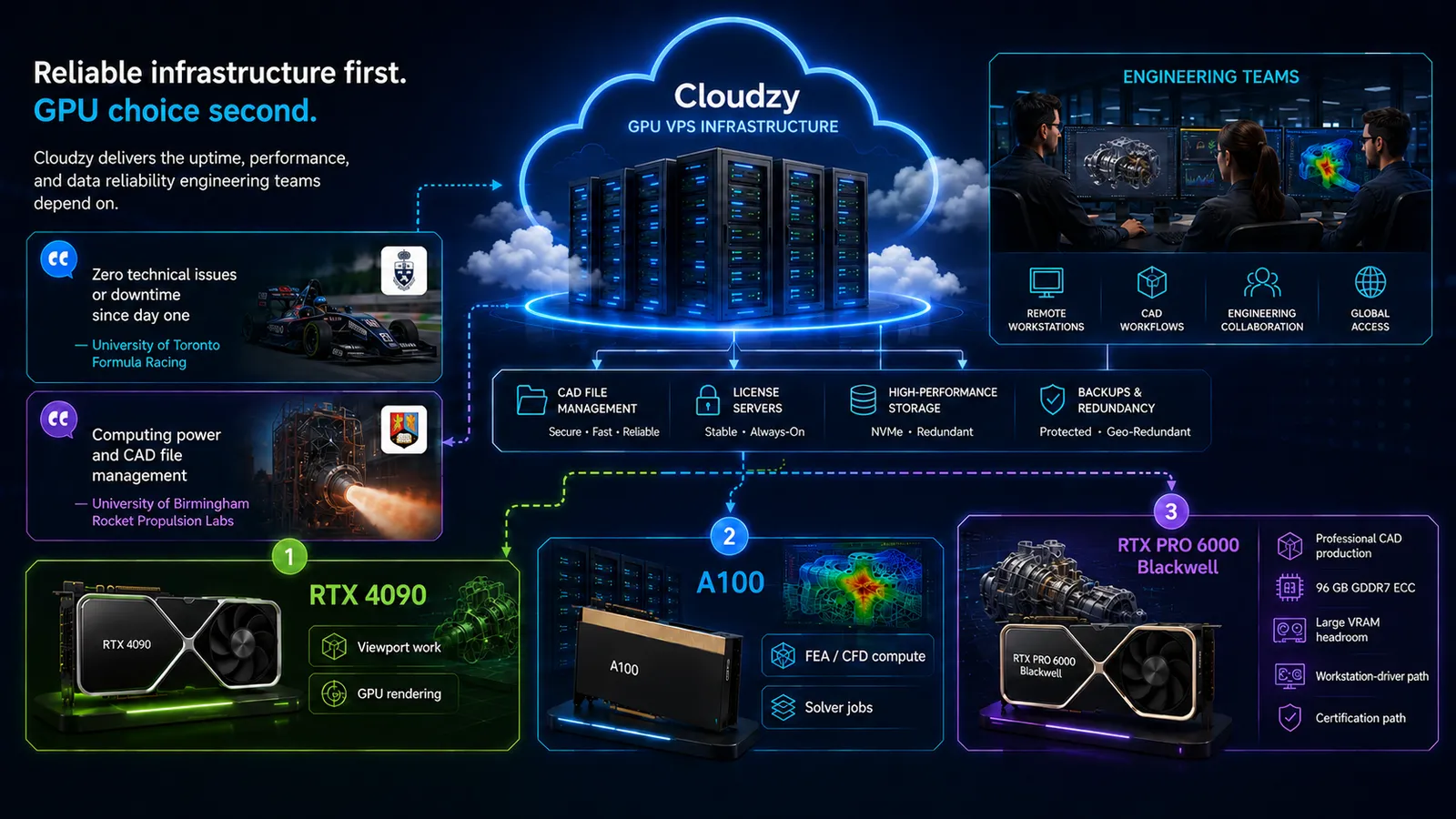
That reliability point matters because cloud CAD is only useful if the server stays out of the engineer's way. The University of Toronto Formula Racing team describes using high-performance servers for large files and software licenses with "zero technical issues or downtime since day one." The University of Birmingham Rocket Propulsion Labs describes relying on servers for "computing power and CAD file management."
Cloudzy sponsors UTFR and UOBRPL.
That is the practical trust layer underneath the GPU decision: reliable compute, dependable file handling, and server infrastructure that engineering teams do not have to babysit. Before you care whether the right card is the RTX 4090, the A100, or the RTX PRO 6000 Blackwell, the server has to be reliable enough for engineering teams to keep working without babysitting infrastructure.
This is where we fit. Cloudzy's GPU VPS plans span the cards in this comparison. Use the RTX 4090 for cost-sensitive interactive viewport work and GPU rendering, the A100 for solver-heavy FEA and CFD compute, and the RTX PRO 6000 Blackwell for professional CAD production with 96 GB of GDDR7 ECC VRAM. The plans run on self-managed instances with full root access and hourly or monthly billing, so a burst solver run doesn't have to become a monthly commitment.
Once you have matched your workload to a card above, the next step is standing the environment up, including remote-access options for the interactive desktop: How to Run SolidWorks on a Cloud GPU VPS
Frequently Asked Questions
Can I Run SolidWorks on an A100 GPU?
Not for interactive modeling. The A100 has no workstation graphics path and is not ISV-certified for CAD viewport work; it is a compute-only datacenter card. It is built for batch workloads like FEA and CFD solver acceleration, not for drawing a real-time SolidWorks viewport. For interactive SolidWorks work, choose a graphics-capable card such as the RTX 4090, or the professional RTX PRO 6000 Blackwell if you need the workstation-driver and certification path.
Is the RTX 4090 Certified for SolidWorks?
No. The RTX 4090 is not on the SolidWorks hardware certification list, which means RealView Graphics is disabled by default. A registry workaround can re-enable it, but it is manual, per-GPU, and unsupported. For production CAD work where certification and supportability matter, the RTX PRO 6000 Blackwell is the safer professional option.
How Much GPU VRAM Do I Need for Large CAD Assemblies?
For most large interactive assemblies, 16 to 24 GB of VRAM is sufficient; complex multi-body work, heavy visualization scenes, and large simulation pre- and post-processing push into the 32 to 48 GB range or higher. A 96 GB RTX PRO 6000 Blackwell makes sense when the workload is genuinely memory-heavy, but it should not be treated as the default requirement for everyday modeling. The RTX 4090's 24 GB covers the large majority of interactive CAD. Above a baseline GPU, the real bottleneck for large assemblies is usually CPU single-thread frequency and system RAM rather than GPU VRAM.
Is RTX PRO 6000 Blackwell Better Than RTX 4090 for CATIA?
For production CATIA work, the RTX PRO 6000 Blackwell is the safer professional choice because it gives you ECC memory, 96 GB of VRAM, workstation-class drivers, and the certification path CAD teams usually want. The RTX 4090 can still be the better value for cost-sensitive viewport work or non-certified GPU rendering, but it is not the card to build a support-sensitive CATIA production environment around.
Why Does the A100 Have More VRAM but Isn't Better for CAD?
The A100's 80 GB of HBM2e VRAM serves compute workloads, FEA and CFD solvers, not interactive graphics. The card has no workstation graphics path and runs compute-oriented drivers, so it is the wrong GPU for accelerating an interactive CAD viewport regardless of how much memory it carries. VRAM capacity only helps a card that can do the job you need, and for interactive CAD the A100 can't.
Does Datacenter Location Matter for Cloud CAD?
Yes, for interactive work. Streaming a real-time CAD viewport is latency-sensitive: sessions begin to feel non-local past roughly 30 to 40 ms of round-trip delay. Placing the GPU instance closer to your users keeps interaction responsive, which is why the available datacenter regions for a given card are part of the decision, not an afterthought.


Discussion
Comments
Sign in to join the discussion.