
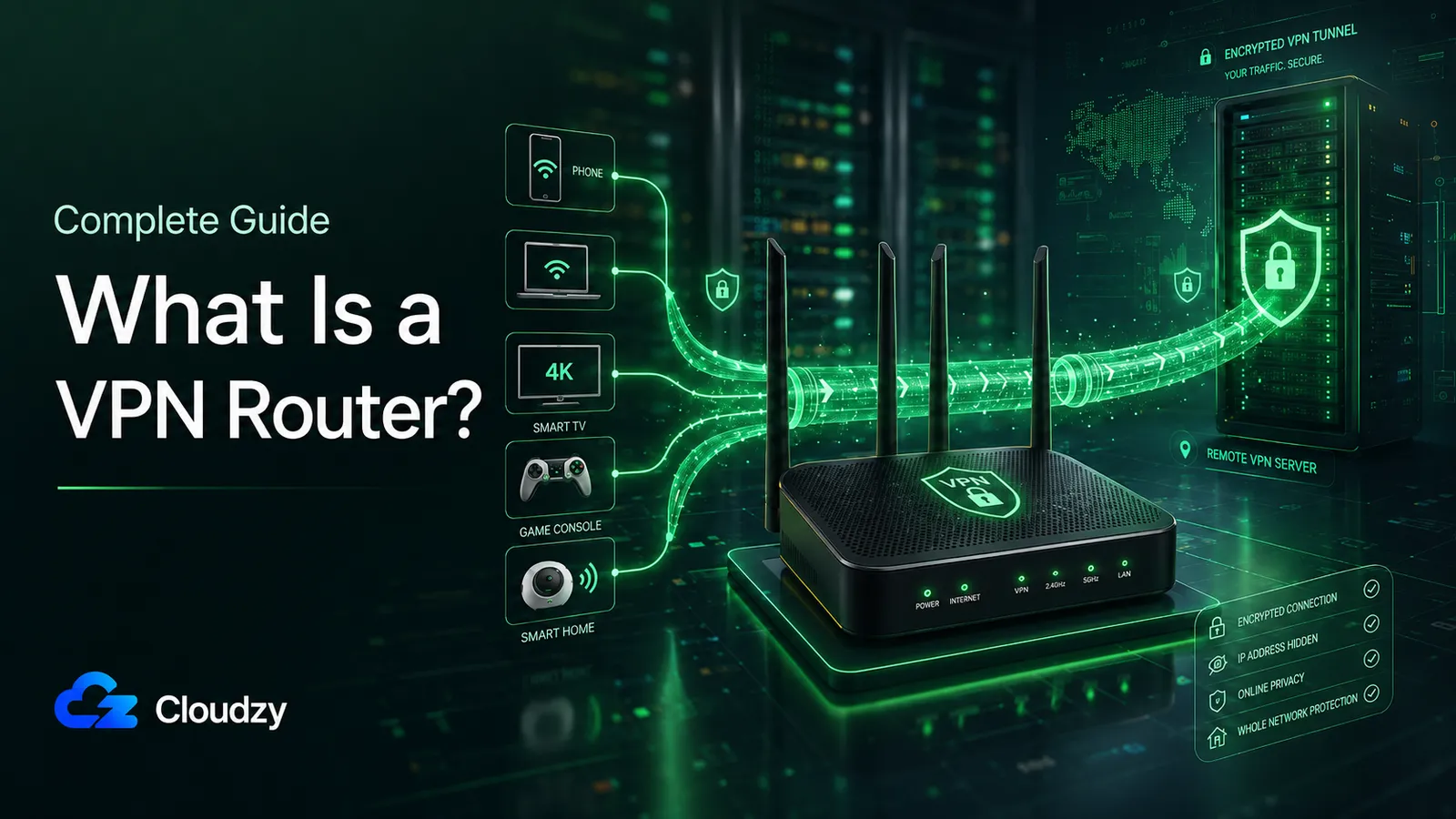
A household with two phones, two laptops, a smart TV, a console, and a smart speaker is seven devices that may all need VPN coverage. Installing and maintaining a VPN client on each one is tedious. Some of them, especially consoles and many IoT devices, cannot run a normal VPN client at all. Others, like smart TVs, may support VPN apps only on certain platforms.
A VPN router solves this by running the VPN on the router itself, so every device behind it inherits the tunnel without installing anything. The term covers several different setups: a router that connects out to a VPN provider on behalf of the LAN, a router that acts as a VPN server letting you tunnel in from elsewhere, or a self-hosted gateway on a VPS you control end to end.
The Short Version
- A VPN router runs VPN software on the router so every connected device, including ones that cannot run a VPN client themselves, uses the tunnel automatically.
- It has two modes that solve different problems: client mode tunnels outbound traffic to a VPN provider or your own server; server mode lets remote devices tunnel in to your LAN.
- WireGuard is the right protocol for router-level VPN in nearly all cases. The codebase is small, the per-packet cost is low, and consumer router CPUs handle it better than they handle OpenVPN.
- You have four ways to get one: use a router that already supports VPN, flash custom firmware onto a router you own, buy a pre-configured VPN router, or skip the hardware entirely and run WireGuard on a VPS. The last option is the strongest if you want server choice, jurisdictional control, or already self-host.
How a VPN Router Actually Works
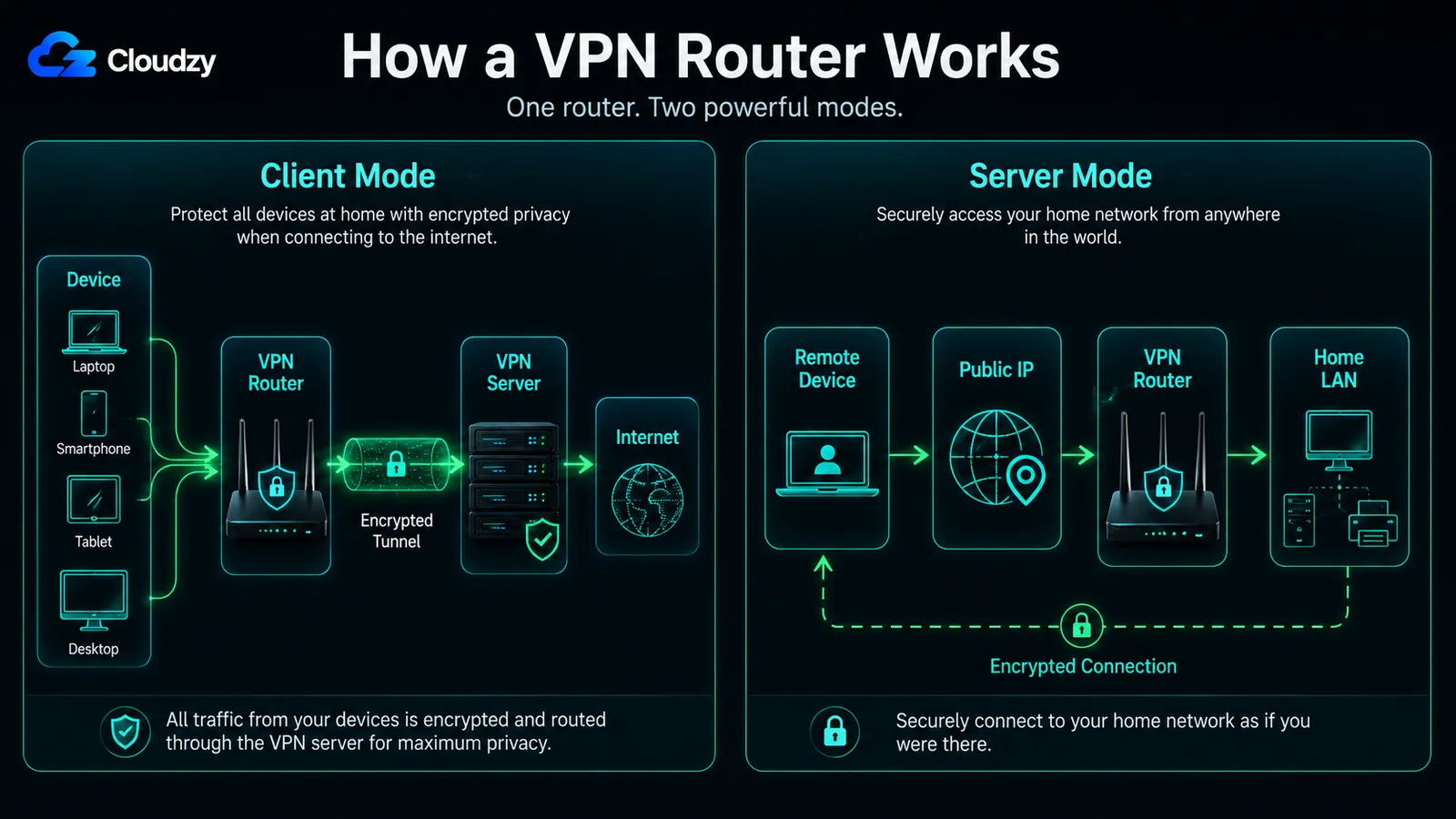
When a device connects to a VPN router in client mode, the device does not know it is on a VPN. It receives a regular DHCP lease from the router, opens a TCP connection to a destination, and sends packets. The router does the encryption. The device sees a normal LAN. There are two modes worth understanding, and most consumer "VPN routers" only do the first one well.
VPN Client Mode (Outbound)
In client mode, the router holds the VPN credentials and tunnels all outbound traffic on behalf of the devices behind it. The data flow is: device → router → encrypted tunnel → VPN server → public internet.
Every device on the LAN uses the same tunnel automatically. The router takes each packet, encrypts it, and forwards it to the configured VPN endpoint. The public internet sees the VPN server's exit IP, not the home's ISP-assigned IP. This is the setup people usually mean when they say "VPN router."
The encryption happens on the router's CPU. This is the important mechanical detail. Older and cheaper consumer routers may run low-clocked ARM or MIPS chips with limited crypto acceleration, while newer VPN-capable routers are much faster. Either way, the router is still responsible for encrypting every byte going to and from every device on the network, so router hardware becomes the performance ceiling.
The protocol matters here for the same reason. WireGuard's per-packet cost is lower than OpenVPN's, which is why WireGuard support on consumer routers is the feature worth looking for. See the existing WireGuard setup on a VPS guide.
VPN Server Mode (Inbound)
In server mode, the router itself runs a VPN server. Remote devices on the open internet connect inbound to the router's public IP and land on the LAN as if they were sitting in the living room. The data flow is: remote device → public IP → router's VPN server → LAN resources.
This solves a different problem. It is remote access, not outbound privacy. A laptop at a coffee shop can reach a file server at home. A phone abroad can reach the home network. The router is the VPN server; the phone is the VPN client.
Server mode requires a public-routable IP address. If your ISP has put you behind CGNAT, and many residential ISPs have, there is no public IP to connect inbound to, and this mode does not work without additional tricks. Port forwarding is usually also required, which limits this to people who own the router and can configure its firewall.
The two modes are not mutually exclusive. A capable router can run both at once. But the use cases are entirely different. Client mode is for "I want my whole house behind a VPN exit." Server mode is for "I want to reach my house from elsewhere."
The Four Paths to a Router-Level VPN
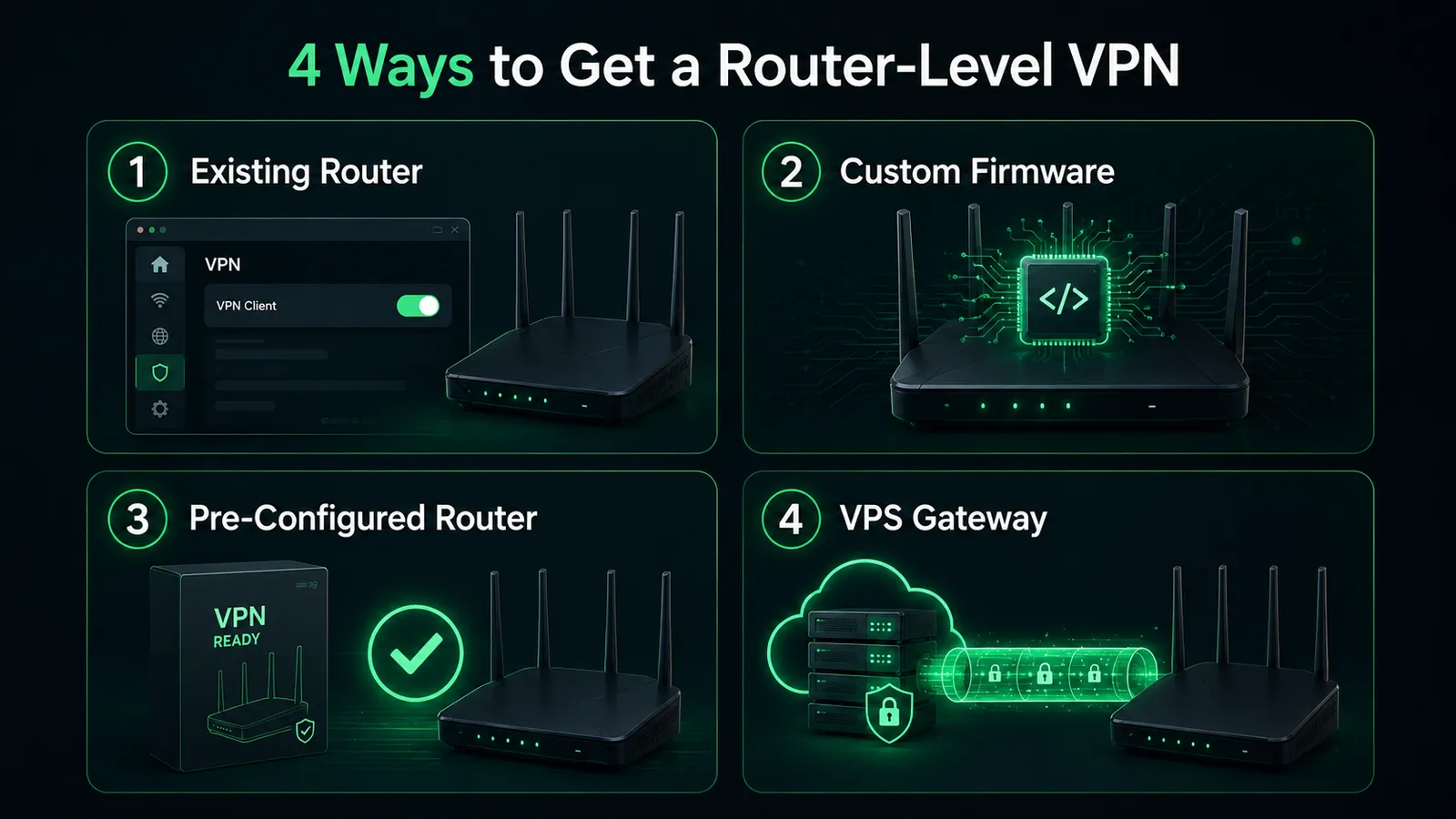
There is not one thing called "getting a VPN router." There are four paths, and they sort along two axes: how much hardware and firmware control you want, and whether you want a commercial provider or your own server at the other end of the tunnel. The right path depends on which of those axes matters more.
Path 1: Use Your Existing Router (If It Supports VPN)
Several consumer router vendors now ship native VPN client support, including WireGuard, in their stock firmware. ASUS supports WireGuard natively on recent firmware. GL.iNET's Flint and Beryl series support WireGuard out of the box, documented in their official tutorial.
This is the cheapest, lowest-risk path. If your router is already on this list, you flash nothing and brick nothing. You enter a WireGuard configuration in the admin panel and the tunnel comes up. The limitation is the obvious one: the router has to support the protocol you want, and the protocol options depend on what the vendor ships. Older models will not get WireGuard added retroactively.
Path 2: Flash Custom Firmware (OpenWrt, DD-WRT, FreshTomato)
If your router is not on the supported list, you can replace its firmware with one of the open-source alternatives. OpenWrt is the most actively maintained of the three and has the broadest hardware support. DD-WRT is also active, with a different design philosophy and a larger pool of supported devices. FreshTomato continues the original Tomato project but is restricted to Broadcom chipsets and serves a much smaller community.
Custom firmware gives you protocol choice: OpenVPN, WireGuard, IPsec, all configurable. It also gives you everything else those projects offer: better QoS, granular firewall rules, package management. The cost is risk and time.
Pro Tip
Flashing custom firmware can permanently brick a router if you choose the wrong image, lose power mid-flash, or run a build with a bug for your specific hardware revision. Pick a model that the firmware project explicitly supports, read the device-specific page, and accept that you have voided the warranty. If the router you brick is your only router, plan to be offline for the time it takes to acquire a replacement.
Path 3: Buy a Pre-Configured VPN Router
The simplest path. Vendors like GL.iNET sell routers with WireGuard built in out of the box. Some commercial VPN providers also sell branded routers pre-configured to their service, which means you plug it in, enter your account credentials, and you are done.
The trade-offs are price and lock-in. Pre-configured routers cost more per unit than rolling your own. If the unit comes branded with a specific VPN provider, you are locked to that provider's protocols, exit countries, and logging policy. If the provider changes its terms or goes out of business, the router does not migrate to a new service easily.
The fourth path is slightly different because it does not require buying or flashing router hardware. It still gives you router-level VPN coverage if your router points upstream to the VPS, but the VPN endpoint itself lives on a server instead of inside the router.
Path 4: Use a VPS as a VPN Gateway
Run WireGuard or OpenVPN on a Linux VPS, then point your router or individual devices at that server. This is not a hardware-router purchase. It is a different endpoint strategy, so the trade-offs deserve their own section below.
| Path | Setup Complexity | Performance Ceiling | Server Switching | Hardware Risk | Ongoing Cost | Fit |
|---|---|---|---|---|---|---|
| Existing router | Low | Limited by router CPU | Through admin panel | None | None beyond ISP | You already own a supported router |
| Flash custom firmware | High | Limited by router CPU | Through admin panel | Bricking risk | None beyond ISP | You want protocol flexibility and accept the risk |
| Pre-configured router | Lowest | Limited by router CPU | Vendor-dependent | None | Hardware cost; provider subscription if bundled | You want plug-and-play and accept the markup |
| VPS as gateway | Medium-high | Limited by VPS CPU (higher) | Spin up a new VPS in another region | None | Monthly VPS rental | You want jurisdictional choice, better performance, or already self-host |
When a VPN Router Makes Sense and When It Does Not
The question is not whether a router VPN is better than a device VPN in the abstract. It is whether your specific situation actually calls for whole-network coverage, because the moment you put a VPN on the router, every device behind it pays the same encryption tax.
Use Cases Where a Router VPN Earns Its Setup Cost
Multi-device households are the clearest case. Once you are managing more than four or five devices, installing and updating VPN clients on each one is a chore. The router-level setup is configured once.
Devices with limited or awkward VPN support are the second case. Gaming consoles, most IoT devices, and older smart-home hubs usually have no normal VPN app available. Some smart TVs can run VPN apps, especially Android TV / Google TV and newer Apple TV models, but router-level VPN still helps when the TV platform does not support your provider or when you want one consistent network policy.
Travel is the third case. A compact travel router with WireGuard support means one tunnel covers every device in a hotel room (phone, laptop, tablet) over the router's Wi-Fi, regardless of what the hotel's network does. The same logic applies to a VPS gateway accessed through the travel router.
Small offices and shared living spaces are the fourth case. One consistent network policy applied at the gateway is easier to reason about than a fleet of device-level configurations that drift apart over time.
Cases Where the Router VPN Is the Wrong Choice
If you switch VPN exit countries frequently for region-locked content, jurisdiction testing, or any other reason, a router-level VPN is the wrong tool. Toggling exits on a phone is one tap. Doing it on a router requires logging into the admin panel.
If you need split-tunneling at the application level, some apps through the VPN and others direct, a device-level VPN app handles it cleanly. The router cannot easily tell which application generated which packet.
If some devices on your network need the VPN and others actively must not, the router VPN puts everyone behind the same exit IP. Banking apps flag VPN traffic. Region-locked streaming services break. A blanket policy at the router means a blanket workaround for every exception.
If you have one or two devices, a router-level layer is solving a problem you do not have.
How-To Geek made the latency argument in 2023: a network-wide VPN imposes the VPN's latency on every connected device, including ones doing latency-sensitive work like gaming, video calls, and real-time meetings that do not benefit from VPN protection during those activities. That argument is correct and worth weighing. The fix is not to abandon the router VPN. It is to recognize that you may want some devices off the tunnel.
Many commercial VPN providers still limit simultaneous connections per account, while others now offer higher or unlimited device counts. A router VPN can still be useful because the provider usually sees the router as one VPN connection, even if several devices sit behind it.
Protocol Choice: WireGuard, OpenVPN, and the Rest
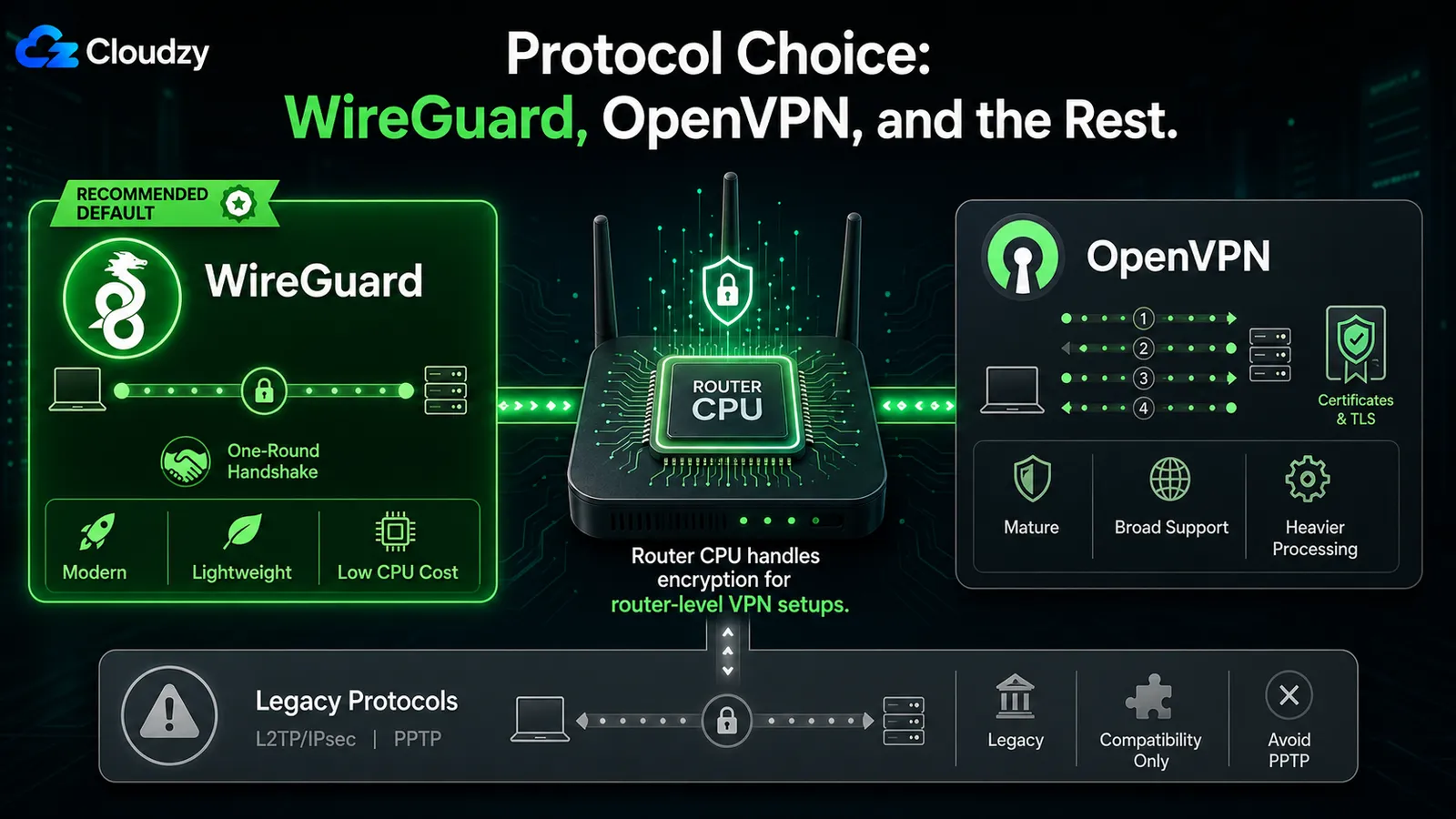
Protocol choice matters more on a router than on a laptop, because the router CPU is doing the encryption and the router CPU is slow. A modern laptop with AES-NI handles OpenVPN or WireGuard equally well at gigabit. A consumer router does not.
WireGuard is the right answer for nearly every scenario. The codebase is dramatically smaller than OpenVPN's, which makes it easier to audit and review. The cryptography is modern: ChaCha20 for encryption, Poly1305 for authentication, Curve25519 for key exchange. The handshake completes in one round trip; OpenVPN's TLS handshake takes several. The per-packet processing cost is low enough that consumer router CPUs handle it where they would struggle with OpenVPN. WireGuard is now supported natively by ASUS, GL.iNET, and most custom firmware projects.
OpenVPN still has its place. It is mature, broadly supported, and has wider integration with enterprise authentication systems. If you have an existing OpenVPN deployment with certificates already issued, or you have a specific compatibility requirement that WireGuard does not yet meet, OpenVPN remains a reasonable choice. It runs fine on capable routers.
L2TP/IPsec still appears on many router admin pages, mostly for legacy compatibility. It can work, but it is not the protocol to choose for a new router-level VPN when WireGuard is available. PPTP should be treated as dead. It has known security problems, and Microsoft has already moved to deprecate PPTP and L2TP from future Windows Server versions.
Pro Tip
If your router CPU is older than five years and lacks WireGuard hardware acceleration, run WireGuard anyway. Even unaccelerated, it usually beats accelerated OpenVPN on the same hardware. The exceptions are rare and involve specific Broadcom chips with dedicated OpenVPN offload. If you cannot verify your router falls into one of those edge cases, default to WireGuard.
A note on the performance claims circulating online. WireGuard's own performance page describes its published benchmarks as "old, crusty, and not super well conducted." Those are the project's own authors. Specific throughput ratios you find quoted in third-party blogs are usually not authoritatively sourced. The qualitative claim that WireGuard typically outperforms OpenVPN, especially on lower-powered hardware, is well supported. The specific multipliers are not.
Should You Build a VPN Router or Use a VPS Gateway?
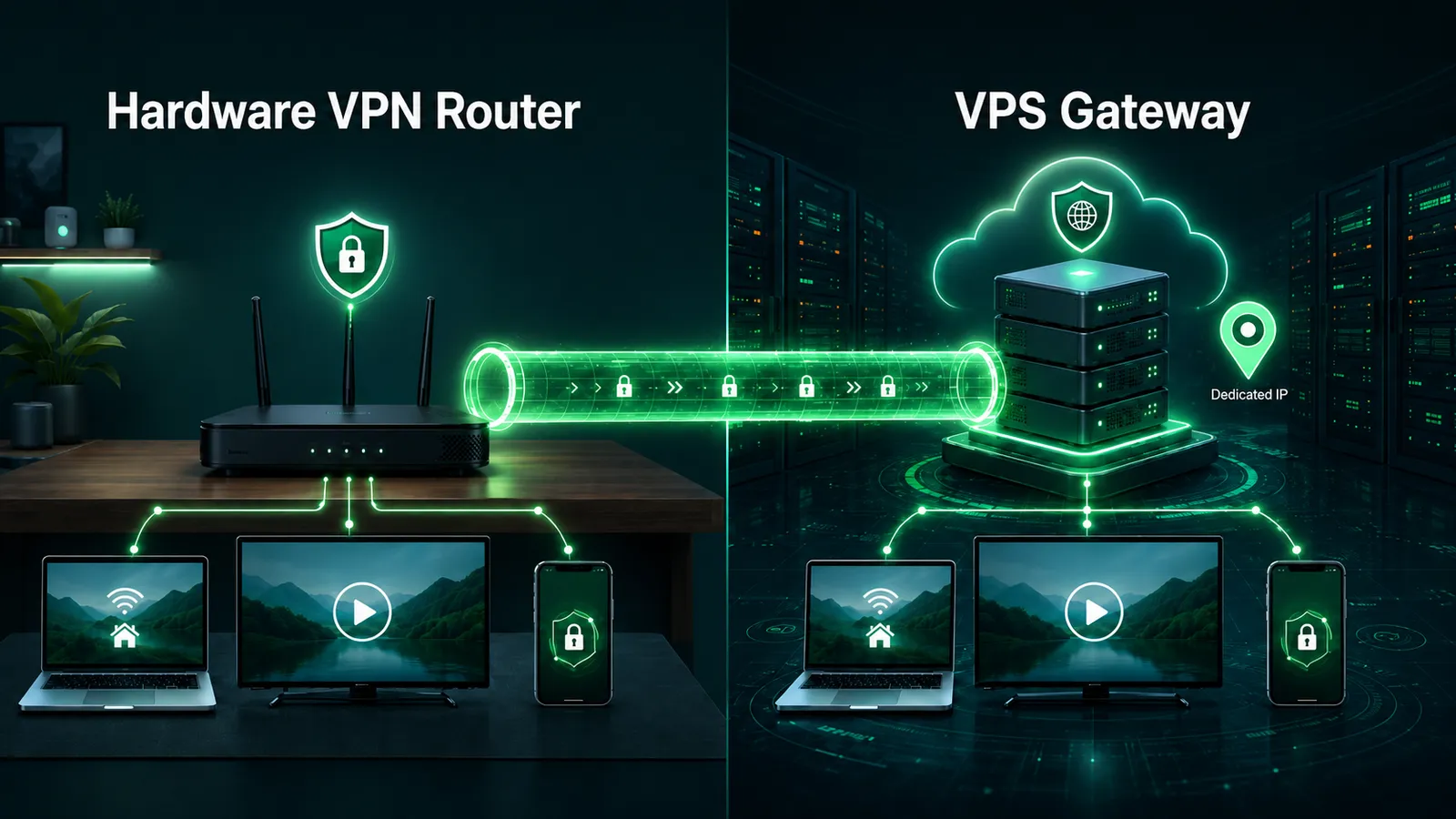
For a technical reader, the cleaner comparison is endpoint placement: does the VPN terminate on hardware in your house, or on software running on a server you rent?
A hardware VPN router has a few specific strengths. The encryption boundary is physically isolated to a device you own. There is no ongoing rental cost beyond your ISP. The mental model is simple: one box, one config, one cable to the wall. For a travel scenario, a hardware router in a pocketable form factor (the Beryl-class GL.iNET units, for example) is a genuinely useful object.
A VPS as a gateway has different strengths. A decent VPS usually gives you more predictable compute and more headroom than a cheap consumer router, especially when you need multiple exits, higher uplink, or more concurrent tunnels. You choose the jurisdiction. The VPN exit is wherever the VPS lives, and you can move it. You control the VPN daemon and its application-level logging, although the hosting provider still controls the underlying infrastructure. If you want a second exit in another region, you spin up another VPS in 10 minutes instead of buying another router.
A reasonable starting point for sizing a personal VPN gateway is 1 vCPU and 1 GB of RAM, which handles 5 to 10 concurrent device connections running WireGuard at residential bandwidths. Heavier concurrent encryption or higher uplink justifies a CPU-optimized plan. The encryption work is CPU-bound, not memory-bound. See best VPS for VPN for plan sizing.
Choose hardware if you want zero monthly cost on top of your ISP, you already own a capable router, or you specifically need a travel-router form factor. Choose a VPS if you want better encryption performance than a consumer router can deliver, jurisdictional choice on the exit, or you already self-host other services and adding one more daemon is no extra burden. For restrictive network environments, the VPS path can also be easier to adapt than a stock router setup, because you control the server software and are not limited to whatever protocols the router vendor exposes in its admin panel.
If you take the VPS path, the buying criteria are simple: choose a nearby region, enough CPU for encryption, a dedicated IP, and a provider that gives you root access without hiding the network details. Cloudzy's Linux VPS is one option for this, and the marketplace has one-click WireGuard and OpenVPN Access Server deployments if you want to skip the manual server setup.
Frequently Asked Questions
Do I Need a Special Router to Use a VPN?
No. You do not need a special router if your current router already supports VPN client mode. Many recent ASUS and GL.iNET models support WireGuard or OpenVPN in stock firmware, but support depends on the exact model and firmware version. If your router does not support a VPN natively, you can either install custom firmware like OpenWrt or run the VPN on a separate device, such as a VPS, Raspberry Pi, or small Linux server, that the router routes through.
Will a VPN Router Slow Down My Internet?
Yes, somewhat. The router's CPU does the encryption work, and consumer router CPUs are slower than the CPUs in your phone or laptop. The magnitude of the slowdown depends on the router's chip, the protocol (WireGuard is lighter than OpenVPN), and whether the router has hardware acceleration. A modern router running WireGuard usually loses a small fraction of the WAN throughput. An older router running OpenVPN can lose much more.
What Is the Difference Between a VPN Router and a VPN App on My Device?
A VPN router puts the tunnel at the network level, so every connected device (phone, laptop, smart TV, console, IoT) uses the VPN automatically without installing anything. A VPN app puts the tunnel on a single device and protects only that device, but allows finer control: per-app routing, easy server switching, and exclusion of specific apps. The trade-off is whole-network coverage versus per-device flexibility.
Which VPN Protocol Should I Use on My Router, WireGuard or OpenVPN?
WireGuard, in nearly every case. The codebase is smaller, the cryptography is modern, and the per-packet processing cost is low enough that consumer router CPUs handle it well. OpenVPN remains a reasonable choice if you already have an OpenVPN deployment with issued certificates, or if you have a specific compatibility requirement that WireGuard does not yet meet.
Can I Use a VPS Instead of a Hardware VPN Router?
Yes. Install WireGuard or OpenVPN on a Linux VPS, then either point an OpenWrt or DD-WRT router at it as an upstream tunnel, or connect individual devices to the VPS directly. This approach gives you jurisdictional choice on the exit, control over the VPN daemon and its application-level logs, and more compute headroom than most consumer-router setups. The trade-off is that you operate a server, including patching and monitoring it.



Discussion
Comments
Sign in to join the discussion.