Choosing a GPU VPS can feel overwhelming when you’re staring at spec sheets filled with numbers. Core counts jump from 2,560 to 21,760, but what does that mean?
A CUDA core is a parallel processing unit inside NVIDIA GPUs that executes thousands of calculations simultaneously, powering everything from AI training to 3D rendering. This guide breaks down how they work, how they differ from CPU and Tensor cores, and which core counts match your needs without overpaying.
What Are CUDA Cores?

CUDA cores are individual processing units inside NVIDIA GPUs that execute instructions in parallel. What is CUDA core technology at its foundation? Think of these units as small workers tackling pieces of the same job simultaneously.
NVIDIA introduced CUDA (Compute Unified Device Architecture) in 2006 to use GPU power for general computing beyond graphics. The official CUDA documentation provides comprehensive technical details. Each unit performs basic arithmetic operations on floating-point numbers, perfect for repetitive calculations.
Modern NVIDIA GPUs pack thousands of these units into a single chip. Consumer GPUs from the latest generation contain over 21,000 cores, while data center GPUs based on the Hopper architecture feature up to 16,896. These units work together through Streaming Multiprocessors (SMs).
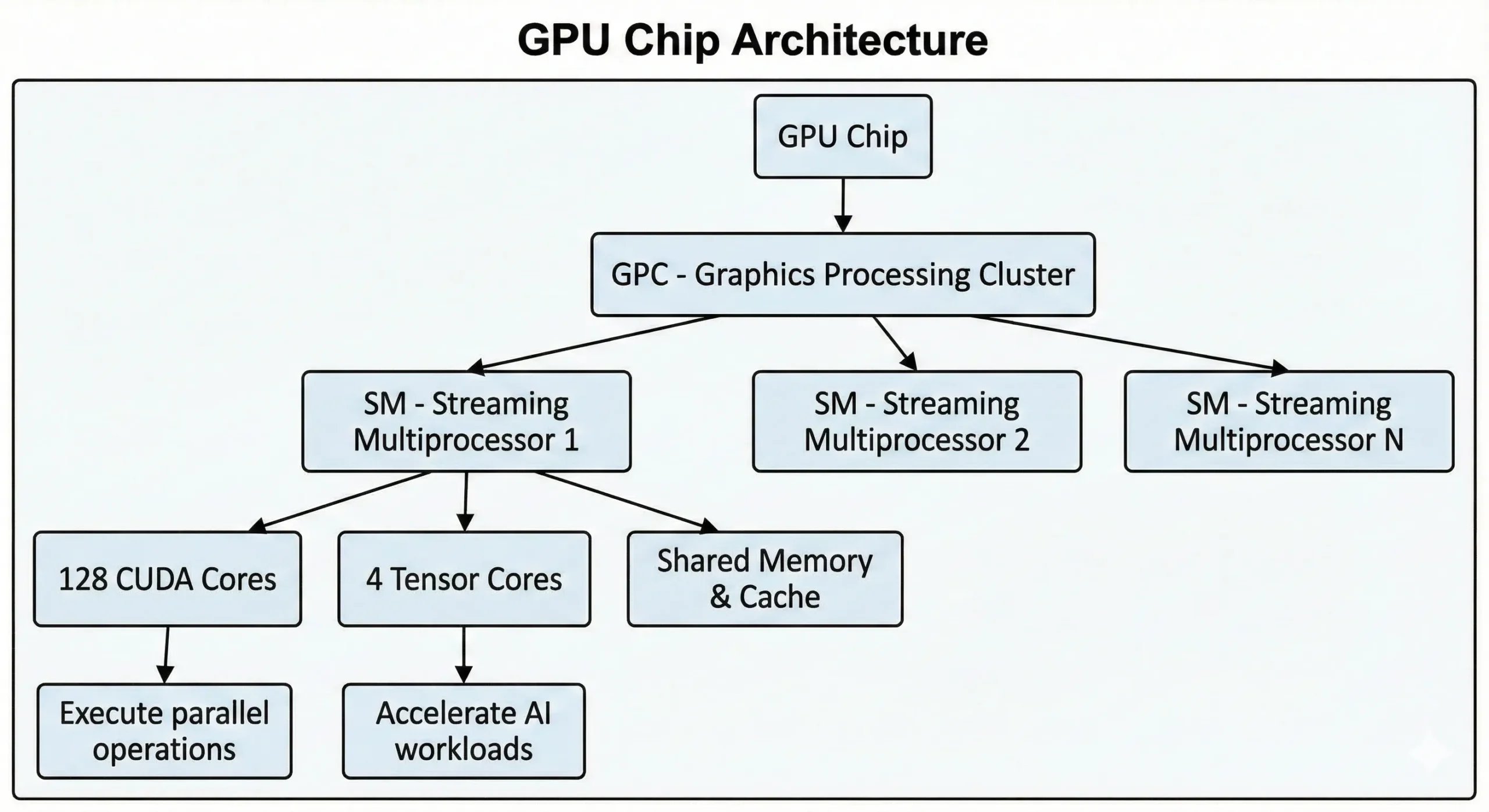
The units execute SIMT (Single Instruction, Multiple Threads) operations through parallel computing methods. One instruction gets executed across many data points at once. When training neural networks or rendering 3D scenes, thousands of similar operations happen. They split this work into concurrent streams, executing it simultaneously instead of sequentially.
CUDA Cores vs CPU Cores: What Makes Them Different?

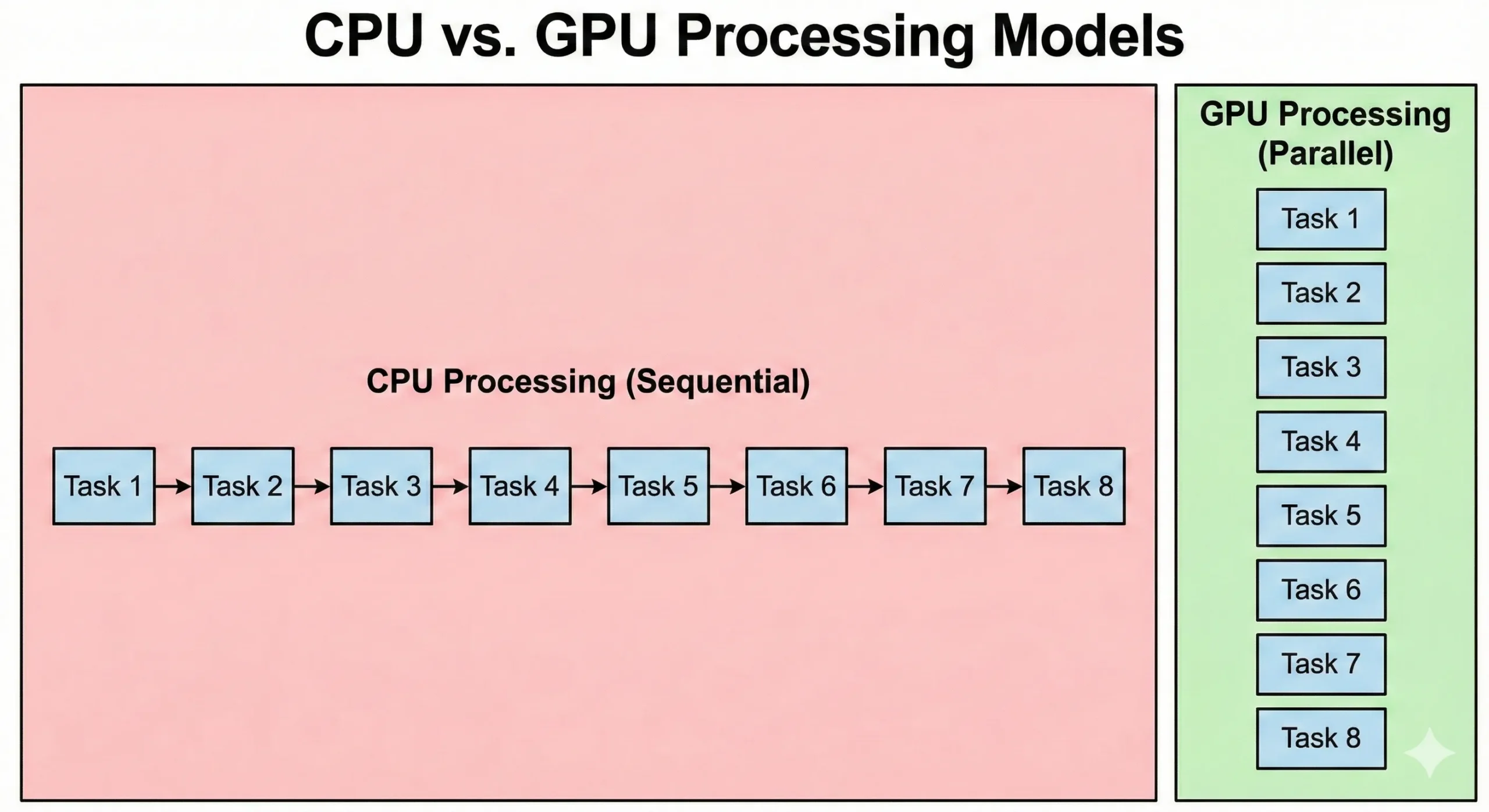
CPUs and GPUs solve problems in fundamentally different ways. A modern server CPU might have 8-128+ cores running at high clock speeds. These processors excel at sequential operations where each step depends on the previous result. They handle complex logic and branching efficiently.
GPUs flip this approach. They pack thousands of simpler CUDA cores running at lower clock speeds. These units compensate for lower speeds through parallelism. When 16,000 work together, total throughput surpasses standard CPU capability.
CPUs execute operating system code and complex application logic. While GPUs prioritize throughput, the overhead from task initiation and synchronization results in higher latency. Parallel graphics processing prioritizes moving data. While they take longer to start, they process large datasets faster than CPUs.
| Feature | CPU Cores | CUDA Cores |
| Number per chip | 4-128+ cores | 2,560-21,760 cores |
| Clock speed | 3.0-5.5 GHz | 1.4-2.5 GHz |
| Processing style | Sequential, complex instructions | Parallel, simple instructions |
| Best for | Operating systems, single-threaded tasks | Matrix math, parallel data processing |
| Latency | Low (microseconds) | Higher (launch overhead) |
| Architecture | General-purpose | Specialized for repetitive calculations |
Virtual GPU (vGPU) and Multi-Instance GPU (MIG) technologies handle resource partitioning and scheduling to distribute processors across multiple users. This setup allows teams to maximize hardware utilization through either time-sliced sharing or dedicated hardware instances, depending on the configuration.
Training neural networks involves billions of matrix multiplications. A GPU with 10,000 units does not simply execute 10,000 operations simultaneously; instead, it manages thousands of parallel threads grouped into “warps” to maximize throughput. This massive parallelism is why these units are a must-know for AI developers.
CUDA Cores vs Tensor Cores: Understanding the Difference

NVIDIA GPUs contain two specialized unit types working together: standard CUDA cores and Tensor cores. They’re not competing technologies; they address different workload parts.
Standard units are general-purpose parallel processors handling FP32 and FP64 calculations, integer math, and coordinate transformations. This core CUDA technology forms the foundation of GPU computing, running everything from physics simulations to data preprocessing without specialized acceleration.
Tensor cores are specialized units designed exclusively for matrix multiplication and AI tasks. Introduced in NVIDIA’s Volta architecture (2017), they excel at FP16 and TF32 precision computations. The latest generation supports FP8 for even faster AI inference.
| Feature | CUDA Cores | Tensor Cores |
| Purpose | General parallel computing | Matrix multiplication for AI |
| Precision | FP32, FP64, INT8, INT32 | FP16, FP8, TF32, INT8 |
| Speed for AI | 1x baseline | 2-10x faster than CUDA cores |
| Use cases | Data preprocessing, traditional ML | Deep learning training/inference |
| Availability | All NVIDIA GPUs | RTX 20 series and newer, datacenter GPUs |
Modern GPUs combine both. The RTX 5090 has 21,760 standard units plus 680 fifth-generation Tensor cores. The H100 pairs 16,896 standard units with 528 fourth-generation Tensor cores for deep learning acceleration.
When training neural networks, Tensor cores execute heavy lifting during forward and backward passes through the model. Standard units manage data loading, preprocessing, loss calculations, and optimizer updates. Both types work together, with Tensor cores accelerating computationally intensive operations.
For traditional machine learning algorithms like random forests or gradient boosting, standard units manage the work since these don’t use matrix multiplication patterns that Tensor cores accelerate. But for transformer models and convolutional neural networks, Tensor cores provide dramatic speedups.
What Are CUDA Cores Used For?

CUDA cores power tasks needing lots of identical computations done simultaneously. Any work involving matrix operations or repeated numerical computations benefits from their architecture.
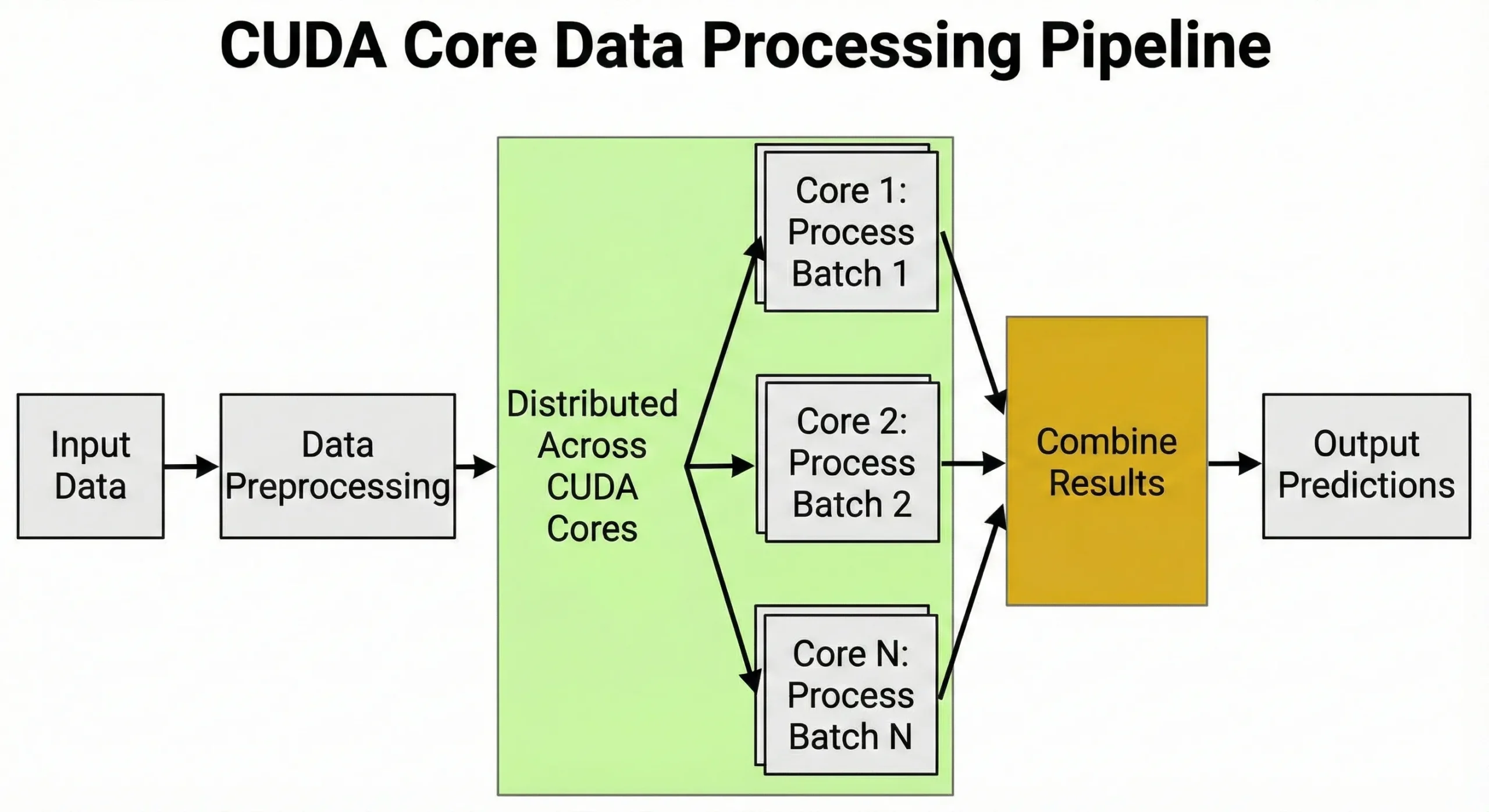
AI and Machine Learning Applications
Deep learning relies on matrix multiplications during training and inference. When training neural networks, each forward pass requires millions of multiply-add operations across weight matrices. Backpropagation adds millions more during the backward pass.
Units manage data preprocessing, converting images into tensors, normalizing values, and applying augmentation transforms. This ability to handle thousands of tasks at once is exactly why GPUs are important for AI.
During training, they oversee learning rate schedules, gradient computations, and optimizer state updates.
For VPS for AI inference operations running recommendation systems or chatbots, they process requests concurrently, executing hundreds of predictions simultaneously. Our guide on the best GPU for AI 2025 covers which configurations work for different model sizes.
The H100’s 16,896 units combined with Tensor cores train a 7-billion parameter model in weeks instead of months. Real-time inference for chatbots serving thousands of users requires similar concurrent execution power.
Scientific Computing and Research
Researchers use these processors for molecular dynamics simulations, climate modeling, and genomics analysis. Each computation is independent, making them perfect for concurrent execution. Financial institutions run Monte Carlo simulations with millions of scenarios simultaneously.
3D Rendering and Video Production
Ray tracing computes light bouncing through 3D scenes by tracing independent rays through each pixel. While dedicated RT cores handle traversal, standard units manage texture sampling and lighting. This division determines the speed of scenes with millions of rays.
NVENC handles encoding for H.264 and H.265, while the latest architectures (Ada Lovelace and Hopper) introduce hardware support for AV1. CUDA helps with effects, filters, scaling, denoise, color transforms, and pipeline glue. This allows the encode engine to work alongside parallel processors for faster video production.
3D rendering in Blender or Maya splits billions of surface shader calculations across available units. Particle systems benefit since they simulate thousands of particles interacting at once. These features are key to high-end digital creation.
How CUDA Cores Impact GPU Performance

Core counts give you a rough idea of concurrent execution capability, but CUDA cores require looking beyond numbers. Clock speed, memory bandwidth, architecture efficiency, and software optimization all play major roles.
A GPU with 10,000 units running at 2.0 GHz delivers different results than one with 10,000 at 1.5 GHz. Higher clock speed means each unit completes more computations per second. Newer architectures pack more work into each cycle through better instruction scheduling.
Check if you are keeping the device busy, but remember that nvidia-smi utilization is a coarse metric. It measures the percentage of time a kernel is active, not how many cores are doing work.
# Check GPU utilization percentage

nvidia-smi --query-gpu=utilization.gpu,utilization.memory --format=csv,noheader
Example output: 85%, 92% (85% time active, 92% memory controller activity)
If your GPU shows 60-70% utilization, you likely have upstream bottlenecks like CPU data loading or small batch sizes. However, even 100% utilization can be misleading if your kernels are memory-bound or single-threaded. For a true picture of core saturation, use profilers like Nsight Systems to track “SM Efficiency” or “SM Active” metrics.
Memory bandwidth often becomes the bottleneck before maxing out compute capability. If your GPU processes data faster than memory supplies it, units sit idle. The H100 SXM5 model uses 3.35 TB/s bandwidth to feed its 16,896 cores. The PCIe version, however, drops this to 2 TB/s.
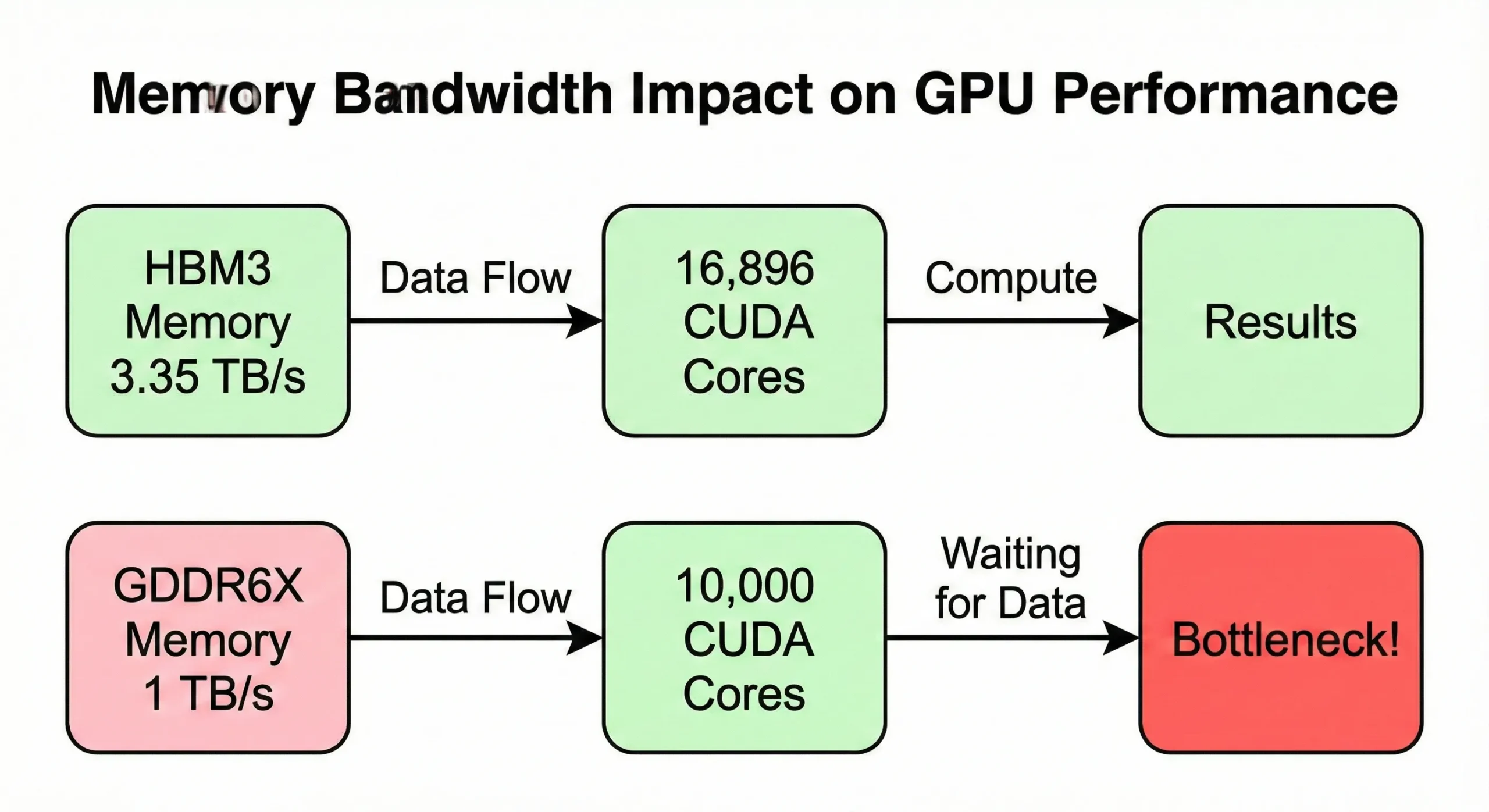
Consumer GPUs with similar counts but lower bandwidth (around 1 TB/s) show reduced real-world speed on memory-intensive operations.
VRAM capacity determines the size of your tasks. Be it FP16 weights for a 70B model, full training requires more memory. You must account for gradients and optimizer states. These states often triple the footprint unless you use offload strategies
The A100 80GB targets high-throughput inference and fine-tuning. Meanwhile, the 24GB RTX 4090, often cited for 7B models, can surprisingly run 30B+ parameter models if you use modern quantization techniques like INT4. However, running out of VRAM forces CPU-GPU data transfers that destroy throughput.
Software optimization determines whether your code actually uses all those units. Poorly written kernels might only engage a fraction of available resources. Libraries like cuDNN for deep learning and RAPIDS for data science are heavily tuned to maximize utilization.
More CUDA Cores Don’t Always Mean Better Performance

Buying a GPU with the highest core count seems logical, but you waste money if units outpace other system components or your task doesn’t scale with core count.
Memory bandwidth creates the first limit. The RTX 5090’s 21,760 units are fed by 1,792 GB/s of memory bandwidth. Older GPUs with fewer units might have proportionally higher bandwidth per unit.
Architecture differences matter. A newer GPU with 14,000 units at 2.2 GHz outperforms an older GPU with 16,000 at 1.8 GHz thanks to better instructions per clock. Your code needs proper parallelization to use 20,000 units effectively.
Why CUDA Cores Matter When Choosing GPU VPS

Picking the right CUDA core GPU configuration for your VPS prevents wasting money on unused resources or hitting bottlenecks mid-project.
The H100’s 80GB memory handles inference for 70B parameter models using 4-bit quantization. For full training, however, even 80GB is often insufficient for a 34B model once you account for gradients and optimizer states. In FP16 training, the memory footprint expands significantly, often requiring multi-GPU sharding.
Inference operations serving real-time predictions need fewer units but benefit from low latency. Development and prototyping work fine with mid-range GPUs for testing algorithms and debugging code.
An RTX 4060 Ti with 4,352 units lets you test without paying for overkill hardware. Once you validate your approach, scale up to production GPUs for full training runs.
Rendering and video work scales with units up to a point. Blender’s Cycles renderer uses all available resources efficiently. A GPU with 8,000-10,000 units renders scenes 2-3x faster than one with 4,000.
At Cloudzy, we offer high-performance GPU VPS hosting built for heavy lifting. Choose the RTX 5090 or RTX 4090 for fast rendering and cost-effective AI inference, or scale up to A100s for massive deep learning workloads. All plans run on a 40 Gbps network with privacy-first policies and cryptocurrency payment options, giving you raw power without the enterprise red tape.
Be it training AI models, rendering 3D scenes, or running scientific simulations, you select the core count that fits your needs.
Budget considerations matter. An A100 with 6,912 units costs significantly less than an H100 with 16,896. For many operations, two A100s provide a better price-to-speed ratio than one H100. The break-even point depends on whether your code scales across multiple GPUs.
How to Choose the Right Number of CUDA Cores
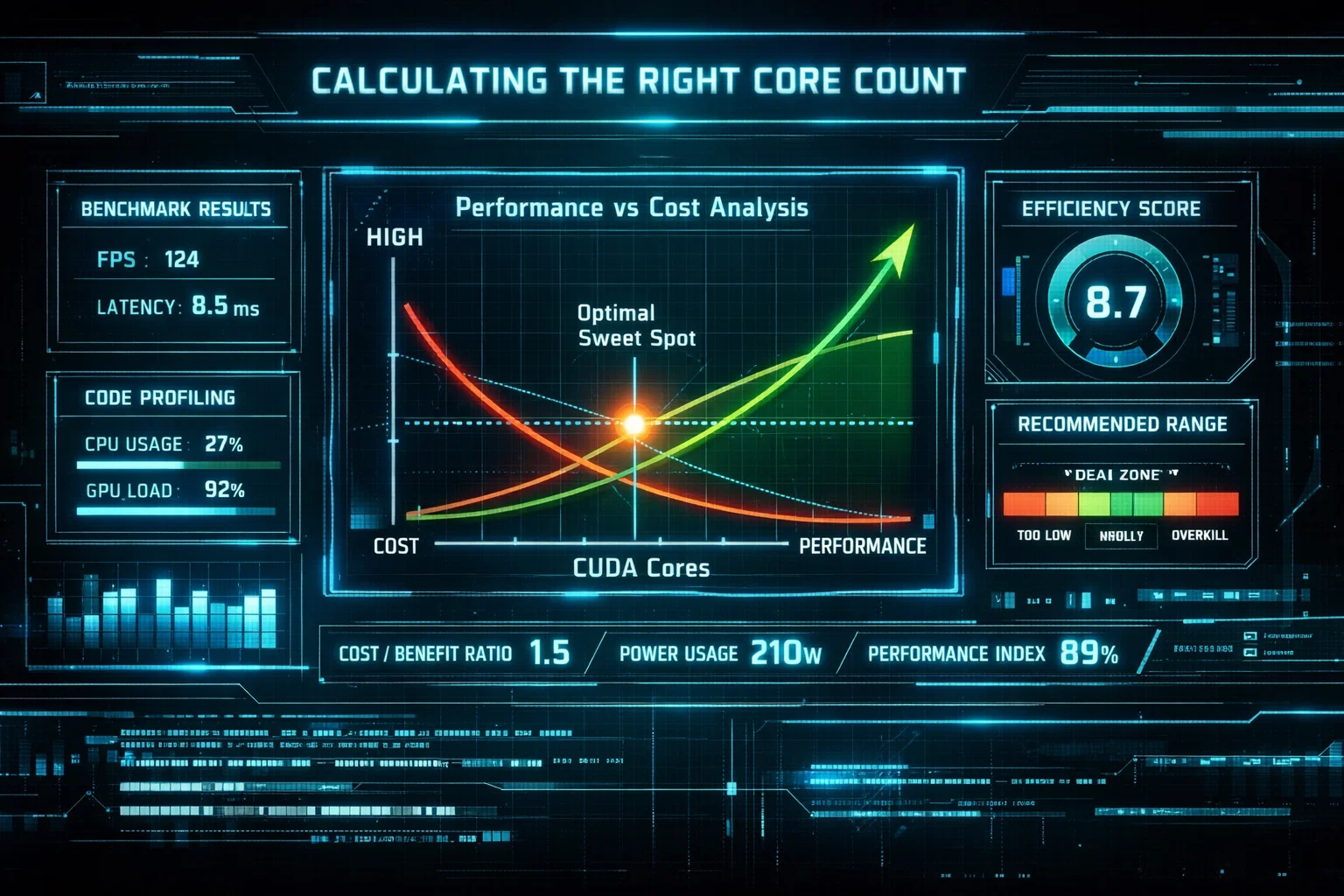
Match your requirements to actual workload characteristics rather than chasing the highest numbers available in the market.
Start by profiling your current work. If you’re training models on local hardware or cloud instances, check GPU utilization metrics. If your current GPU shows 60-70% utilization consistently, you’re not maxing out units.
# Quick benchmark to test if you need more cores

import torch

import time

# Test matrix multiplication (CUDA core workload)

size = 10000

a = torch.randn(size, size).cuda()

b = torch.randn(size, size).cuda()

start = time.time()

c = torch.matmul(a, b)

torch.cuda.synchronize()

elapsed = time.time() - start

print(f"Matrix multiplication time: {elapsed:.3f}s")

print(f"TFLOPS: {(2 * size**3) / (elapsed * 1e12):.2f}")
This simple benchmark shows if your GPU cores are delivering expected throughput. Compare your results against published benchmarks for your GPU model.
Upgrading won’t help. You need to address bottlenecks like memory, bandwidth, or CPU stalls first. Estimate memory requirements next by calculating model size in bytes plus activation memory.
Add batch size times layer outputs and include optimizer states. This total must fit in VRAM. Once you know the required memory, check which GPUs meet that threshold.
# Calculate VRAM needed for a model

# Formula: (parameters × bytes_per_param × 1.2) for overhead

# Example: 7B parameter model in FP16

# 7,000,000,000 × 2 bytes × 1.2 = 16.8 GB VRAM needed

# Check your available VRAM:

nvidia-smi --query-gpu=memory.total --format=csv,noheader

# 24576 MiB (24 GB available - model fits!)
Consider your timeline. If you need results in hours, pay for more units. Training runs that can take days work fine on smaller GPUs with proportionally longer completion times.
Cost per hour times hours needed gives total cost, sometimes making slower GPUs cheaper overall. Test scaling efficiency using many frameworks that provide benchmarking tools showing throughput changes.
If doubling units only gives 1.5x speedup, the extras aren’t worth their cost. Look for sweet spots where the price-to-speed ratio peaks.
| Workload Type | Recommended Cores | Example GPUs | Notes |
| Model development & debugging | 3,000-5,000 | RTX 4060 Ti, RTX 4070 | Fast iteration, lower costs |
| Small-scale AI training (<7B params) | 6,000-10,000 | RTX 4090, L40S | Fits consumer and small enterprise |
| Large-scale AI training (7B-70B params) | 14,000+ | A100, H100 | Requires data center GPUs |
| Real-time inference (high throughput) | 10,000-16,000 | RTX 5080, L40 | Balance cost and performance |
| 3D rendering & video encoding | 8,000-12,000 | RTX 4080, RTX 4090 | Scales with complexity |
| Scientific computing & HPC | 10,000+ | A100, H100 | Needs FP64 support |
Popular VPS GPUs and Their CUDA Core Counts
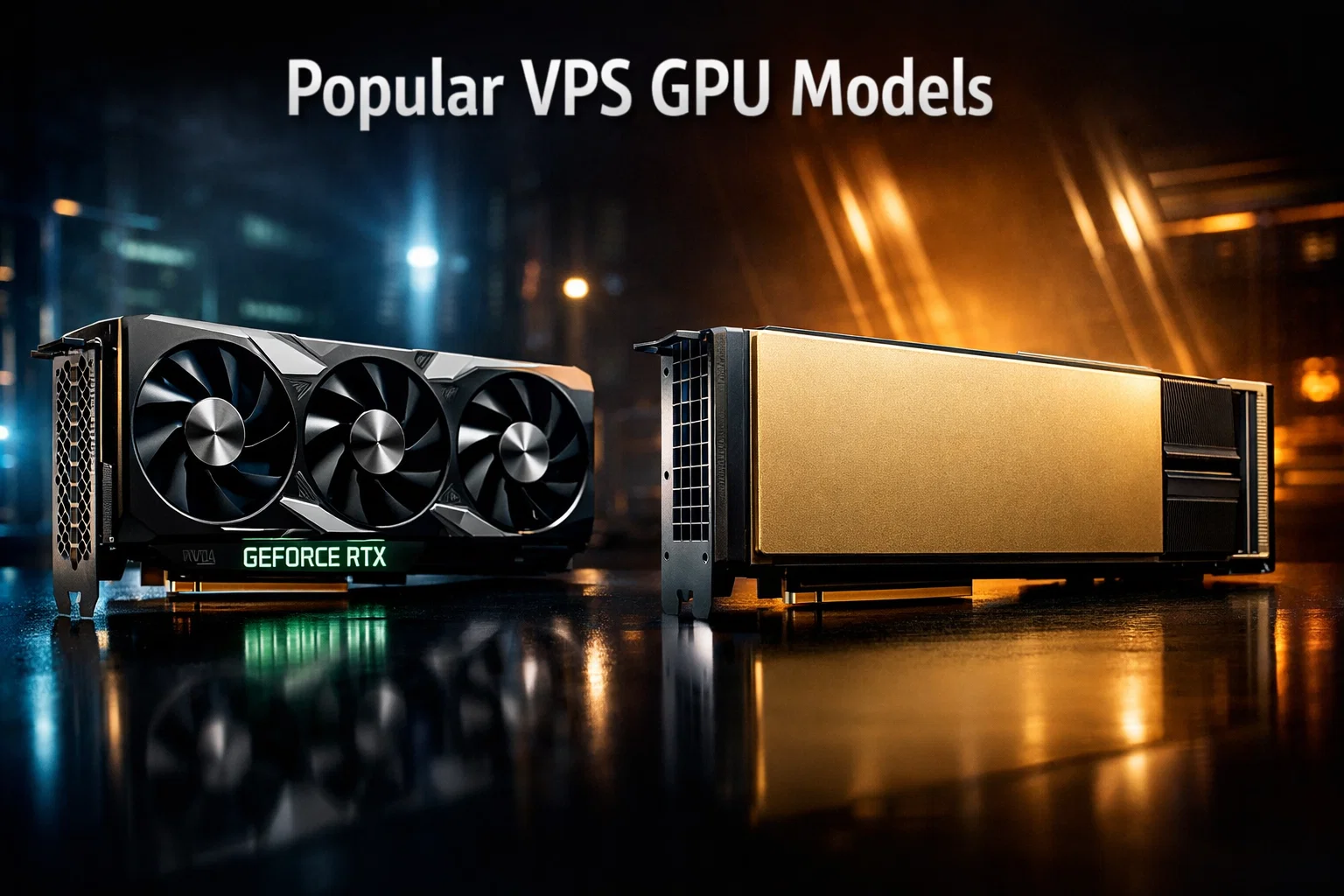
Different GPU tiers serve different user segments. What is GPUaaS? It’s GPU-as-a-Service, where providers like Cloudzy offer on-demand access to these powerful NVIDIA GPUs without requiring you to purchase and maintain physical hardware yourself.
| GPU Model | CUDA Cores | VRAM | Memory Bandwidth | Architecture | Best For |
| RTX 5090 | 21,760 | 32GB GDDR7 | 1,792 GB/s | Blackwell | Flagship workstation, 8K rendering |
| RTX 4090 | 16,384 | 24GB GDDR6X | 1,008 GB/s | Ada Lovelace | High-end AI, 4K rendering |
| H100 SXM5 | 16,896 | 80GB HBM3 | 3,350 GB/s | Hopper | Large-scale AI training |
| H100 PCIe | 14,592 | 80GB HBM2e | 2,000 GB/s | Hopper | Enterprise AI, cost-effective datacenter |
| A100 | 6,912 | 40/80GB HBM2e | 1,555-2,039 GB/s | Ampere | Mid-range AI, proven reliability |
| RTX 4080 | 9,728 | 16GB GDDR6X | 736 GB/s | Ada Lovelace | Gaming, mid-tier AI |
| L40S | 18,176 | 48GB GDDR6 | 864 GB/s | Ada Lovelace | Multi-workload datacenter |
Consumer RTX cards (4070, 4080, 4090, 5080, 5090) target creators and gaming but work well for AI development. They offer strong single-GPU speed at lower prices than datacenter cards.
VPS providers often stock these for cost-sensitive users. Datacenter cards (A100, H100, L40) prioritize reliability, ECC memory, and multi-GPU scaling. They manage 24/7 operations and support advanced features.
Multi-Instance GPU (MIG) lets you partition one GPU into multiple isolated instances. The A100 remains popular despite newer options because of its balanced specifications.
Its balance of NVIDIA cores, memory, and price makes it the safe choice for most production AI operations. The H100 offers 2.4x more units but costs significantly more.
Conclusion
Parallel processing engines make modern AI, rendering, and scientific computing possible. How they work and interact with memory, clock speeds, and software helps you choose GPU VPS configurations.
More units help when your work parallelizes effectively, and components like memory bandwidth keep up. But blindly chasing the highest core count wastes money if your bottlenecks lie elsewhere.
Start by profiling your actual operations, identifying where time gets spent, and matching GPU specifications to those requirements without overbuying unnecessary capacity.
For most AI development work, 6,000-10,000 units provide the sweet spot between cost and capability. Production operations training large models or serving high-throughput inference benefit from 14,000+ unit GPUs like the H100.
Rendering and video work scales efficiently with units up to about 16,000, after which memory bandwidth becomes the limiting factor.