

Code Server Hosting VPS
Spin Up a Code Server in Minutes
Deploy a clean Code Server Virtual Private Server on Ubuntu 24.04 LTS. Start coding in the browser with a preinstalled Code Server image, full root control, and a static IP. Ideal for web, backend, and remote teams that need VS Code online without local setup.

 Trustpilot
There’s a reason 119,000+ developers & businesses choose us.







Money-Back Guarantee

Online Support

Network Speed

Network Uptime
What is Code Server VPS?
Code Server runs VS Code on a remote machine and serves it over HTTPS, so you can code from any device without local installs. Cloudzy’s Code Server VPS ships as a ready image on Ubuntu 24.04 LTS with systemd and cloud-init configured for first-boot setup. Log in with root, open the web UI, and start coding with extensions, terminals, and workspaces. You can tune bind address, auth, and TLS, set project folders, and connect Git. Dedicated vCPUs, DDR5 memory, and NVMe SSDs plus up to 40 Gbps network keep edit–build–test loops responsive. Snapshots help you trial updates safely, and you can scale CPU, RAM, or storage as projects grow.
If you want Code Server on a Virtual Private Server that you control, start with Cloudzy’s Code Server VPS.
-
DDoS Protection

-
Various Payment Methods Available
-
Full Admin Access
-
Latency-Free Connectivity
-
Dallas GPU Server Location


Why Choose Cloudzy’s Code Server VPS Hosting
Unlock the Power of Flexibility and Performance
Launch-ready image
Start on Ubuntu 24.04 LTS with code-server preinstalled. Log in with root and begin coding right away.

Performance hardware
Dedicated vCPUs, NVMe storage, and DDR5 memory keep terminals, indexing, and previews fast on your Code Server VPS.
Full environment control
Configure bind address, auth, TLS, and reverse proxy. Manage services with systemd and automate first-boot tasks with cloud-init.
Clean project organization
Create separate workspaces, map project folders, attach extra disks, and scale CPU, RAM, or disk as repos grow on Code Server VPS hosting.
Reliable operations
Quick provisioning, snapshots, static IP, and a 99.99% SLA provide a stable base for labs, staging, or production.
How To Use?
How to Set Up a Code Server VPS
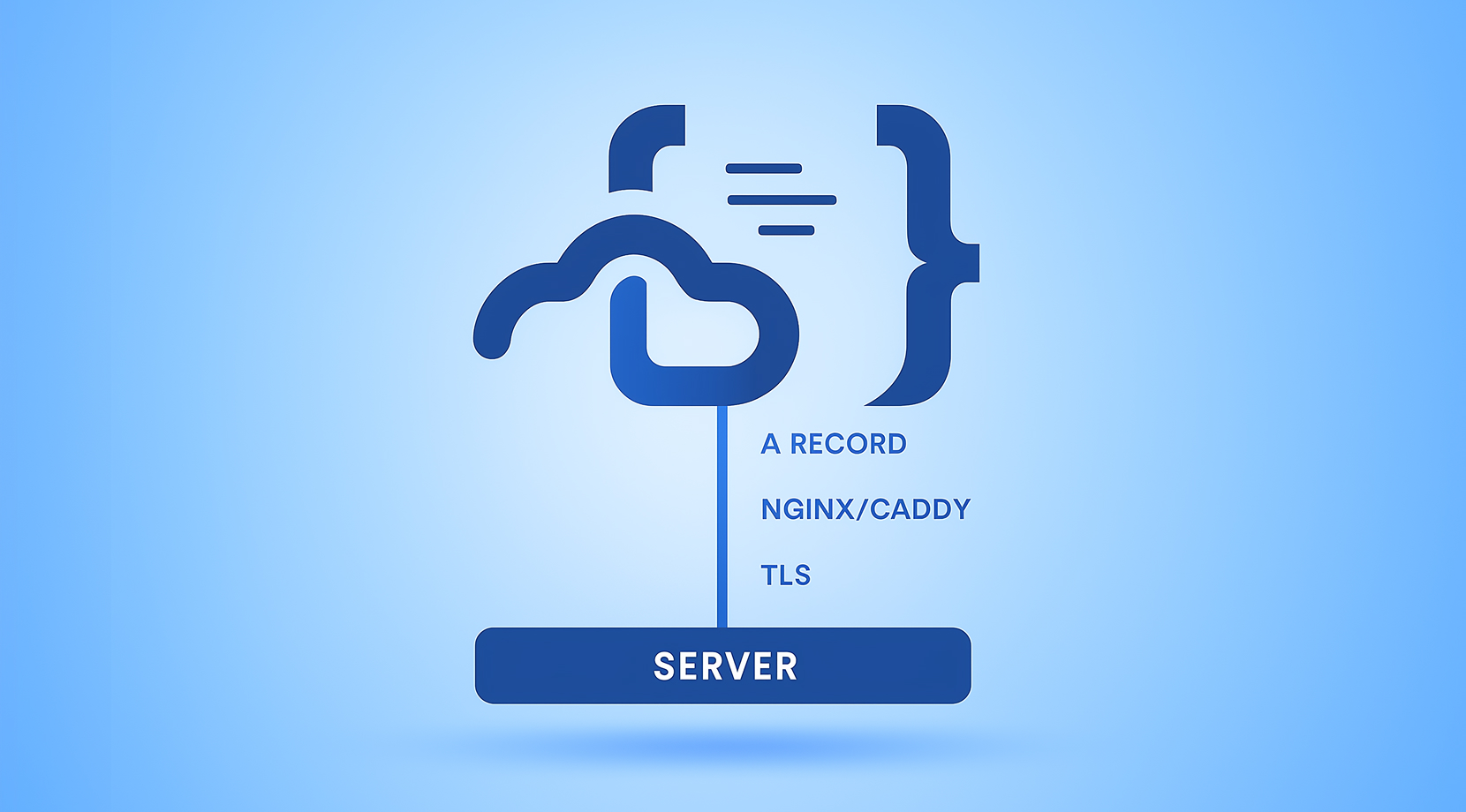
Not sure how to deploy your stack? It’s straightforward. With Cloudzy’s Code Server VPS hosting, you start from a preinstalled image on Ubuntu 24.04 LTS. SSH in with root, find initial credentials in /root/.config/Code Server/config.yaml, and open the web UI. Use your domain with Nginx or Caddy for TLS, then add extensions and connect your Git remotes. Follow the guide below to configure your Code Server VPS, connect a domain, and go live. If you need help at any step, our team is available.
Cloudzy, Through Our Users’ Words
Hear how 119483 developers make Cloudzy part of their workflow.
Engineering Without Interruptions



FAQ | Code Server VPS
How does a browser-based IDE handle authentication and TLS?
By default, it uses password auth from a config file and listens on 127.0.0.1:8080. For secure internet access, place it behind SSH port forwarding or a reverse proxy like Nginx or Caddy with HTTPS.
Where is the login password stored after a fresh install?
The initial password is written to a YAML config in the user’s home config directory. You can rotate it, disable password auth, or use a proxy with its own SSO.
What is the default bind address and port out of the box?
The service binds to 127.0.0.1 on port 8080, so it is not exposed publicly until you add forwarding or a proxy.
Can it run under systemd on Ubuntu 24.04?
Yes. The official install provides a systemd unit that you can enable and start, then manage with standard systemctl commands.
What are common ways to expose it safely on the internet?
Use SSH port forwarding for quick access or a reverse proxy with HTTPS. The docs also cover self-signed certs and rate limits for password attempts.
How does Code Server VPS perform on Cloudzy hardware?
Dedicated vCPUs, DDR5 memory, and NVMe disks keep installs, indexing, and test runs quick. An up to 40 Gbps uplink helps browser sessions and previews stay responsive for distributed teams.
How do I access Cloudzy Code Server VPS after deployment?
You receive root access on Ubuntu 24.04 with Code Server preinstalled. Log in over SSH, review the password in /root/.config/Code Server/config.yaml, and open the web UI on your mapped domain or port.
What security options come with Cloudzy Code Server VPS hosting?
You control firewall rules, SSH keys, and service configuration. Use a reverse proxy with TLS, rotate the editor password, or disable password mode and forward via SSH as documented.
What uptime and support can I expect for Code Server VPS on Cloudzy?
Infrastructure is backed by a 99.99% uptime SLA. Support is available 24/7 to help with regions, sizing, SSL setup, or editor configuration.
Can I scale or snapshot my Code Server VPS on Cloudzy, and do I keep root?
Yes. You can scale CPU, RAM, or storage and take snapshots before big dependency changes. Every instance includes a static IP and full root access for environment control.
Need help? Contact our support team.
 Submit a Ticket
 No Setup Fees
Deploy in 60 Seconds
Cancel Anytime
No Setup Fees
Deploy in 60 Seconds
Cancel Anytime
