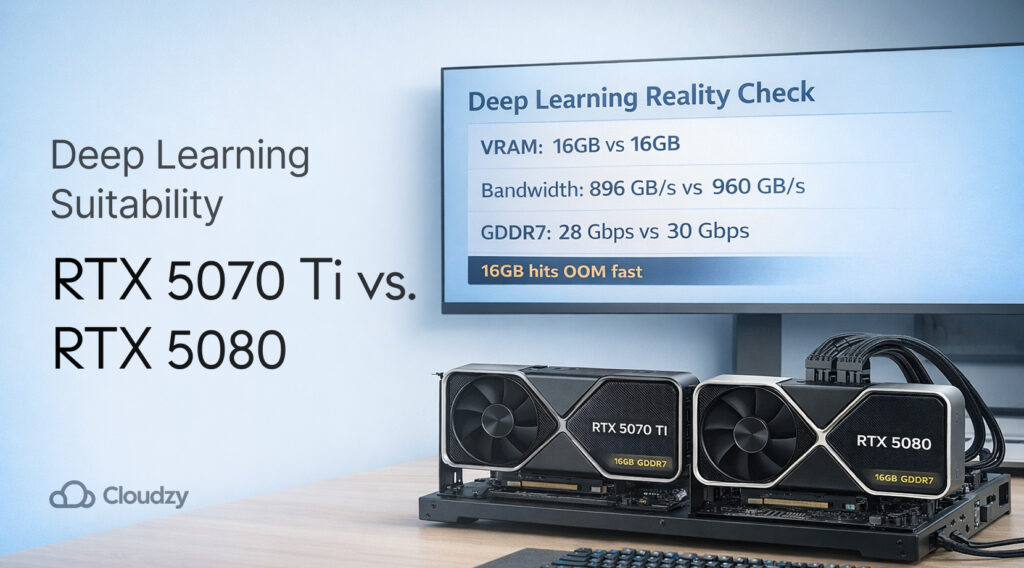
If your plan is to buy a new GPU to stop seeing out-of-memory errors, 5070 Ti vs 5080 is the wrong argument. Both cards land on 16 GB of VRAM, and that capacity limit shows up in deep learning sooner than most people expect.
The 5080 is faster, but it rarely lets you run a meaningfully bigger model. In practice, you still end up shrinking batch size, chopping context length, or offloading to system RAM just to keep runs alive.
Which is why this piece is a genuine, realistic look at 5070 Ti vs 5080 for deep learning, plus a set of options that will fit if your goal is to train, fine-tune, or serve models without constant VRAM limitations.
If you read nothing else, read the specs section and the “capacity vs speed” section; they’re the two that stop you from buying the wrong thing.
Quick Picks Based on What You Do
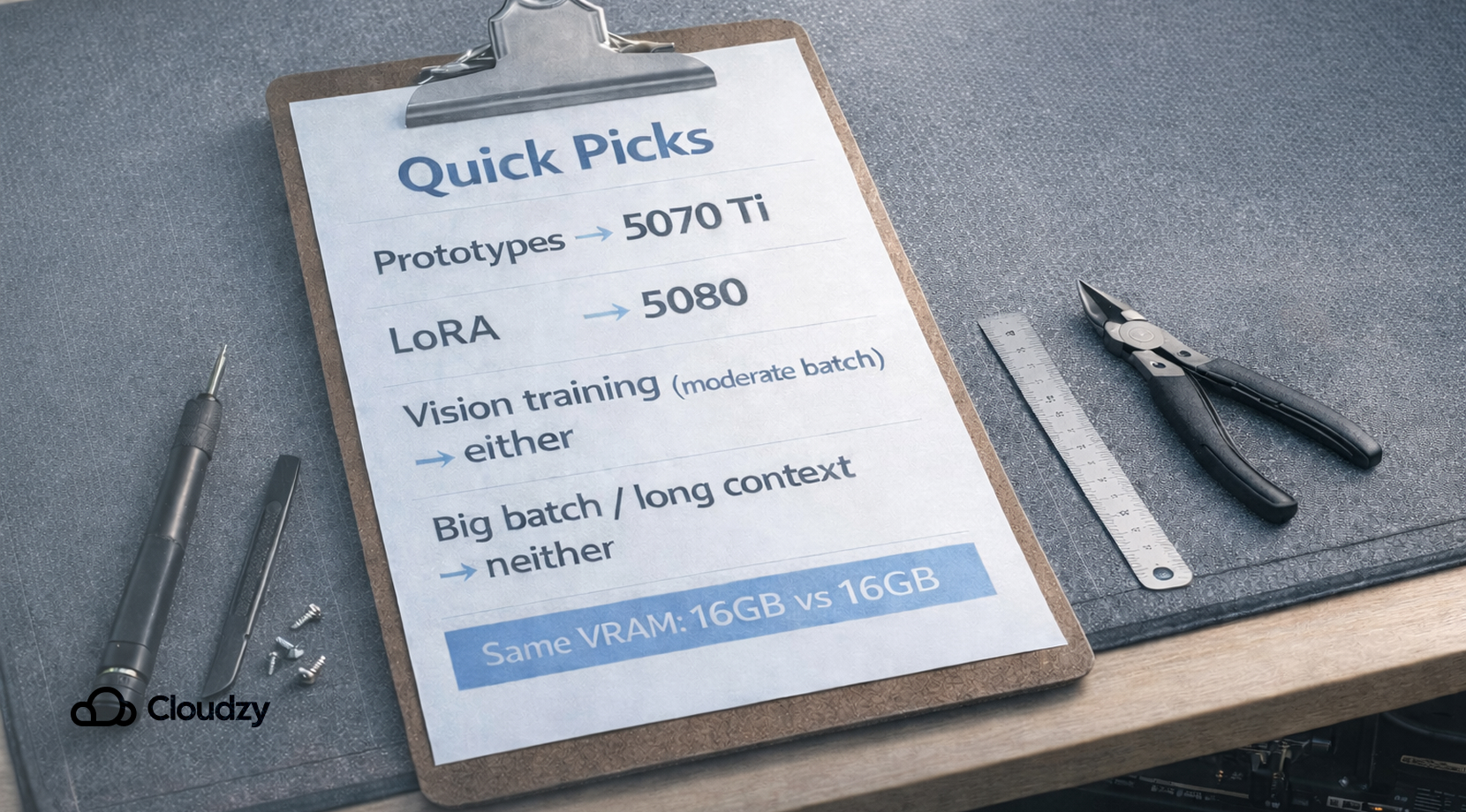
Most people don’t buy GPUs all willy-nilly. We see four common buyer mindsets show up again and again, and 5070 Ti vs 5080 lands differently for each one.
The Local LLM Tinkerer
You run notebooks, swap quantization settings, and care more about “it runs” than perfect throughput. For you, 5070 Ti vs 5080 is usually decided through budget, because both cards will feel fine on small models and quantized inference, then both hit the same VRAM ceiling once you push context length or batch size.
The Grad Student Training Vision Models
You want repeatable experiments, not endless retries. The hidden cost isn’t the card itself; it’s the time you lose when runs fail at epoch 3 because the dataloader, augmentations, and model all compete for memory.
The Startup Engineer Shipping Inference
You care about tail latency and concurrency. A single-user demo can look great on 16 GB, then production traffic shows up, and KV cache pressure eats your VRAM like a slow leak. For serving, 5070 Ti vs 5080 can be a distraction if your real problem is capacity for batching and long prompts.
The Creator Who Also Does ML
You bounce between creative apps and ML tooling, and you hate reboots, driver headaches, and “close Chrome to train.” For you, 5070 Ti vs 5080 only makes sense if the GPU is one part of a clean workflow, not a fragile workstation that falls over the second you multitask.
With those cases in mind, let’s get concrete about the hardware and why the limiting factor is the same in the places that matter.
High-Priority Specs for Deep Learning
The fastest way to understand 5070 Ti vs 5080 is to ignore the marketing numbers and focus on the memory line.
If you want the full spec sheet view, here’s a detailed table that focuses on what affects training and inference behavior most. (Clock speeds and display outputs are eye-catching, but they don’t decide if your run fits.)
| Spec (Desktop) | RTX 5070 Ti | RTX 5080 | Why It Shows Up in DL |
| VRAM | 16 GB | 16 GB | Capacity is the hard wall for weights, activations, and KV cache |
| Memory Type | GDDR7 | GDDR7 | Similar behavior, bandwidth helps, but capacity decides “fits or not” |
| Memory Bus | 256-bit | 256-bit | Limits aggregate bandwidth; helps throughput, not model size |
| CUDA Cores | 8,960 | 10,752 | More compute helps tokens/sec, not “can I load it” |
| Typical Board Power | 300 W | 360 W | More heat and PSU headroom, no extra VRAM |
Official sources for specs: RTX 5080, RTX 5070 family
Basically, 5080 is the faster card, 5070 Ti is the cheaper one. For deep learning, the difference shows up mostly after your workload already fits.
Next, we’ll look at why VRAM disappears so quickly, even on setups that look light on paper.
Why VRAM Gets Eaten So Fast in Deep Learning
People coming from gaming often think VRAM is like a texture pool. In deep learning, it’s more like a cramped kitchen counter. You don’t just need space for the ingredients, you need space to chop, cook, and plate, all at the same time.
Here’s what typically lives in VRAM during a run:
- Model weights: the parameters you load, sometimes in FP16/BF16, sometimes quantized.
- Activations: intermediate tensors saved for backprop, usually the real hog in training.
- Gradients and optimizer state: training overhead that can multiply memory needs.
- KV cache: inference overhead that grows with context length and concurrency.
This is why 5070 Ti vs 5080 can feel like arguing about engine power while you’re towing a trailer that’s too heavy. You can have more horsepower, but the hitch rating is still the limiter.
A quick “how you’d check it” that we use in our own testing is to log both allocated and reserved memory in PyTorch. PyTorch’s CUDA memory notes explain the caching allocator and why memory can look “used” in tools like nvidia-smi even after tensors are freed.
That brings us to the main point of this discussion, which is that most deep learning failures on 16 GB aren’t because it’s slow, per se, but that you get OOM at the worst possible moment.
The First Workloads That Break 5070 Ti vs 5080
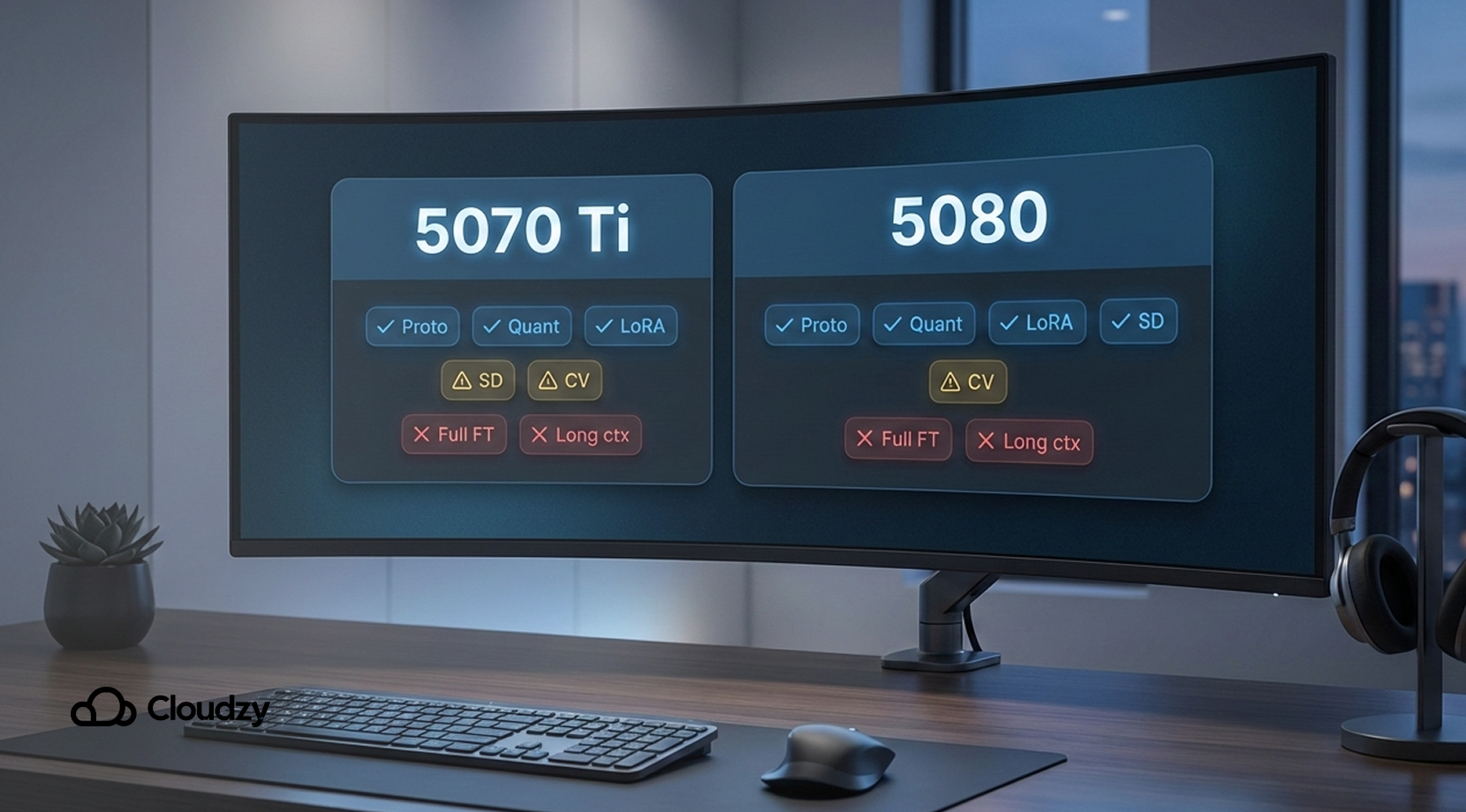
Below are the deep learning patterns that usually hit memory limits first on 5070 Ti vs 5080.
LLM Serving with Long Prompts and Real Concurrency
A solo prompt at 2K tokens can look fine. Add longer context, add batching, add a second user, and the KV cache starts to climb. That’s when 5070 Ti vs 5080 collapses into the same outcome, where you cap max context or drop batch size to survive.
A simple check method:
- Run your server with your real max context and batch.
- Watch VRAM over time, not just at startup.
- Note the point where latency spikes, then check memory usage in the same window.
If you want a reliable monitoring setup that doesn’t become a project on its own, our guide on GPU monitoring software covers practical CLI logging patterns that work well on real runs.
LoRA or QLoRA Fine-Tuning
Lots of people say that “LoRA works on 16 GB,” and they’re not wrong. The trap is assuming the rest of your pipeline is free. Tokenization buffers, dataloader workers, mixed precision scaling, and validation steps can stack up very quickly.
In practice, the bottleneck here isn’t computing as much as it’s margin. If you don’t have spare VRAM, you end up babysitting runs.
Vision Training with High-Resolution Inputs
Image models have a sneaky failure mode where a small bump in resolution, or an extra augmentation, can flip you from stable to OOM. On 5070 Ti vs 5080, this shows up as batch size collapsing to 1, then gradient accumulation turning your training into a slow-motion loop.
Multimodal Runs on One GPU
Text encoder + image encoder + fusion layers can be fine; however, if you raise the sequence length or add a bigger vision backbone, the memory stacking is brutal.
“My GPU Is Fine, My Desktop Is Not”
This is the most relatable one. You start training, then your browser, IDE, and whatever else you run grab VRAM, and suddenly your “stable” config is broken. People on forums complain about closing everything, disabling overlays, and still hitting OOM on the same model they ran yesterday.
That pattern shows up constantly in 5070 Ti vs 5080 discussions, too, because both cards sit at the same capacity limit. If these sound familiar, the next question is “what do we do about the limit?”
What 5070 Ti vs 5080 Is Actually Good For
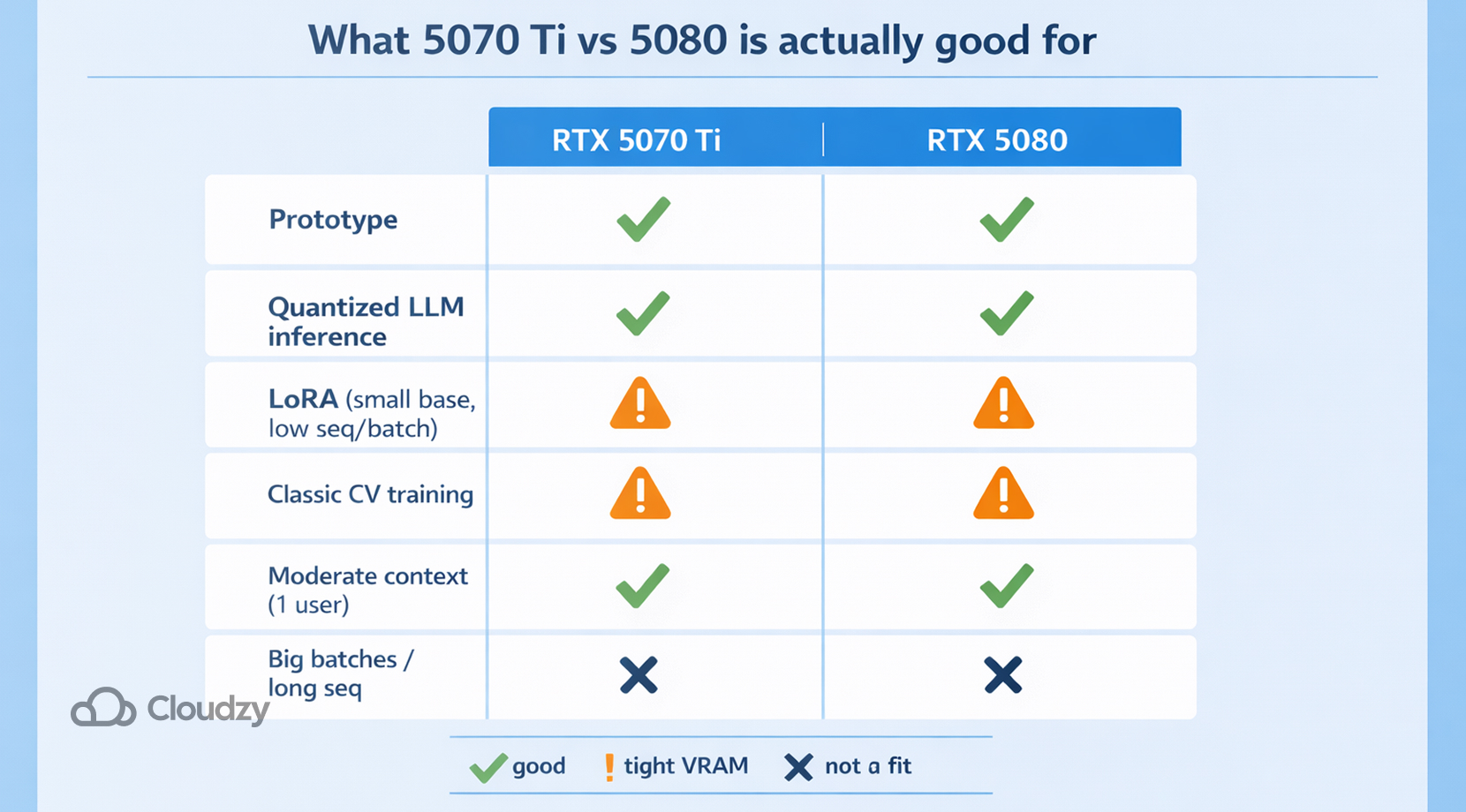
It’s easy to dunk on 16 GB in ML circles, but it’s not useless. It’s just narrow.
5070 Ti vs 5080 can be a totally fine setup for:
- Prototype work: small experiments, quick ablations, and sanity checks.
- Quantized LLM inference: smaller models with moderate context, single user.
- LoRA on smaller base models: as long as you keep sequence length and batch in check.
- Classic vision training: moderate image sizes, moderate backbones, more patience.
The point is, if your work stays inside the memory limit, 5080 will usually feel snappier than 5070 Ti, and you’ll enjoy the extra compute.
But the second you try to do “serious” deep learning, you’ll be hit with memory headroom issues. So let’s talk about tactics that help on both cards.
How We Stretch Limited VRAM Without Making Training Miserable
None of these tricks is magic. They’re just the set of moves that let 5070 Ti vs 5080 stay useful for longer.
Start with Measurement
Before touching hyperparameters, get a peak VRAM number per step. In PyTorch, max_memory_allocated() and max_memory_reserved() are quick ways to see what your run is really doing.
That helps you answer questions like:
- Is the model itself the main cost, or activations?
- Does VRAM spike during validation?
- Is fragmentation creeping up over time?
Once you have a baseline, the rest becomes less random.
Cut Memory Where Possible
A simple “order of operations” we use:
- Drop batch size until it fits.
- Add gradient accumulation to get back your effective batch.
- Turn on mixed precision (BF16/FP16) if your stack supports it.
- Add gradient checkpointing if activations dominate.
- Only then start messing with model size.
Treat Context Length Like a Budget
For transformers, context length is the thing that will cause the most problems. It affects attention compute and, for inference, KV cache size. On 5070 Ti vs 5080, you’ll notice it the moment you push past a few thousand tokens as VRAM surges quickly, throughput drops, and you’re suddenly dialing back batch size just to stay up.
A recommended approach:
- Pick a default max context you can run with headroom.
- Create a second profile for “long context,” lower batch.
- Do not mix the two while you debug.
Don’t Confuse PyTorch Cache with Genuine Leaks
A lot of “memory leak” reports are really allocator behavior. PyTorch’s docs mention that the caching allocator can keep memory reserved even after tensors are freed, and empty_cache() mostly releases unused cached blocks back to other apps, not back to PyTorch itself.
This matters because 5070 Ti vs 5080 users often get distracted with phantom leaks instead of the real sources for leaks, which are batch size, sequence length, and activation memory.
These tweaks make their memory limit usable, but they don’t change the core reality. If your project demands bigger models, longer contexts, or higher concurrency, you need more VRAM.
Do I Need Capacity or Speed Between 5070 Ti vs 5080
One way you can look at this is that speed is how fast you can drive, and capacity is how many passengers you can take. Deep learning cares about both, but capacity decides if you can leave the parking lot, in the first place.
The 5080 can deliver higher throughput than the 5070 Ti in a lot of workloads. But 5070 Ti vs 5080 doesn’t change the “can I load it and run it” because both hit their limits.
That’s why people end up disappointed after an upgrade. They feel the speed bump in small tests, then they try their real workload and hit the same wall. The wall just arrives 30 seconds later.
So if you’re shopping with deep learning in mind, it helps to decide which bucket you’re in:
- Speed-limited: you already fit, you just want faster steps.
- Capacity-limited: you don’t fit cleanly, and you spend time shrinking the problem.
Most people researching 5070 Ti vs 5080 for deep learning are in the second bucket, even if they don’t realize it yet.
Now let’s talk about the option that usually saves the most time: offloading the “big work” to a bigger GPU, without rebuilding your whole life around a new local rig.
An Affordable Solution: Use a GPU VPS for Heavy Runs
In our infra team, the most common pattern we see is that people prototype locally, then they hit a point where 5070 Ti vs 5080 doesn’t matter anymore, because the work simply doesn’t fit.
That’s the moment you want access to a bigger VRAM pool for training and for realistic serving tests. That’s exactly where Cloudzy GPU VPS is a clean fit.
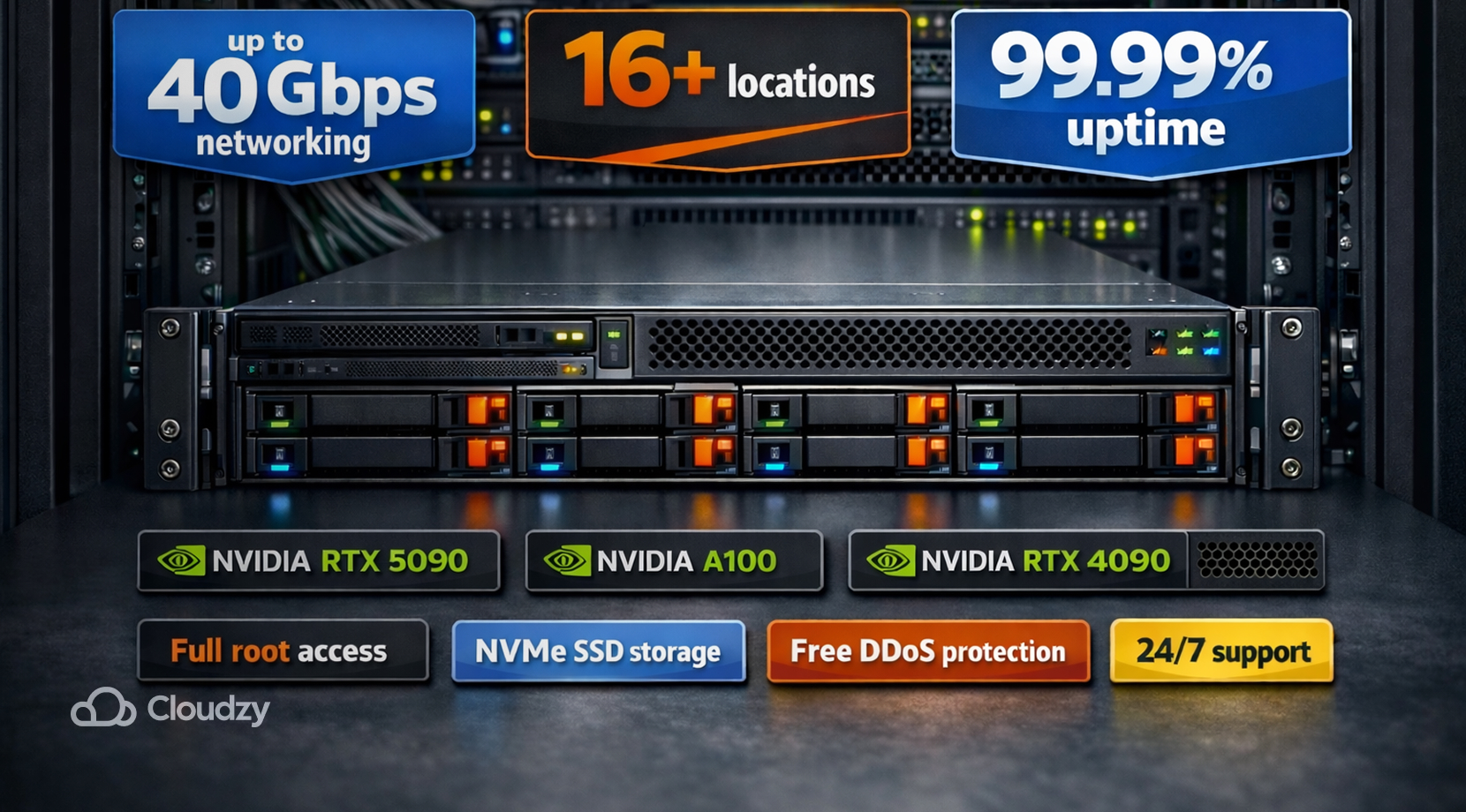
Our GPU VPS plans include NVIDIA options like RTX 5090, A100, and RTX 4090, plus full root access, NVMe SSD storage, up to 40 Gbps networking, 16+ locations, free DDoS protection, 24/7 support, and a 99.99% uptime target.
But how does this help you, be it 5070 Ti vs 5080, or any other GPU on the same level? Well:
- You can run your real model and prompt profile on hardware with more VRAM, so the decisions become obvious from your own logs.
- You can keep your local GPU for dev and quick tests, then rent the “big card” only for the heavy lifts.
If you want a quick refresher on what a GPU VPS actually is, and what dedicated GPU vs shared access means, our beginner guide breaks it down in plain language.
And if you’re still not sure if you need a GPU at all for your workload, our GPU vs CPU VPS comparison will give you a solid idea of what real tasks like training, inference, databases, and web apps require which hardware.
With infrastructure sorted, the last piece is picking a workflow that doesn’t waste your time.
A Simple Workflow to Help Figure Out What You Need
A lot of ML builders get stuck in a false choice to buy the bigger consumer card, or suffer. In practice, 5070 Ti vs 5080 can still be part of a sane workflow if you treat it as your local dev tool, not your full production stack.
Here’s a workflow we’ve seen work well:
- Use your 16 GB GPU for coding, debugging, and small experiments.
- Keep a “big GPU” environment template ready for remote runs.
- Move training and serving tests that need headroom to a GPU VPS.
- Monitor runs and save logs, so results are repeatable.
If you want a more in-depth look at picking the right class of GPU for ML work in general, our roundup of the best GPUs for machine learning is a helpful next stop.
So, ultimately, 5070 Ti vs 5080 is a local compute choice, but deep learning scale is an infrastructure choice. Speaking of scale, if you’re curious how a bigger card class changes real AI behavior, our H100 vs RTX 4090 benchmark breakdown is a useful comparison because it keeps coming back to the same theme of VRAM fit first, then speed.