

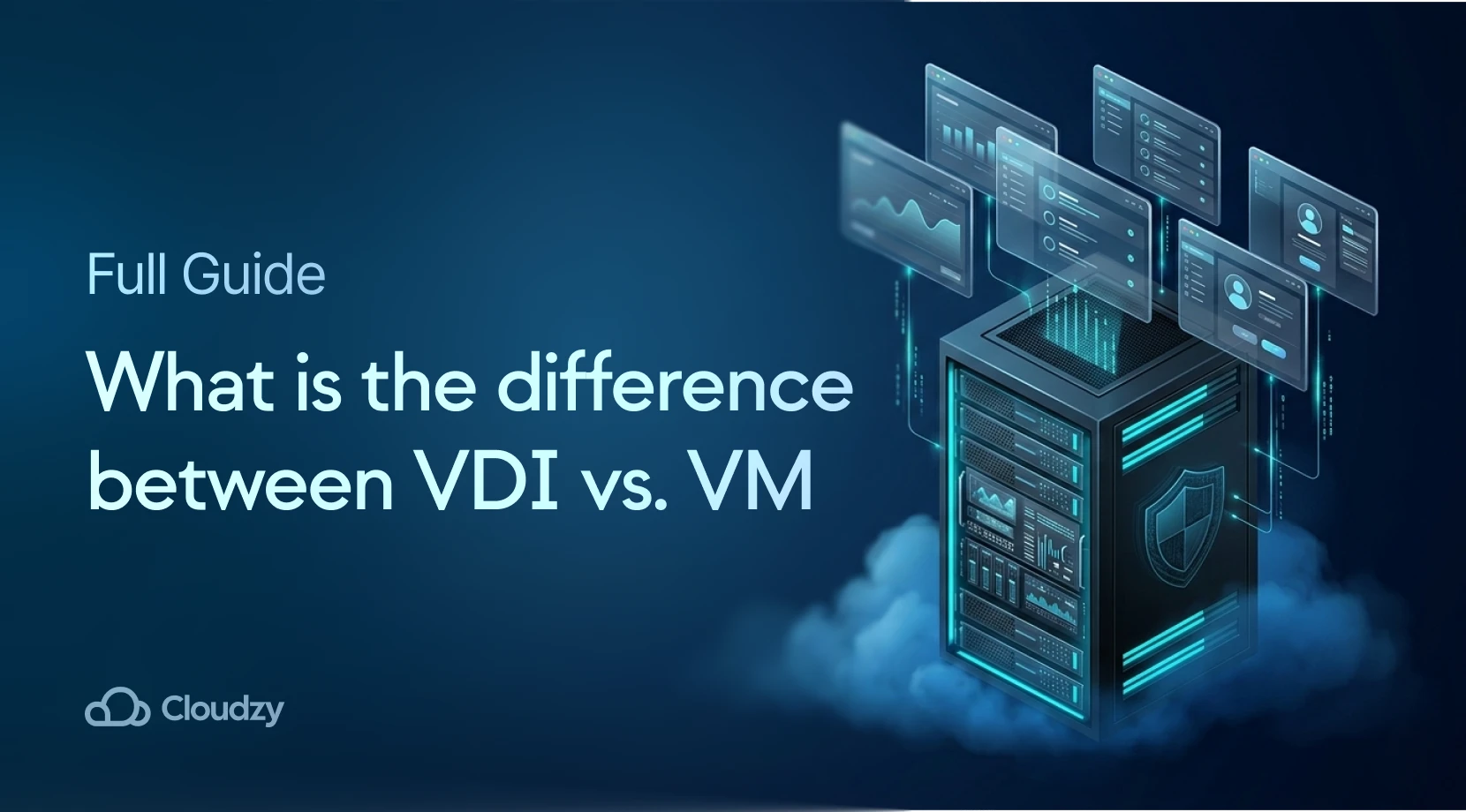
Enterprises are bleeding budget trying to secure remote workforces while scaling backend resources. A Virtual Machine (VM) is an isolated compute environment acting as a standalone server. Virtual Desktop Infrastructure (VDI) is the orchestration layer that uses VMs to deliver graphical desktop interfaces.
Be it an IT Director budgeting for secure 2026 setups or a SysAdmin allocating hypervisor power, this guide breaks down the architectural and cost differences between a VDI vs. VM deployment. We see too many firms waste capital on over-provisioned VDI systems. This is because distinguishing between the two technologies requires a clear look at the hypervisor level.
Is VDI vs. VM the same?
It is a frequent misunderstanding among entry-level IT professionals that VDI vs. VMs represent identical concepts. They do not. A virtual machine functions as the primary compute engine. VDI acts as the orchestration delivery system that provides the resource to an end-user.
Building a modern VDI ecosystem is impossible without deploying virtual machines on the backend. Conversely, you can operate millions of standalone instances without ever touching a desktop delivery layer. This is all thanks to the hypervisor, which allows for multiple isolated environments to run on a single host server.
When evaluating VDI vs. virtual machine setups, the contrast is evident. A VM runs autonomously to power web applications or databases. VDI handles those instances and transmits the graphical interface to remote personnel. This makes the experience frictionless for the global digital workforce.
What is a Virtual Machine?
Before checking complex desktop delivery networks, you must understand the foundational building block of all modern cloud setups: the Virtual Machine. A VM is a tightly isolated software container that runs its own operating system and applications. It acts as a machine.
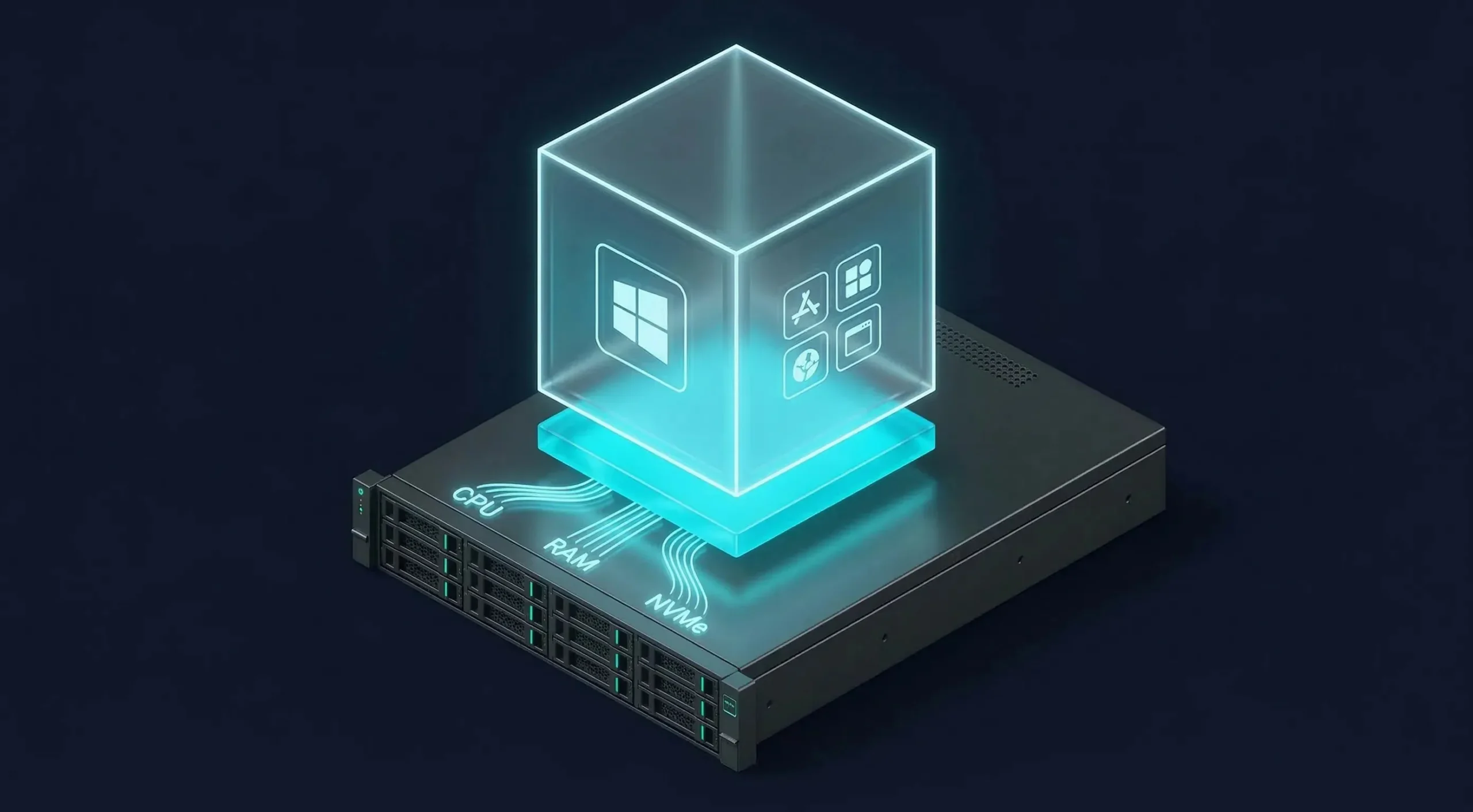
It operates on top of a hypervisor. This layer pools the CPU cycles, memory, and NVMe storage of a host server. It distributes those resources safely among multiple isolated environments. This is key as we enter the era of the “Great Virtualization Reset” in early 2026.
Over 67% of enterprises are currently overhauling their VM strategies to support AI-driven workloads. This is because performance demands have shifted toward high-frequency compute. If you are fuzzy on hypervisor mechanics, check out our article on What is a Virtual Machine before proceeding.
How are VMs Created?
Creating a virtual machine is a process handled directly through a hypervisor interface like VMware ESXi, Microsoft Hyper-V, or KVM. A SysAdmin allocates a specific amount of virtualized RAM, CPU cores, and storage space to create a new isolated, high-performance software container.
In 2026, the priority has shifted toward AIOps-driven provisioning. Modern platforms now use predictive analytics to automate VM creation based on real-time demand. Gartner research suggests that AI orchestration will become the core standard for managing infrastructure as environments grow more complex.
Different Types of VMs
Not all virtual machines are provisioned identically. They are customized based on the workload. Process VMs are lightweight. They run a single application, acting as a runtime environment that masks the underlying OS hardware. This allows developers to test code in total isolation.
System VMs are fully virtualized environments running complete operating systems. This is what most managers deploy daily. Within this category, administrators choose specific hypervisor architectures. It is a must-know for pros to understand the types of virtual machines available for scale.
What are the Applications of a virtual machine?
Virtual machines are the industry standard for hosting high-traffic web servers and managing massive SQL databases. In 2026, a surge in edge computing has seen VMs deployed at remote operational sites. This setup covers high-performance staging and isolated software pipelines too.
Developers use VMs to simulate various operating systems without needing physical hardware. Isolation allows for testing dangerous code safely. Plus, it enables data centers to run hundreds of different server environments on a single physical host.
System administrators often use VMs for sandboxing and disaster recovery testing. This is because you can take a snapshot of a VM before making changes. If something goes wrong, you simply revert to the previous state. This makes managing complex software updates much less risky.
Advantages and Disadvantages of VM
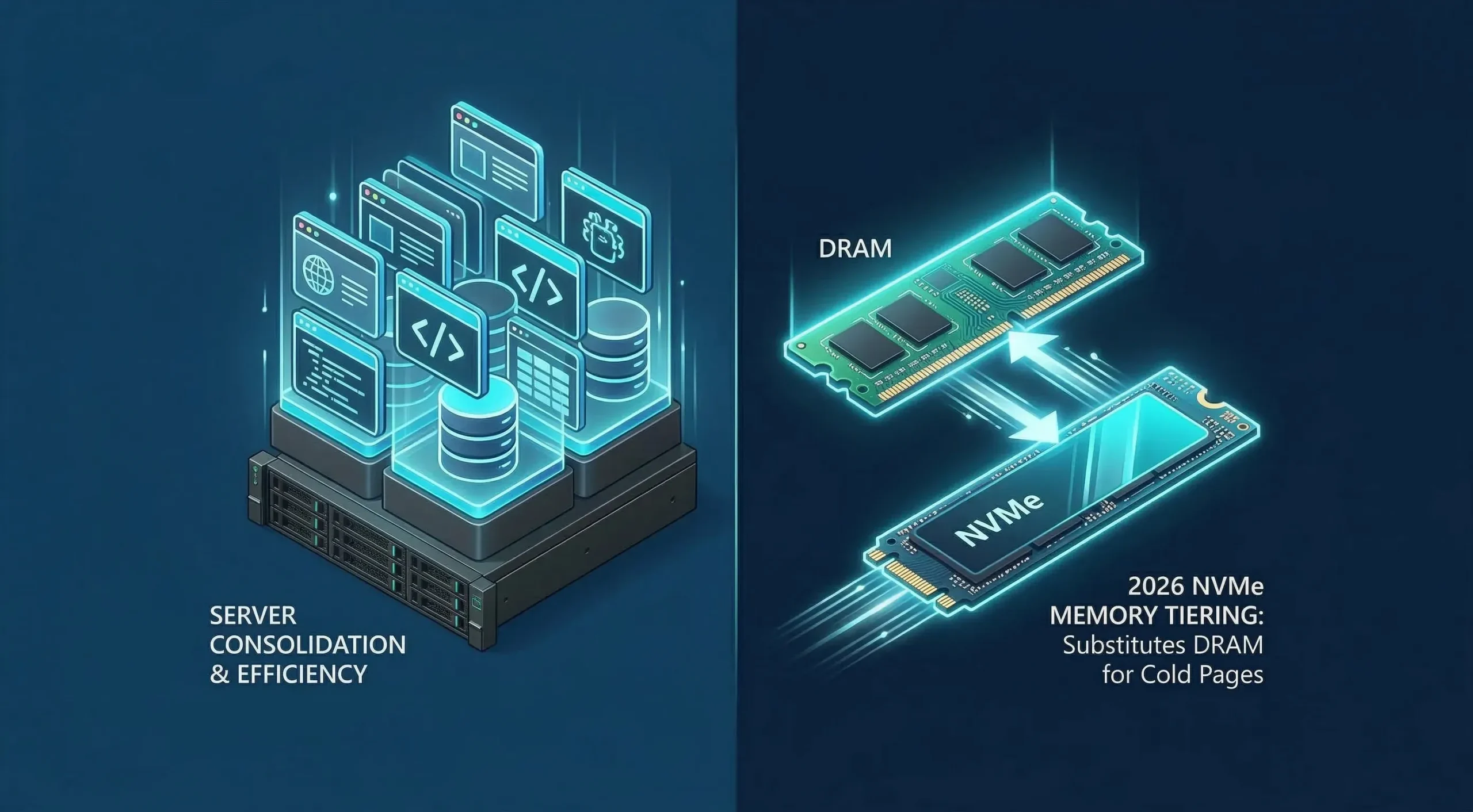
The primary advantage of a virtual machine is exceptional resource utilization and server consolidation. Newer stacks like vSphere 9 now even offer advanced memory features like tiering.. It allows VMs to substitute expensive DRAM with high-speed NVMe storage for “cold” memory pages efficiently.
Advantages of VMs:
- Resource Efficiency: Consolidation allows one physical server to host dozens of applications.
- Rapid Recovery: Snapshots let you revert to a previous state in seconds if a patch fails.
- Hardware Abstraction: Legacy apps can run on modern hardware without compatibility issues.
- Security Isolation: A breach in one VM does not naturally affect the others on the host.
Disadvantages of VMs:
- Performance Overhead: The hypervisor layer consumes a small portion of the CPU and RAM.
- Complexity: Managing large clusters requires high-level skills and expensive orchestration tools.
- Licensing Costs: Some hypervisors have shifted to aggressive subscription models that increase long-term expenses.
What is VDI?
Now that we understand VMs, we can look at Virtual Desktop Infrastructure (VDI). This is a complex orchestration use-case built explicitly on top of virtual machines. VDI is a centralized enterprise system that hosts desktop environments on data center servers for global remote delivery.
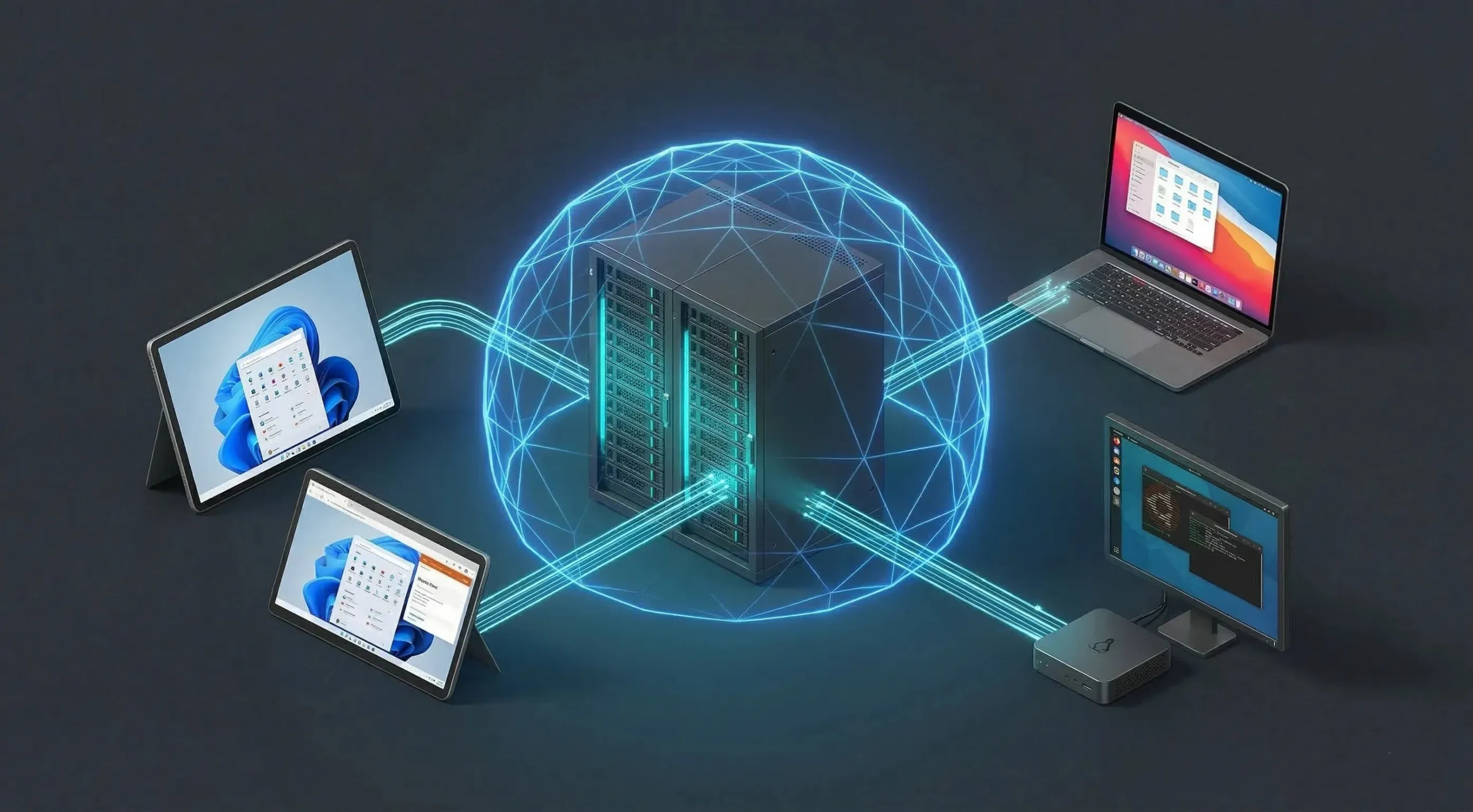
The global VDI market, valued at several billion in 2024, is projected to reach over $90.5 Billion by 2034. This growth is fueled by permanent hybrid work models. Instead of a remote worker relying on a local CPU, all computing happens within your server racks.
In 2026, VDI is no longer just for basic office tasks. Advancements in GPU virtualization now allow for high-end rendering and data analysis. Organizations now use VDI to provide consistent performance to employees regardless of their local hardware specs.
How Does VDI Work?
VDI architecture requires three primary components: a hypervisor cluster, a connection broker, and an advanced display protocol. To eliminate the lag traditionally associated with remote work, 2026 deployments prioritize low-latency network paths and TLS-secured brokered connections between the end device and the virtual desktop.
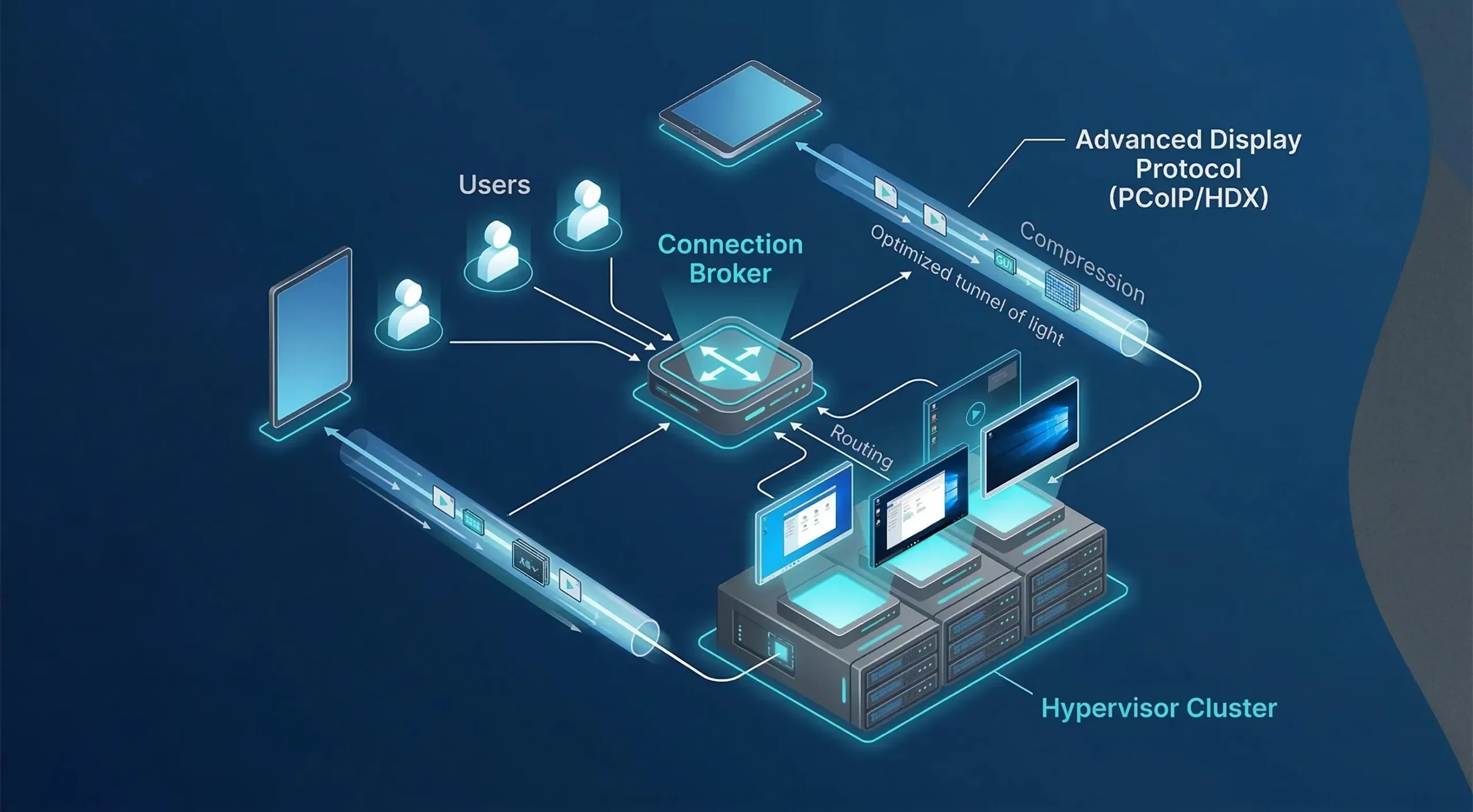
The connection broker acts as the traffic controller. It authenticates users and routes them to an available virtual desktop through an encrypted, brokered channel. The display protocol then compresses and transmits only the screen output to the end device. This is what makes the session feel local, regardless of geographic distance.
The display protocol is what actually carries the screen data to the user. The three dominant display protocols in 2026 are RDP (used by Microsoft AVD), Blast Extreme (VMware Horizon’s primary protocol), and HDX (Citrix). Each compresses screen output to handle varying bandwidth conditions and optimizes multimedia delivery so the remote session performs close to a local desktop experience.
How is VDI Created?
Unlike a standard VM built from an ISO, VDI is created using a master “Golden Image” methodology. IT administrators first build a single, perfectly configured virtual machine containing the required operating system and security patches. This image serves as the blueprint for everyone.
The VDI control software then clones this image into pools. We believe the biggest hurdle here is the profile administration layer. Handling user data so it follows them across non-persistent instances without massive login delays is a complex task that demands precise storage orchestration.
What are the Types of VDI?
VDI is usually deployed in two distinct flavors based on user data persistence:
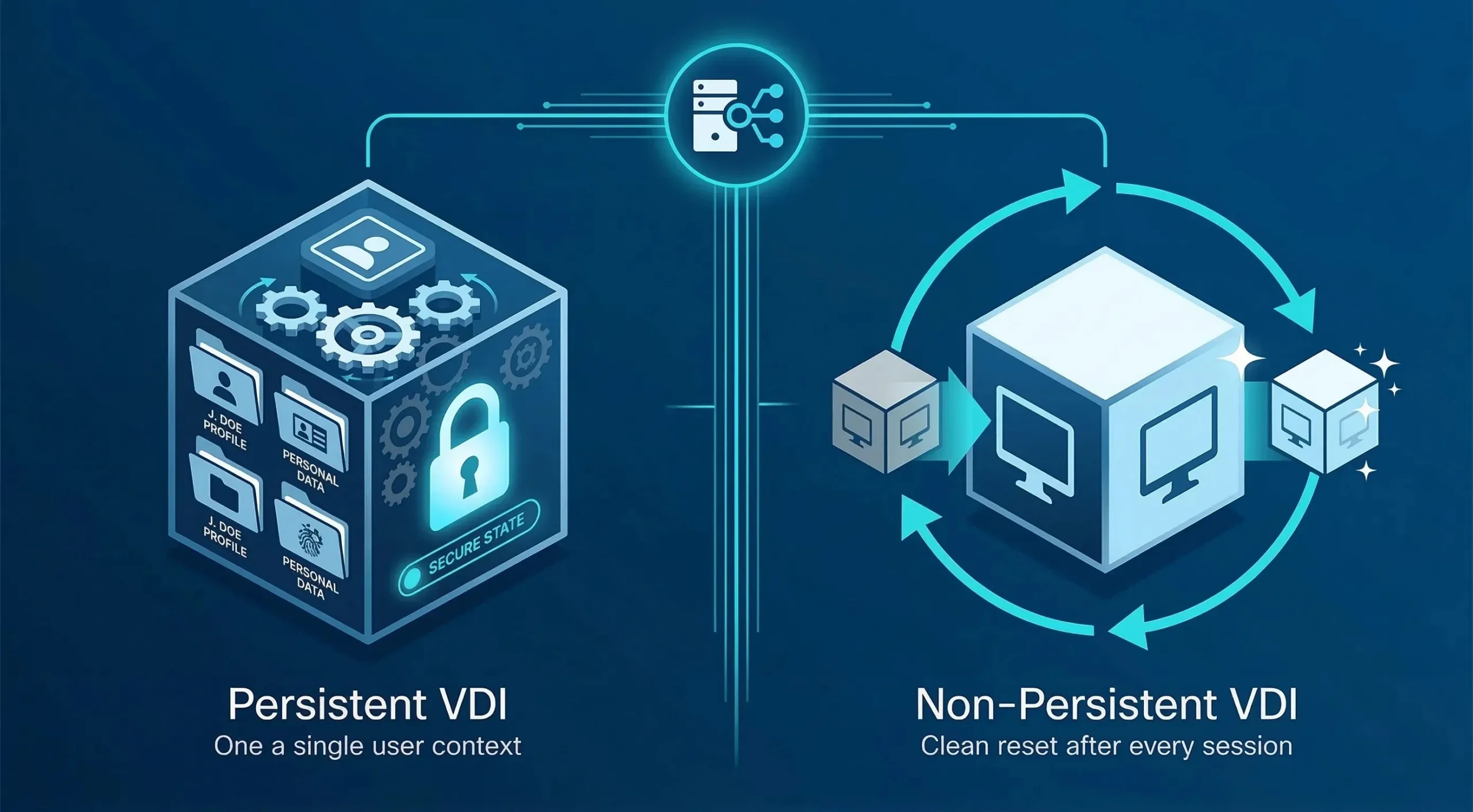
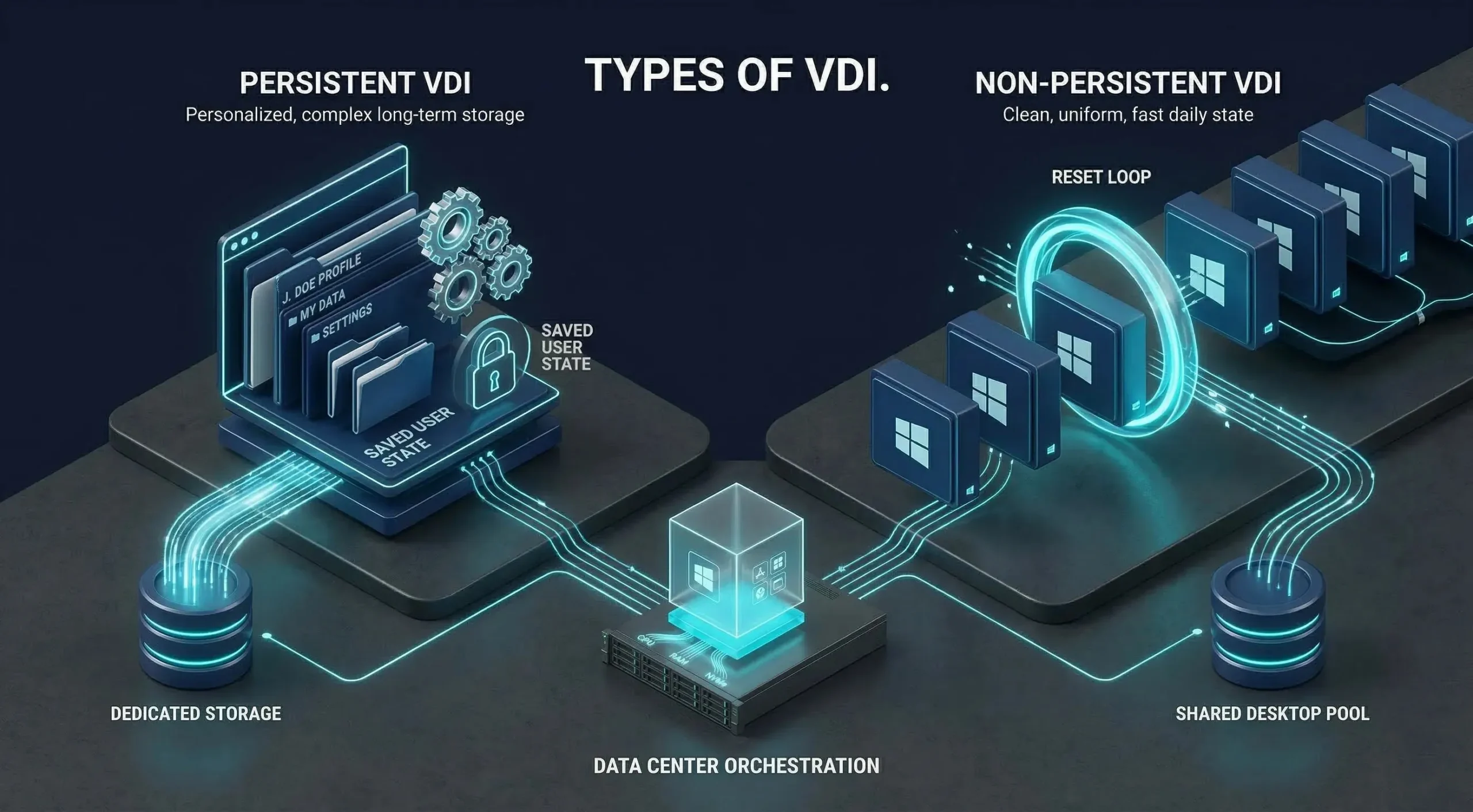 Persistent VDI: Each user has a dedicated VM that saves their settings. It feels like a physical PC but costs more in long-term storage. This is because the storage grows as users add more files.
Non-Persistent VDI: Desktops are interchangeable and reset after every session. This is the most cost-effective way to manage thousands of task workers securely. It guarantees that every user starts with a clean, fast desktop every single day.
Applications of VDI
VDI is the standard for remote work and “Bring Your Own Device” (BYOD) policies. It allows employees to access secure corporate environments from insecure home laptops. We also see it heavily used in call centers and schools for uniform software deployment.
Regulated industries have been among the fastest movers. The healthcare segment of the global VDI market reached $4.0 billion in 2024, driven by the need to keep patient data within controlled infrastructure. Legal and financial organizations follow similar compliance pressures, as data residency requirements make centralized desktop delivery a practical architecture choice.
Educational institutions also benefit from VDI for computer labs. Students can access specialized software from home without needing expensive licenses on their personal devices, and resetting lab environments after each session takes a single administrative action rather than manual intervention on each machine.
Advantages and Disadvantages of VDI
VDI supports Zero Trust principles by centralizing desktops inside the data center. With clipboard, USB, and drive-mapping redirection disabled by policy, compromised endpoints lose their direct path to corporate data, making a properly configured deployment substantially harder to exfiltrate from than VPN or local storage.
Advantages of VDI:
- Centralized Control: Patch one master image and update ten thousand desktops instantly.
- Cost Savings on Endpoints: Use cheap thin clients instead of expensive laptops for employees.
- Improved Security: Data remains in the data center, making it much harder to leak.
- Mobility: Employees can switch from a laptop to a tablet and keep their session.
Disadvantages of VDI:
- Boot Storms: High I/O pressure when everyone logs in at 9 AM can lag the network.
- Connectivity Dependence: No internet means no work, as the desktop doesn’t exist locally.
- Infrastructure Costs: Requires high-IOPS storage and significant server power to maintain performance.
Comparison Table Between VDI vs VM
When making enterprise decisions, SysAdmins must look beyond basic definitions. The difference between VDI vs. VM determines who the end-user is and how they will interact with the digital resources provided by the IT department.
| Feature / Metric | Virtual Machine (VM) | Virtual Desktop Infrastructure (VDI) |
| Primary Use Case | Backend hosting / Databases | Remote user workspaces |
| End-User Interaction | Admin-level (SSH/CLI) | High-fidelity UI/UX (GUI) |
| Creation Method | ISO / IaC Templates | “Golden Image” Cloning |
| Storage Requirement | Steady I/O patterns | Burst-heavy (Boot Storms) |
| Network Priority | Throughput (Data transfer) | Latency (Screen response) |
| Hardware Standard | Multi-core Enterprise CPU / ECC RAM | High-Speed RDMA / All-Flash Arrays |
| 2026 Trend | AIOps & Edge Deployment | Hybrid DaaS & Zero Trust |
At Cloudzy, we offer high-performance, KVM-based instances for your scaling needs. Be it the raw 4.2+ GHz single-thread power of our AMD Ryzen 9 or a 40 Gbps backbone for low-latency VDI, our network guarantees a 99.95% uptime. Buy VPS from us and get DDR5 memory and NVMe SSDs, removing common bottlenecks for production workloads.
Comparing the Costs: Which is More Expensive?
When evaluating the TCO between VM vs. VDI, Virtual Desktop Infrastructure costs far more to deploy upfront. A standalone VM scales linearly. You pay for the compute you provision. It is a predictable cost model for growing development and hosting teams.
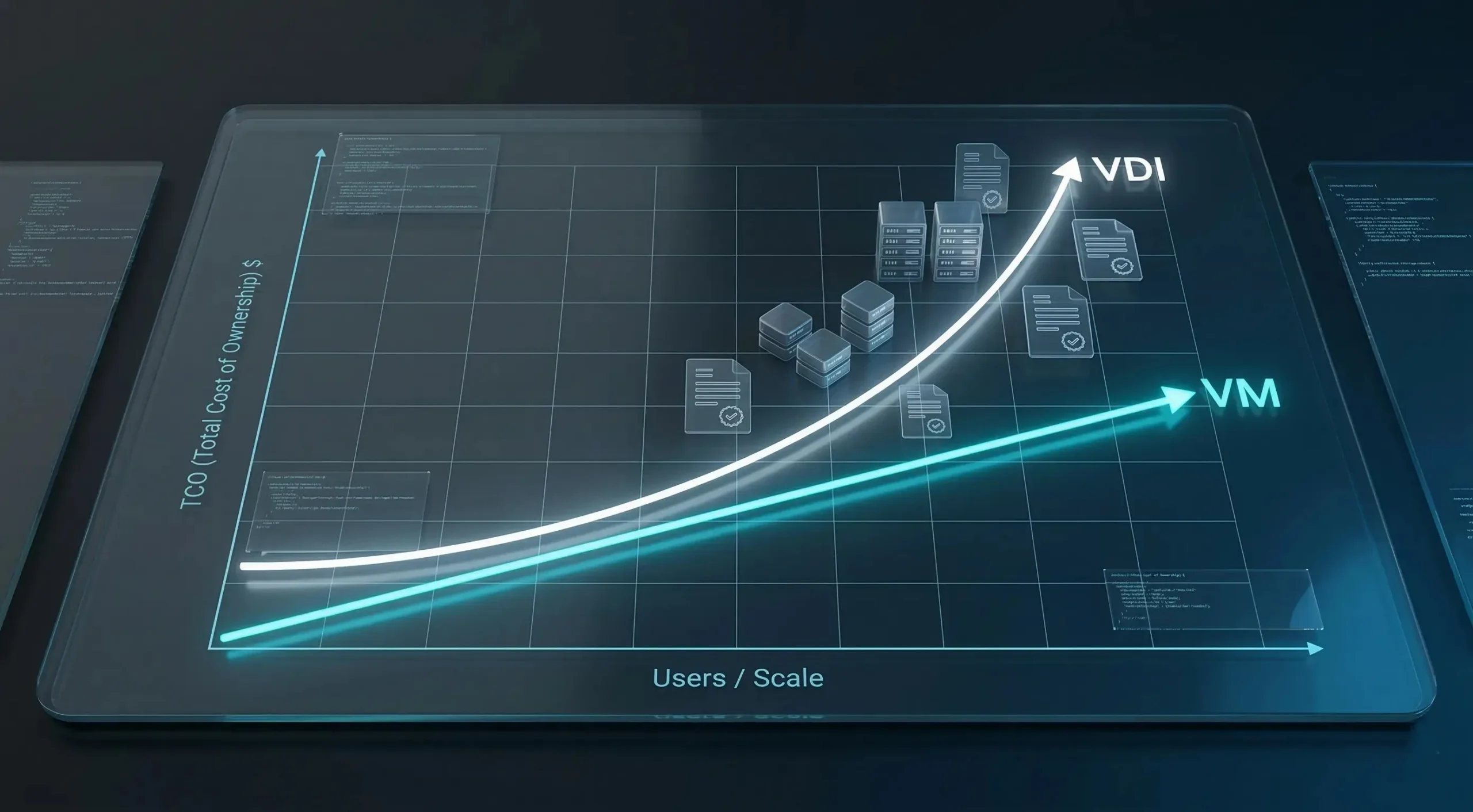
VDI usually costs more per user than a standalone VM deployment because it adds broker, profile, storage, licensing, and user-experience requirements on top of raw virtualization. Current 2026 benchmarks suggest VDI can be 3 to 10 times more expensive per user than standard virtualization.
Conclusion: Choosing the Best Virtualization Path
The virtualization debate boils down to your specific hosting needs.
If you are deploying a web server, a Virtual Machine handles it with reliable, autonomous operations. A KVM VPS provides isolated compute directly on a hypervisor, with no desktop delivery layer required. Developers get the raw compute they need without management overhead consuming resources meant for the workload.
Conversely, securing a remote workforce requires Virtual Desktop Infrastructure. VDI uses VMs on the backend and adds administration layers for a user-centric experience. This makes sure corporate data remains protected within the central data center, all thanks to centralized orchestration.
Whether your priority is raw power or mobility, standalone VMs offer the best performance for heavy computing. If you manage hundreds of users with varying access needs, the orchestration of VDI simplifies the installation process. Whether they need raw compute or centralized user management determines the final call.
FAQ
Which is better for remote work: VDI or VM?
Can I run a VDI without a Virtual Machine?
Can I use a standalone VM instead of VDI for remote access?
What is the difference between VDI and DaaS?
What are the exact network bandwidth requirements for VDI?
Do I need to buy thin clients to use VDI?
Does VDI support graphics-intensive apps like CAD or Video Editing?
Is it possible to use Linux for VDI?
How does VDI improve security in a BYOD environment?
Discussion
Comments
Sign in to join the discussion.